Amazon Web Services
Amazon Web Services (or AWS) is the term, that describes both a company (“Amazon”) and the technology it provides. The company “AWS” has its site (amazon.com) and it provides the computer platforms to the users, government representatives and different companies with a free-tier option, which expires in 12 months after registration. This technology allows its subscribers to have a full-fledged virtual computers, which are available any time the users need them, when they use the internet. These virtual computers have the real computer attributes, including a choice of operating systems, networking and pre-loaded application software (databases, web servers and other). Each of the Amazon Web Services system virtualizes its console (which includes display, keyboard and mouse), that allows its subscribers to connect to their Amazon Web Services system via their browser, which acts as a window into their virtual computer. The subscribers of AWS can log-in and use any or all of their virtual as if they used a real physical computer. They can also choose to deploy their Amazon Web Services systems to provide internet-based services for their own and their customers' benefit.
This AWS technology bases on what its subscriber needs to reserve, such as a single virtual AWS computer, a physical computer or even a few physical computers. Amazon has the right to manage, upgrade and provide industry-standard security to each of its subscribers’ system. These AWS services can be found in many global geographical regions, including six of them, which are in North America.
Last year, AWS comprised over 70 services, including storage, computing, networking, database, analytics, application, services, deployment, mobile, management, different developer tools, as well as tools for the so called “Internet of Things”. One of the most popular service is “Amazon Elastic Compute Cloud”. Although “Amazon Simple Storage Service” is also quite popular. Most of the available services are not exposed directly to the end users, but offer functionality through APIs. This is very useful for the developers to have in their applications. The developers of Amazon offer their subscribers a large scale of computing capacity for more quick and cheap use, rather than building their own physical server farm. All of the services are billed and they are based on the usage, but each of the available services measures the usage in very different ways.
Amazon Web Services include the “Amazon Elastic Compute Cloud”, which is a service that provides the virtual servers by an API, which is based on the hypervisor “Xen”. The equivalents to such remote services can be Google Computer Engine, Rackspace and Microsoft Azure. Users can also try “Eucalyptus” or “OpenStack”. Another service of AWS is “Amazon Lambda”, which runs the codes to AWS internal or external events. These events can be, for example, any http requests.
“Amazon Elastic beanstalk” is also a popular service, which provides a PaaS service in terms of using it for different hosting applications. The equivalent service to this one can be Google App Engine, Heroku or “OpenShift”. The “Amazon Route 53” is another Amazon Web Service, which provides the other Domain name Services.
The Cloud, or “Amazon Virtual Private Cloud” can be connected with use of a “VPN” connection. “AWS Direct Connect” provides dedicated network connections into AWS data centres and also can be used by the Amazon Web Services subscribers.
There are so many other services, included in “Amazon Web Services” term, and they are: “Amazon API Gateway”, “Amazon CloudSearch”, “Amazon DevPay”, “Amazon Elastic Transcoder” or “ETS”, “Amazon Simple Email Service” or “SES”, “Amazon Simple Queue Service” or “SQS”, “Amazon Simple Notification Service” or “SNS”, “Amazon Simple Workflow” or “SWF”, “Amazon Cognito”, “Amazon AppStream 2.0”, “Amazon Athena”, “Amazon Elastic MapReduce”, “Amazon Machine Learning”, “Amazon Kinesis”, “Amazon Elasticsearch Service”, “Amazon QuickSight”, “Amazon Marketplace Web Service” or “MWS”, “Amazon Fulfillment Web Service”, “Amazon Historical Pricing”, “Amazon Product Advertising API”, “Amazon Gift Code On Demand” or “AGCOD”, “AWS Partner Network” or “APN”, “Amazon Lumberyard”, “Amazon Chime”, “Amazon DynamoDB”, “Amazon ElastiCache”, “Amazon Relational Database Service”, “Amazon Redshift”, “Amazon SimpleDB”, “AWS Data Pipeline”, “Amazon Aurora”, “AWS CloudFormation”, “Amazon Identity and Access Management” or “IAM”, “AWS Import/Export”, “AWS Directory Service”, “Amazon CloudWatch”, “Amazon CloudHSM”, “Amazon EC2 Container Service”, “AWS Direct Connect”, “Amazon Elastic Load Balancing”, “AWS Elastic Network Adapter” or “ENA”, “Amazon CloudFront”, “Amazon Simple Storage Service”, “AWS Key Management Service”, “Amazon Glacier”, “AWS Storage Gateway”, “Amazon Elastic File System” and so on.
Using the information and the description of Amazon Web Services, provided above, you can always make your own Amazon Web Services diagrams. Using ConceptDraw DIAGRAM as a powerful diagramming and vector drawing software, you can create any needed diagram, including the Amazon Web Services one., within only a couple of hours if you do that for the first time and if it is your first diagram you are making using this unique application. In case you have ConceptDraw DIAGRAM downloaded on your computer for a long time already, then it can be much simpler for you to make any drawing needed as you must know by now how to use the solutions, CS Odessa team has created especially for ConceptDraw DIAGRAM users.
These solutions, including the AWS Architecture Diagrams one, you can always find and download from the Computer and Networks Area on this site or you can simply download ConceptDraw STORE application, which allows to choose any of the solutions you need, full of stencil libraries with design elements, such as different symbols, icons, etc., in order to create great looking and, which is very important, professionally looking diagrams, such as Amazon Web Services diagram drawings.
ConceptDraw DIAGRAM is a powerful diagramming and vector drawing software. Extended with AWS Architecture Diagrams Solution from the Computer and Networks Area, ConceptDraw DIAGRAM now is ideal software for Amazon Web Services diagrams drawing.

Example 1. Amazon Web Services - SharePoint Server Reference Architecture for Public Facing Website Scenario
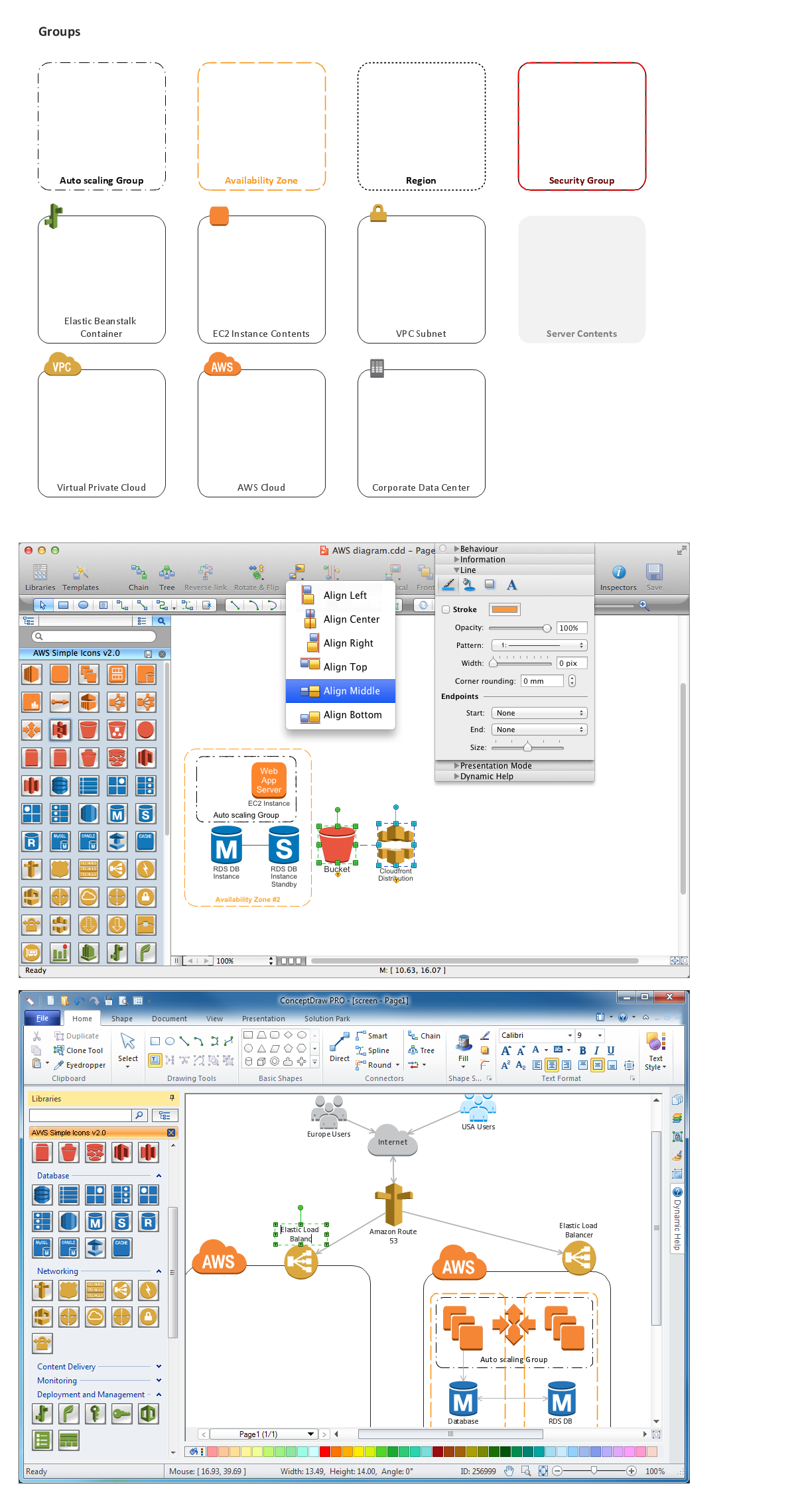
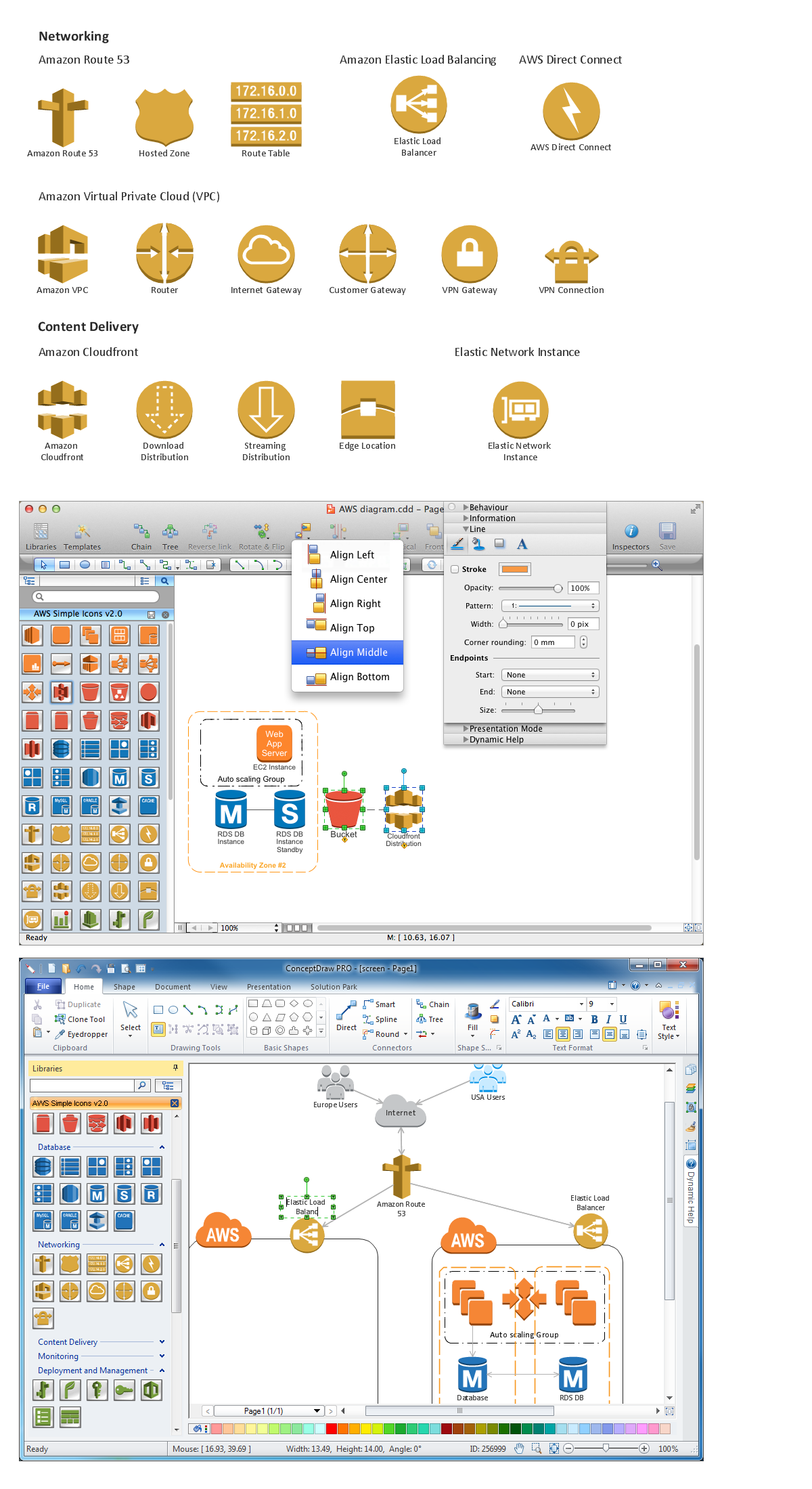
AWS Architecture Diagrams Solution provides 2 libraries with numerous vector objects specially predesigned for ConceptDraw DIAGRAM users. Click the previews below to enlarge them.

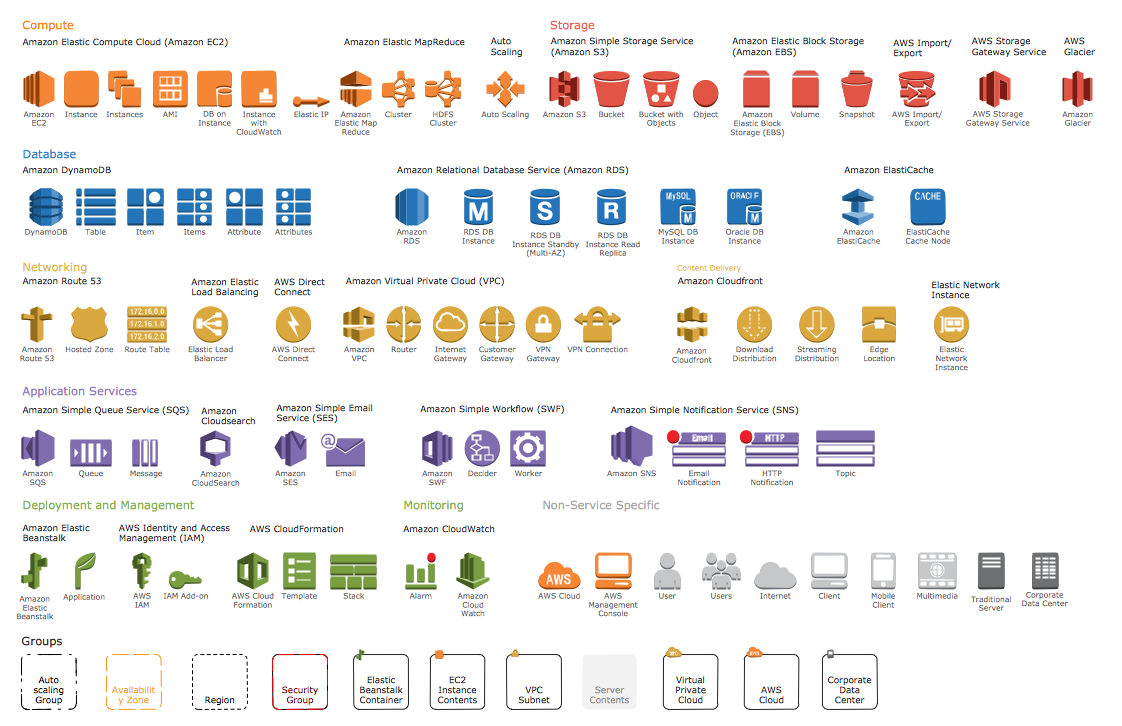
The libraries of objects are undoubtedly very useful, but AWS Architecture Diagrams Solution provides also the set of ready-to use samples. Open the ConceptDraw STORE to see the diversity of AWS architecture diagrams examples and samples.
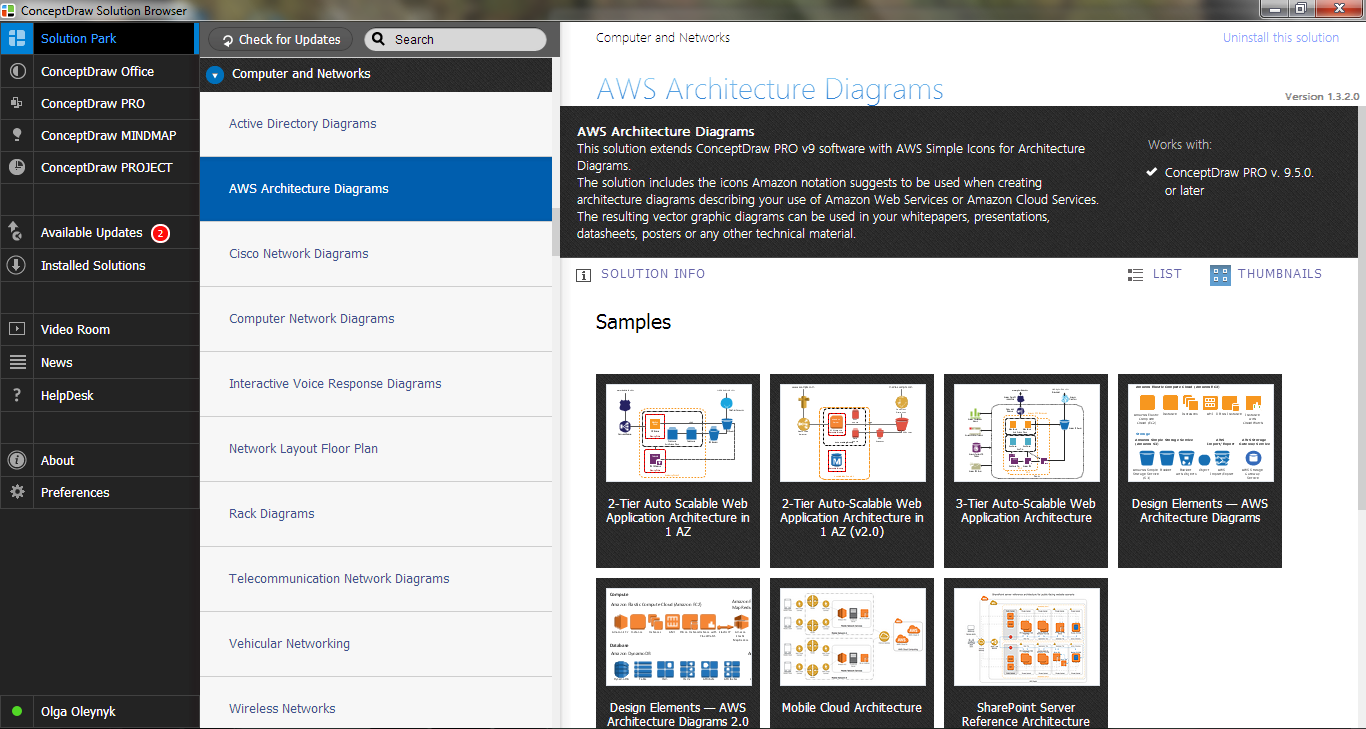
Example 2. AWS Architecture Diagrams Solution in ConceptDraw STORE
All AWS Architecture Diagrams offered in ConceptDraw STORE are available for editing and the following use by ConceptDraw DIAGRAM users.
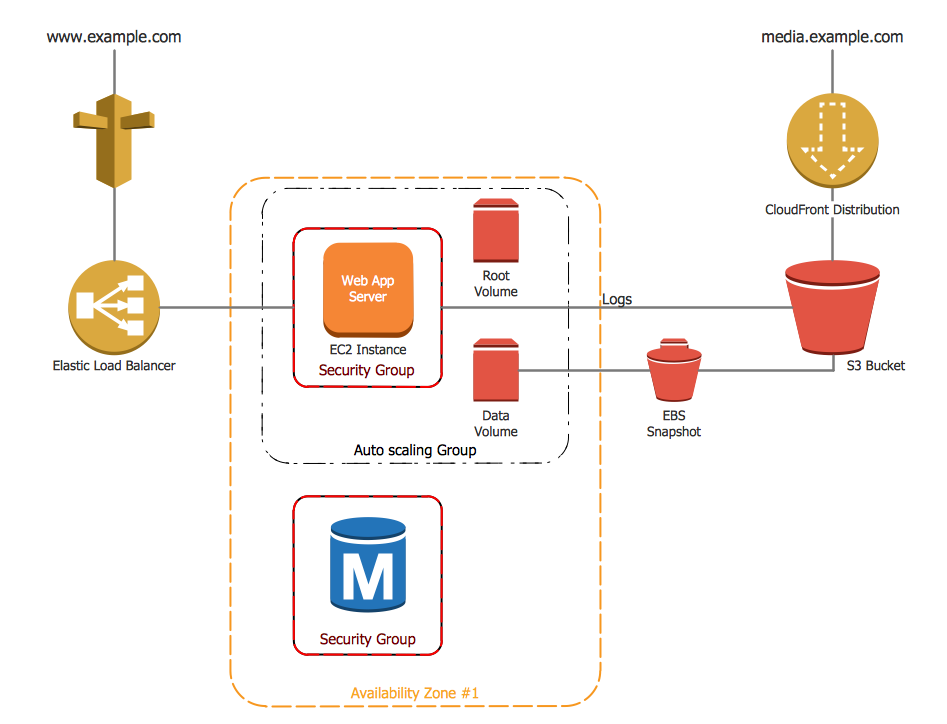
Example 3. Amazon Web Services - 2-Tier Auto Scalable Web Application Architecture in 1 AZ0 v2.0
The samples you see on this page were created in ConceptDraw DIAGRAM using the objects from the AWS Architecture Diagrams Solution libraries and illustrates the work of Amazon Web Services. An experienced user spent 15 minutes creating every of these samples.
Use the AWS Architecture Diagrams Solution for ConceptDraw DIAGRAM software to create your own professional looking Amazon Web Services diagrams of any complexity quick, easy and effective.
All source documents are vector graphic documents. They are available for reviewing, modifying, or converting to a variety of formats (PDF file, MS PowerPoint, MS Visio, and many other graphic formats) from the ConceptDraw STORE. The AWS Architecture Diagrams Solution is available for all ConceptDraw DIAGRAM or later users.