Authority Matrix Diagram Software
You need to draw Authority Matrix Diagram quick and easy? Design it with ConceptDraw DIAGRAM.
ConceptDraw DIAGRAM extended with Seven Management and Planning Tools solution from the Management Area is the best Authority Matrix Diagram Software.
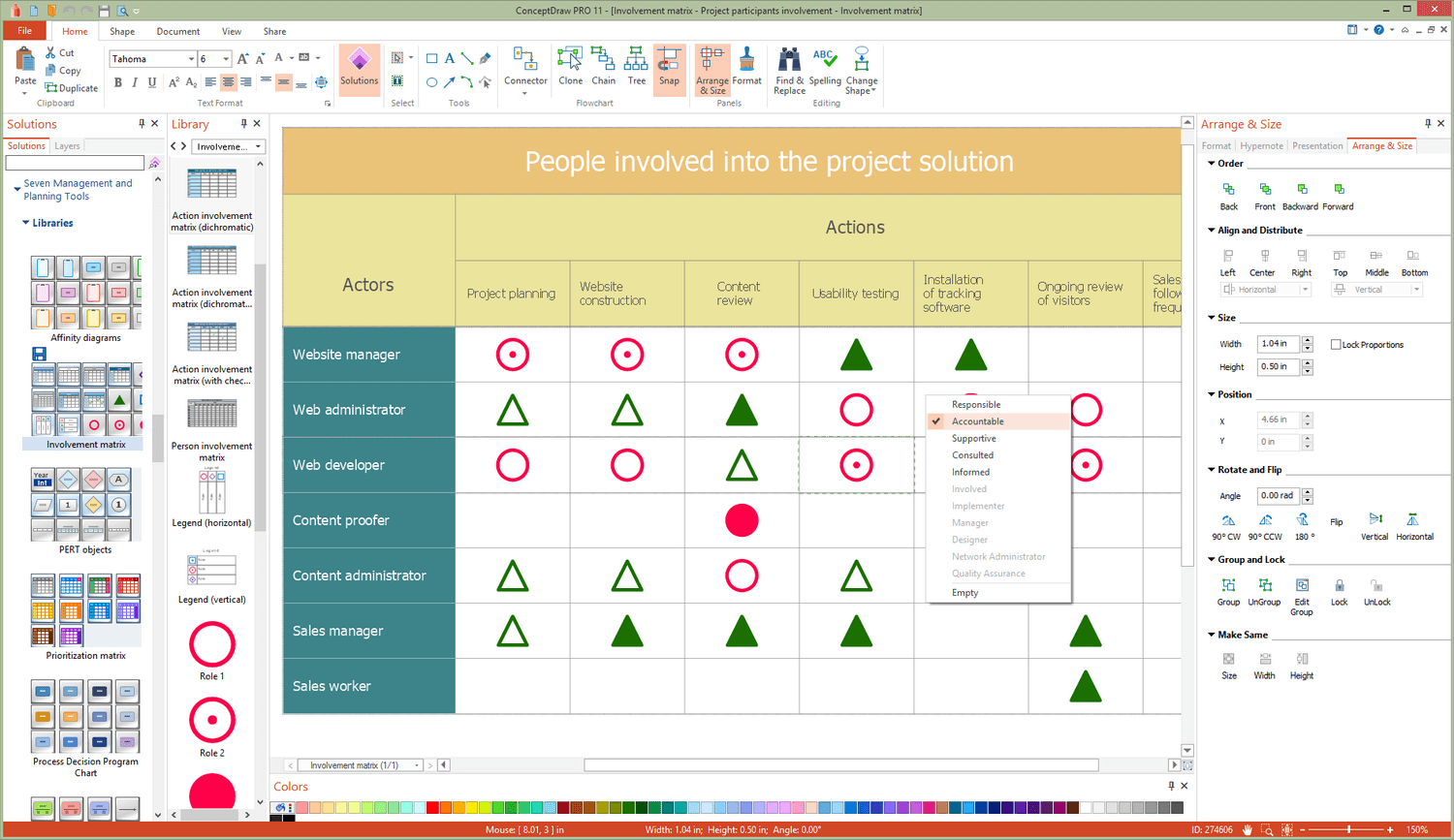
Sample 1. ConceptDraw DIAGRAM - Authority Matrix Diagram Software
Seven Management and Planning Tools Solution offers you a wide set of various templates and samples that you can use as the base for drawing your own Authority Matrix Diagrams in minutes. All templates and samples are available from ConceptDraw STORE.

Sample 2. Seven Management and Planning Tools Solution in ConceptDraw STORE
ConceptDraw STORE is useful and convenient tool that allows you to navigate the ConceptDraw Solution Park, manage downloads and updates, take the access to libraries, templates and samples directly from it.
After choosing the desired template or sample, change it for your needs. Type the text, add clipart and shapes from the extensive libraries of Seven Management and Planning Tools Solution, change the style and colors of your Authority Matrix Diagram in minutes.
You can also create the own professional looking Authority Matrix Diagram de novo using the tools of Seven Management and Planning Tools solution from the Management Area. If you use some designations on your diagram, it is convenient to create the legend to explain the applied designations.
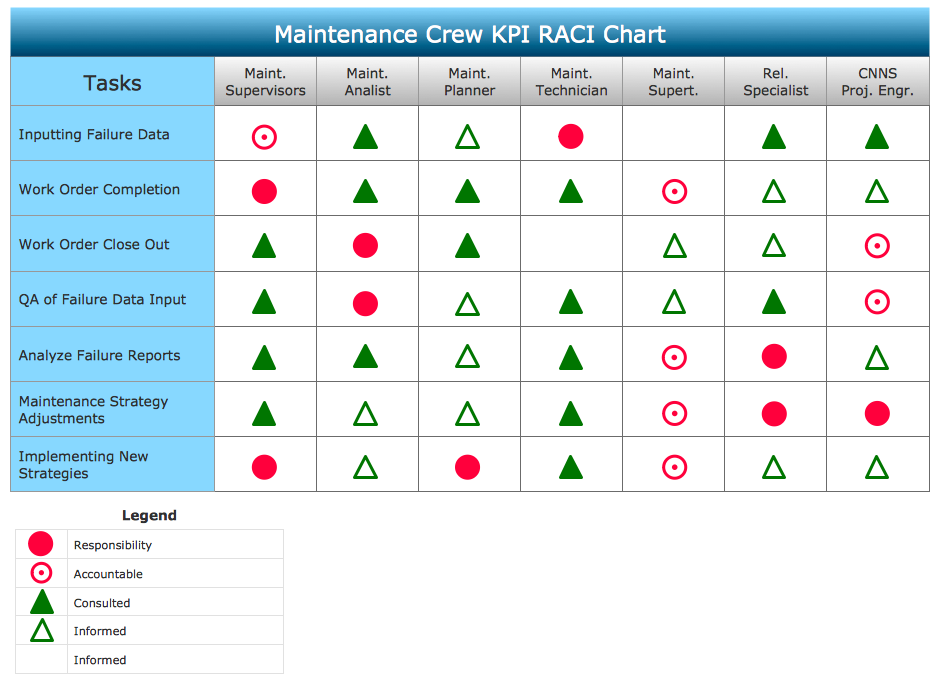
Sample 2. Authority Matrix Diagram
This sample was created in ConceptDraw DIAGRAM using the Seven Management and Planning Tools Solution and shows the Authority Matrix Diagram. An experienced user spent 10 minutes creating this sample.
Use the Seven Management and Planning Tools Solution for ConceptDraw DIAGRAM to create your own Authority Matrix Diagram of any complexity quick, easy and effective.
The Authority Matrix Diagrams designed with ConceptDraw DIAGRAM are vector graphic documents and are available for reviewing, modifying, converting to a variety of formats (image, HTML, PDF file, MS PowerPoint Presentation, Adobe Flash or MS Visio), printing and send via e-mail in one moment.
TEN RELATED HOW TO's:
Venn diagrams are illustrations used in the branch of mathematics known as set theory.
Use ConceptDraw DIAGRAM to quick and easy design your own Venn Diagram of any complexity.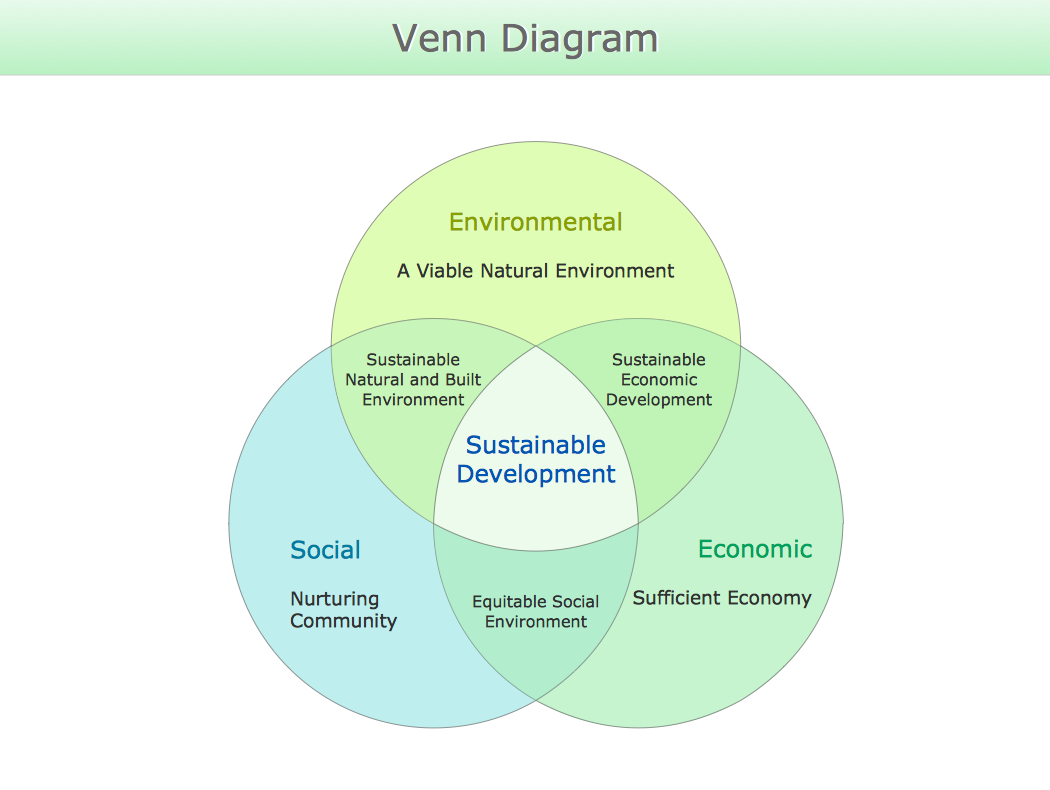
Picture: Venn Diagram
Related Solution:
Both Crow’s Foot and Chen’s notations are used to build database models. Each of them has its’ own features, and if you use a proper entity relationship diagram software, you’ll be able to create diagrams of any notation. Database model with clearly defined entities and relationships between them facilitates further work greatly.
This ERD represents the model of Employee Certification Entity. The entity-relationship diagram is a visual instrument of database software development. It is used to structure data and to define the relationships between structured data groups. This ERD was designed with a help of ConceptDraw Entity-Relationship Diagram (ERD) solution. The solution supports the both basic ERD notations used to describe the structure of database: Chen's and Crow’s Foot notations.
Picture: Entity Relationship Software
Related Solution:
While creating flowcharts and process flow diagrams, you should use special objects to define different statements, so anyone aware of flowcharts can get your scheme right. There is a short and an extended list of basic flowchart symbols and their meaning. Basic flowchart symbols include terminator objects, rectangles for describing steps of a process, diamonds representing appearing conditions and questions and parallelograms to show incoming data.
This diagram gives a general review of the standard symbols that are used when creating flowcharts and process flow diagrams. The practice of using a set of standard flowchart symbols was admitted in order to make flowcharts and other process flow diagrams created by any person properly understandable by other people. The flowchart symbols depict different kinds of actions and phases in a process. The sequence of the actions, and the relationships between them are shown by special lines and arrows. There are a large number of flowchart symbols. Which of them can be used in the particular diagram depends on its type. For instance, some symbols used in data flow diagrams usually are not used in the process flowcharts. Business process system use exactly these flowchart symbols.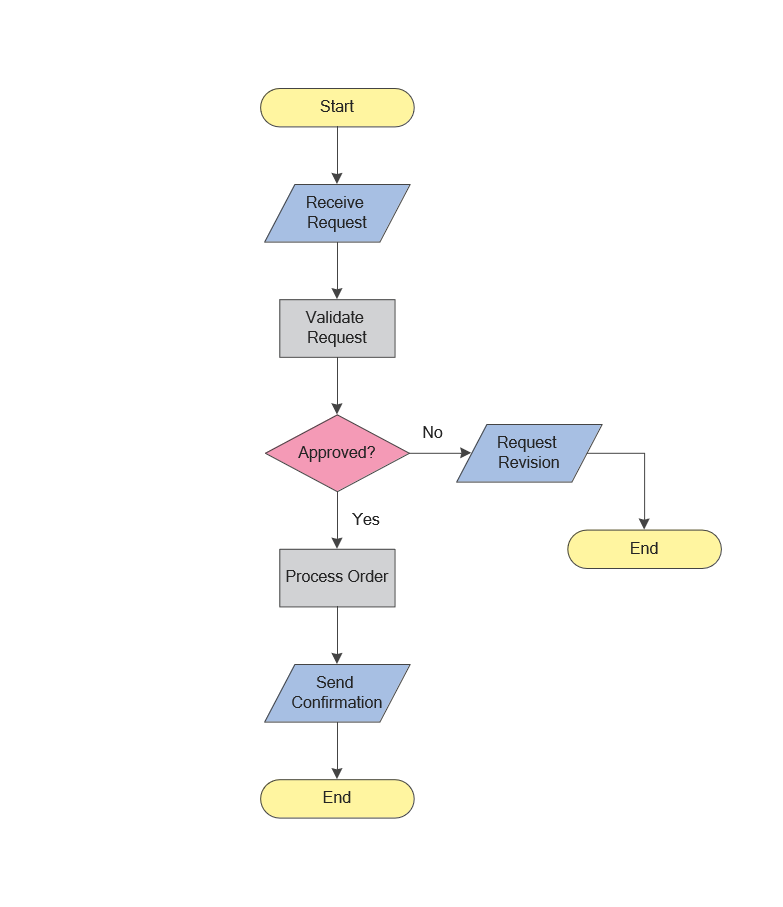
Picture: Flowchart Symbols: Meaning and Examples
Related Solution:
A software tool that saves your time on making decisions now has the ability to make decisions with remote team via Skype.
Picture: Decision Making Software For Small Business
Related Solution:
SWOT analysis makes it possible to form a strategy for a company and takes into account its characteristics. To understand the idea, you can view Swot Analysis Examples for Mac OS X and see how this tool can transform the business strategy. The main point is to adapt to the environment, or to try to influence on it.
This matrix of was designed to assist business manager in conducting of SWOT analysis. It will help to determine the position business takes regarding competitors and perspective of the further development. The factors of SWOT are depicted as bubbles on a chart. The coordinate axes are size (X) and importance (Y). The each bubble's diameter shows the strategic influence of the particular SWOT factors. Moreover, the ConceptDraw solution for SWOT Analysis provides the samples of SWOT Analysis matrices Examples for Apple OS X.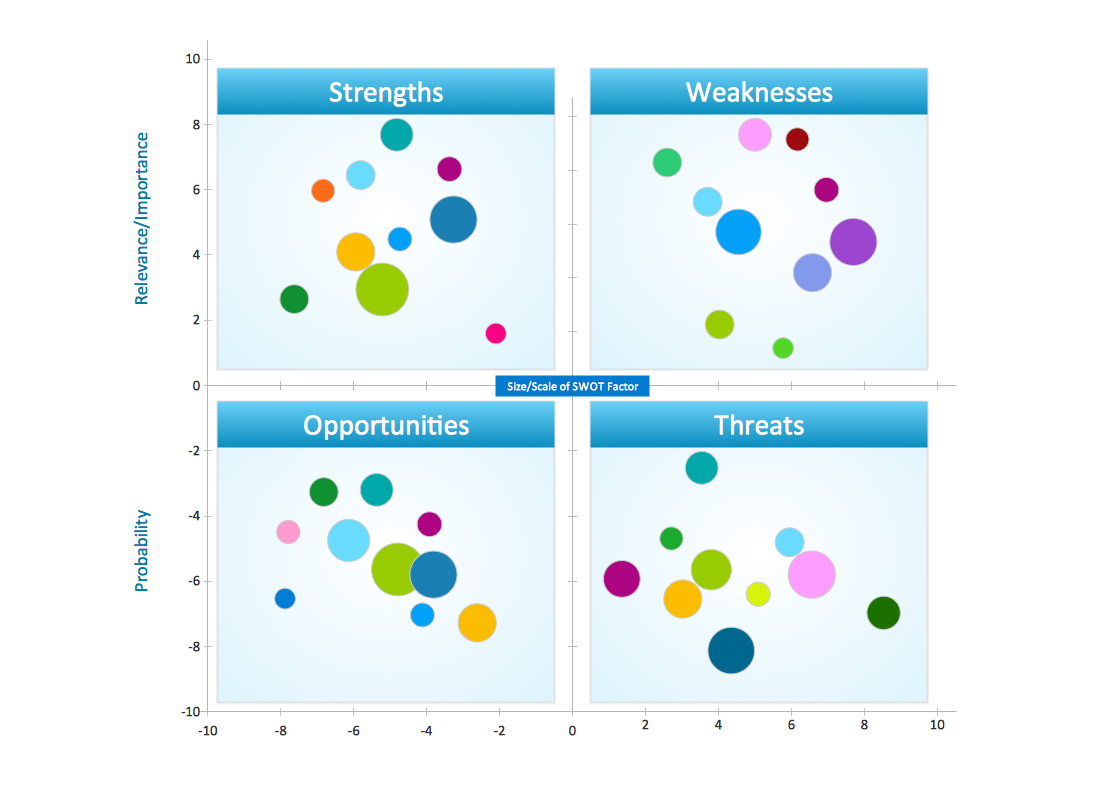
Picture: Swot Analysis Examples for Mac OSX
During the planning, discussing and execution of a project you may need to prepare a presentation using project views such as the Gantt Chart, Multiproject Dashboard or Resource Usage View. It’s easy do with ConceptDraw PROJECT!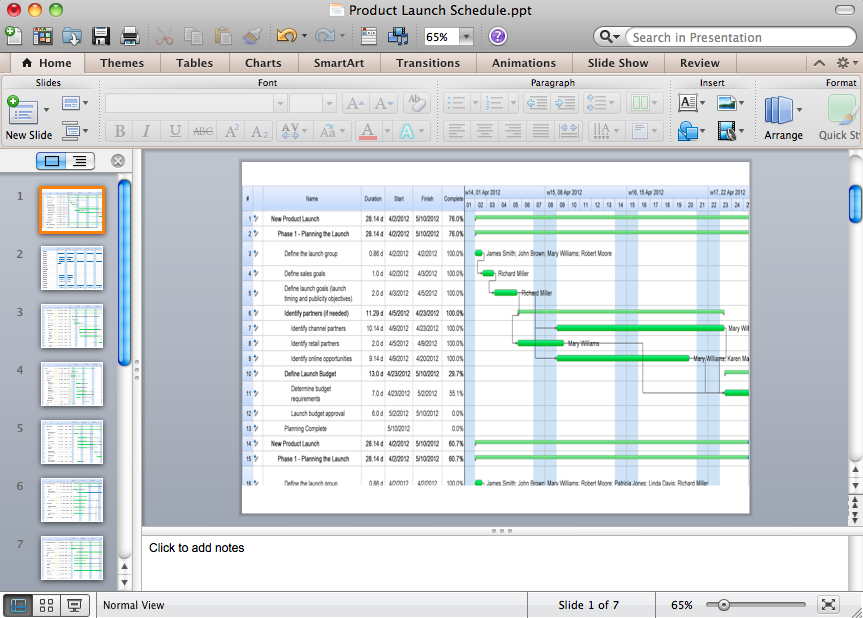
Picture: How to Create Presentation of Your Project Gantt Chart
This sample shows the Pie Donut Chart. It was created in ConceptDraw DIAGRAM diagramming and vector drawing software using the ready-to-use object from the Pie Charts Solution from Graphs and Charts area of ConceptDraw Solution Park.
The Pie Donut Chart visualizes the percentage of parts of the whole and looks like as a ring divided into sectors. Pie Donut Charts are widely used in the business, statistics, analytics, mass media.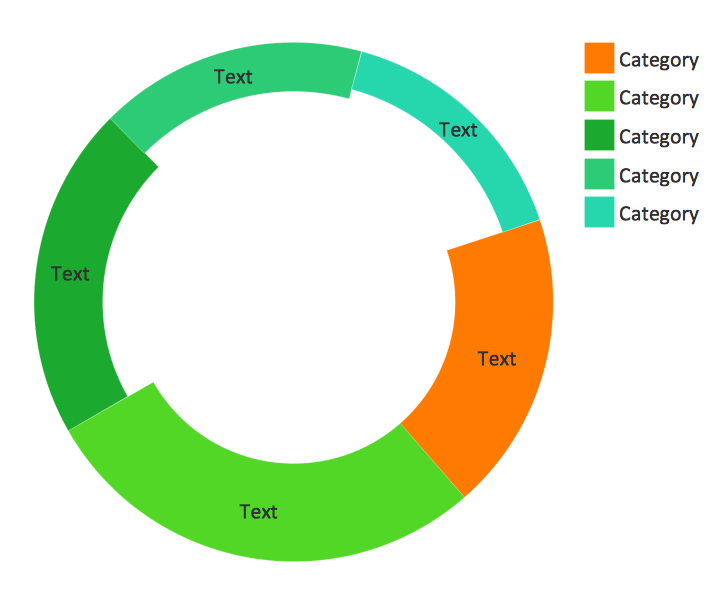
Picture: Pie Donut Chart. Pie Chart Examples
Related Solution:
Use team meetings, share ideas, brainstorm ideas, team notes with ConceptDraw solution.
Picture: A Tool for EffectiveTeam Meetings
Related Solution:
ConceptDraw Pyramid Diagram software allows drawing column charts using predesigned objects or drawing tools. In ConceptDraw Pyramid Diagram software you can find a complete set of column chart tools and objects.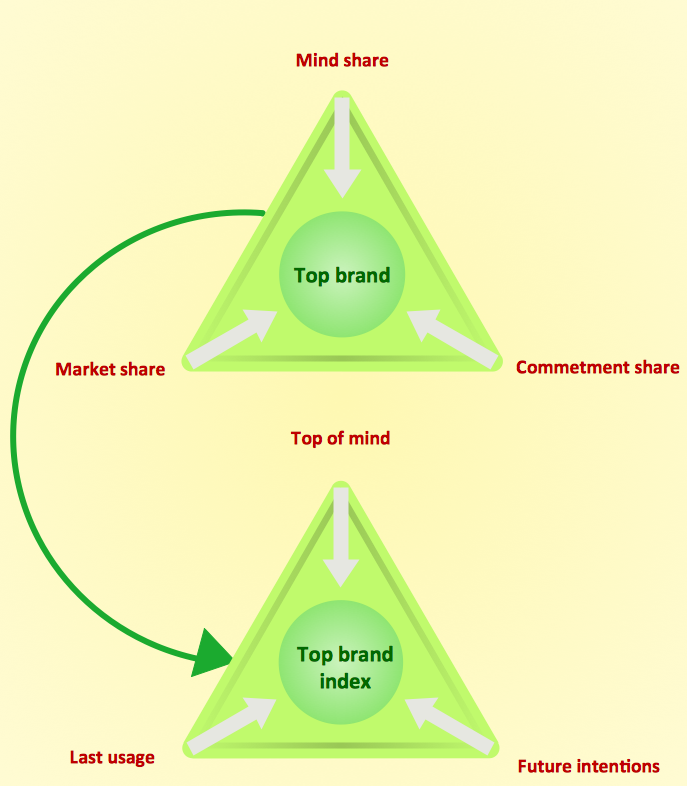
Picture: How to Create a Pyramid Diagram
Related Solutions:
Competitor analysis is a first and obligatory step in elaboration the proper corporate marketing strategy and creating sustainable competitive advantage. Use powerful opportunities of numerous solutions from ConceptDraw Solution Park for designing illustrative diagrams, charts, matrices which are necessary for effective competitor analysis.
Picture: Competitor Analysis
Related Solution: