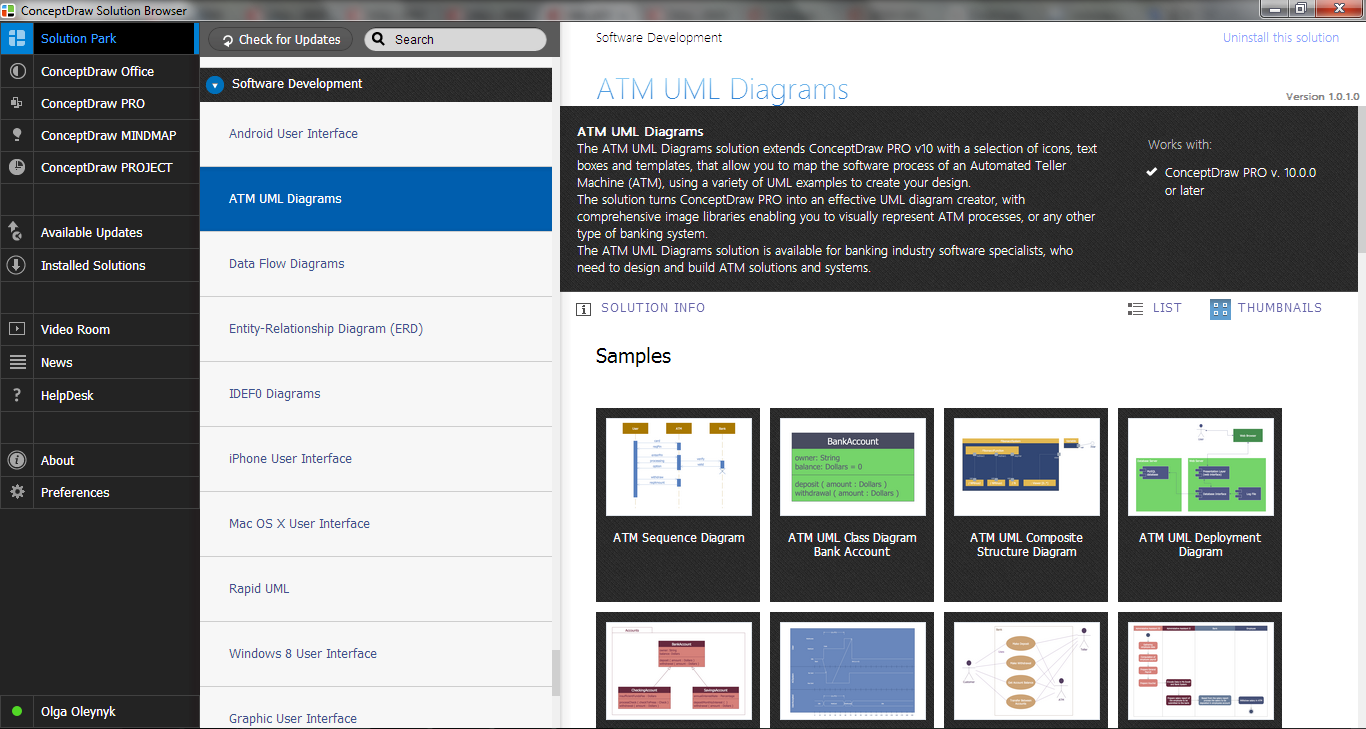
Example 1. Bank System - UML Package Diagram
First of all, ATM UML Diagrams Solution offers 14 libraries containing 182 objects:
- Bank UML Activity Diagram
- Bank UML Class Diagram
- Bank UML Communication Diagram
- Bank UML Component Diagram
- Bank UML Composite Structure Diagram
- Bank UML Deployment Diagram
- Bank UML Interaction Overview Diagram
- Bank UML Object Diagram
- Bank UML Package Diagram
- Bank UML Profile Diagram
- Bank UML Sequence Diagram
- Bank UML State Machine Diagram
- Bank UML Timing Diagram
- Bank UML Use Case Diagram

Example 2. ATM UML Diagrams Solution in ConceptDraw STORE
Now you don't need to be an artist! ATM UML Diagrams Solution is also rich for the predesigned samples which are offered for ConceptDraw DIAGRAM users in ConceptDraw STORE. Use of any of them as the base or source of inspiration, and application of ready vector objects from the libraries will help you to get excellent result in mere minutes.
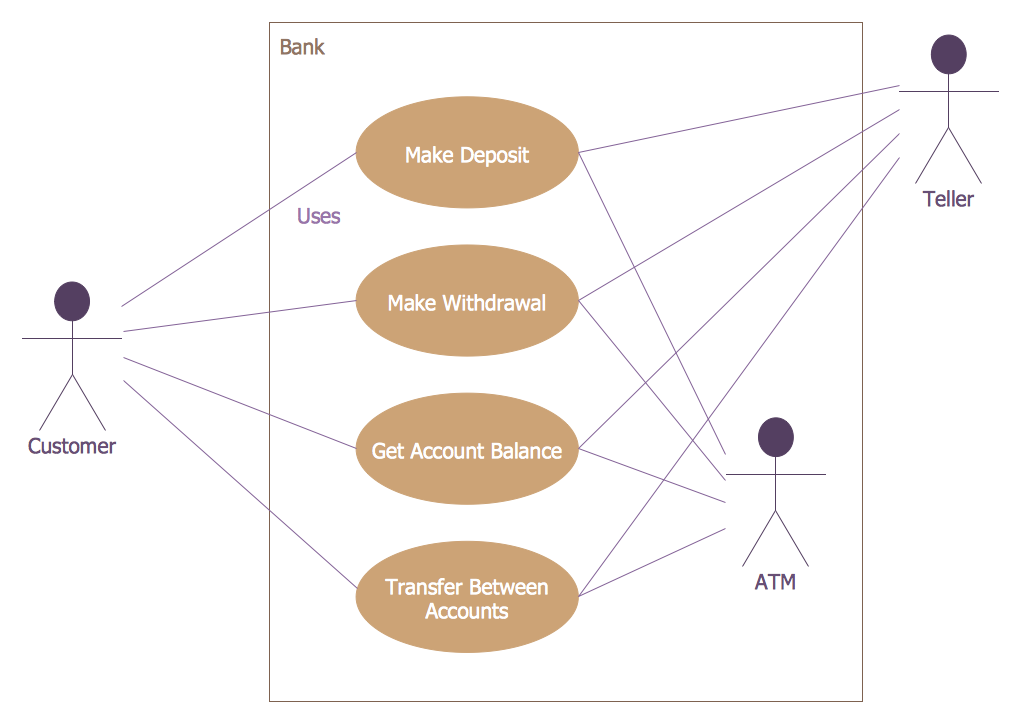
Example 3. Bank System - ATM Use Case Diagram
The samples you see on this page were created in ConceptDraw DIAGRAM software using the objects from the libraries of ATM UML Diagrams Solution and illustrate various ATM UML diagrams for the bank system. An experienced user spent 10-15 minutes creating each of them.
Use the ATM UML Diagrams Solution for ConceptDraw Solution Park to create your own UML Diagrams for the bank system fast and easy, and then effectively use them.
All source documents are vector graphic documents. They are available for reviewing, modifying, or converting to a variety of formats (PDF file, MS PowerPoint, MS Visio, and many other graphic formats) from the ConceptDraw STORE. The ATM UML Diagrams Solution is available for all ConceptDraw DIAGRAM users.
TEN RELATED HOW TO's:
UML Class Diagram can be created using ConceptDraw DIAGRAM diagramming software contains rich examples and template. ConceptDraw is perfect for software designers and software developers who need to draw UML Class Diagrams.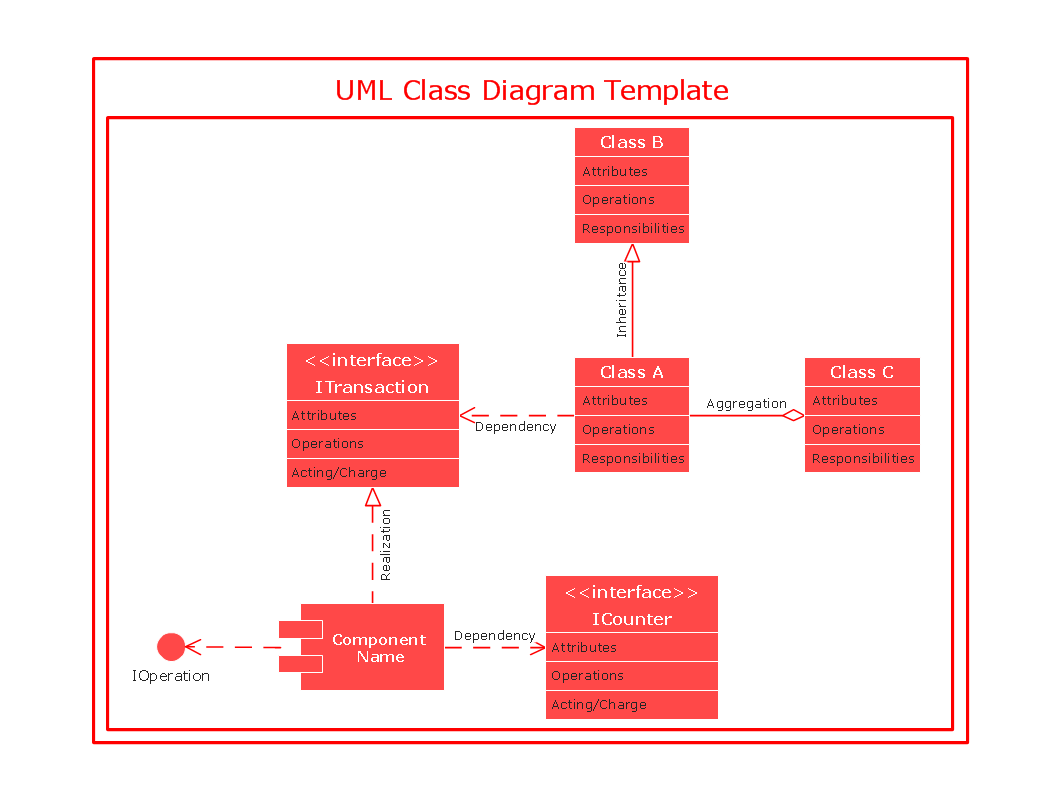
Picture: UML Class Diagram
Two types of diagrams are used in UML: Structure Diagrams and Behavior Diagrams. Behavior Diagrams represent the processes proceeding in a modeled environment. Structure Diagrams represent the elements that compose the system.
Picture: UML Diagram Types List
Related Solution:
The ability to develop UML diagrams as quickly as the ideas come. The solution uses ConceptDraw RapidDraw techniques. The result is a vector graphic document.
Picture: Introductory Guide to Rapid UML Solution
Related Solution:
This action mindmap helps to quick answer customers' frequently asked questions and to provide useful info about bank services.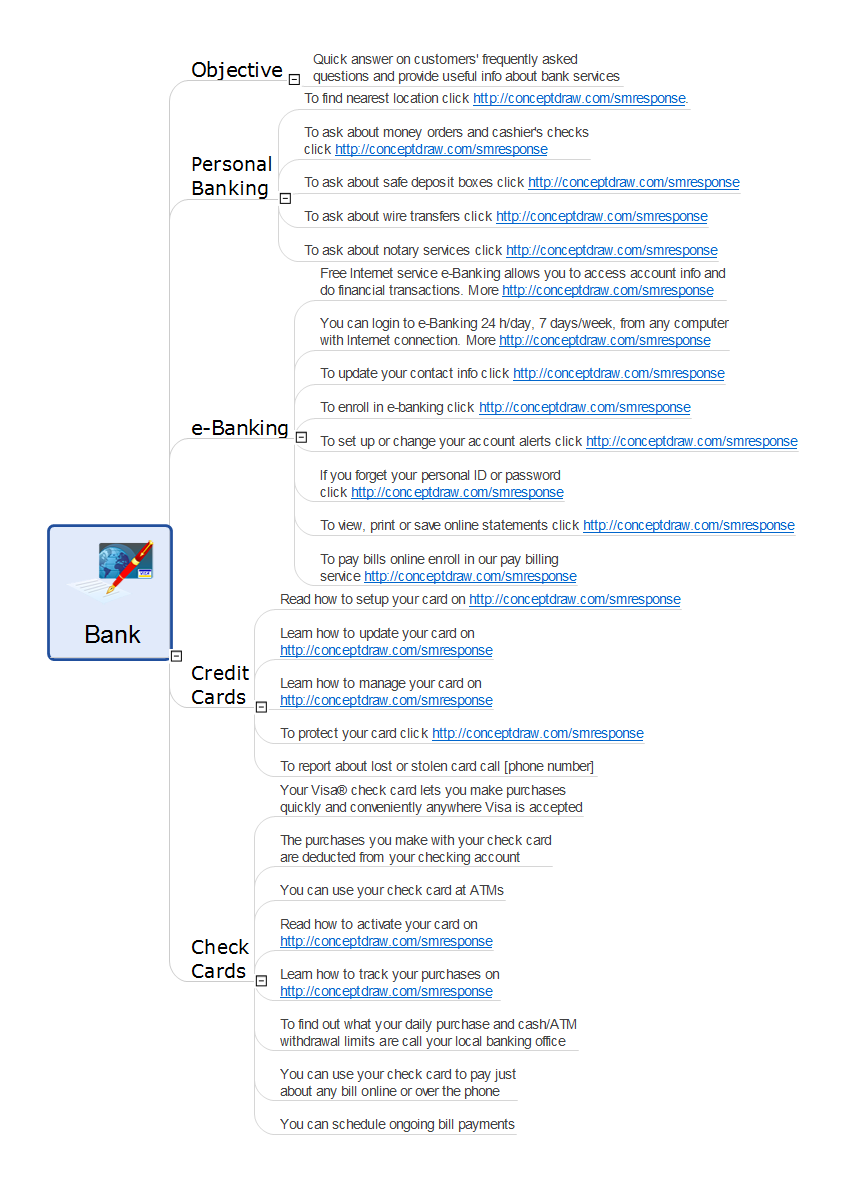
Picture: Bank Detailed Answers
Related Solution:
UML Component Diagram illustrate how components are wired together to larger components and software systems that shows the structure of arbitrarily complex systems.
ConceptDraw Rapid UML solution delivers libraries contain pre-designed objects fit UML notation, and ready to draw professional UML Component Diagram.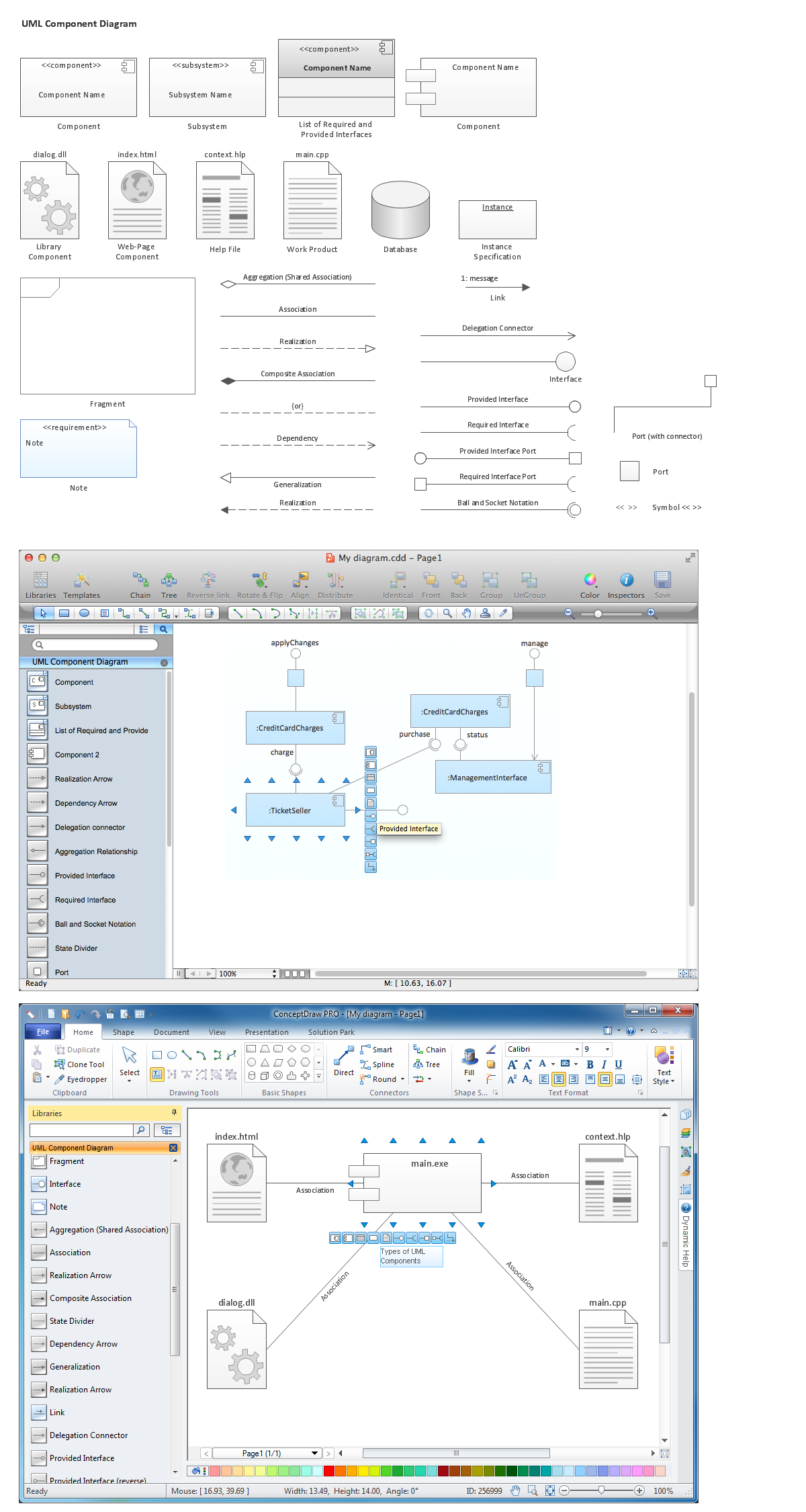
Picture: Diagramming Software for Design UML Component Diagrams
Related Solution:
UML Timing Diagram as special form of a sequence diagram are used to explore the behaviors of objects throughout a given period of time.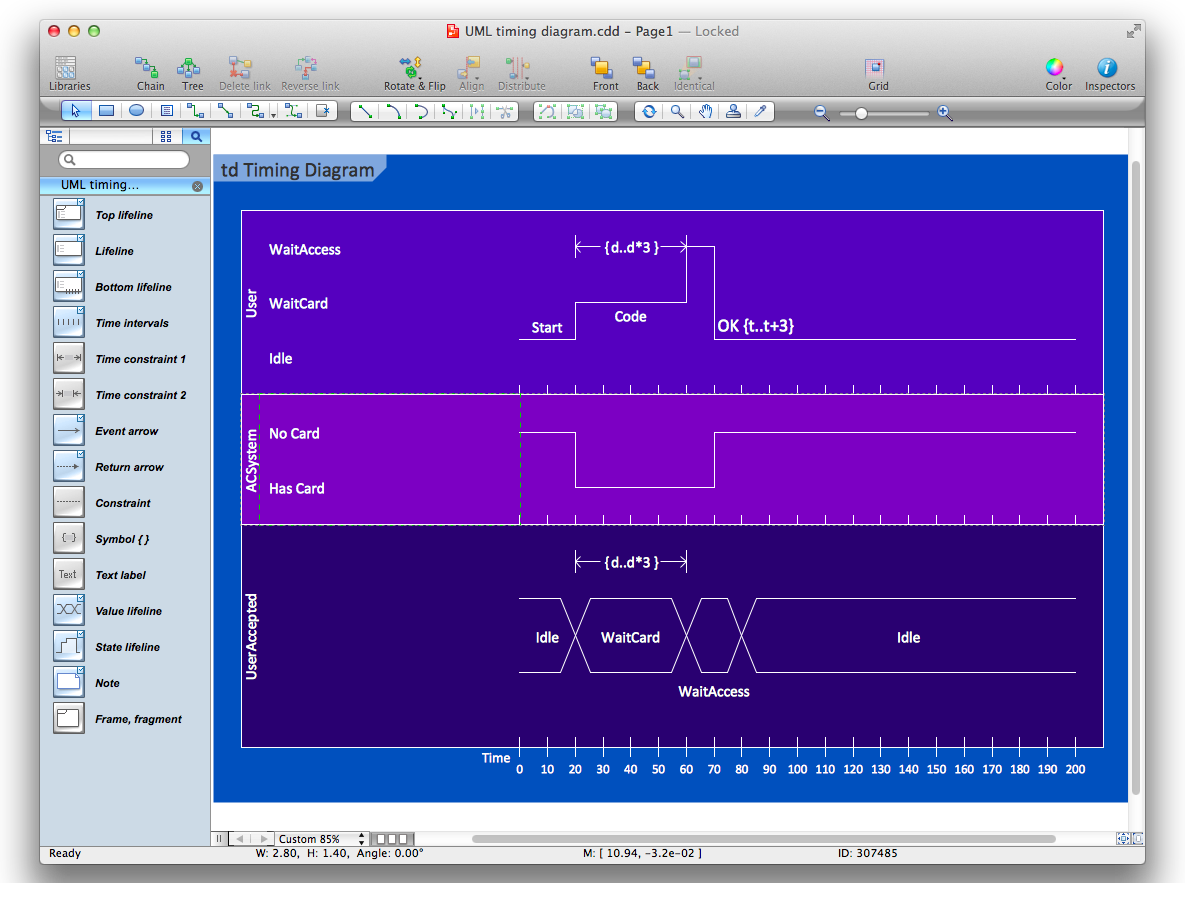
Picture: Diagramming Software for Design UML Timing Diagrams
UML Package Diagram illustrates the functionality of a software system.
ConceptDraw has 393 vector stencils in the 13 libraries that helps you to start using software for designing your own UML Diagrams. You can use the appropriate stencils of UML notation from UML Package library.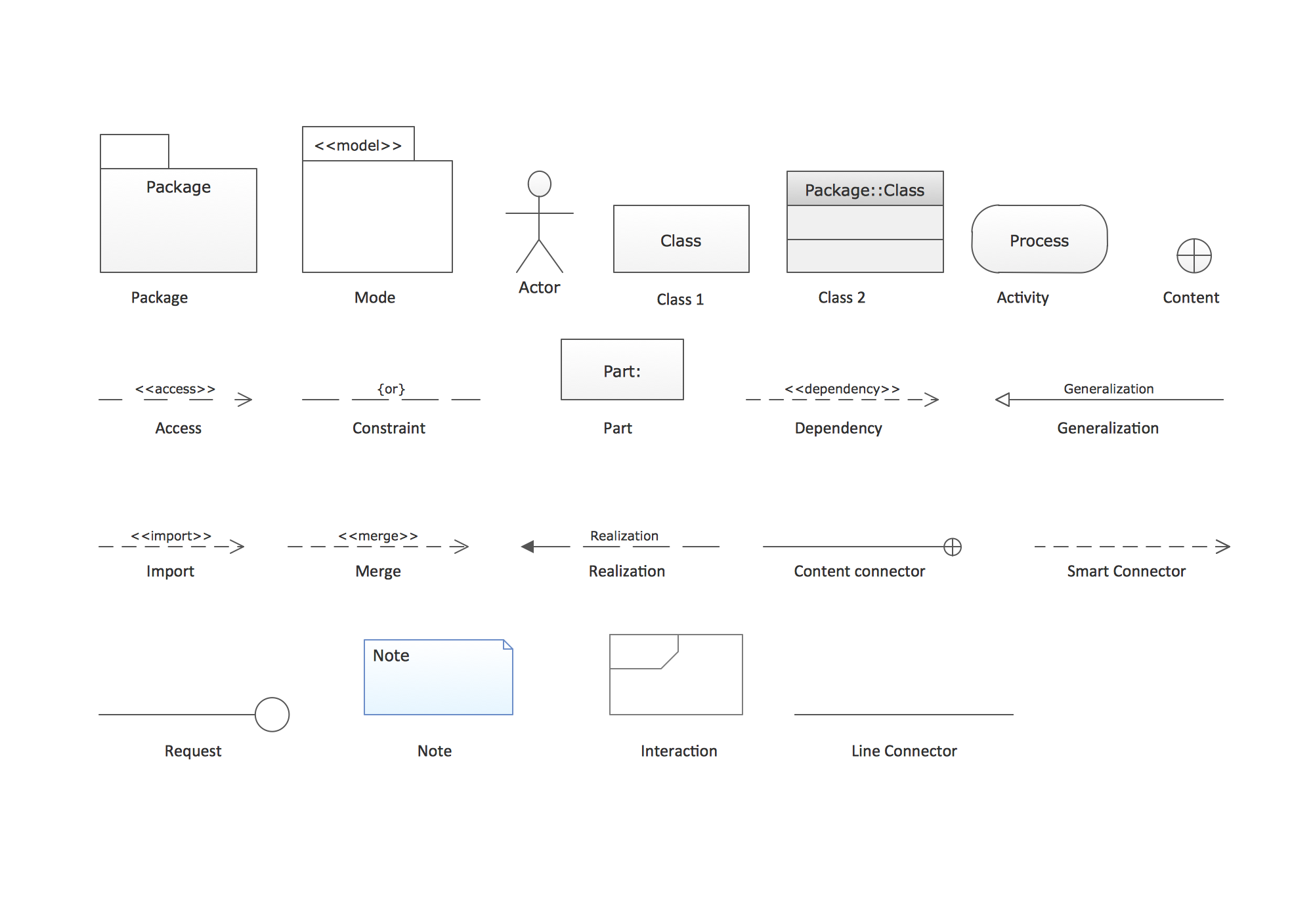
Picture: UML Package Diagram. Design Elements
Related Solution:
This sample shows the Bar Chart of the leverage ratios for two major investment banks. The leverage ratio is the ratio of the total debt to the total equity; it is a measure of the risk taken by the bank. The higher of the leverage ratio denotes the more risk, the greater risks can lead to the subprime crisis.
Picture: Financial Comparison Chart
Related Solution:
It’s very simple and quick to create the UML Diagrams using the Rapid UML Solution for ConceptDraw DIAGRAM. This sample was created in 10 minutes.
This sample describes the credit card processing system. It’s a UML Class Diagram with generalization sets. This sample can be used by the banks, business and financial companies, exchanges.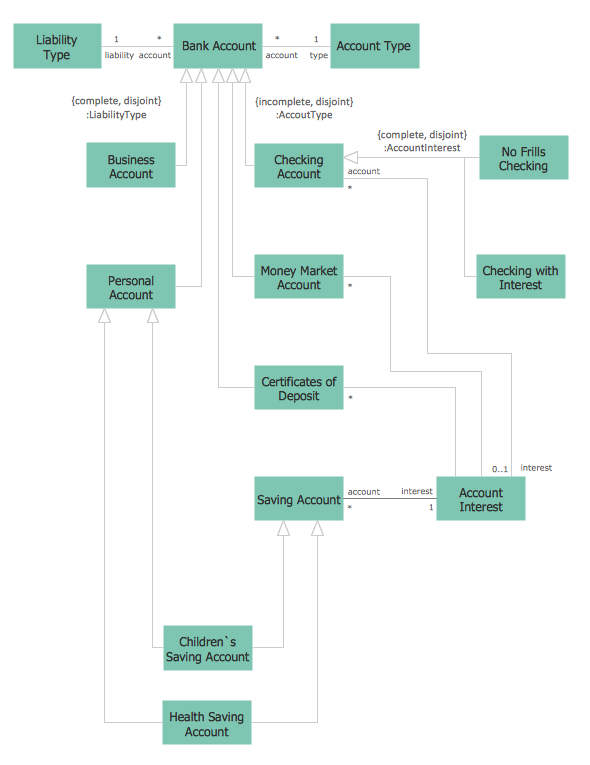
Picture: UML in 10 mins
Related Solution:
Deployment diagram describes the hardware used in system implementations and the execution environments and artifacts deployed on the hardware.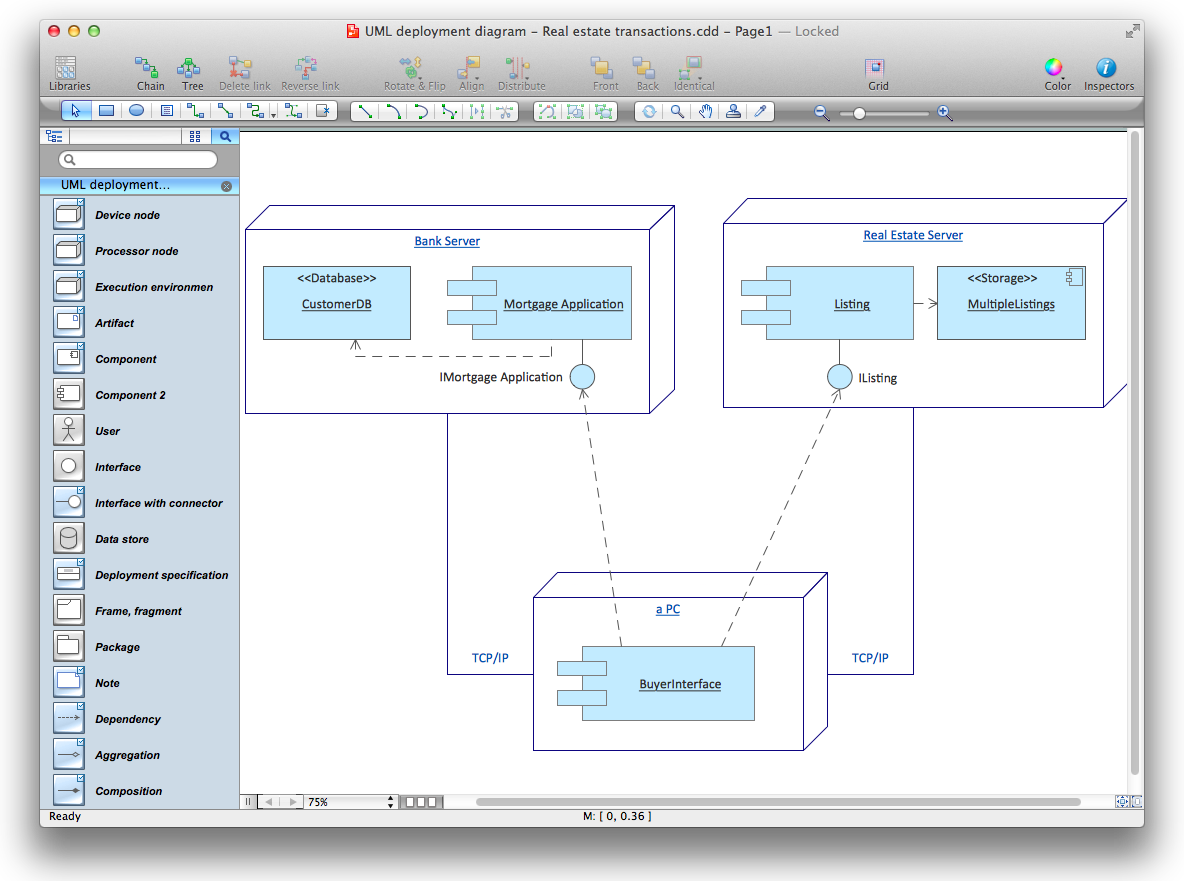
Picture: UML Deployment Diagram. Diagramming Software for Design UML Diagrams