Example 1. Circular Diagram - Grant Life Cycle
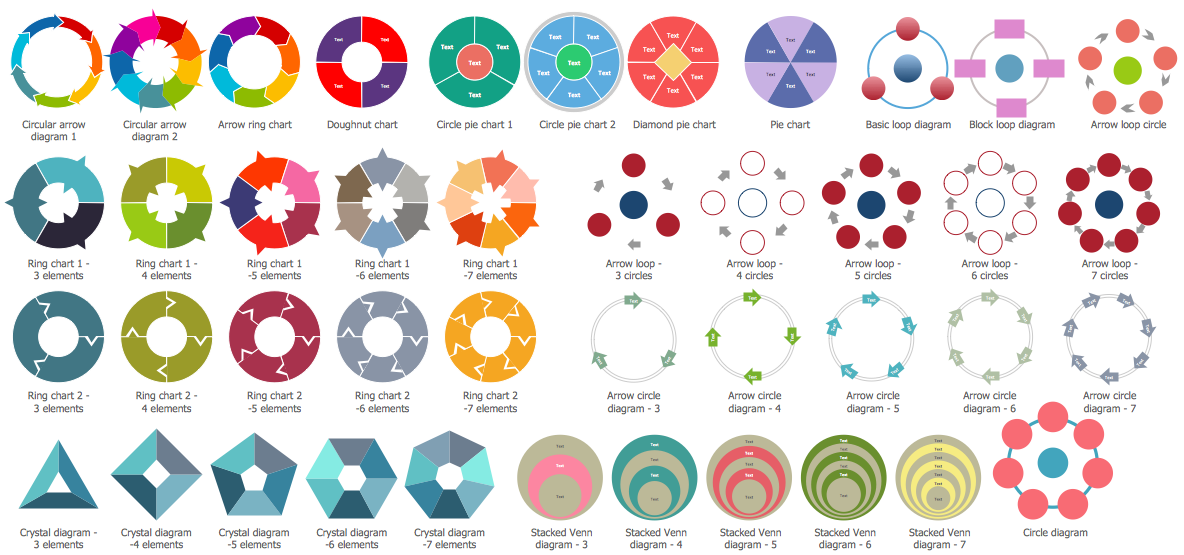
Target and Circular Diagrams Solution provides a Circular Diagrams library with ready-to-use 42 vector objects for easily drawing any imaginable Circular Diagram.

Example 2. Circular Diagrams Library Design Elements
All these objects are vector, you can resize them without loss a quality, change colors to make your Circular Diagram more bright, colorful and attractive. Several of these objects gives you the possibility to change the number of their elements.

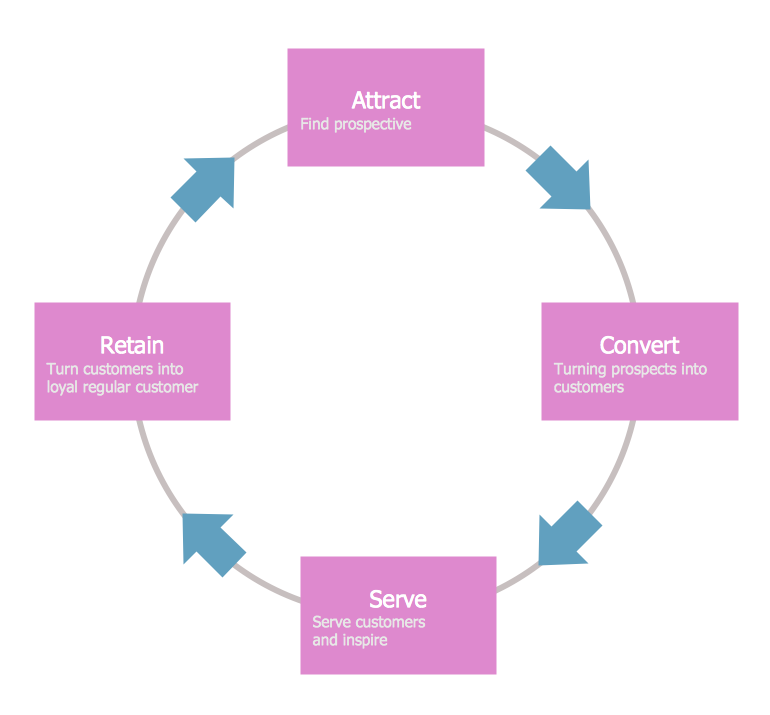
Example 3. Circular Diagram - Loyalty
Pay also attention for the collection of predesigned Circular Diagram samples included in Target and Circular Diagrams Solution. They are good examples of successful Circular Diagrams, any of them can be used as is or as the base for making your own Circular Diagram.

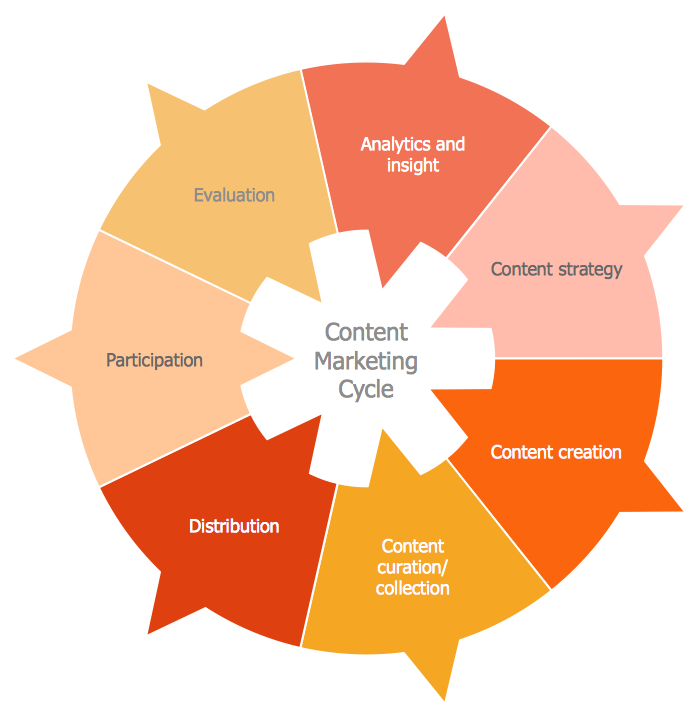
Example 4. Circular Diagram - The Content Marketing Cycle
The Circular Diagram samples you see on this page were created in ConceptDraw DIAGRAM using the Target and Circular Diagrams Solution for ConceptDraw DIAGRAM Solution Park. These diagrams successfully demonstrate solution's capabilities and professional results you can achieve. An experienced user spent 5 minutes creating every of these samples.
Use the Target and Circular Diagrams Solution for ConceptDraw DIAGRAM software to create your own professional looking Circular Diagram of any complexity fast and easy.
All source documents are vector graphic documents. They are available for reviewing, modifying, or converting to a variety of formats (PDF file, MS PowerPoint, MS Visio, and many other graphic formats) from the ConceptDraw STORE. The Target and Circular Diagrams Solution is available for all ConceptDraw DIAGRAM or later users.
TEN RELATED HOW TO's:
Use diagrams and infographics designed in ConceptDraw DIAGRAM to explain efficiently ✔️ basics of the baseball game, ✔️ rules, ✔️ positions, ✔️ strategies, ✔️ defensive and offensive insights, ✔️ game situations
Picture:
Baseball Diagram
Baseball Field — Corner View — Sample
Related Solution:
When thinking about the process of decision making, it's easy to imagine it as a pyramid. We will look at a three level pyramid model as an example. Operational decisions are first that come to mind, and it's the first level. Tactical and strategic decisions are the second and the third levels.
Pyramid (triangle) diagrams are used to show some hierarchical data. Because to the pyramid form of diagram, each diagram slice has a different width. The width of each segment depends on its hierarchical level.
The current image illustrates the model of information system types. Most graphically the model can be represented as a three level pyramid. The first level shows a system of transaction processing It is concentrated on operational tasks. The second level is devoted to tactical solutions of the information system management. And at least, the third level addresses strategy and represents the executive information system. This three level pyramid sample is supplied with the ConceptDraw Pyramid Diagrams solution from Marketing area of ConceptDraw Solution Park.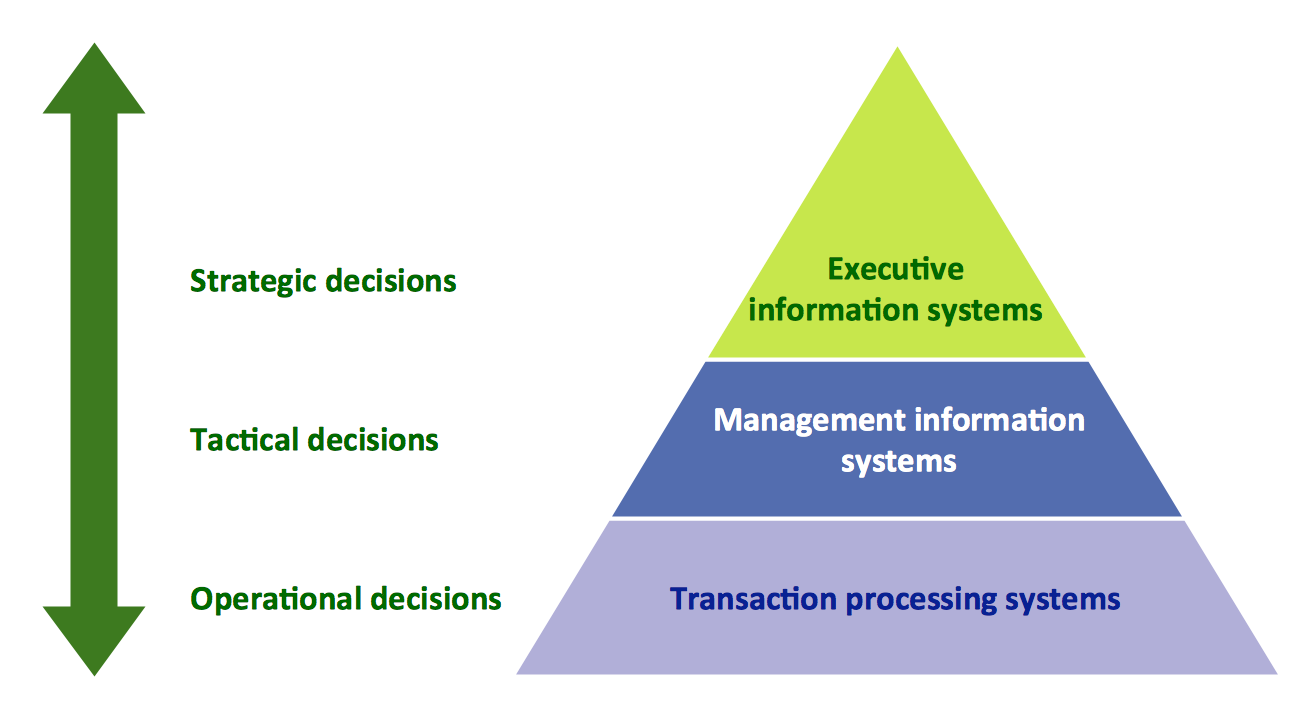
Picture: Pyramid Diagram
Related Solutions:
ConceptDraw Pyramid Diagram software allows drawing column charts using predesigned objects or drawing tools. In ConceptDraw Pyramid Diagram software you can find a complete set of column chart tools and objects.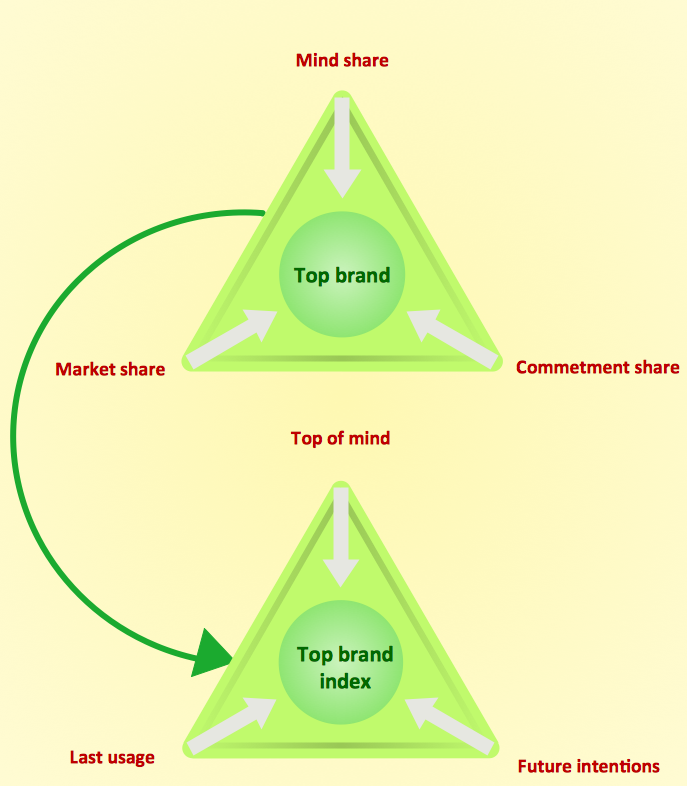
Picture: How to Create a Pyramid Diagram
Related Solutions:
ConceptDraw RapidDraw technology is a simple point-and-click design that helps create professional, presentation-ready business process diagrams quickly and efficiently.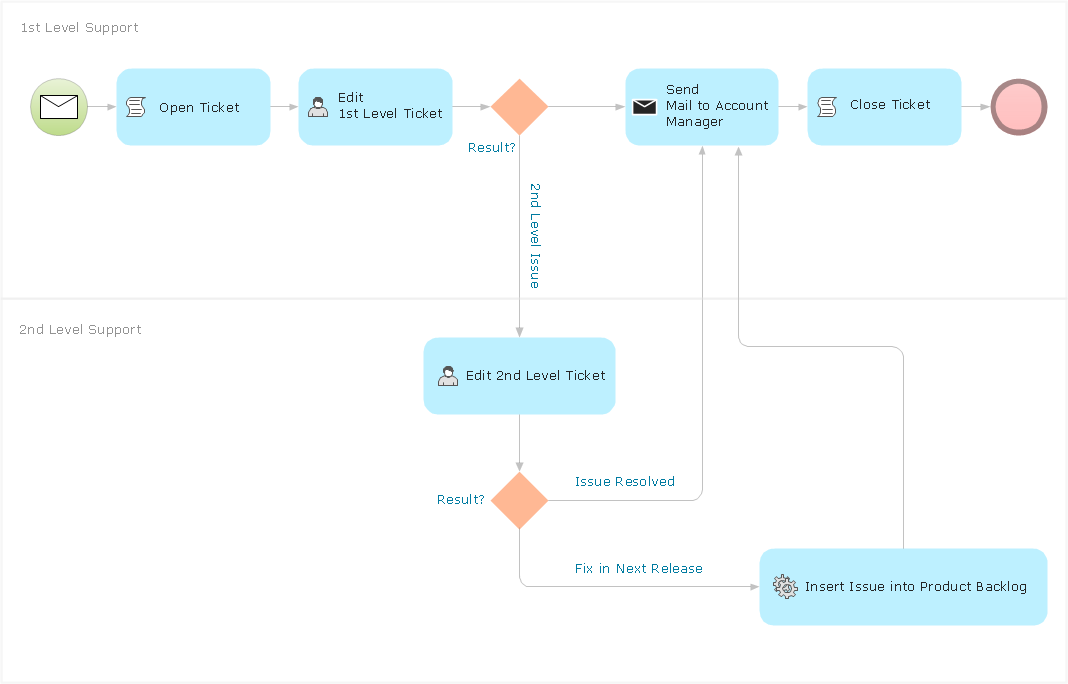
Picture: Business Process Management
ConceptDraw DIAGRAM is new software for business and technical drawing. Powerful business drawing tools, extensive libraries with pre-drawn shapes, free samples of business drawings, technical drawings and flowcharts, support of many graphic formats enable users to visually develop their business drawings charts and diagrams in any combination of drawings, diagrams and flow charts.
Picture: ConceptDraw DIAGRAM The best Business Drawing Software
Related Solution:
ConceptDraw DIAGRAM can help you make professional diagrams quickly.
Picture: Best Software to Draw Diagrams
Related Solution:
The Nature Solution addition to ConceptDraw Solution Park for ConceptDraw DIAGRAM includes new libraries that provide a wide range nature objects and it can be used in many areas.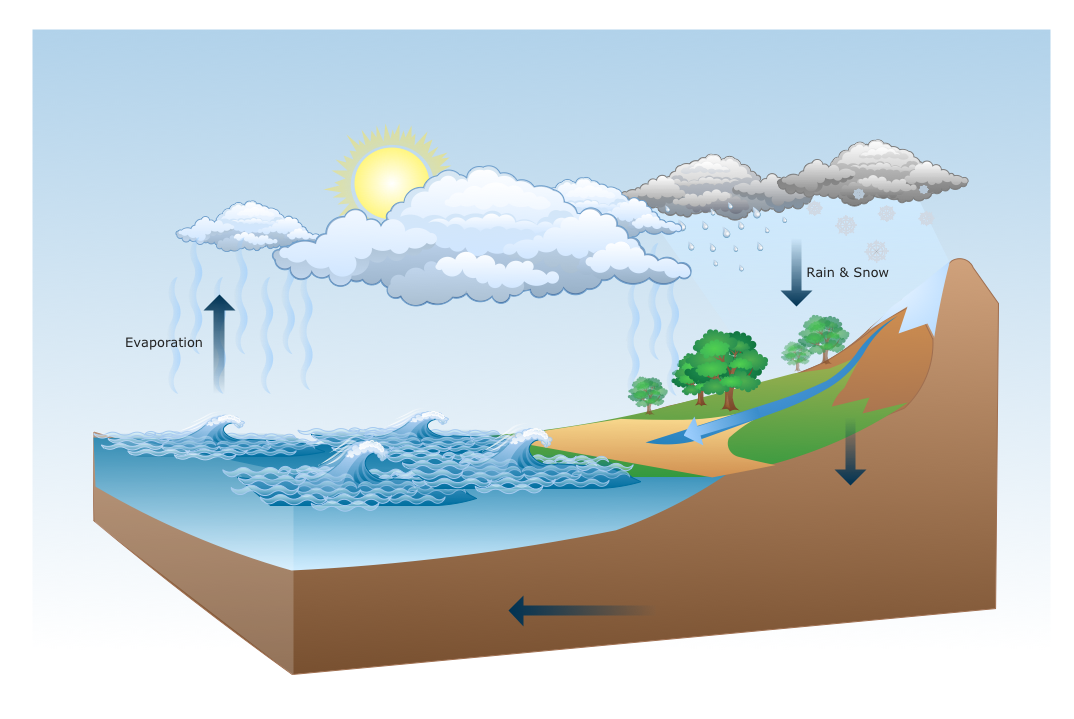
Picture: Drawing Illustration
The ConceptDraw Flowchart component includes a set of samples and templates. This geathered as flowchart maker toolbox which focused on drawing flowcharts of any industry standards.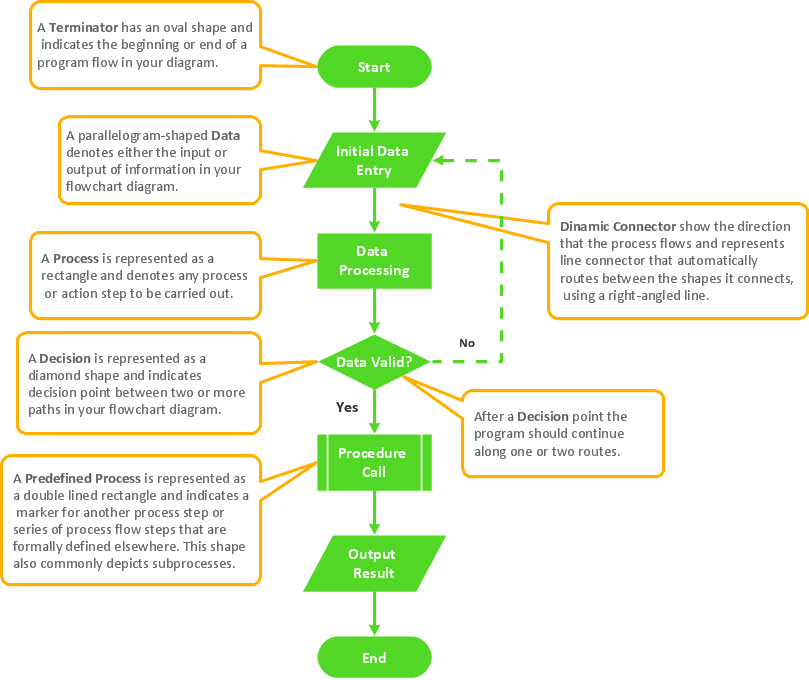
Picture: Flowchart Components
Related Solution:
Start design your own flowchart with ConceptDraw DIAGRAM and accomplish great results at the moment.
Picture: Draw Flowcharts with ConceptDraw
Related Solution:
The Total Quality Management Diagram solution helps your organization visualize business and industrial processes. Create Total Quality Management diagrams for business process with ConceptDraw software.
Picture: Best Value — Total Quality Management
Related Solution: