Made with
ConceptDraw
DIAGRAM 18

Column Chart Examples

Column graphs

Thinking about making a column chart? Then the best solution for creating it would be a Bar Graphs one — the one which is truly useful for making such kind of drawings, as it offers a huge variety of the templates which all can be always used as your drafts for making the smart looking results.

The mentioned solution is always available for all the ConceptDraw DIAGRAM users in order to make it possible to achieve the set goals to improve your business as well as for simplifying the understanding of some data that has to be explained to your customers, partners, clients and another counterparty.
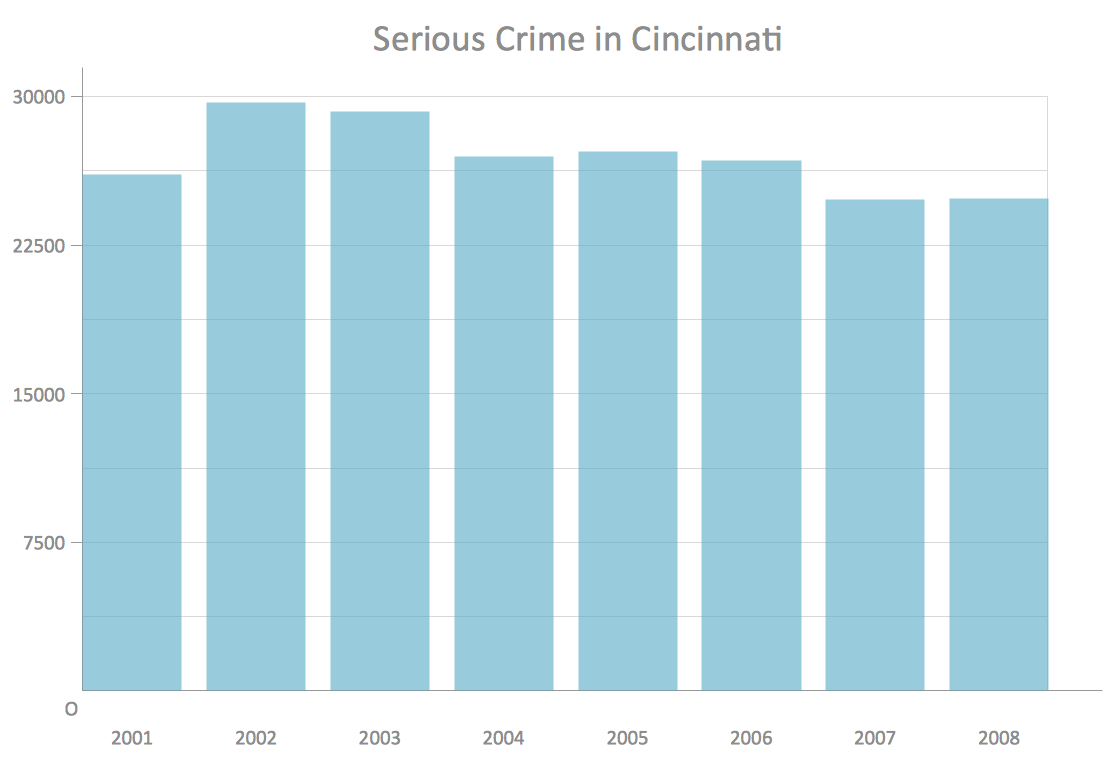
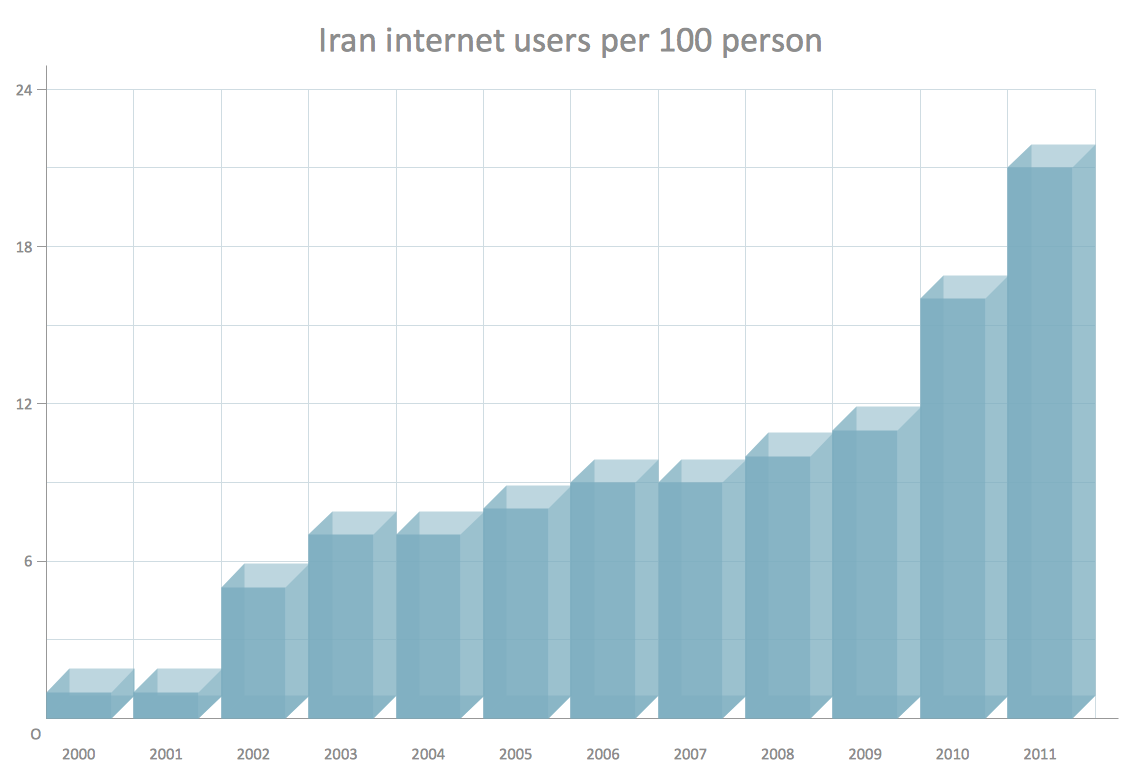
Column chart example - Serious Crime in CincinnatiColumn Chart 3D column chart example - Iran internet users per 100 person3D Column Chart Cylindrical column chart example - Number of Members in the CNTCylindrical Column Chart

Example 1. Column chart examples

Any column chart as well as any bar chart or bar graph is known to be simply a chart created with the rectangular bars, having lengths proportional to those values which they are expected to represent. Those bars can be always plotted either vertically or horizontally and a vertical bar chart is the one called a column bar chart by some people.

Any column chart is a good option for comparing some pieces of information, such as the work of the different departments and it can be made within only a few minutes as long as you have the Bar Graphs solution downloaded from the ConceptDraw STORE application — the new product of CS Odessa, developed for making it simpler for all the ConceptDraw DIAGRAM users to create any needed column (bar) chart.

Free Download Column Chart Software and View All Examples

Column Chart Examples

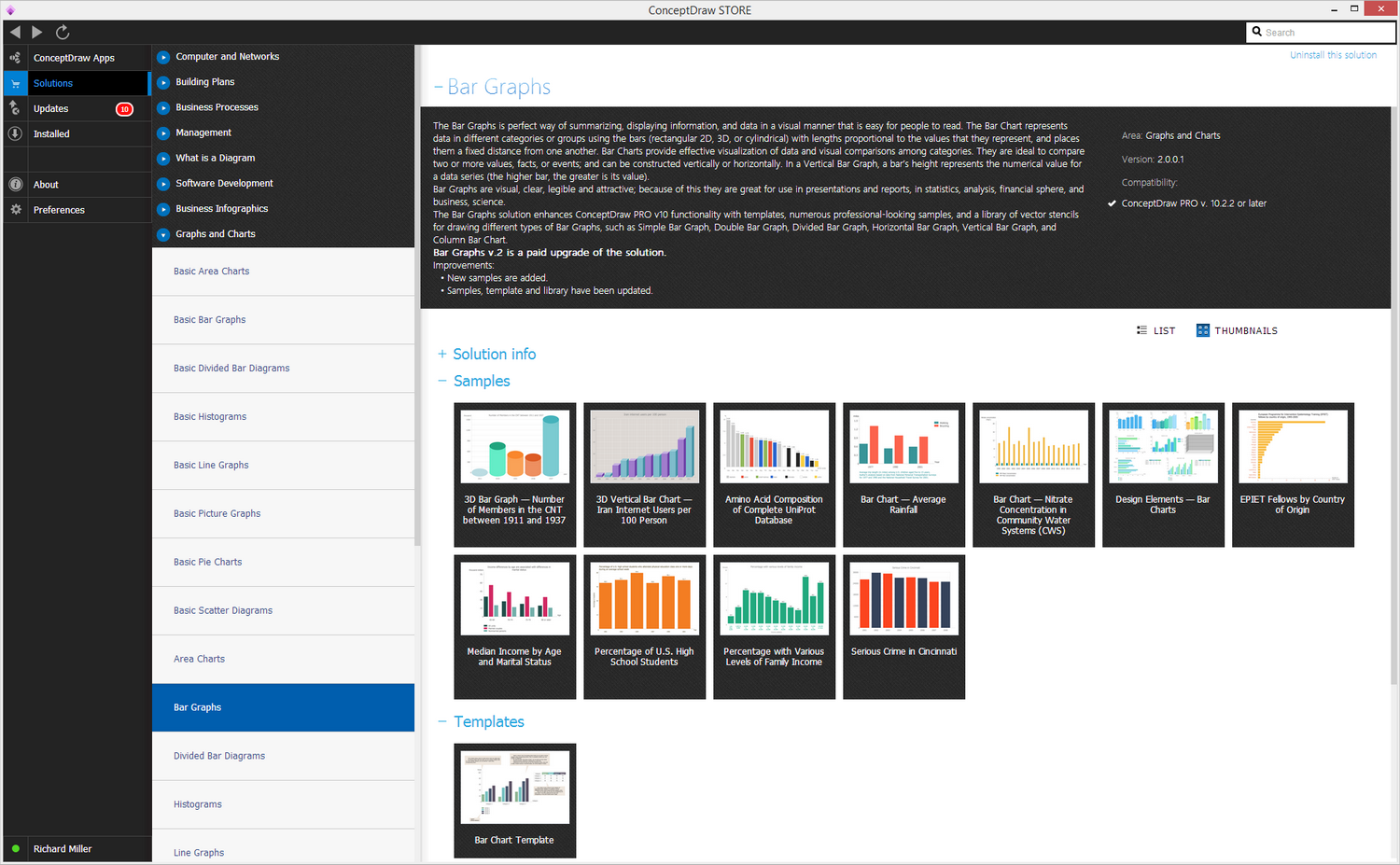
Example 1. Column chart examples in ConceptDraw STORE

You can find a stencil library offering the examples of the column charts which all can be always used as those you can edit any time you need adding your own data and so making it possible to complete the task of creating a professionally looking graph through a fun and entertaining way of correction.

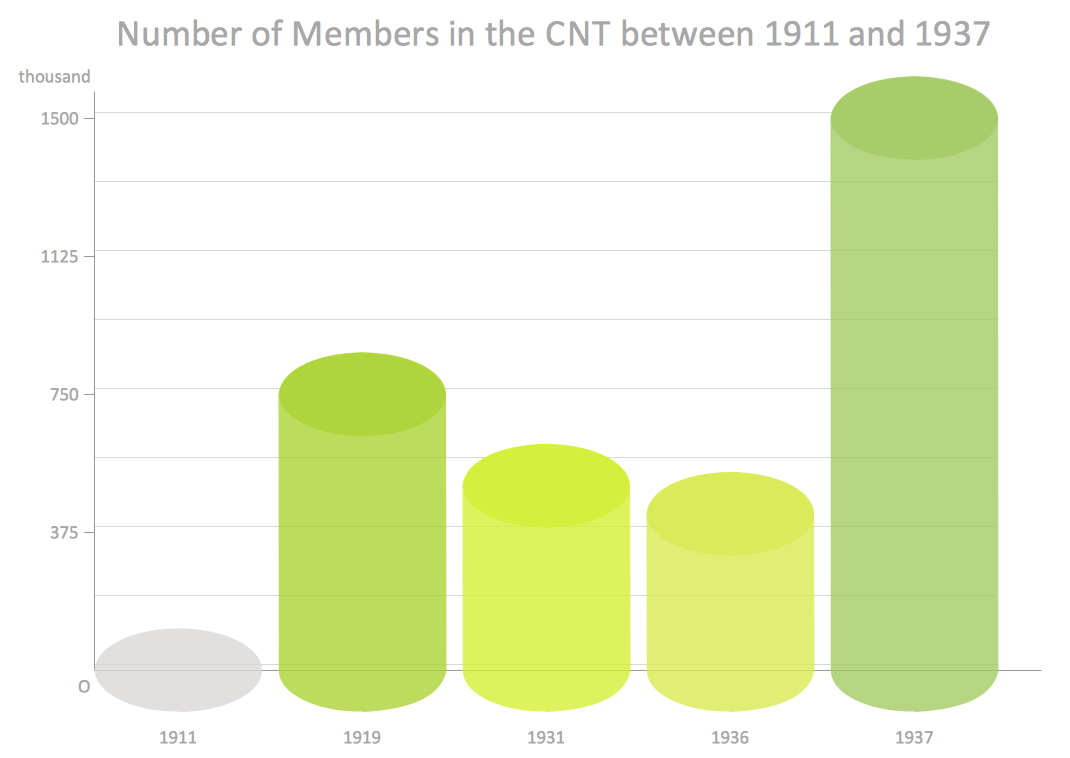
All eight available templates can be useful for making your own drawings such as vertical and/or horizontal bar charts, mentioning, for example, the income differences by age which are associated with differences in marital status. Another example, which was previously created by the professional designers of CS Odessa, is a 3D Bar Graph representing the number of members in the CNT between 1911 and 1937. It is made out of the 3D colored cylindrical vector objects, which illustrate the number of members in CNT in each year — 1911, 1919, 1931, 1936 and 1937. You can always change the year as well as other data, such as the number of members making it your own chart with the data you want to be mentioned.

Column Chart Examples *

Example 3. Column chart example — Number of Members in the CNT between 1911 and 1937

The Amino Acid Composition of Complete UniProt Database is another example, offered by the professionals of CS Odessa, which can always be used as a base for the good-looking drawings of ConceptDraw DIAGRAM users. After installing the software and downloading the ConceptDraw STORE application from this site you can make it possible to get the Bar Graphs solution in order to make the column chart examples. Having the mentioned one means having the professionally created coloured graph with lots of pieces of data mentioned in a way of bars with the numbers all represented on the top of each of them.

The forth example is the one called “EPIET” Fellows by Country of Origin, where the European Programme for Invention Epidemiology Training fellowship is represented conducting the training in the European Union countries, giving the practical experience in invention epidemiology for the nurses, microbiologists, medical practitioners and other health specialists. The mentioned horizontal bar chart is a good option to base your own bar or column graph on, taking into consideration the fact that it was made by those who know lots about how to make such kinds of drawings in a proper way, professionally. Thus, there’s a list of countries, such as France, Germany, Spain, Portugal, Finland, Italy, the United Kingdom, Greece, Sweden, Denmark, Japan, Malta, Latvia, Lithuania, Ireland, Luxembourg, South Africa and other mentioned which all can be replaced with your own data, such as other countries of other pieces of information.

Another example, available for all the ConceptDraw DIAGRAM users to change in order to edit it for making their own drawings, is called as a “Percentage of U.S. high school Students”, showing the percentage of U.S. high school students who attended physical education class one or more days during an average school week with the percents illustrated on top of each bar and the bars themselves are those representing the years – 1991, 1993, 1995, 1997, 1999 and 2001. In the same way it is always possible to make another column chart showing the percentage of the pupils attending their classes during some period of time, such as a year, illustrating each of the months with a separate bar.

Besides of the mentioned samples, you can always find more templates, such as those called “Bar Chart – Average Trip Length”, “3D Vertical Bar Graph — Iran Internet Users per 100 person”, “Bar Chart — Nitrate Concentration in Community Water Systems”, “Percentage with Various Levels of Family Income”, “Serious Crime in Cincinnati”, etc.

Moreover, there are other articles about the bar and column charts you can find on this site.




TEN RELATED HOW TO's:
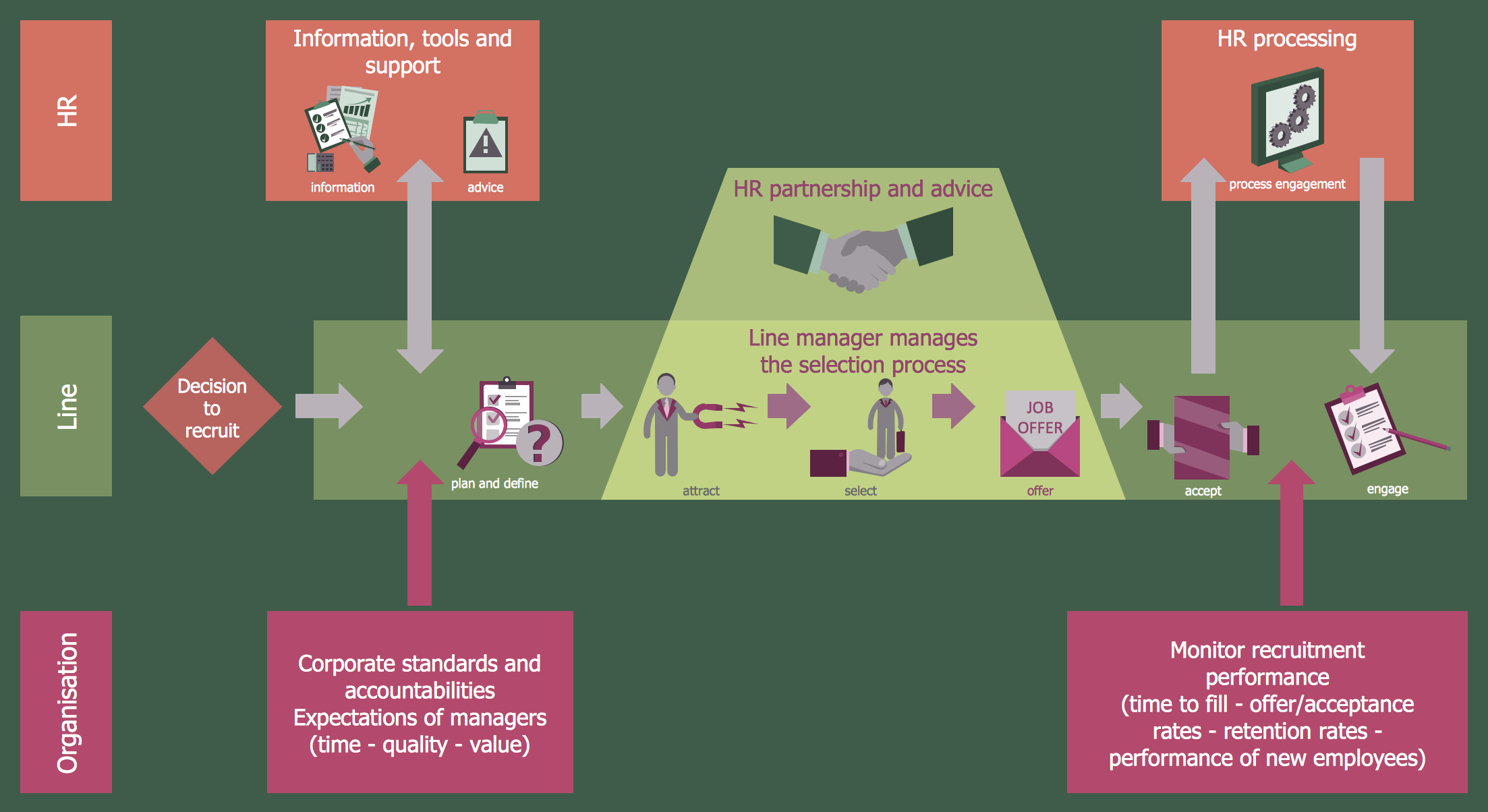
ConceptDraw DIAGRAM software extended with unique HR Flowcharts Solution is the best for designing various flowcharts and diagrams in the field of human resources management.Human Resources
Picture: Human Resources
Related Solution:
In almost every sphere of life and work the people time to time are faced with the fact that on their way there are certain obstacles and problems. But it is not always possible to identify the true cause of particular problem. To understand the basic causes of problems and eliminate them, it is convenient to use the chart of Kaoru Ishikawa - the technique specially designed for this. ConceptDraw DIAGRAM diagramming and vector drawing software extended with Fishbone Diagrams solution from the Management area can help you with construction the Fishbone Diagram also known as Ishikawa Diagram. Ishikawa Diagram shows factors of Equipment, Process, People, Materials, Environment and Management, all affecting the overall problem in one drawing for the further analysis. It is a well effective way to analyze the business problems you must identify and solve.Ishikawa Diagram *
Picture: Ishikawa Diagram
Related Solution:
Process mapping helps with sharing business results and reorganizing workflow. In almost every case, after creating a sales process flowchart the steps that are redundant become obvious for a manager. It's easy to find a flowchart examples that will help in developing one for your business. This sales process flowchart consists of a sequence of steps that represent a simple sale process. Each step is shown graphically by a rectangle representing processing steps or an activity, or a diamond representing a decision. These rectangles are linked by arrows, that indicate the direction of the sales workflow. ConceptDraw Sales Flowcharts solution delivers a the full set of classical flowchart notation symbols, along with sales-related icons and pictograms.Sales Process Flowchart
Picture:
Sales Process Flowchart
Flowchart Examples
Related Solutions:
ConceptDraw DIAGRAM extended with Windows 8 User Interface solution from the Software Development area is the best gui software. Using the drawing tools, libraries of vector objects, graphical user interface examples that offers Windows 8 User Interface solution, you will easily design the Windows 8 user interfaces and Windows 8 UI design patterns of any complexity.Graphical User Interface Examples
Picture: Graphical User Interface Examples
Related Solution:
Job duties in small companies are usually spread randomly among workers, causing lots of problems and misunderstanding. One of the ways to restore order in business processing is to create a cross-functional flowchart with swim lanes that would represent every step in production system. Another advantage of using swim lanes flowchart is that it represents not only processes, but people responsible for them. Swim lane diagram is a kind of a process flow diagram. Its special feature is that it joins the features of process flow diagrams with organizational charts. Thus, a swim lane diagram display a participant of the business process in a conjunction with general flow of the business system. A swim lane diagram is looks similar to a swimming pool's lanes. Lanes can be horizontal and vertical. The lanes are pointed out relatively to resource name, which is assigned on implementation of the given part of the business process. ConceptDraw Business Process Mapping solution delivers the ability to design develop swim lanes flowcharts using the vector graphic objects of Swim Lanes library.Swim Lane Diagrams *
Picture: Swim Lane Diagrams
Related Solution:
Simple tutorial help you learn how to draw a scatter chart and increase you possibilities of understanding and work more effective with our scatter chart software.How to Create a Scatter Chart *
Picture: How to Create a Scatter Chart
Related Solution:
When we think of an hierarchy, we intuitively imagine a pyramid. Thus, a lot of management tools use pyramid charts as examples or illustrations of various documents or models. You can create any type of triangle diagram using ConceptDraw DIAGRAM. A triangle (pyramid) diagram is often used in marketing to show the data hierarchy. This pyramid diagram represents the Top Brand Model. It illustrate the model of rebranding strategy. It can be used by marketing agency dealing with rebranding strategies development. It’s critical for marketing diagrams to be both clear and eye catching. ConceptDraw Pyramid diagrams solution meet all these requirements and can be successfully applied for creating and presenting various marketing pyramidal diagrams.Pyramid Chart Examples *
Picture: Pyramid Chart Examples
Related Solutions:
A family evening in a restaurant can be just charming, the problem is to find a one. If you spend an extra day to create a good restaurant floor plan, that will surely brings more clients. By the time your restaurant gets more popular, don’t forget about the quality of service. The restaurant floor plan you see on this page was made with ConceptDraw DIAGRAM in accompanied with Cafe and Restaurant Plans solution. It introduces facilities of the solution and demonstrates the results, you can obtain if you deploy ConceptDraw tools for generating floor plans and interior designs for cafe, restaurants or other catering establishments. A little less than three hundred vector objects, and a set of built-in templates and a set of examples will maintain your creativeness.Restaurant Floor Plans
Picture: Restaurant Floor Plans
Related Solution:
This sample was created in ConceptDraw DIAGRAM drawing software using the Flowcharts solution.Horizontal Flowchart
Picture: Horizontal Flowchart
Related Solution:
This sample was created in ConceptDraw DIAGRAM diagramming and vector drawing software using the Flowcharts solution from the Diagrams area of ConceptDraw Solution Park. This sample shows the Flowchart that displays the procedures of 2PP (two-party preferred) voting and counting the voters. The two-party-preferred vote is the result of the elections that was distributed to the final two parties.Basic Flowchart Images. Flowchart Examples *
Picture: Basic Flowchart Images. Flowchart Examples
Related Solution:
ConceptDraw
DIAGRAM 18