Made with
ConceptDraw
DIAGRAM 18

Data modeling with ConceptDraw DIAGRAM

One of the most difficult and important problems at software and data base projection is the definition of the requirements to the result. The more time is spent and the more attention is paid to the projecting software or data base, the simpler is the projection and the more qualitative is the result. The most frequently for definition of the requirements the method of data modelling is used.

In the given case data modelling presents the process of creation of data model in the convenient and comprehensible graphic form. In the process of model creation data is structured and organized with the usage of one of the methods, such as IDEF or ERD.

A creation of the model consists in collection of data which will be used in the projecting data base in the capacity of entities and other data base objects, in the definition of behavior rules of data in the system and operators which address to data in data base.

The model of data describes the structure of data in the given area. It contains the information about the classes of entities (for which the information is needed), attributes of this information and connections (including implicit) between entities and attributes of entities.

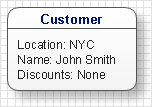
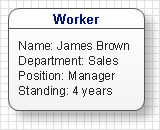
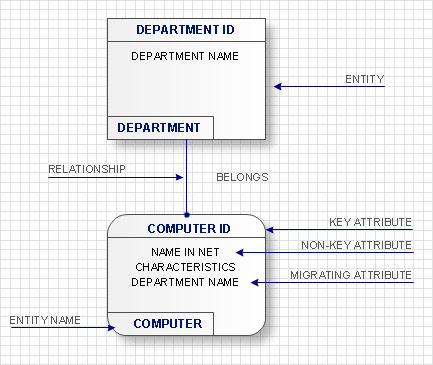
Entities are the objects of business-processes, real or virtual about which the information is collected and which are described in the model of data. For instance, entities can be all people having relation to the work of an enterprise. In their turn these entities are divided into classes. For example: “Clients”, “Suppliers”, Workers”. Each of the classes can be divided into subclasses by the given attributes. Classes are named with words of usual non technical language as well as connections between classes.

After the entity determination it is described with some definitions which are the attributes of the entity. Attributes must identify the entity, classify and appraise it qualitatively and quantitatively. Attributes can be obligatory and optional. For the entity “Worker” these can be individual data (name, age, and address), professional data (education, qualification, position) and so on. Attributes which originally define the entity are called primary.

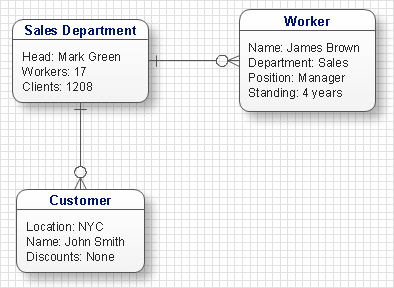
After the definition of entities and their attributes in the model of data connections between entities and the type of these connections are defined. Connections can be unidirectional and bidirectional. Also the types of connections are distinguished: “one to one”, “one to many” or ”many to many”. Connections are called with verbal names. For example, between the entity “Worker” and entity ”department” there is a unidirectional connection of the type “One to one”. “Worker” works in the ”Department”. If consider the class of entities “Worker” the connection of this class with the entity “Department” will be of the type “one to many”.

The model of data describes semantics of data i.e. the set of confirmations about data which are used in the project.

The model of data can be presented in one of three forms:

  • Conceptual scheme- the description of semantics of data organization (entities classes and connections between these classes)
  • Logic scheme- description of data (tables, object oriented classes)
  • Physical scheme- description of physical environment of data keeping and processing

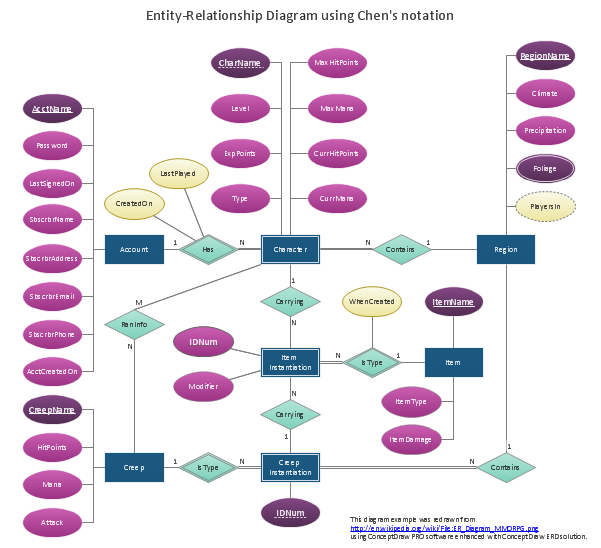
The more commonly used technologies of creation of such schemes are ERD (Entity Relationship Diagram) and some of IDEF standards (IDEF1, IDEF1x). Also for creation of schemes or diagrams which describe models of data it is possible to use special software such as ConceptDraw, where ready objects for creation of such diagrams exist. This lets you facilitate and accelerate the process of creation of such schemes and diagrams, creating diagrams which will be easy edited in the projection process.

Data modelling will help you to study and analyze business processes in your organization for optimization and increase of effectiveness and production.

Data modeling with ConceptDraw DIAGRAM  *

TEN RELATED HOW TO's:
Use Case Diagrams technology. IDEF1x standard - for work with relational data bases. IDEF1x standard is meant for constructing of conceptual schemes which represent the structure of data in the context of the concerned system, for example, a commercial organization.IDEF1X Standard *
Picture: IDEF1X Standard
The UML diagram is a powerful tool which lets visually represent all system's components, the interactions between them and relationships with external user interface. The Rapid UML solution for ConceptDraw DIAGRAM software offers diversity of UML flowchart symbols for drawing all types of UML diagrams.UML Flowchart Symbols *
Picture: UML Flowchart Symbols
Related Solution:
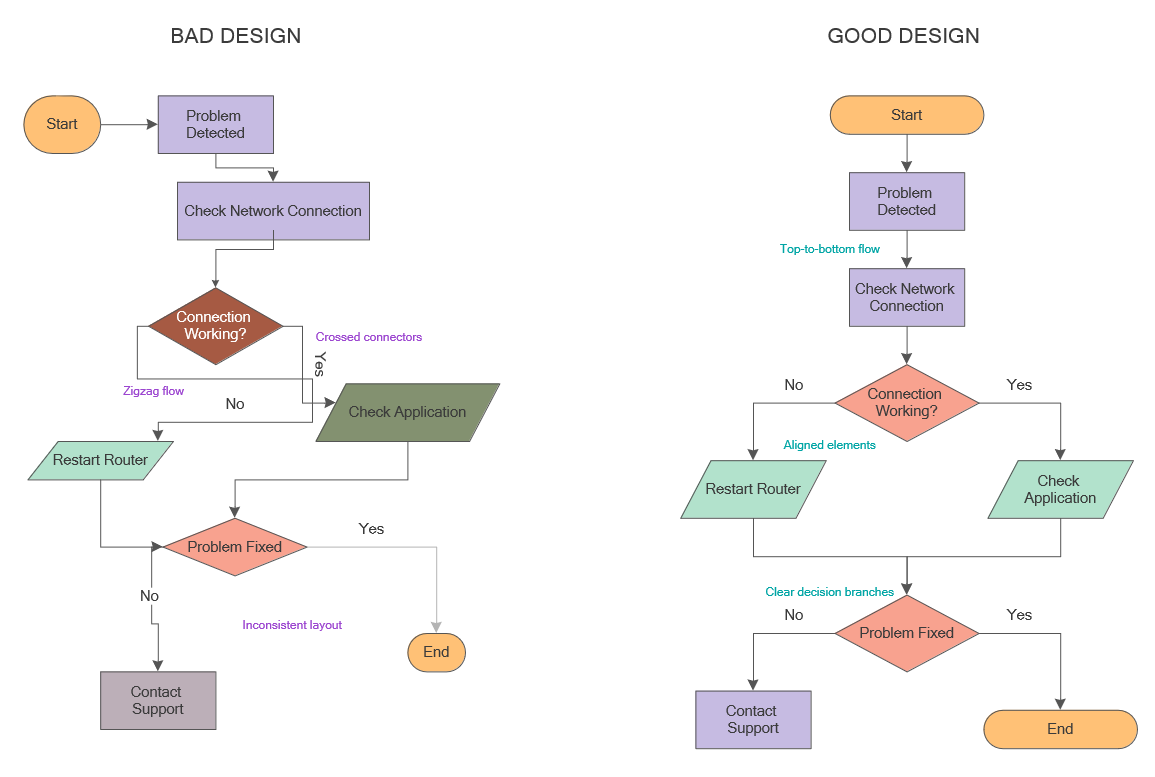
When thinking about data visualization, one of the first tools that comes to mind is a flowchart design. You can find flowchart symbols, shapes, stencils and icons easily on the Internet, but it might take time to systematize this information. Nevertheless, once you start flowcharting, you’ll love its simplicity and efficiency. This diagram consists from standard flowchart symbols, approved by ANSI (American National Standard Institute) for drawing flowcharts. A flowchart is a diagram that represents a step-by-step algorithm of any process, displaying the process stages as boxes that are connected with arrows. Flowchart design makes it clear and readable. Flowchart designed using ConceptDraw DIAGRAM flowchart software allows to make attractive and clear process presentation, it makes interpretation of the business process flow fresh and versatile. Great flowchart design view is a big advantage over the diagram created manually on a paper.Comparison of bad and good flowchart design showing zigzag flow, crossed connectors, and aligned elements
Picture: Flowchart Design: Principles, Layout, Symbols and Best Practices
Related Solution:
ConceptDraw DIAGRAM diagramming and vector drawing software supplied with GHS Hazard Pictograms Solution from the Industrial Engineering Area of ConceptDraw Solution Park offers the OSHA HAZCOM pictograms, GHS hazard pictograms for easy representing the OSHA's program positions and requirements in a simple and visual way.OSHA HAZCOM pictograms *
Picture: OSHA HAZCOM pictograms
Related Solution:
ConceptDraw DIAGRAM is a software for producing flow charts. The software delivers built-in object libraries with vector stencils that allows you to use RapidDraw technology. By clicking on direction arrows one can add a new object to flowchart. Users can start drawing their own flowchart diagrams in fast and simple way.Diagram Flow Chart *
Picture: Diagram Flow Chart
Related Solution:
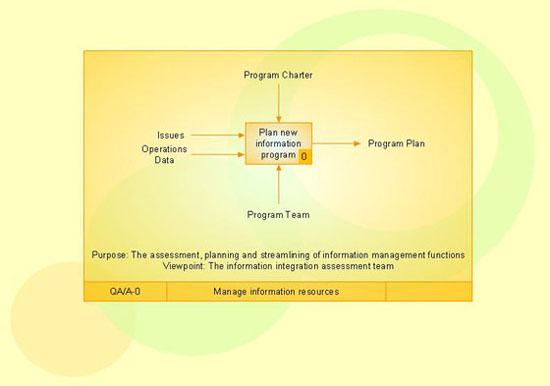
Use Case Diagrams technology. IDEF3 Standard is intended for description and further analysis of technological processes of an enterprise. Using IDEF3 standard it is possible to examine and model scenarios of technological processes.IDEF3 Standard *
Picture: IDEF3 Standard
Any business process consists from a number of tasks carrying out the certain business goal. It is useful to diagram business processes to ensure that they are as foolproof, logical and sequential as possible. This business process diagram describes a typical booking process flow by the example of a cab booking process. It can be used as a roadmap for any booking system implementation. Diagramming a business process allows you to look at the entire project and take into account all types of possible scenarios. Business process diagram helps you investigate and clarify the process thoroughly so that you can find out how it can be improved. Business process diagram supports team communications by ensuring that each process element is clear and everyone in the team is on the same page. Sometimes your company brings you less profit than you expect it to be, and it’s difficult to reveal the causes. Maybe it’s time to learn new technologies, because business diagram are easily developed by means of special software, so you won’t make any extra effort. In return, you will increase your productivity and get more done in a less time.Business Diagram Software *
Picture: Business Diagram Software
Related Solutions:
UML Class Diagrams is a type of static structure diagram that is used both for general conceptual modeling of the systematics of the application, and for detailed modeling translating the models into programming code. It describes the structure of a system by showing the: classes of a system, attributes, operations, and the relationships between them. The Rapid UML Solution for ConceptDraw DIAGRAM includes the UML Class Diagram library that helps you to design the UML Class Diagram quick and easy. You can simply and quickly drop the ready-to-use objects from the library into your document to create the UML Class Diagram.UML Class Diagram Constructor *
Picture: UML Class Diagram Constructor
Related Solution:
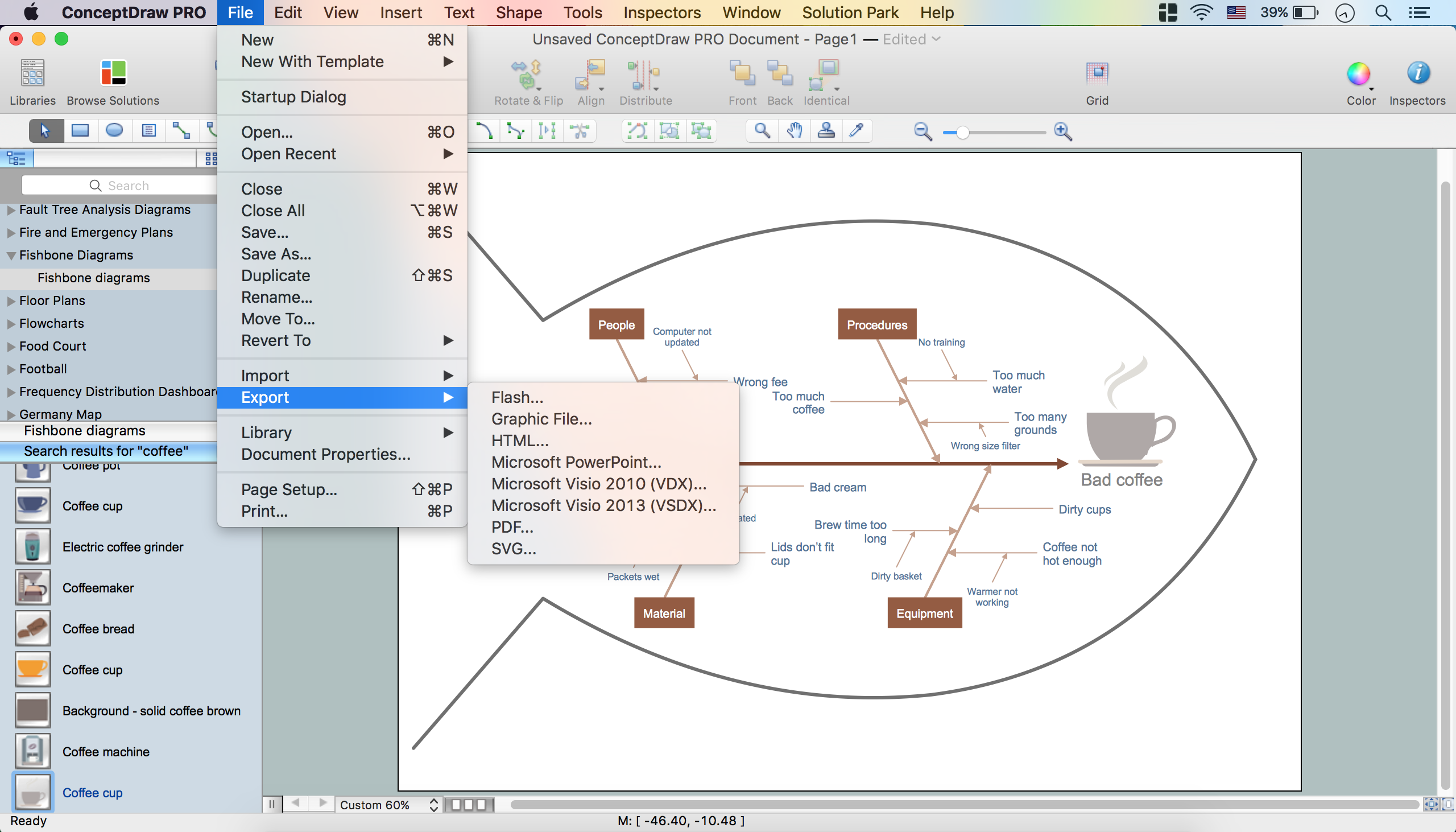
Fishbone, Ishikawa or Cause and Effect diagram helps understand the reasons of completed or potential actions by structuring their causes in smaller categories. Also, one can use it to see how the contributing factors are related to each other. In everyday company routine, a Cause and Effect diagram is helpful with a number of regular activities like brainstorming, project management, and problem solving. How to Construct a Fishbone Diagram? Construction a Fishbone diagram in professional diagramming software ConceptDraw DIAGRAM is more easy than you think. Just use the predesigned vector elements from the Fishbone Diagrams library for Fishbone Diagrams solution or one of plenty Fishbone templates and examples, and you will get a Cause and Effect diagram in minutes.How to Construct a Fishbone Diagram *
Picture: How to Construct a Fishbone Diagram
Related Solution:
The Social Media Response solution creates interactive social media flow charts and action mind maps. The solution includes a video tutorial and a number of samples helping social media teams refine and organize their response process.How to Connect Social Media DFD Flowchart with Action Maps *
Picture: How to Connect Social Media DFD Flowchart with Action Maps
Related Solution:
ConceptDraw
DIAGRAM 18