Ice Hockey Diagram — Defensive Strategy — Neutral Zone Trap
Learning how to play ice hockey it is important to know the general characteristics of the game. The exact rules of this game depend on the so called “code of play”, two most important of which are those of the NHL and “IIHF”, both of which were originated from the “Canadian rules of ice hockey” in the 20th century.
Ice hockey is well known to be a game played on a so called “hockey rink”. Usually, there are six players per each of the sides on the ice at any time, one of which is the goaltender. The main aim of the game is to score the so called “goals”. To manage to do that you have to shoot a hard vulcanized rubber disc, called the “puck”, into the opponent's goal net. The mentioned opponent's goal net is placed at the opposite end of the hockey rink. All the players use their sticks in order to shoot or to pass the puck.
Sometimes the players may re-direct the puck with any part of their body they want, but they are not allowed to hold the puck in their hand and to use their hands for passing the puck to their team-mates. They can only do the last mentioned thing when they are in the so called “defensive zone”. Players also are not allowed to kick the puck into their opponent's goal, but the intentional re-directions off the skate are ok to do.
Hockey is well-known to be an "off-side" game. It means that all the forward passes are allowed, which is forbidden in rugby. With the arrival of such “off-side rules”, the forward pass transformed “hockey” into a popular team sport. The individual performance in this game diminished in importance relative to the team play.
All six players on the ice are typically divided into 2 defencemen, 3 forwards and one goaltender. The so called “forward positions” consist of two wingers and a centre one, known to be a “right wing” and a “a left wing”. All forwards often play together as units, having the same 3 forwards always playing together. The “defencemen” usually also stay together as a pair. They are only divided between left and right, known to be also called as the “left and right side defencemen”. Both of them, the last mentioned and “left and right side wingers” are usually based on the side on which they carry their sticks, while the goaltender stands in a semi-circle, known to be called the “crease”.
Every time the goal is knocked out of position, play of ice hockey can be stopped, usually proceeding for minutes without interruption. Once it’s stopped, it is re-started with a so called "faceoff". There three so called “major rules” of play, which are known to be called as "offside", the puck going out of play and "icing". Thus, a player is "offside" in case he enters his “opponent's zone” before the puck itself. It is important to remember that a player does not have the right to so called "ice the puck", which means shooting the puck across both the opponent's goal line and centre line. The puck is known to be going "out of play" when it goes past the perimeter of the ice rink. It never matters if this puck comes back onto the ice surface from those areas as it is considered “dead” if it leaves the perimeter of the rink.
The so called “neutral zone trap” in the game of ice hockey is a defensive strategy used for preventing an opposing team from proceeding through the so called “neutral zone” which is simply the area between the blue lines. It usually is done for forcing the turnovers. Such strategy is usually used for leveling the playing field for teams. At the same time the trap can also be used by all teams that try to protect a lead late in the game of ice hockey.
One of the most recognizable implementation of such “trap” sees the defense stationing four of their players in the neutral zone, having one of the forecheckers in the so called “offensive zone”. Once the “offensive team” moves up the ice, the forechecker tries to cut off the passing lanes to other offensive players in a way of staying in the middle of the ice. He forces the puck carrier to the sideboard.
Once the defensive wingers are positioned by the boards for challenging the puck carrier, preventing passing or keeping opponents from moving through, the two defencemen are on (or near) the blue lines, stalling the opposition long enough for the “wingers” to manage to reset themselves and so to continue “neutral zone trap”.
A combination of the "Ice Hockey Rinks" and "Ice Hockey Positions" libraries gives you an ability to create a ice-hockey-related drawing in seconds. Follow next steps to create you own ice hockey schema:
- From the "Ice Hockey Rinks" library drop a rink object to your document
- From the "Ice Hockey Positions" library drop all positions object you need to your document
- Place positions on the rink according to your drawing idea
- Add arrows or text labels if needed.
In ConceptDraw DIAGRAM you can produce ice hockey diagrams of any complexity for any presentaion needs, using a combination of tools. To adopt the sample below for presentation needs place positions and arrows onto different layers of your document and then make them visible one by one during a presentation.

Sample 1. Ice Hockey Diagram — Defensive Strategy — Neutral Zone Trap
These and many other rules of ice hockey game might be quite difficult to remember, but once you have ConceptDraw DIAGRAM and ConceptDraw STORE with the Ice Hockey solution, then there’s no need to remember anything as much as you can simply use the pre-made libraries with the previously made examples of the hockey rink with all the most common positions of the hockey players. Thus, having "Ice Hockey Rinks" library means having such templates as the ones of “Simple hockey rink”, “Ice hockey rink view from short side”, “Hockey field”, “Ice hockey field view from long side”, etc.
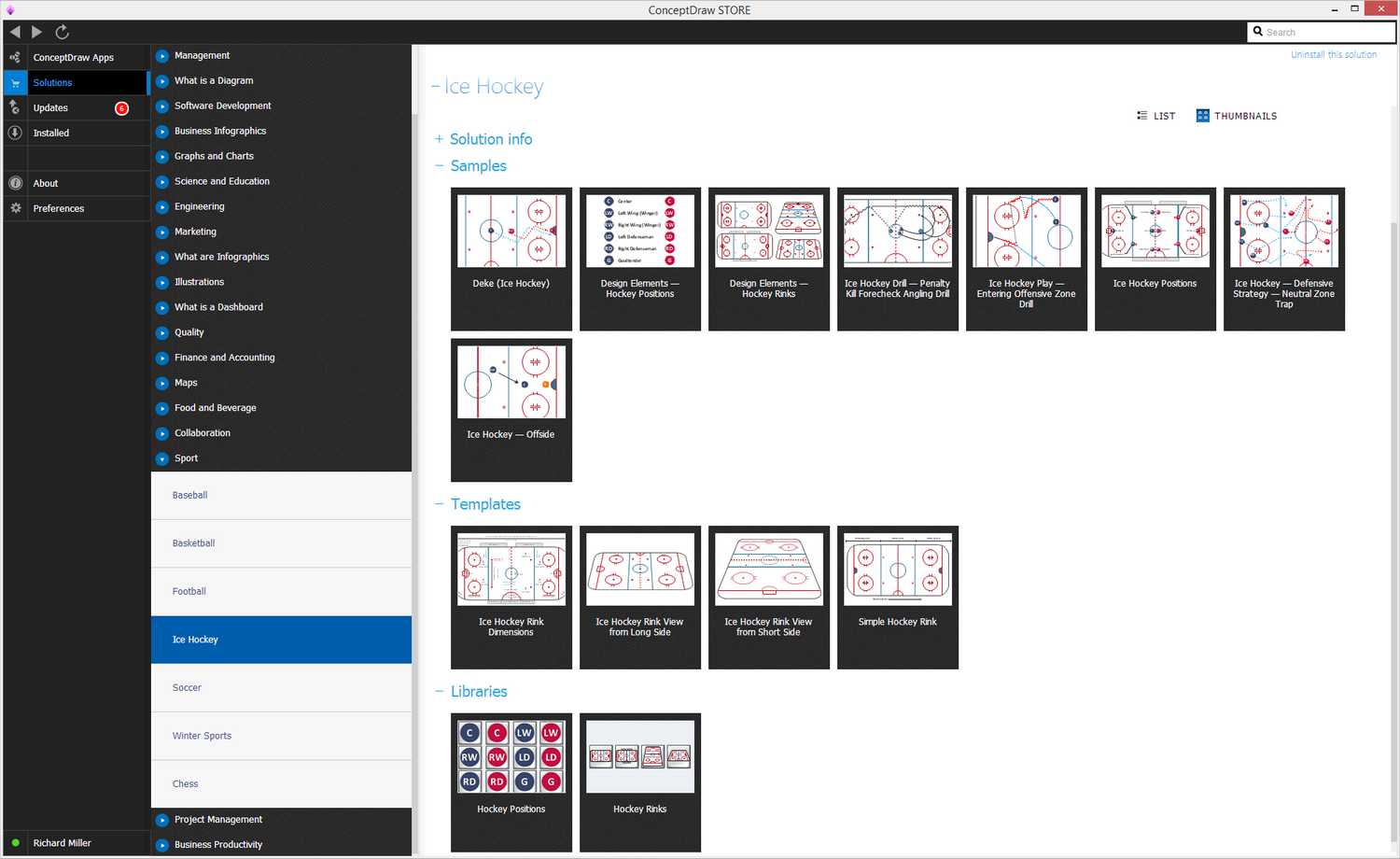
Sample 2. Ice Hockey Diagram Solution in ConceptDraw STORE
Having the stencil library named the “Ice Hockey Positions” means having an opportunity to mention the positions, used in the game of ice hockey, such as “center” one, “Left Wing (Winger)”, “Right Wing (Winger)”, “Left Defensemen”, “Right Defensemen”, “Goaltender” and other. There are all together 16 vector objects from two mentioned libraries which are all available for all the ConceptDraw DIAGRAM users as long as they download ConceptDraw STORE from this site and so get the needed solution to simplify their work with creating such sport fields, as the ice hockey one.
You can always find the mentioned “Ice Hockey” solution from the Sport area of the ConceptDraw STORE application, which is a new product of CS Odessa, enabling all the ConceptDraw DIAGRAM users to make their drawings, such as plans of the sport areas and many other schematics, including charts, flowcharts, diagrams and other schemes, within only a short period of time (usually up to an hour), depending on how good you know both applications — ConceptDraw DIAGRAM as well as ConceptDraw STORE.



-Sample.png)

