iPhone Interface
iPhone is a worldwide popular line of smartphones designed and marketed by Apple Inc. First thing that you see taking up the iPhone is its design and interface. It's very important that interface will be convenient and easy to use on a mobile device. That is why every day designers make great efforts to design the really best iPhone interface.
Now making the iPhone interface is much easy and quickly than ever before thanks to the iPhone User Interface solution for ConceptDraw DIAGRAM software.

Example 1. iPhone Interface
iPhone User Interface Solution from the Software Development Area of ConceptDraw Solution Park provides 9 libraries with large quantity of ready-to-use predesigned vector objects for quick and easy depicting any of existing iPhone interfaces, or designing your own interface for the new application.
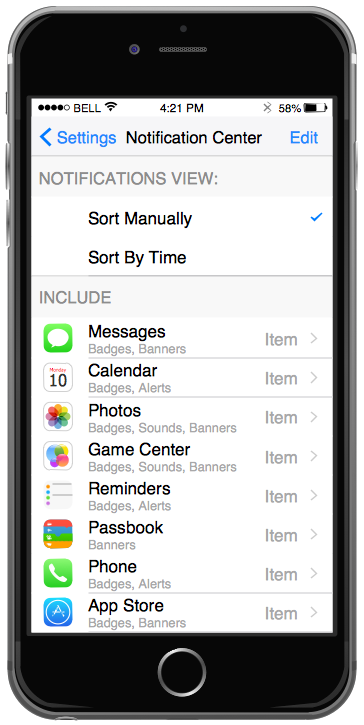
Example 2. iPhone User Interface — Settings Included Apps
iPhone User Interface Solution also contains a set of samples and templates to be filled in that are available from ConceptDraw STORE. When you design your own iPhone interface, you can open any of them and use it as the base.
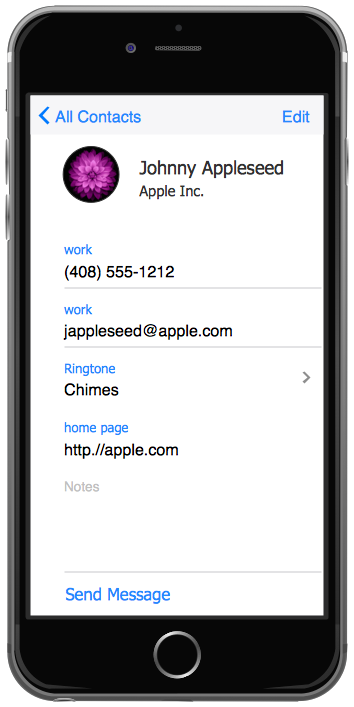
Example 3. iPhone User Interface — Contact Card
The samples you see on this page were created in ConceptDraw DIAGRAM using the objects from the libraries of iPhone User Interface Solution. These samples demonstrate the solution's capabilities and the professional results you can achieve. An experienced user spent 5 minutes creating every of them.
Use iPhone User Interface solution for designing your own interfaces for iPhone applications quick and easy.
All source documents are vector graphic documents. They are available for reviewing, modifying, or converting to a variety of formats (PDF file, MS PowerPoint, MS Visio, and many other graphic formats) from the ConceptDraw STORE. The iPhone User Interface Solution is available for all ConceptDraw DIAGRAM or later users.


