Network Diagrams are an important tool which gives you a clear picture of your network topology connections and processes. It often helps you see the drawbacks in your infrastructure and realize how you can fix it. If you have accurate schema of your network and its connections at hand, you are ready to find a quick solution when the issues come up.
Network Topology in communication networks helps understand how the network is arranged, with all its nodes and connecting lines. The network geometry can be described via the physical topology or the logical topology.
ConceptDraw DIAGRAM diagramming and vector drawing software extended with Computer Network Diagrams Solution from the Computer and Networks Area offers extensive drawing tools which make it a powerful Network Topology Mapper.
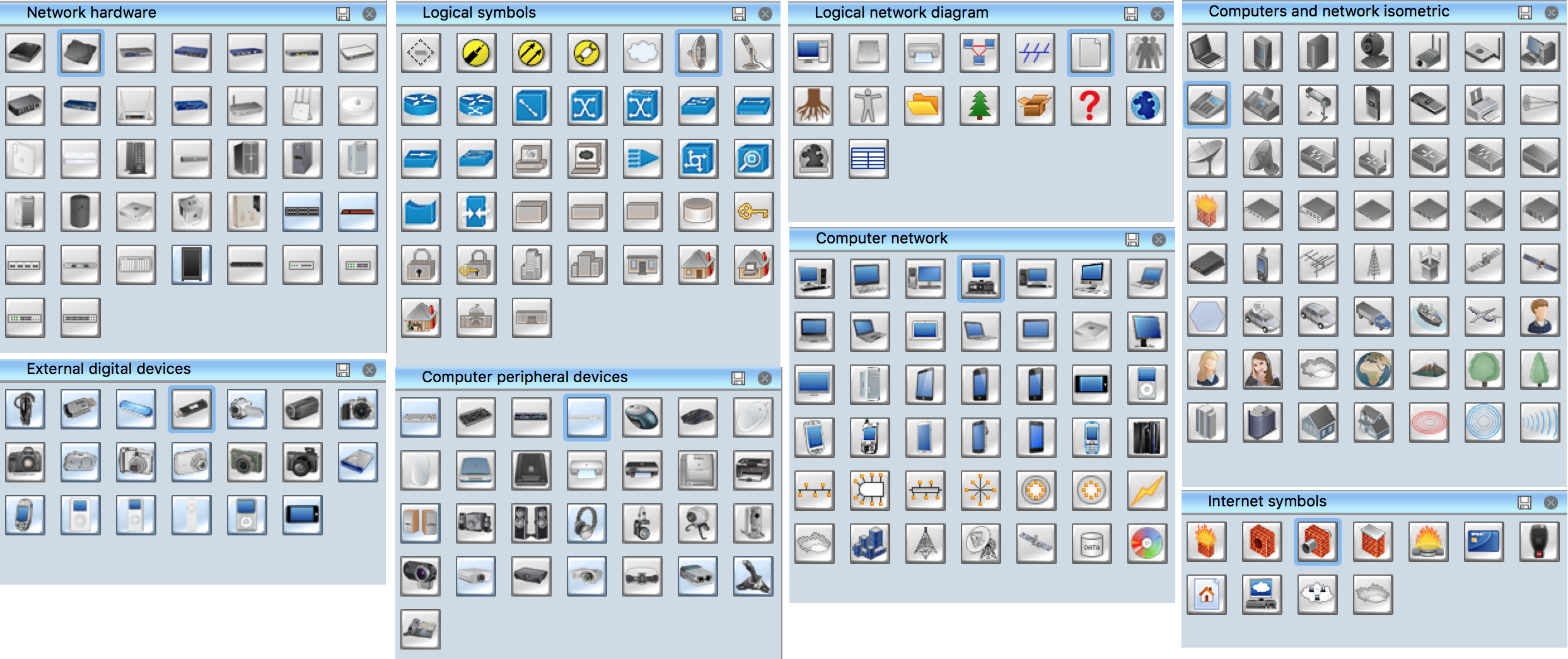
Computer Network Diagrams Solution offers a variety of predesigned templates and samples and 8 libraries with numerous ready-to-use vector objects, which will help create network topology diagrams of any complexity in minutes.
How To Create Network Topology Diagram
ConceptDraw can be used both for business diagrams and drawing and for creating network diagrams. The detailed menu and icon layout make the tool easy to use. Its Drag-n-Drop functionality requires very little training to learn the basics of its software and use it regularly. You can now create custom objects or shapes and save them in the Library for future usage.
Launch ConceptDraw DIAGRAM
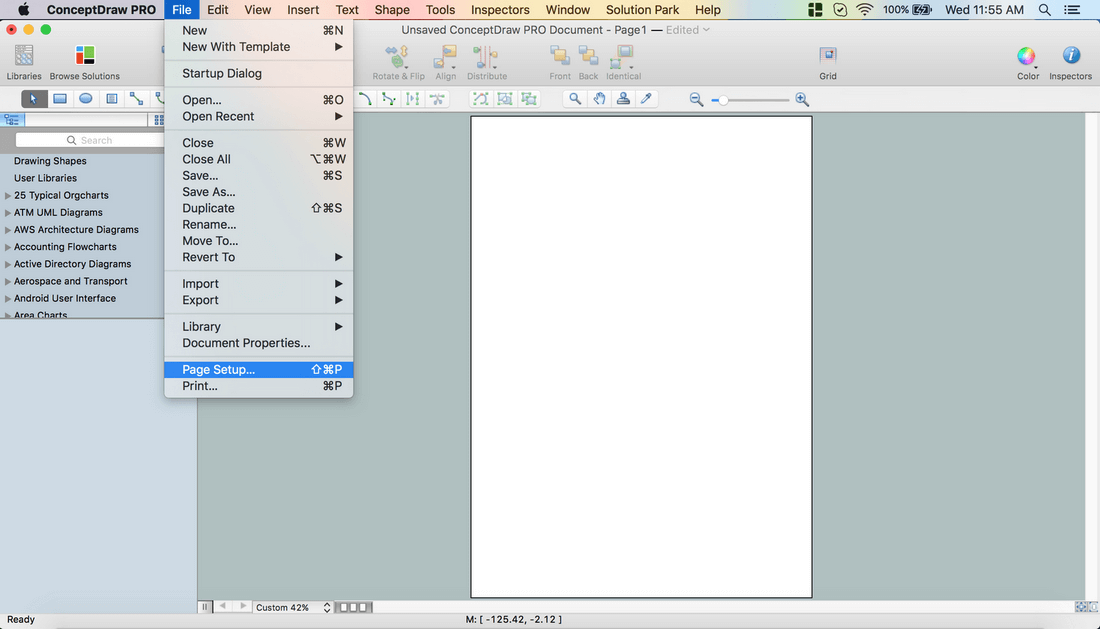
Set a page orientation: File – Page Setup – Horizontal Orientation – Ok.
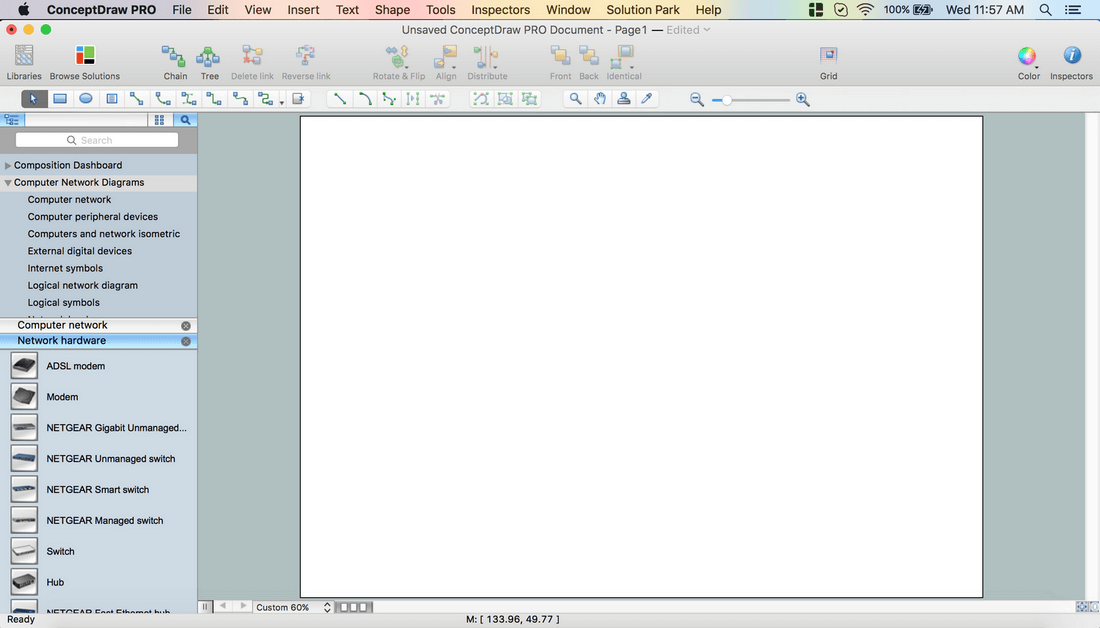
In the Computer Network Diagrams Solution open the libraries containing the necessary shapes:
Computer network
Network hardware
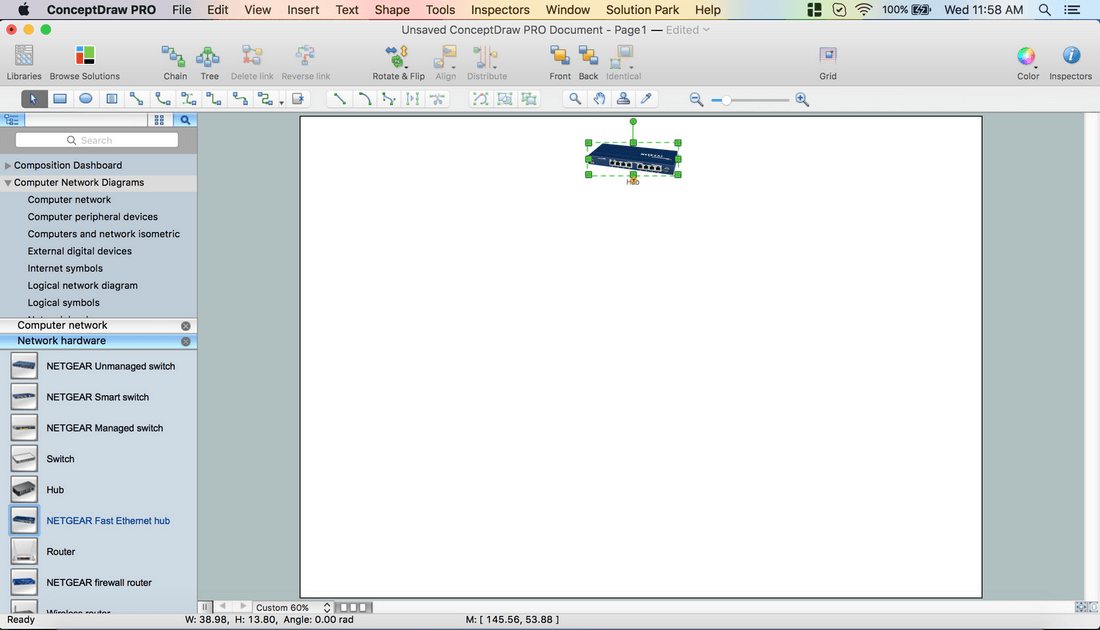
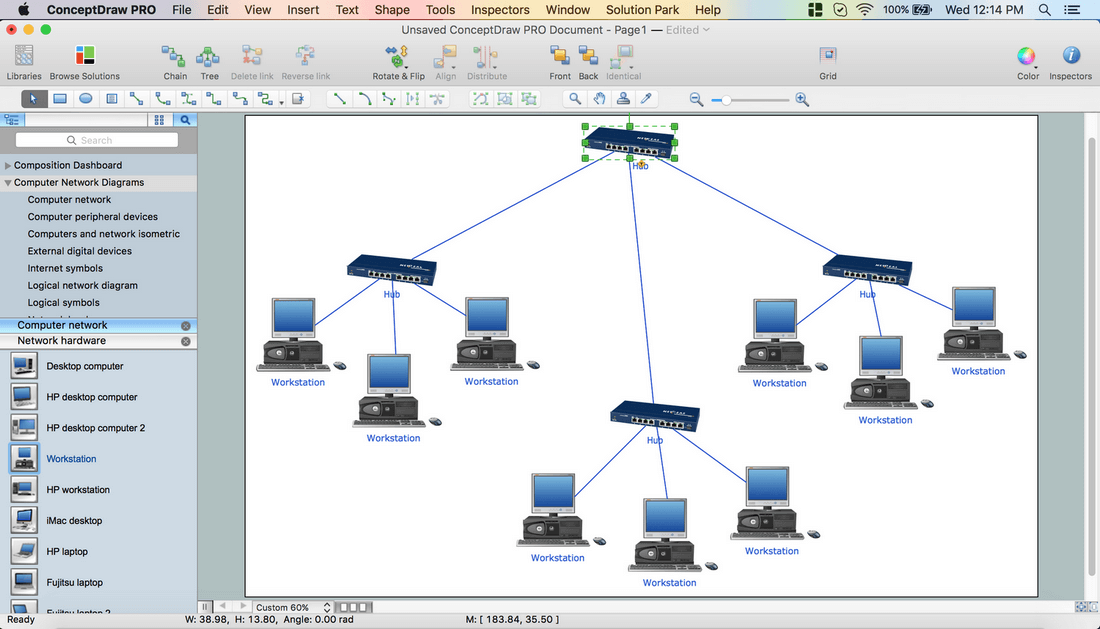
At the Network hardware library drag a NETGEAR Fast Ethernet hub object.Rename it “Hub”.
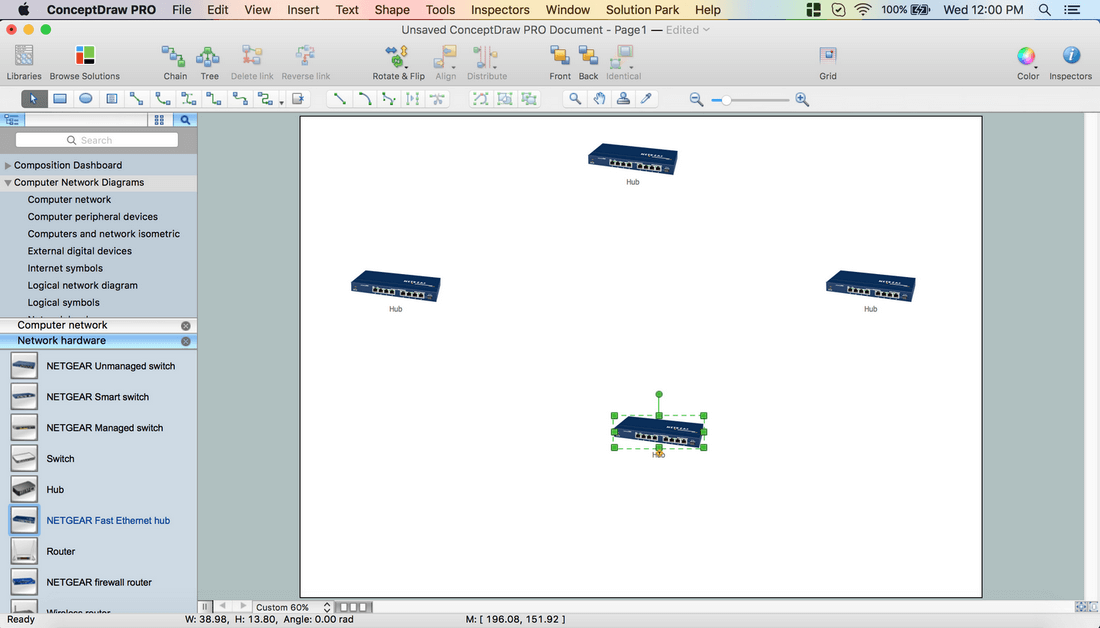
Holding down the Option key (ALT), copy the object. Place the copies on the page.
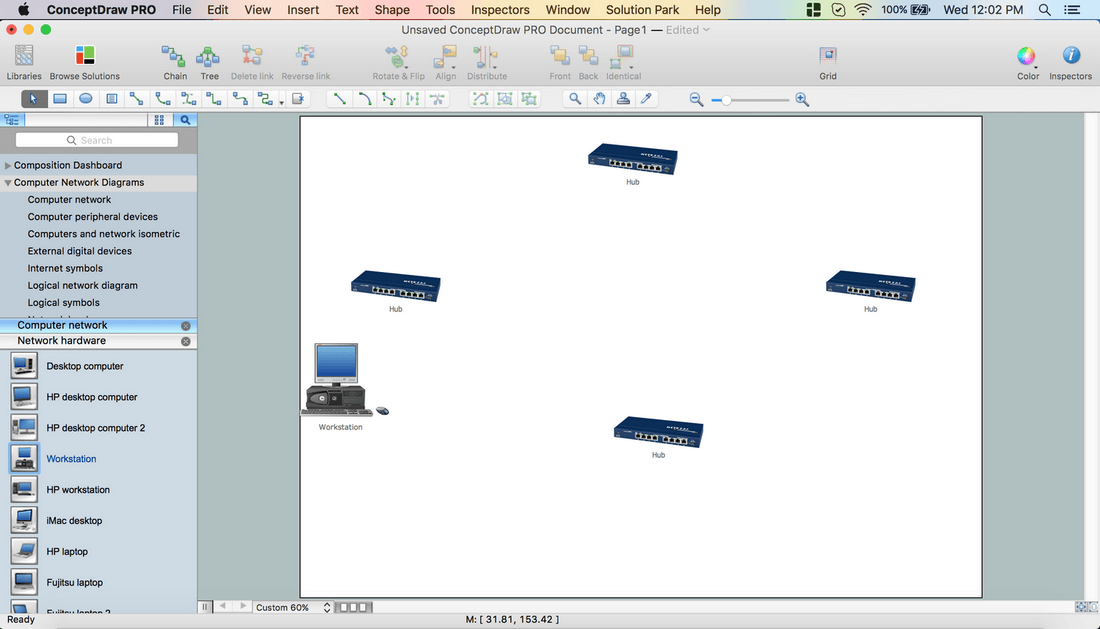
Drag a Workstation object from the Computer network library.
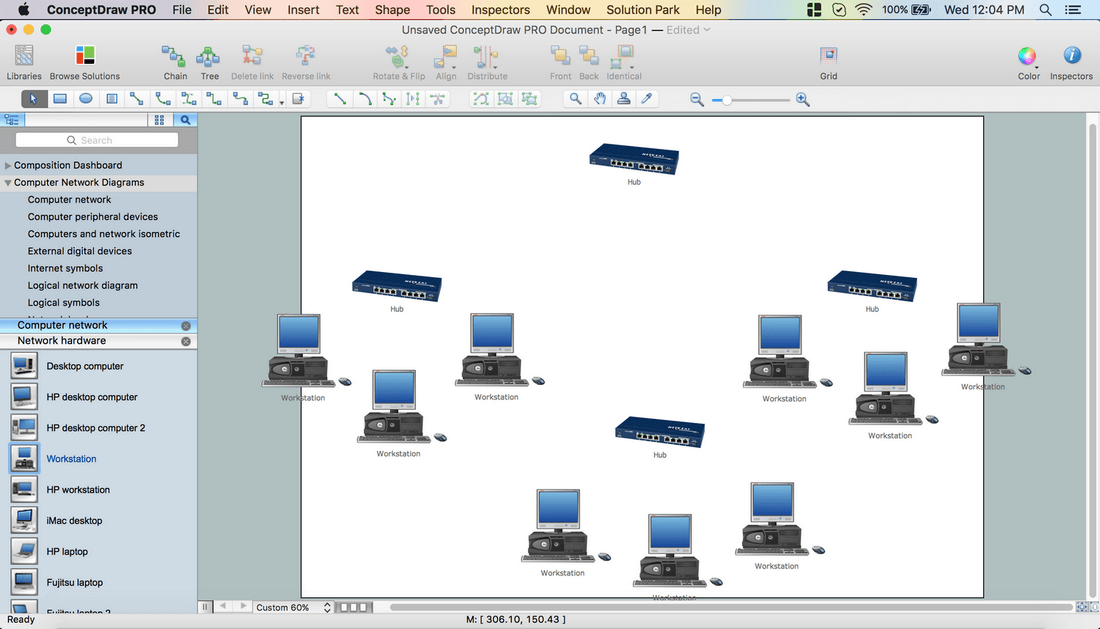
Holding down the Option key (ALT), copy the object. Place the copies on the page.
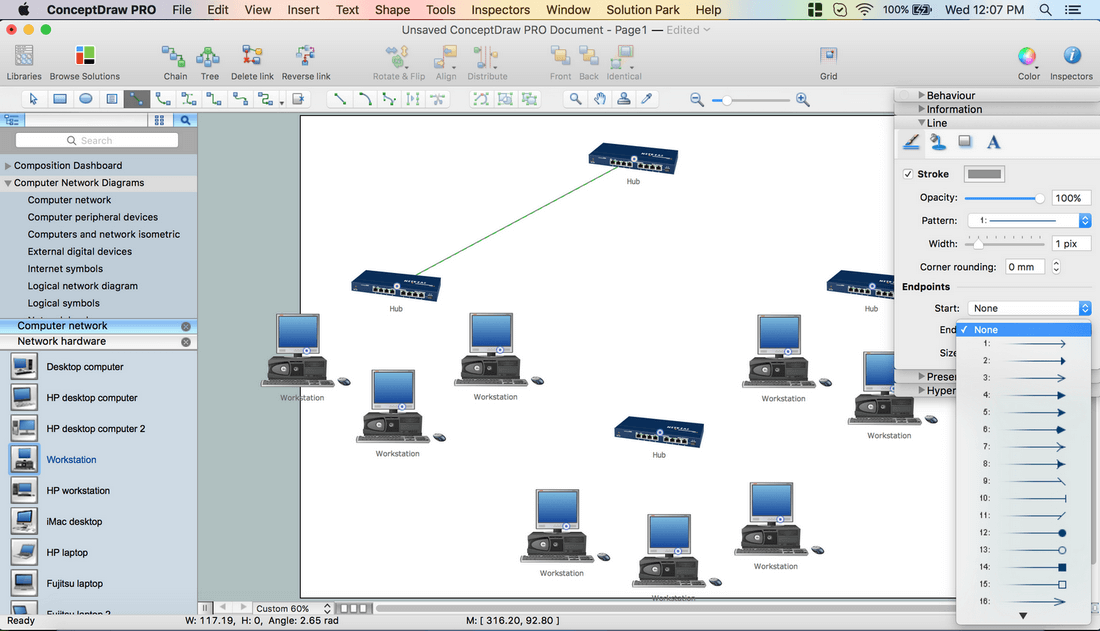
Use Direct Connector from the Toolbar.
Open Inspectors – Line tab. Set the endpoints.
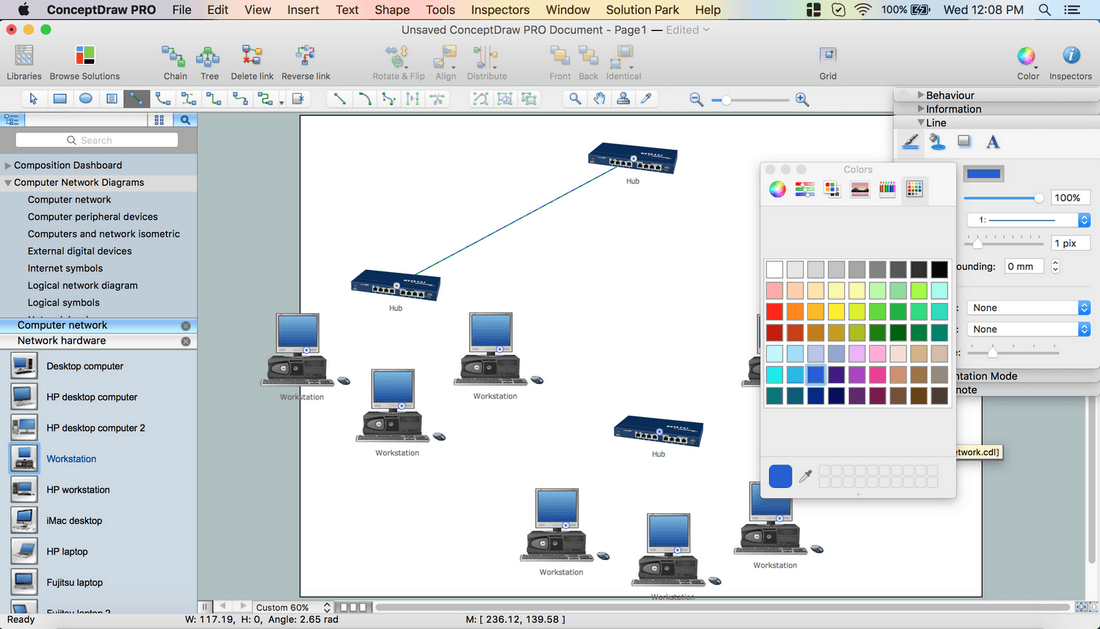
Choose the connector’s color.
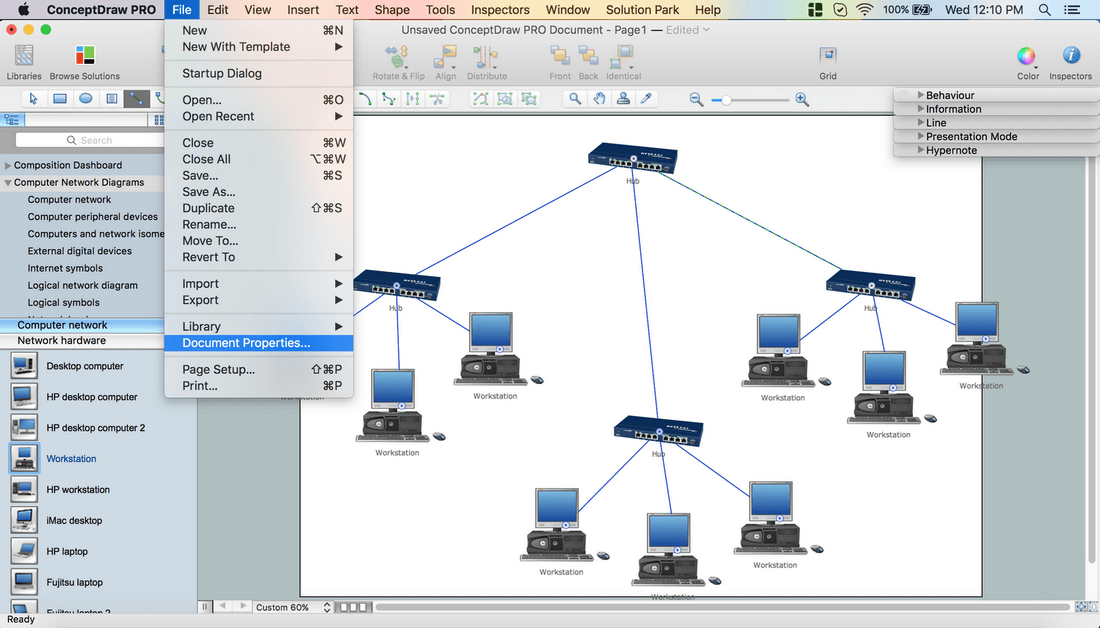
Connect all the objects on the page in a required direction.
From the File menu open the Document Properties – Page Size – Adjust to Drawing Contents – Ok.
Using Cmd+A, select all the objects.
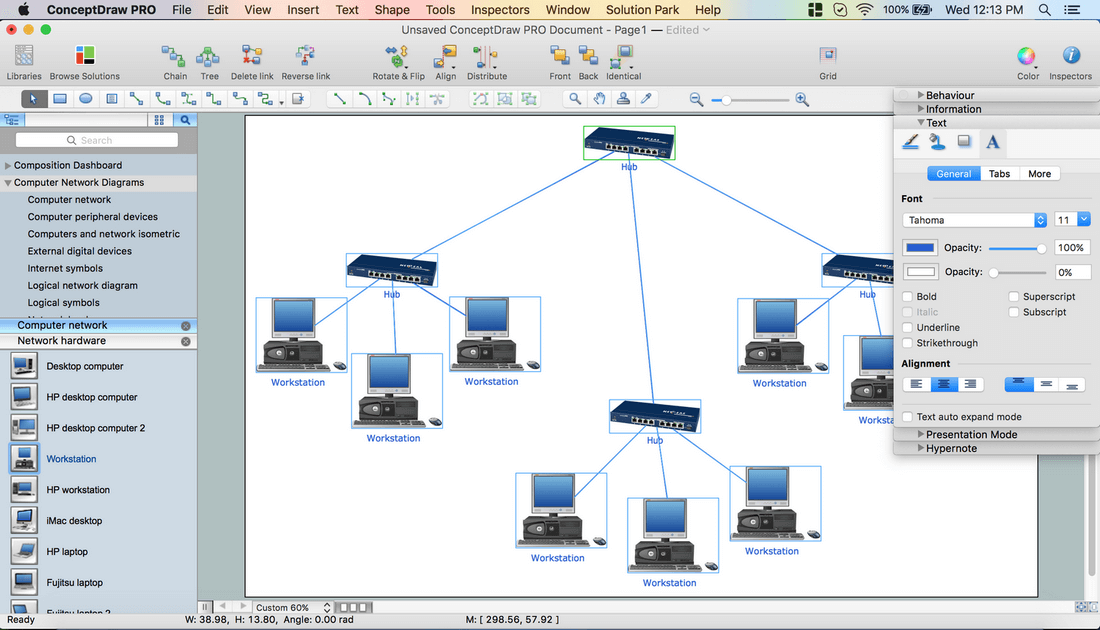
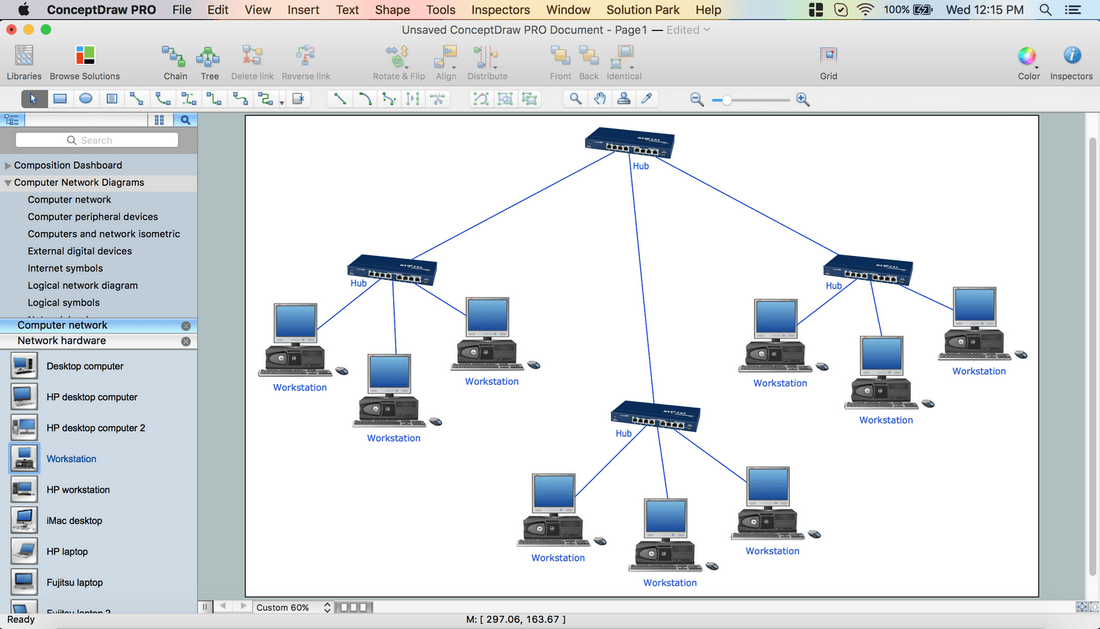
Open Inspectors – Text tab. Select the font and the Text size. Change the Text color.
Using the yellow diamond around the text box, move it to the right place.
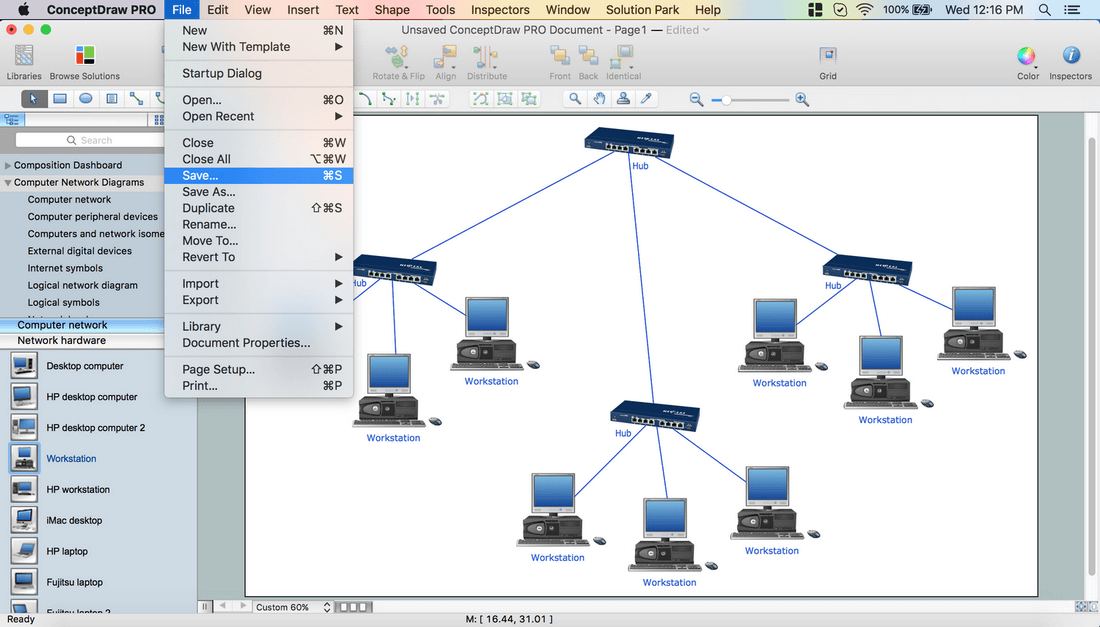
Save your document via the File menu – Save or Save As.
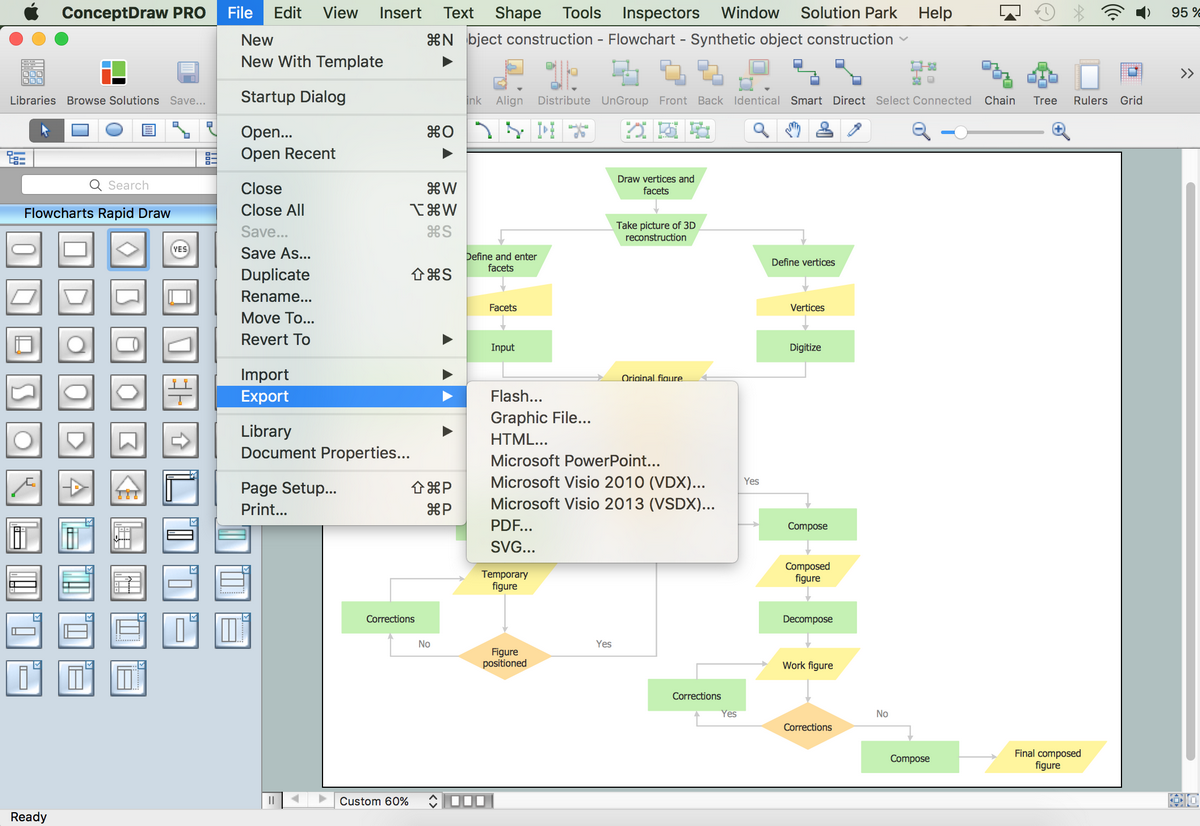
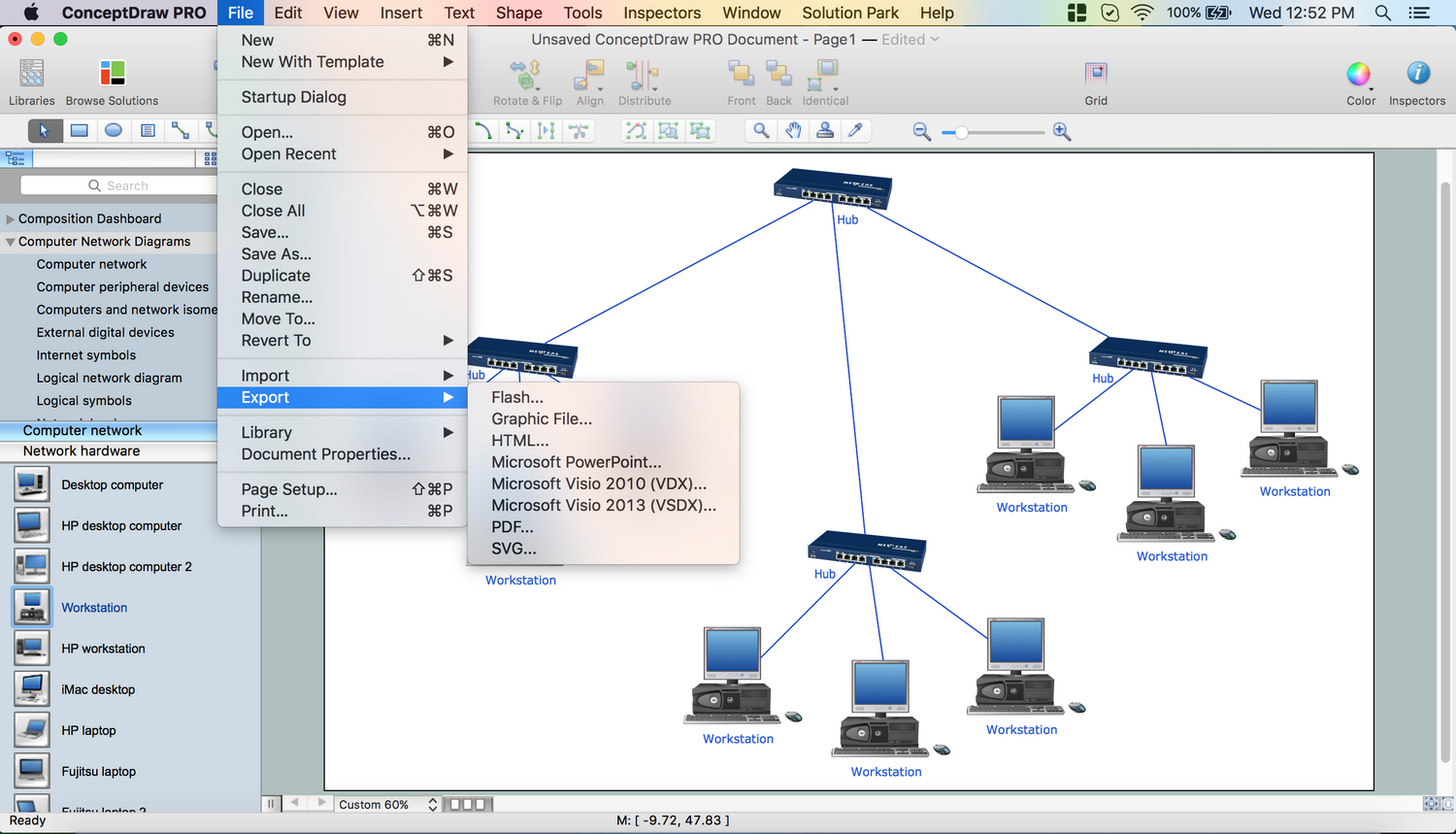
Choose Export in the File menu to export your document to different formats.
You can import/export Visio files and change them according to your needs.
Your drawing is ready!
The ConceptDraw DIAGRAM offers over 70 templates and thousands of shapes, including IT focused elements that represent Network Security, Azure Architecture, AWS Architecture, Cloud Computing, Cisco Network, Wireless Networks, Vehicular Networking, Telecommunication Network, Active Directory components, as well as detailed network components and network appliances and routes.
Video. How To Create Network Topology Diagram (1min 04sec)
The following features make ConceptDraw DIAGRAM the best Network Topology Mapper:
You don't need to be an artist to draw professional looking diagrams in a few minutes.
Large quantity of ready-to-use vector objects makes your drawing diagrams quick and easy.
Great number of predesigned templates and samples give you the good start for your own diagrams.
ConceptDraw DIAGRAM provides you the possibility to use the grid, rules and guides. You can easily rotate, group, align, arrange the objects, use different fonts and colors to make your diagram exceptionally looking.
All ConceptDraw DIAGRAM documents are vector graphic files and are available for reviewing, modifying, and converting to a variety of formats: image, HTML, PDF file, MS PowerPoint Presentation, Adobe Flash, MS Visio.
Using ConceptDraw STORE you can navigate through ConceptDraw Solution Park, managing downloads and updates. You can access libraries, templates and samples directly from the ConceptDraw STORE.
If you have any questions, our free of charge support is always ready to come to your aid.
Wireless network topology — logical topology.
Wireless network topology shows how the computers connect each other when there is no physical connection. The computers communicate each using the wireless devices.
Android is an operating system based on the Linux kernel and developed by Google for smartphones, tablet computers, electronic books, netbooks, smartbooks, digital players, watches, game consoles, TV and other devices.
ConceptDraw DIAGRAM extended with Android User Interface Solution from the Software Development Area is a powerful software with extensive drawing tools which can help you to build the intelligible, attractive and easy for perception Android GUI for your application.
Any wireless network is some computer network that can use any needed wireless data connections that can be placed between the network nodes. Any wireless networking is known to be one of the methods by which both telecommunications networks and business installations, same as the homes avoid the process of introducing the cables into some building.
Drawing some wireless computer network as it may be a challenge, especially for those who do not have as much experience of doing it. That is why the CS Odessa team has developed the Wireless Networks solution so it can be used for simplifying all the ConceptDraw DIAGRAM users work on the needed diagrams.
Picture: Calculate the cost of creating or updating a wireless computer network
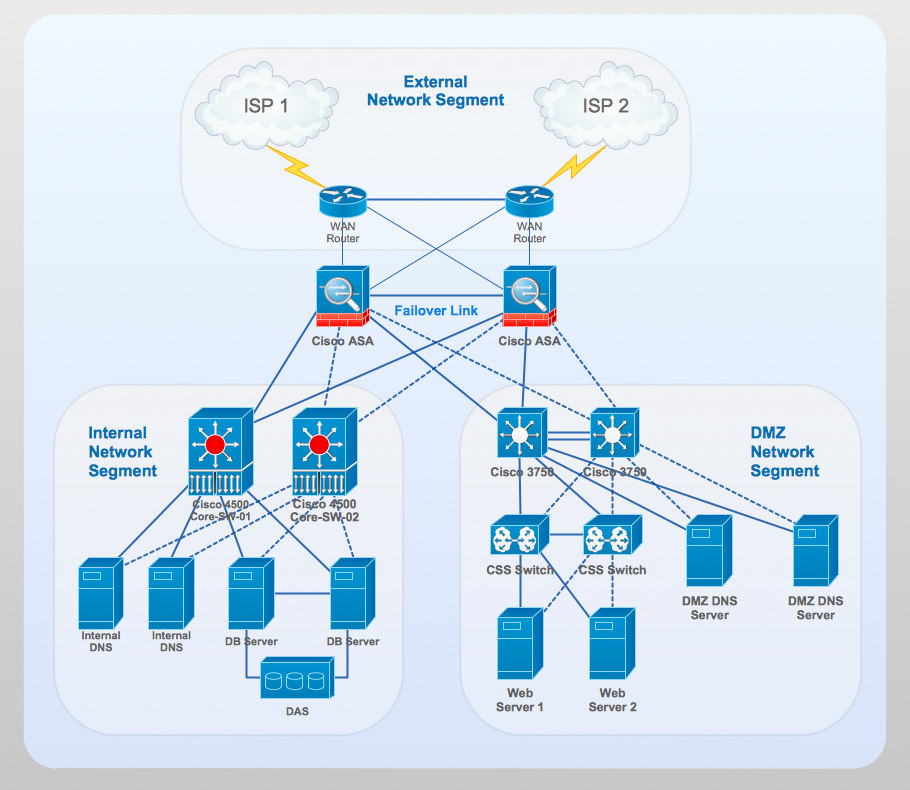
Working with disordered network data can be quite exhausting. Sometimes it's necessary to find a network diagramming software to design Cisco network diagrams that would be easy to use and would be able to export diagrams to various graphic formats. ConceptDraw DIAGRAM is a great diagramming tool that is able to perform all these tasks easily.
This vector library represents a set of 26 objects depicting the manufacturer - standard equipment of Cisco switches and hubs. This is only a small part of the vector graphic objects of Cisco equipment that comprise the Cisco Network Diagrams solution. In full the ConceptDraw Cisco Network Diagrams solution has 15 libraries, containing more then 500 objects to create a Cisco network diagrams. They can be used by IT specialists and corporative IT divisions, system and network administrators to make the visual documentation of Cisco networks topology.
Picture: Network Diagramming Software for Design. Cisco Network Diagrams
This sample was created in ConceptDraw DIAGRAM diagramming and vector drawing software using the Computer and Networks solution from Computer and Networks area of ConceptDraw Solution Park.
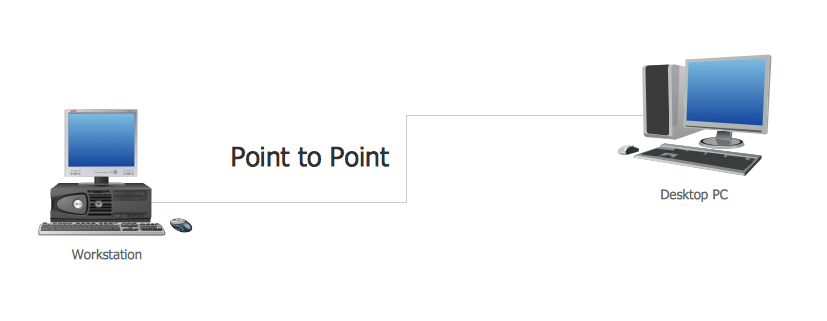
This sample shows the Point-to-point network topology.
Network topology is the topological structure of the computer network.
Point-to-point network topology is a simple topology that displays the network of exactly two hosts (computers, servers, switches or routers) connected with a cable. Point-to-point topology is widely used in the computer networking and computer architecture.
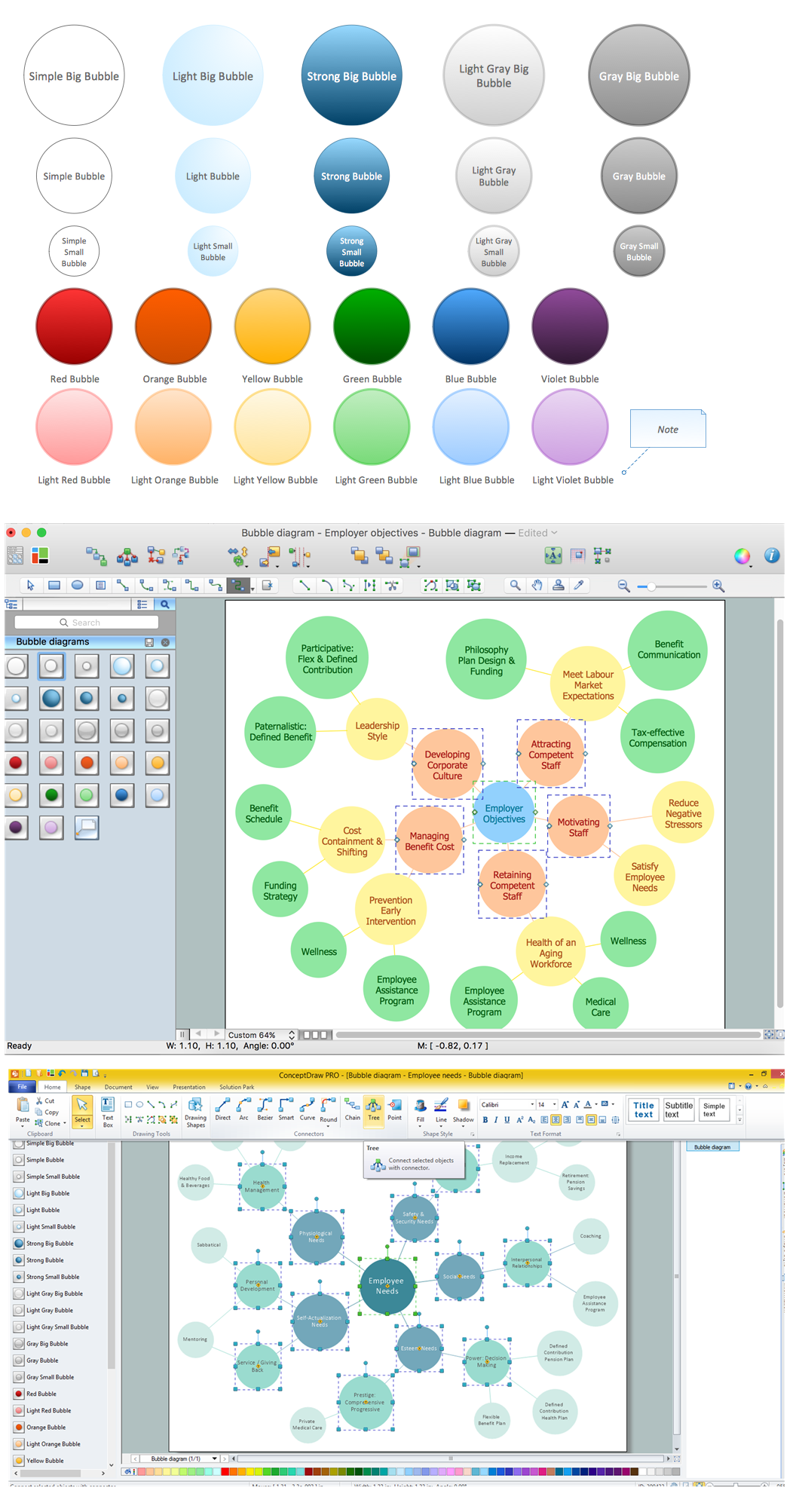
Bubble diagrams solution extends ConceptDraw DIAGRAM software with templates, Using ConceptDraw Connectors, you can create a bubble chart in moments.
Using ConceptDraw you will be able to create a bubble chart from the ready ConceptDraw library objects or make your own objects. The created diagram can represent ideas organization, in brainstorming processes, by teachers for explaining difficult ideas or for presentations.
ConceptDraw DIAGRAM is a professional software for building of great-looking Flowcharts ✔️ of various types and any degree of complexity, ✔️ in a few simple steps, ✔️ even if you have no experience, ✔️ using RapidDraw technology, ✔️ to perform different tasks in different fields
Use ConceptDraw DIAGRAM diagramming and vector drawing software enhanced with Computer and networks solution to draw different types of network diagrams: physical layout and topology, LAN and WAN, Cisco, Apple, Wi-Fi wireless and Ethernet wired networks, etc.
Special libraries of highly detailed, accurate shapes and computer graphics, servers, hubs, switches, printers, mainframes, face plates, routers etc.
ConceptDraw DIAGRAM Comparison with Omnigraffle Professional and MS Visio. All source ConceptDraw documents are vector graphic documents. They are available for reviewing, modifying, or converting to a variety of formats: PDF file, MS PowerPoint, MS Visio, and many other graphics formats.
Picture: ConceptDraw DIAGRAM Comparison with Omnigraffle Professional and MS Visio
In electronics, a logic gate is an idealized or physical device implementing a Boolean function; that is, it performs a logical operation on one or more logical inputs, and produces a single logical output. Depending on the context, the term may refer to an ideal logic gate, one that has for instance zero rise time and unlimited fan-out, or it may refer to a non-ideal physical device
26 libraries of the Electrical Engineering Solution of ConceptDraw DIAGRAM make your electrical diagramming simple, efficient, and effective. You can simply and quickly drop the ready-to-use objects from libraries into your document to create the electrical diagram.
 Your drawing is ready!