Organizational Chart
What is an Organizational Chart
“An organizational chart (often called organization chart, org chart, organigram(me), or organogram) is a diagram that shows the structure of an organization and the relationships and relative ranks of its parts and positions/jobs. ”
Company Organizational Chart
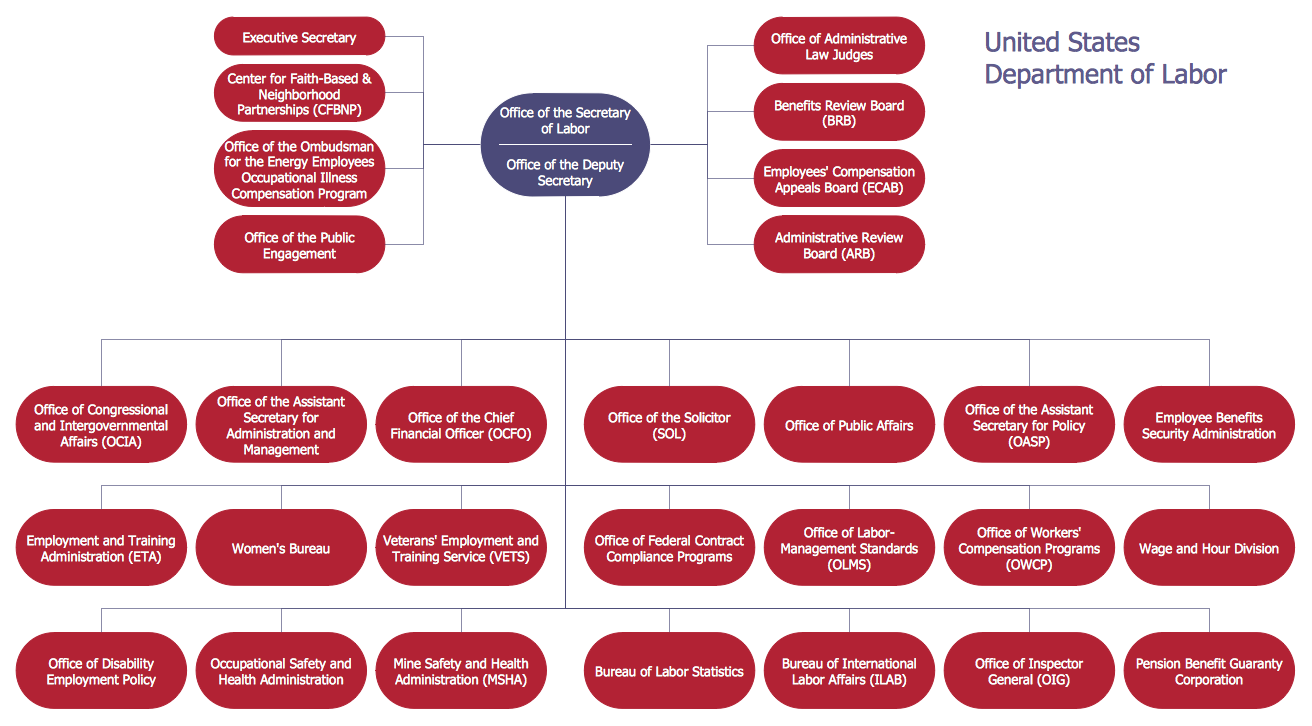
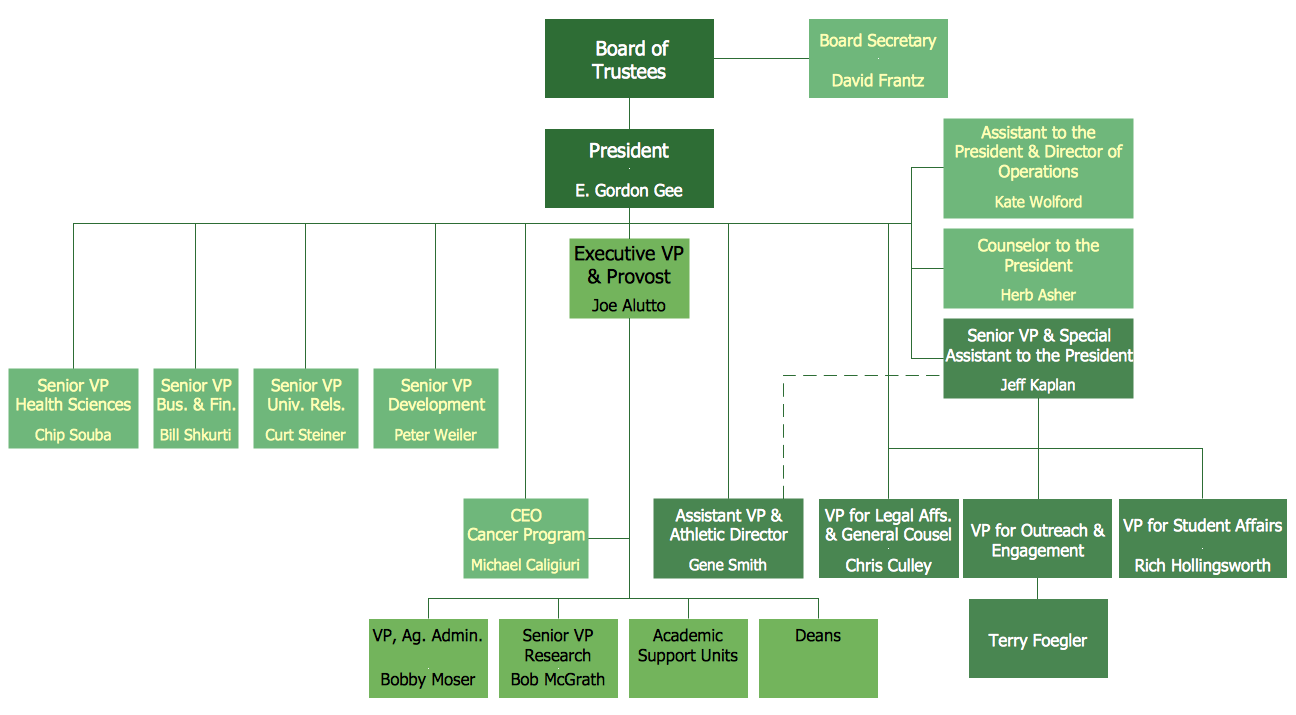
An organizational chart is used to visualize the hierarchical structure of various types of companies and organizations. It is a good tool to portray the distribution of credentials and responsibilities between employees and departments. It is a powerful tool used to help business managers define the roles and flow of assignments within any business workflow.
Organizational Chart Software
ConceptDraw DIAGRAM extended with Organizational Charts Solution from the Management Area is powerful Organizational Chart Software.

Example 1. Organizational Chart - New York State Education Department
An organizational chart of any complexity can be easily drawn in ConceptDraw DIAGRAM thanks to the extensive drawing tools of Organizational Charts Solution. It's enough to just look at the Organizational Chart library of predesigned objects to understand what it contains all necessary objects for quick Organizational Chart drawing.
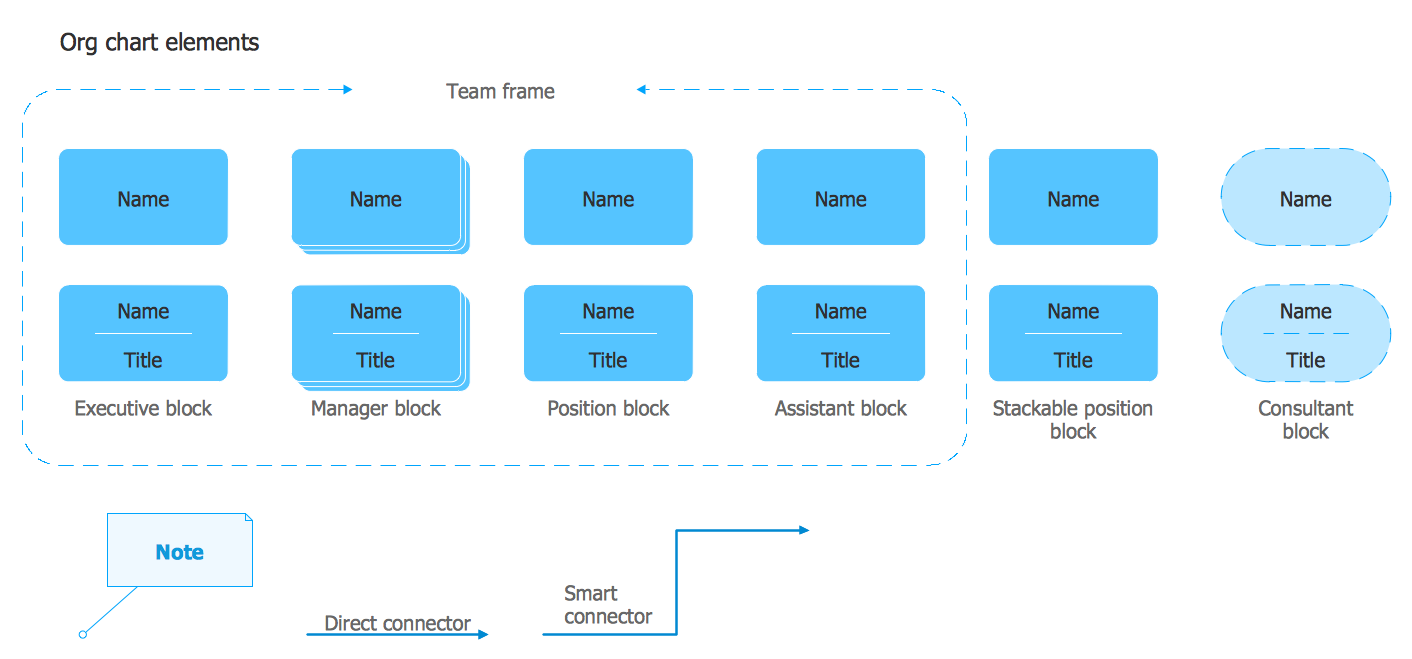
Example 2. Organizational Chart Library Design Elements
Organizational Charts solution provides also a set of predesigned templates and samples which are available for viewing and editing from ConceptDraw STORE. All you have to do is open a suitable template and fill it out according to your organization's structure.
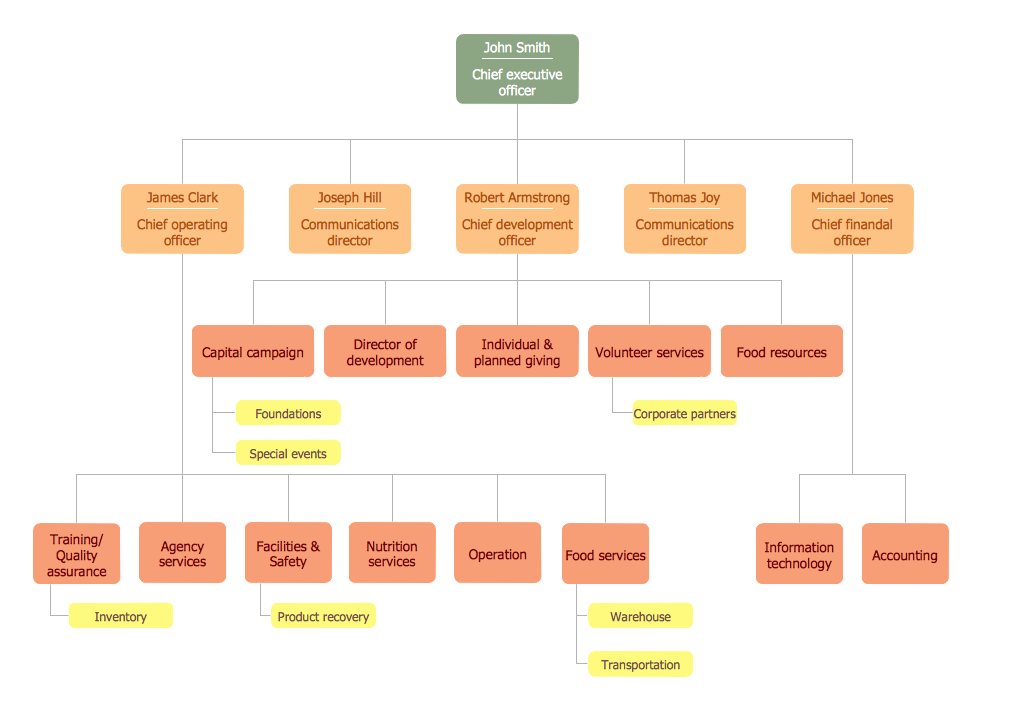
Example 3. Organizational Chart - Foodbank
The following features make ConceptDraw DIAGRAM the best Organizational Chart software:
- You don't need to be an artist to draw professional looking charts in a few minutes.
- Large quantity of ready-to-use vector objects makes your drawing Organizational Charts quick and easy.
- Great number of predesigned templates and samples give you the good start for your own charts.
- ConceptDraw DIAGRAM provides you the possibility to use the grid, rules and guides. You can easily rotate, group, align, arrange the objects, use different fonts and colors to design your organizational chart exceptionally looking.
- All ConceptDraw DIAGRAM documents are vector graphic files and are available for reviewing, modifying, and converting to a variety of formats: image, HTML, PDF file, MS PowerPoint Presentation, Adobe Flash, MS Visio.
- Using ConceptDraw STORE you can navigate through ConceptDraw Solution Park, managing downloads and updates. You can access libraries, templates and samples directly from the ConceptDraw STORE.
- If you have any questions, our free of charge support is always ready to come to your aid.
How to Create an Organizational Chart in ConceptDraw DIAGRAM
ConceptDraw DIAGRAM simplifies organizational chart creation with a set of pre-designed templates. All you need to do is open a suitable template and fill it out according to the structure of your organization. Below are the few basic steps when drawing an organizational chart with ConceptDraw DIAGRAM.
- We recommend you to start with the basic Org Chart template provided in the Organizational Chart solution.
- Arrange the chart elements within a workspace using a mouse.
- Add extra elements to the chart by dragging them from the library and connecting them using the Smart Connectors tool.
- Select any element and type to add a text.
- Once the organizational chart is completed you can export it into Excel®, Word®, or PowerPoint® in a few simple clicks.
Create an Organizational Chart Using MS Office®
The simplest way to depict an organizational structure is to keep it in a data file that lists all of the employees and who they obey. Commonly Excell® or Word® software is used to manage HR data. Alternatively, you can use ConceptDraw MINDMAP for keeping data on organization structure and then ConceptDraw DIAGRAM for presenting the results as a business graphic document. You may store all your employee information structured in a radial mind map form. ConceptDraw OFFICE makes it easy to take a mind map file and turn it into a professional-looking organizational chart automatically. Moreover, you can rearrange, add, or move departments, positions, as well as set new interrelations - just with simple drag-and-dropping.

Draw Company Structure Diagram - get the detailed information about the company structure and hierarchy - who execute what tasks and who is in charge at this company. This information shows the reasoning and success of business and is indispensable for investors and financial institutions.