Ring Network Topology
Ring Network Topology Diagram
A network topology in which each of the nodes connects to two other nodes, resulting in forming a continuous pathway for the signals through each of the nodes known to be called the “rings”, is known to be called as a “ring network”. Data within such networks is known to be traveling from one node to another node, through all the nodes one by one along its way handling every single packet. The mentioned “rings” can be “unidirectional”, having all its traffic travelling clockwise or anticlockwise all the way around the ring. Also, it can be the so called “bidirectional”, providing only one single pathway between two nodes out of many other nodes. A unidirectional ring network is known to be very likely disrupted by the failure of some link appearing to be nearby.
A node failure as well as any cable break may lead to isolation of every single node, which is attached to the “ring”. Some of the ring networks are known to be adding a so called "counter-rotating ring", also known to be called a “C-Ring”. Adding the mentioned ring can be done for forming a redundant topology. Thus, once break happens, a data may get wrapped back on the ring before it reaches the end of the cable. Such data is known to be maintaining a path to every single node all the way along the resulting counter-rotating ring.
The "dual ring" networks are known to be including the so called “Spatial Reuse Protocol”, as well as the “Fiber Distributed Data Interface”, or “FDDI”, and the “Resilient Packet Ring”. The well-known “IBM token ring networks” are also sometimes called as the “802.5 networks”. They are commonly used for avoiding all the possible and existing weakness of a ring topology by using another topology — a “star” one. Such mentioned topology is usually used at the physical layer for imitating a ring at the so called “data link layer”.
Some of the previously mentioned “SONET/SDH rings” have two sets of the bidirectional links, which can be found between the nodes, allowing the failures or maintenance at the multiple points of the same ring resulting in no loss of the primary traffic on the outer ring in a way of switching the traffic on the inner ring after the so called “failure points”.
One of the advantages of using such network topology can be mentioned the convenience of using it for performing in a better way than a bus topology does, especially in the cases of the need of loading under the so called “heavy network”. The mentioned network topology is known to be used within a very orderly network having every device accessing to the “token” having the opportunity to transmit. Such ring network topologies do not require any central nodes for managing the connectivity between different computers. Because of such point to point line configuration of devices with a device on another side, it is quite simple to install as well as to re-configure whatever is needed by removing or adding any device.
Another special feature of the ring network topologies is its “point to point” line configuration, which makes it much simpler to isolate all the previously identified faults. Also, the reconfiguration for line faults of bidirectional rings in ring network topology can be very fast, having all the switching happening at the highest level, leading to the traffic not requiring any individual re-routing.
The disadvantages of the ring network topology: first of all, it is always more difficult to configure using it to compare to using a “star” one as any node adjunction equals to the ring reconfiguration and shutdown. One of the malfunctioning workstations within the ring network topology can create lots of problems for all the network. This can be solved by using a switch or a dual ring used for closing off the break. Every time there’s some moving, changing and adding the devices can affect the entire ring network and the communication delay is known to be directly proportional to the number of all the existing nodes in the ring network.
It is important to remember that any ring network may afford the so called “fault tolerance” to the telecommunication network having two paths between any two nodes on the network. Ring protection is known to be a system commonly used for assuring any needed communications, continuing in the event of failure of only one path. The most widely used protection architectures are “1+1” as well as “1:1”.
In 1+1 architecture, every single protection path is known to be used for protecting the signal having the bridge at the head of the path on a permanent basis, while the switching occurs at its tail end. There are more than two parallel routes are sent in this architecture traffic and the receiving end is known to be selecting the better of the mentioned two signals. Once some failure occurs, the destination switches into one of the alternative paths. The mentioned architecture is quite a widely used for as it is simple for implementing, resulting quite fast restoration. Although, there’s still a drawback, which is the wastage of the bandwidth, occurring for a reason of no traffic traveling through the redundant path.
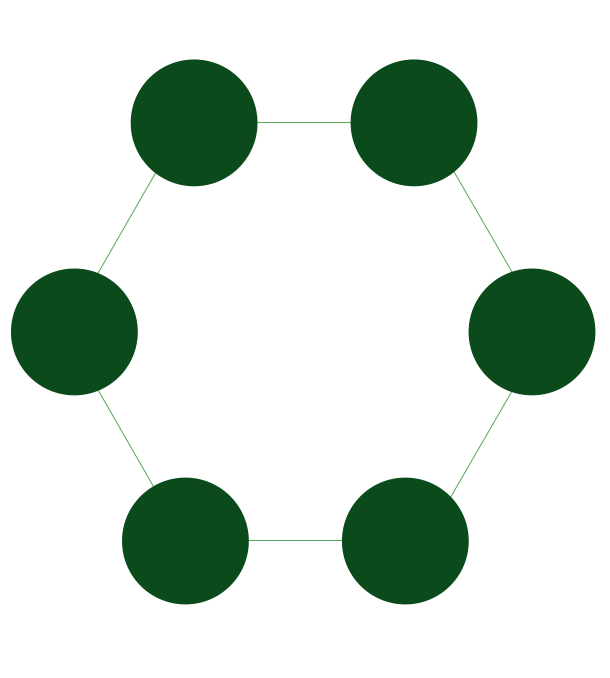
Pic. 1. Ring Network Topology
Drawing the ring network topology diagrams taking into consideration any of the mentioned architectures can be always much simpler using a professional software for completing such tasks. One of the best applications nowadays is ConceptDraw DIAGRAM one, enabling all its users to create a great looking diagram, such as a ring network topology one, especially having the Computer and Networks solution downloaded from ConceptDraw STORE application.

Pic. 2. Ring Network Topology Diagram
Having the ConceptDraw DIAGRAM software means having all the needed tools for making smart looking drawings, at the same time having the ConceptDraw STORE which is meant to be used while working in ConceptDraw DIAGRAM means simplifying your work with creating such diagrams by using the previously developed solutions full of the stencil libraries with the design symbols depending on the subject of your drawing.
See Also Network Topologies:
- Bus Network Topology
- Star Network Topology
- Mesh Network Topology
- Tree Network Topology
- Fully Connected Network Topology
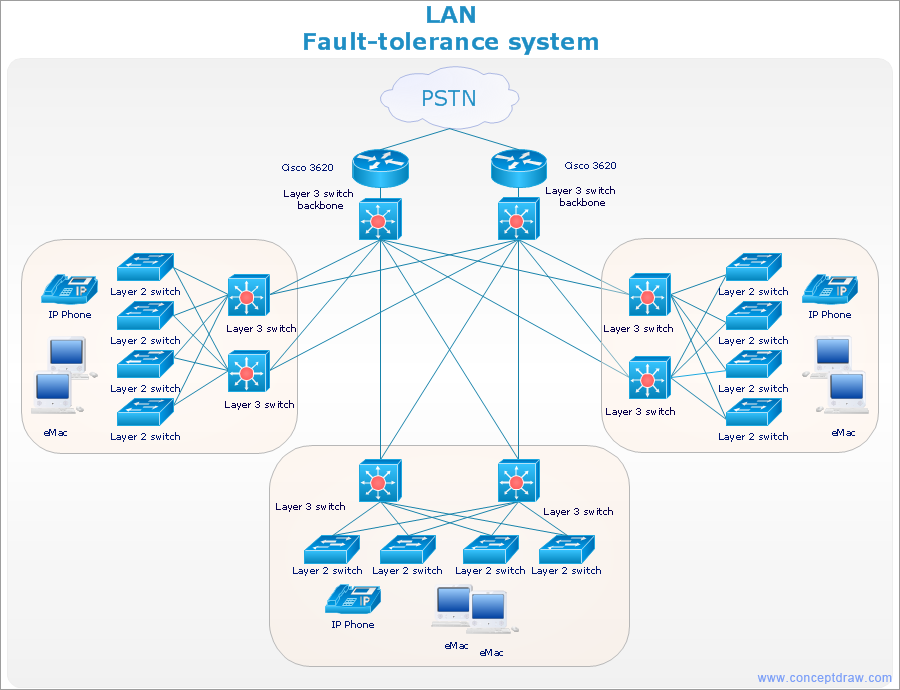
TEN RELATED HOW TO's:Developing a corporate network starts from choosing equipment such as servers or routers. You should choose a topology for your network depending on your needs and budget. Thus, a star topology is cheap to implement, and mesh topology, for instance, is more reliable. This network diagram illustrates various types of computer network diagrams. Here one can find out the samples of Star, Ring, common Bus and even a rather rare fully connected network topologies. This diverse array of diagrams was created using the ConceptDraw DIAGRAM software and its solution designed especially for computer networking: design and documenting. There are more than 2 thousands graphical symbols of network equipment in the solution's vector libraries. You can create a diagram of any type network, containing any equipment and connections - no matter is it the most ancient or the super-modern network Picture: Network TopologyRelated Solution:Planning a computer network can be a challenge for a junior specialist. However, knowing how to draw a computer network diagrams isn’t a rocket science anymore. There are a lot of special software for creating such diagrams with predesigned templates and examples. The core for Network Fault Tolerance System presented here, is the equipment of Cisco. You can see here the certified Cisco equipment icons. Generally, ConceptDraw DIAGRAM libraries contain more than half of a thousand objects representing the standardized images of Cisco equipment. ConceptDraw solution for network diagramming is a great network diagramming tool for any level skills - from students to network guru.
 Picture: How to Draw a Computer Network DiagramsRelated Solution:You want create a professional room plan quick and easy? ConceptDraw DIAGRAM diagramming and vector drawing software will help you. It’s very simple and convenient design the room plans with Floor Plans Solution from the Building Plans area of ConceptDraw Solution Park.
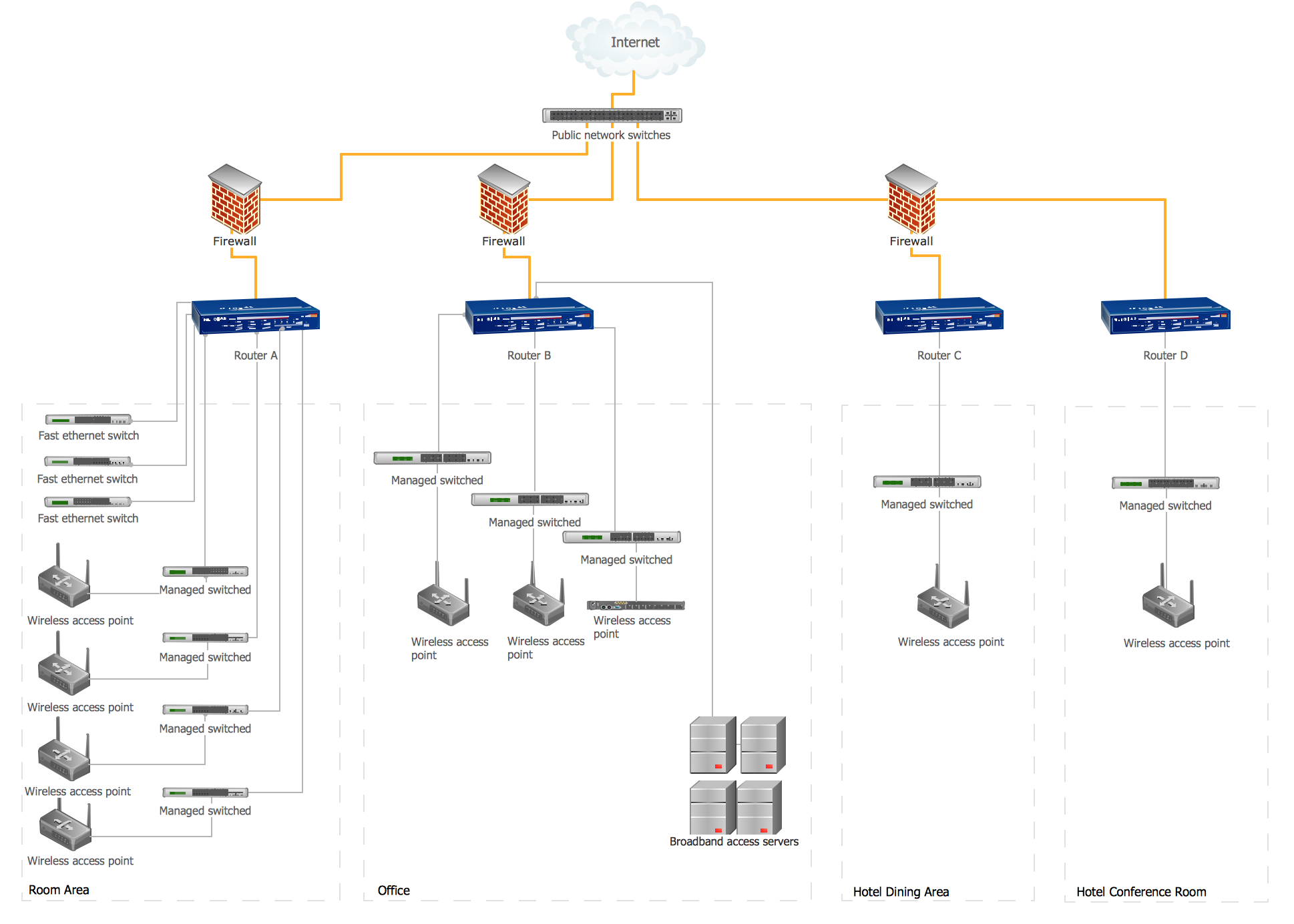
 Picture: Room Planning SoftwareRelated Solution:A network diagram represents the set of computers and network devices and the connections among them. This scheme can be developed for any institution or establishment. To illustrate this concept let’s take for example, a hotel network topology diagram or a school network diagram. These diagrams depict access points, servers, workstations, firewalls and another equipment needed to provide a network. On this masterpiece drawing one will see a simple scheme a of connecting computers together. Such form of connecting can be applied for a hotel, guest house, bungalow, hut or something else. This diagram shows the images of the real LAN components. So, it represents a physical category of a network construction. It looks similar to a star - so this network configuration is named a star topology. The typical feature of this construction is a center point - usually it is hub, or router. The rays of this star means network connections. Computers, peripherals and other network details are placed on the ends of the star rays.
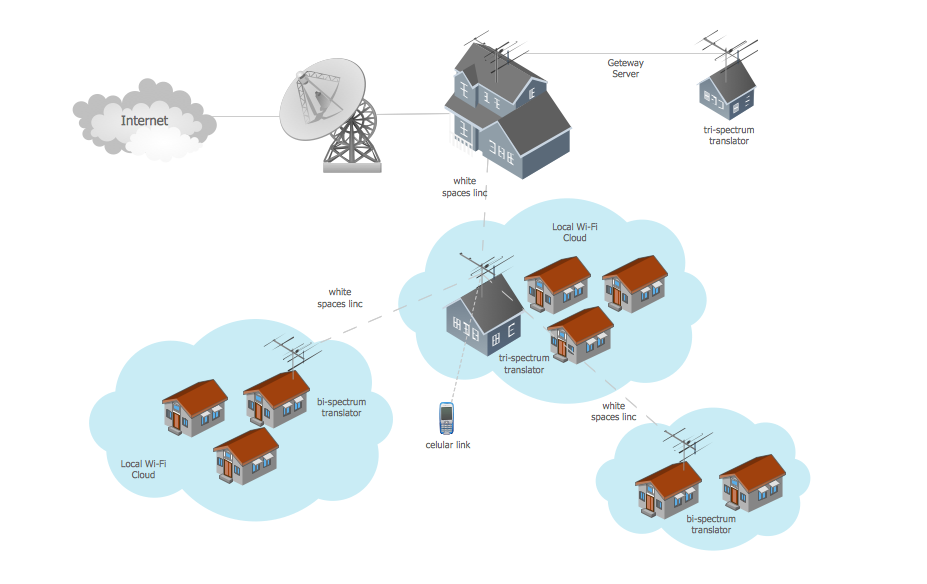
 Picture: Hotel Network Topology DiagramRelated Solution:Studying informatics demands knowledge in the area of computer networks as well. The most famous world network, Internet, is an example of wide area network (WAN) topology that connects devices spread on any distance. Unlike other smaller networks that are limited to a building or to a campus, WAN is almost limitless. This WAN (wide area network) diagram was created in ConceptDraw DIAGRAM. It shows a telecommunication network that covers a large geographical area connecting several settlements. This type of networks is commonly used by business and government institutions. Using the WANs enables them quickly communicate information between remote geographical points. To reproduce this network diagram, you will need the means, provided by ConceptDraw Computer and Network Diagrams solution.
 Picture: Wide area network (WAN) topology. Computer and Network ExamplesRelated Solution:Now it’s easy to share your visual documents with other people in a form most convenient for them. ConceptDraw DIAGRAM can save your drawings and diagrams in a number of highly useful formats, including graphic files. You can save your drawing as a.PNG,.JPG, or other graphic format file.
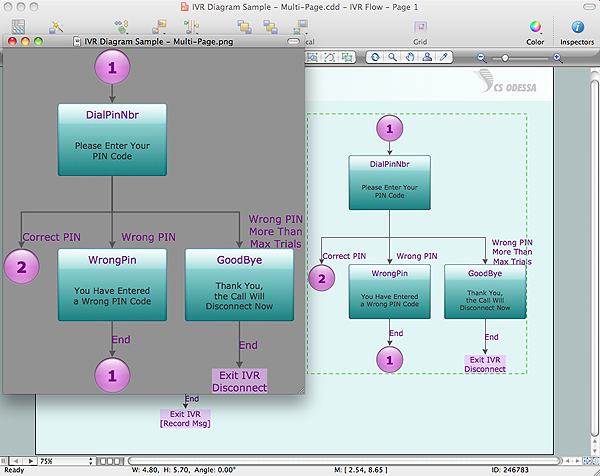 Picture: Export from ConceptDraw DIAGRAM Document to a Graphic FileThis sample was created in ConceptDraw DIAGRAM diagramming and vector drawing software using the Computer and Networks solution from Computer and Networks area of ConceptDraw Solution Park. A complete (fully connected) topology is a network topology in which there is a direct link between all pairs of nodes. In a fully connected network with n nodes, there are n(n-1)/2 direct links. Networks designed with this topology are usually very expensive to set up, but provide a high degree of reliability due to the multiple paths for data that are provided by the large number of redundant links between nodes.
 Picture: Complete Network TopologyRelated Solution:ConceptDraw DIAGRAM is the best network diagram software. To design the Cisco Network Diagrams and visualize the computer networks topology use ConceptDraw DIAGRAM diagramming and vector drawing software extended with Cisco Network Diagrams solution for ConceptDraw DIAGRAM Solution Park.
 Picture: Cisco Network Diagram SoftwareRelated Solution:This sample was created in ConceptDraw DIAGRAM diagramming and vector drawing software using the Computer and Networks solution from Computer and Networks area of ConceptDraw Solution Park. A Daisy Chain is the simple computer network. It is the easiest way to add more Ethernet devices into the network. In the Daisy Chain network one computer is connected to the next without any intervening devices, thus the message is sent from one computer to the next and then to the next and so on. A Daisy Chain can be linear or ring
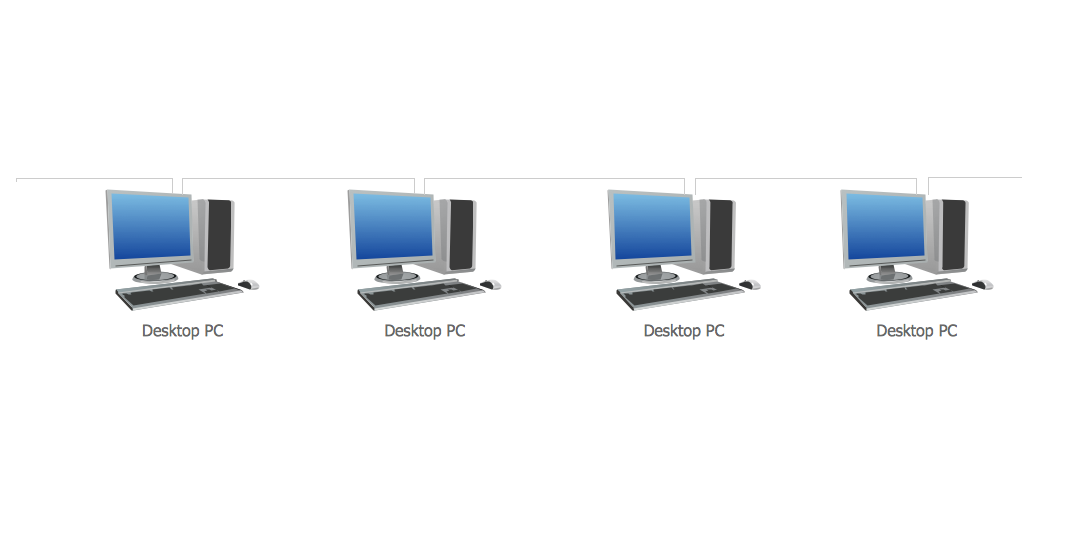 Picture: Daisy Chain Network TopologyRelated Solution:There are several basic topologies including bus, star, point-to-point, ring and a hybrid. Two computers can form a fully connected network topology, and as the number of network nodes increases, the network diagram gets more complicated. This type of topology is also called a full mesh. This is a visual example of a computer network built using a mesh topology. This diagram presents the schematic structure of the full mesh network topology. A common mesh network topology means that each network device is connected with several points in the network, so if the one node of the network goes down, it does not cause an issue with an operability of the entire computer network. In a full mesh network topology, every computer or device in the network is interconnected with each of the other devices in the network.
 Picture: Fully Connected Network Topology DiagramRelated Solution:ConceptDrawDIAGRAM 18