Made with
ConceptDraw
DIAGRAM 18

SWOT analysis matrix diagram templates

SWOT analysis matrix diagrams

Every day each company has challenge how to win the rally with competors. How to determine a path to the successful business? The one of best methodologies is SWOT Analysis. Abbreviation SWOT definition: S = strengths, W = weaknesses, O = opportunities, T = threats. Often named SWOT Matrix was introduced first at 1960s as examining tool of internal capabilities and possibilities of big companies. The SWOT analysis aim is to find critical factors influenced to company's business goal. You can begin a strategy to distinguish better competition value and to become successful in your market. Achiving best results form SWOT analysis can be reached when several employees will be involved at the process. Management, sales and customer service can all offer reasonable comprehension competitive situation.

The very well structured planning method with help of which it is convenient to evaluate the four main elements of the way of running some organization (commercial or charitable), project or any other business structure or business venture is called a SWOT analysis. Such analysis can be carried out for a particular person (such as a potential supplier of goods, for example), your own or somebody else’s company, some definite product, place (for having office, for instance), or industry in general. Conducting SWOT analysis involves specifying the main objective of some particular business project as well as identifying both external and internal factors, which can help or stop from achieving that goal.

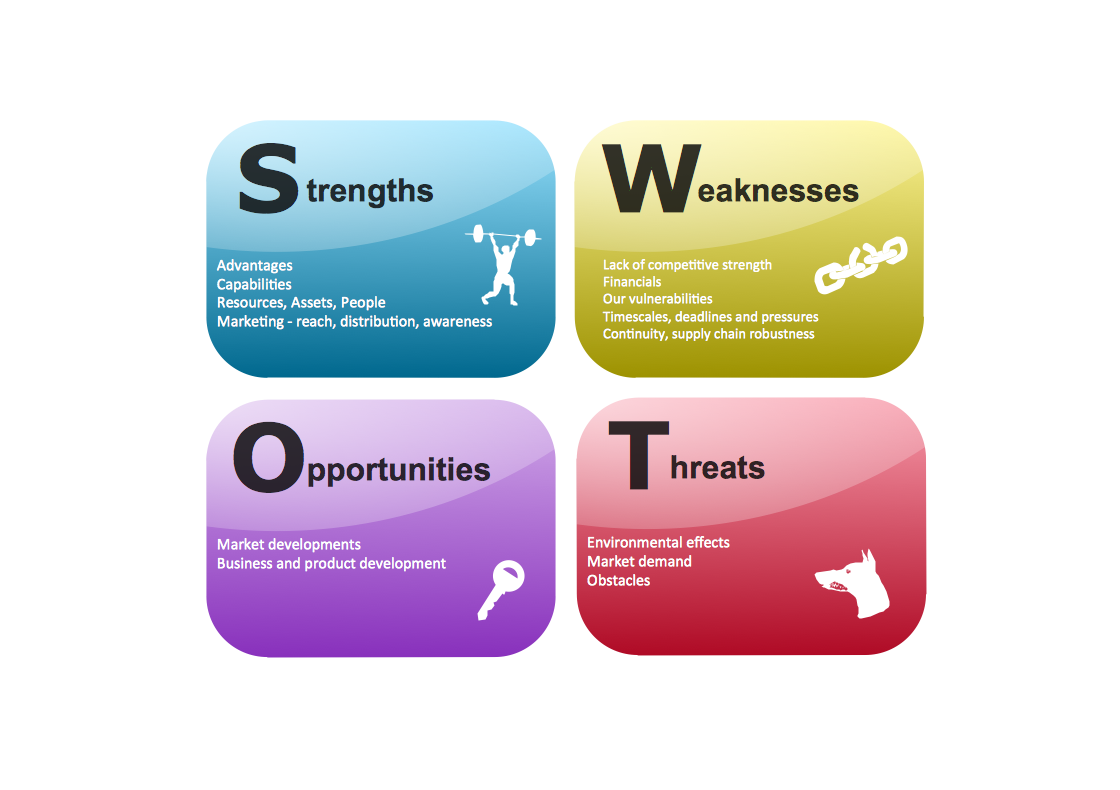
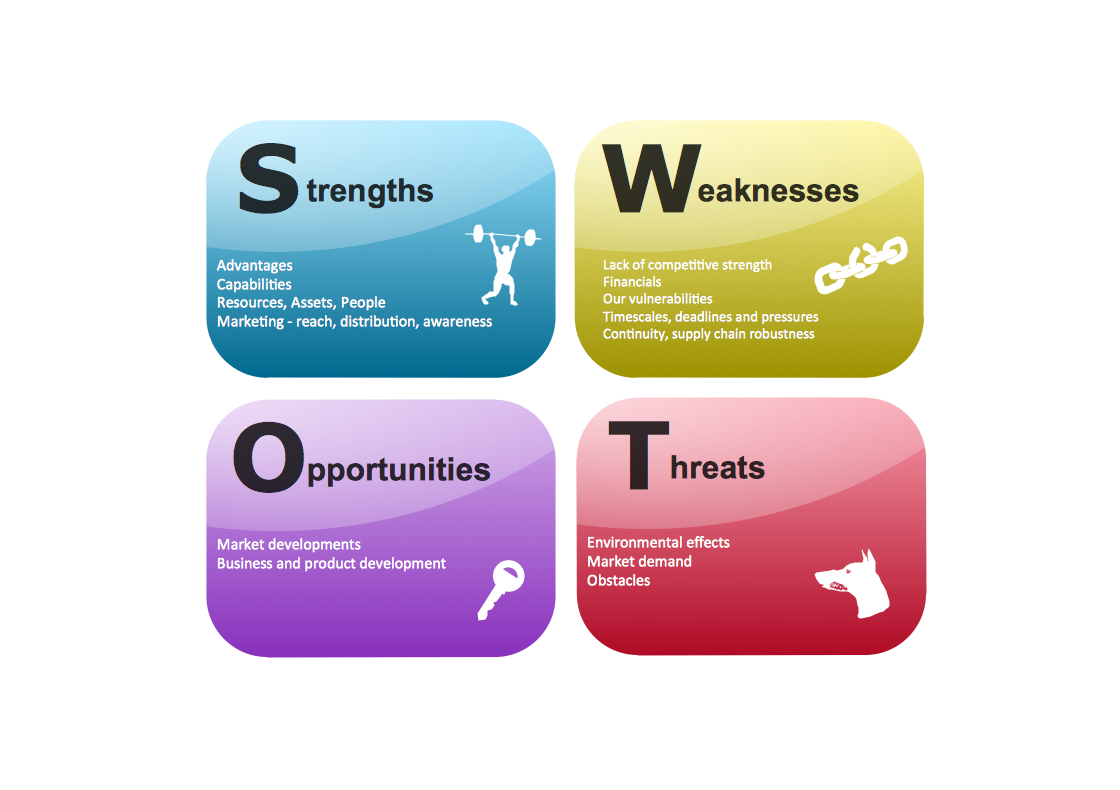
Mentioning the elements of SWOT analysis, which are Strengths (particular characteristics of some business project or business as a whole, which are beneficial), Weaknesses (particular characteristics of some definite business, which place it at a disadvantage relative to the other characteristics of this business), Opportunities (particular elements, which can be used in some business or project and which can help in terms of achieving some definite objective) and Threats (particular elements that can potentially cause troubles to some business project or business in general).

Identifying SWOT analysis is always a very important constituent of running your own business as all of its elements show which actions have to be carried out in order to achieve the very main objective. First of all, all of the decision-makers have to sit down, discuss and consider whether that main objective is potentially attainable at all. If the main objective cannot be attainable, then they must replace it with a different objective and after to repeat the process of analysing the situation, taking into consideration all of the elements mentioned above.

All of the users of SWOT analysis, mentioned in a way of matrix, have to ask themselves and so to answer the questions they are curious about. These questions are the main part of the analysis as they will help to generate the meaningful information for each of the categories, mentioned above (which are strengths, weaknesses, opportunities and threats of the business organization).

To make this analysis useful and to find the competitive advantages of a particular project, everyone, who is involved in making these big decisions of where the company personal should head to, considering the main objective which is planned to be achieved, should be asking these questions to themselves and to each other.

What are the strengths of this company? What are the weaknesses and what to do about them in order to win this race with the closest competitor? What are the opportunities and how and when to make a use of them? What are the threats which can lead to the organization and so its members’ failure? Knowing the answers to these questions will lead to the filling the gapes in the columns of the SWOT matrix and so they all can be analysed by the head of the company and so the decisions can be made.

Once you know what to mention in all of the cells of the SWOT matrix, then you can start making it, but before you create it from a scratch, we want to recommend you to save your time, not to waste it, but to use already made template – one of those which are available for the users of ConceptDraw DIAGRAM software.

Saving your time and so your money can be done with ConceptDraw DIAGRAM software as this is the one of only a few similar (but still not as good applications), which allows to get all those that much needed samples and templates of already created charts, flowcharts, diagrams, schemes, plans and matrices by IT professionals who know very well what exactly should be done to the drawings, analogically to the SWOT matrix.

The CS Odessa team of professionals, knowing all about the drawings and so the applications existing for the purpose of making such tables and schemes, have developed this unique application, which can change your life completely by offering the already made schematics which you can always use as your drafts and so end up having very good looking and smart drawings within only a couple of minutes.

Downloading ConceptDraw DIAGRAM software allows you to get ConceptDraw STORE as another application which can be used for downloading any needed solutions full of all of the needed stencils and templates. Each of the providing solutions include the stencil libraries (at least one) and pre-made samples available for ConceptDraw DIAGRAM software users any time they would want to use any, some or all of them.

That unique feature of this software attracts lots of users from all over the world, especially those people who deal with drawings like this all the time working on their laptops and computers creating great looking plans, charts, flowcharts, diagrams and maps. This software can be also very useful for those who do not know as much about using the drawing applications as we always provide the new users with support and advices.

You can find so many of the articles describing all of the elements of our application as well as how to use it in the most rational way. You can also find so many videos which were made for the same purpose – to explain how to make the best out of using this software. If you still have questions left after checking for what you are interested in, then we will be happy to help you through the support center.

But first of all we recommend to download the solution named “SWOT Analysis”, which can be found in Management area of ConceptDraw Solution Park and which contains a set of examples, templates and vector design elements of SWOT and TOWS matrices, so you can create yours only in a couple of hours, or even minutes, depending on your experience in using ConceptDraw DIAGRAM

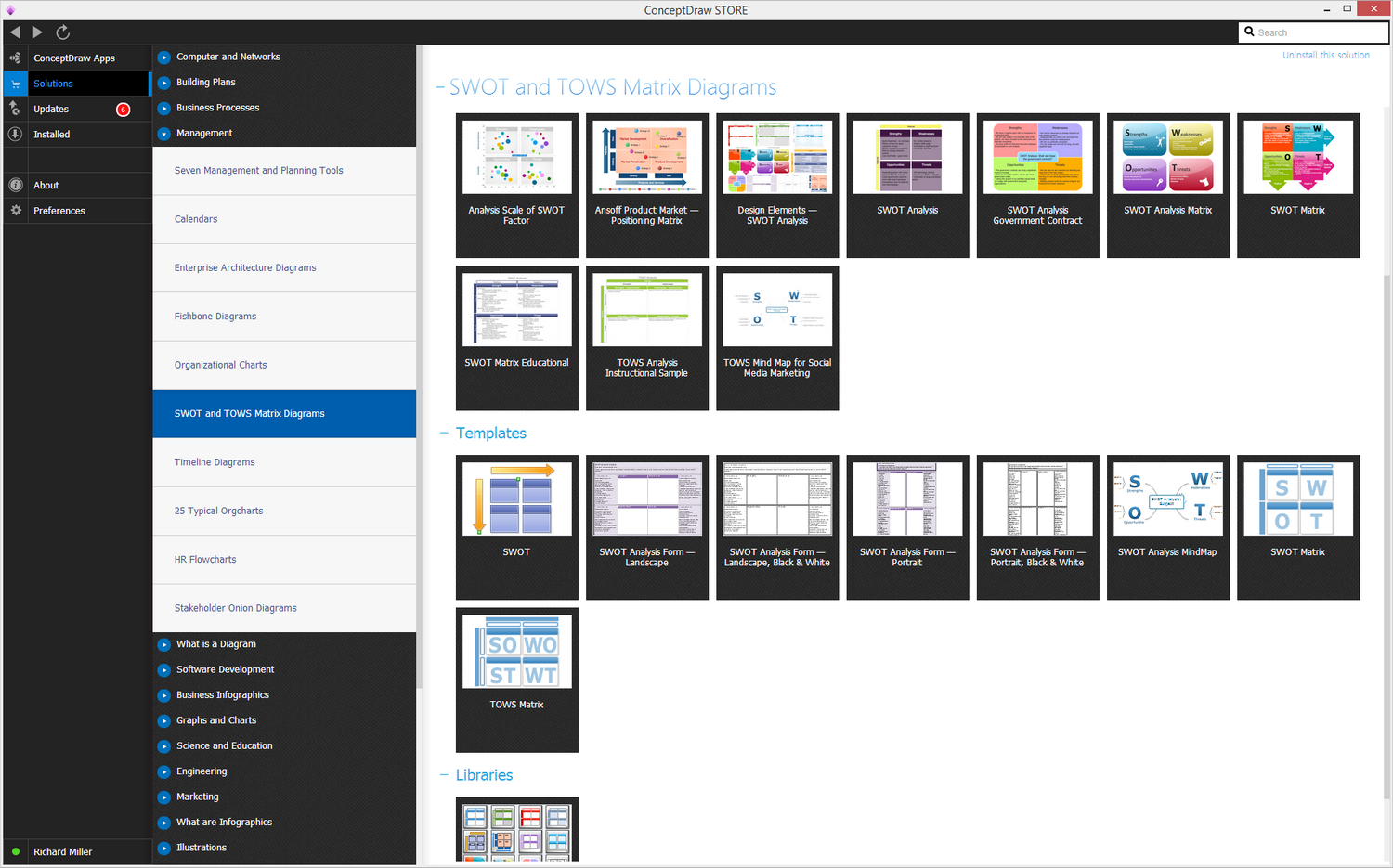
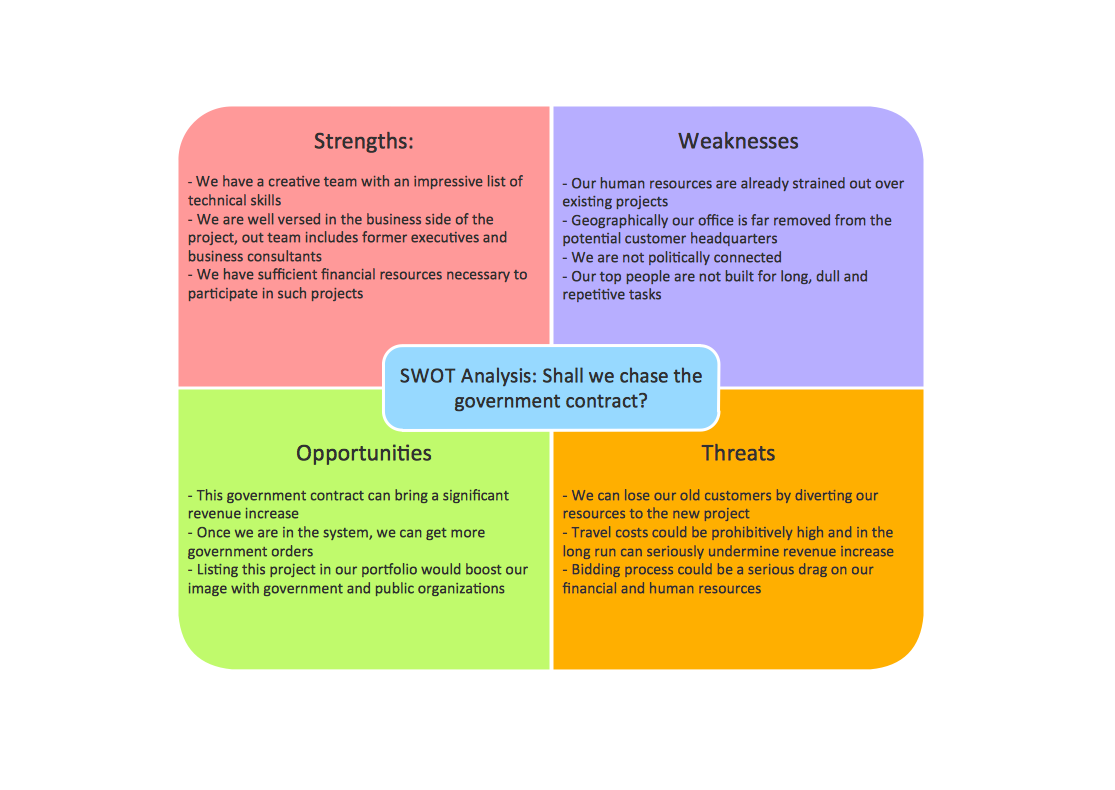
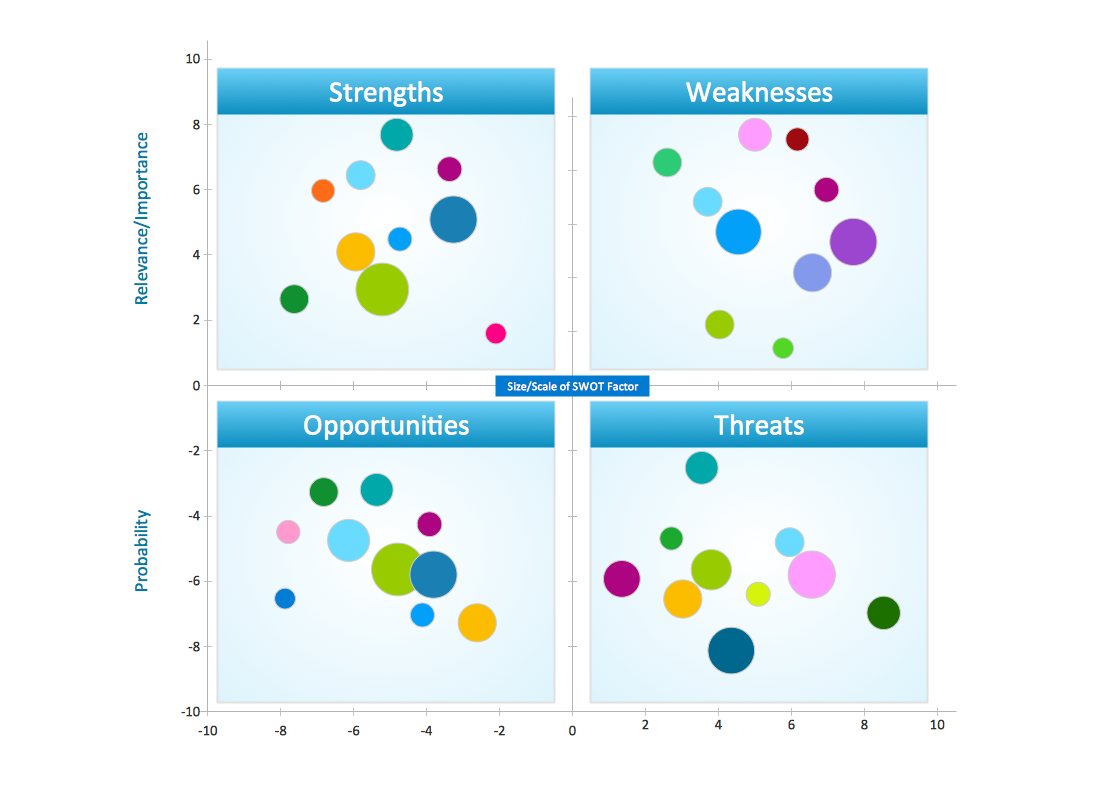
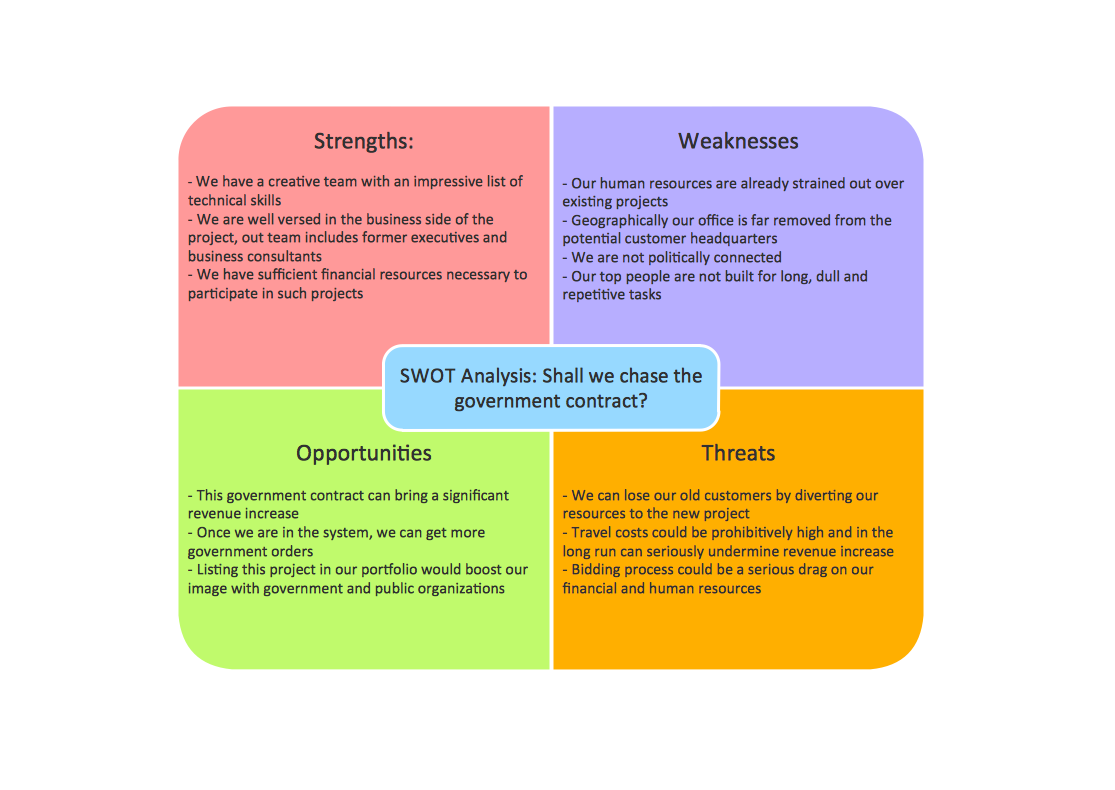
Here the list of provided examples: Ansoff Product Market — Positioning Matrix, SWOT Analysis Government Contract, Analysis Scale of SWOT Factor, SWOT Matrix Educational, SWOT Analysis Matrix, TOWS Mind Map for Social Media Marketing, SWOT Analysis, SWOT Matrix and TOWS Analysis Instructional Sample.

The SWOT Analysis solution from Management area of ConceptDraw Solution Park contains set of examples, templates and vector design elements of SWOT and TOWS matrices.

Here the list of provided examples:

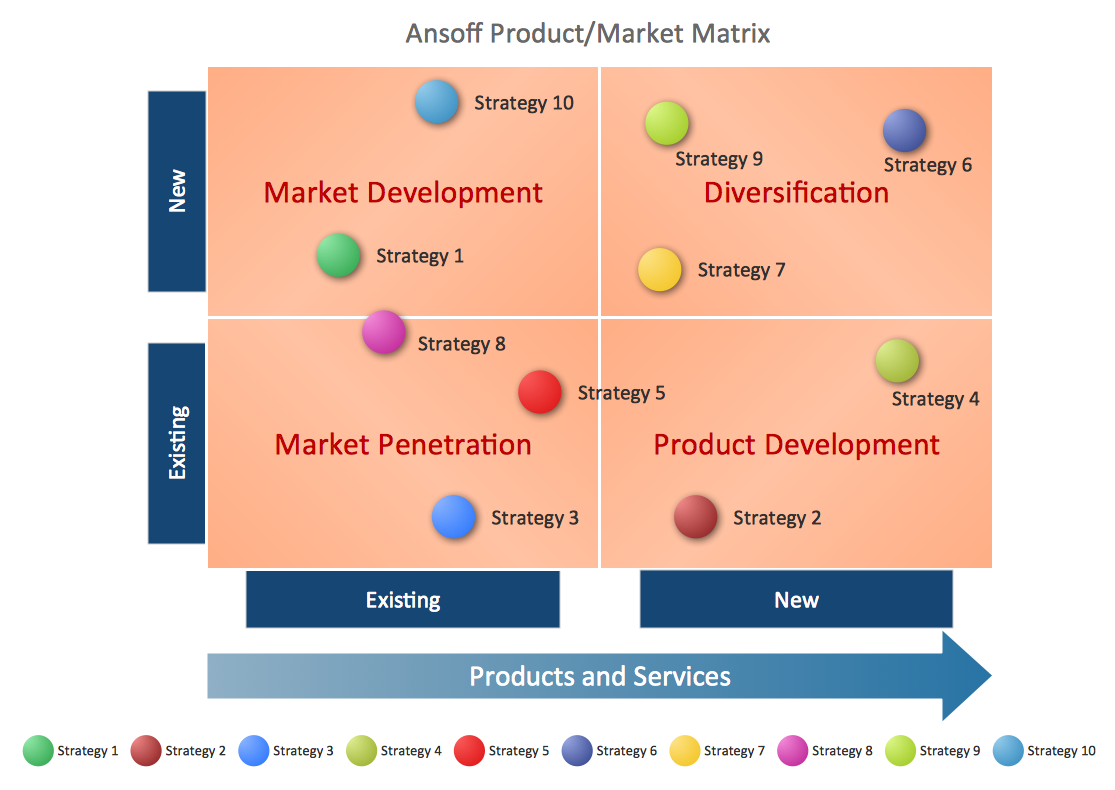
  • Ansoff Product Market — Positioning Matrix
  • SWOT Analysis Government Contract
  • Analysis Scale of SWOT Factor
  • SWOT Matrix Educational
  • SWOT Analysis Matrix
  • TOWS Mind Map for Social Media Marketing
  • SWOT Analysi
  • SWOT Matrix
  • TOWS Analysis Instructional Sample

SWOT Templates and Examples

Example 1. SWOT Templates and Examples in ConceptDraw STORE app

It helps you to quckly draw SWOT and TOWS analysis matrix diagrams using ConceptDraw DIAGRAM diagramming and vector drawing software.
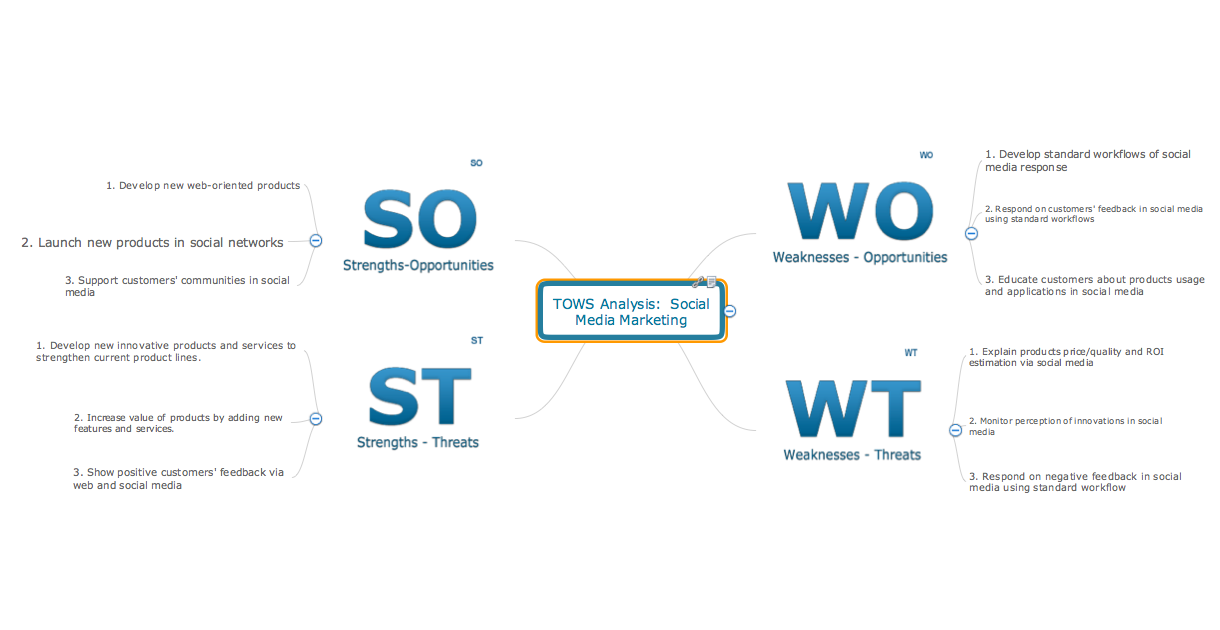
TOWS Mind Map for Social Media Marketing
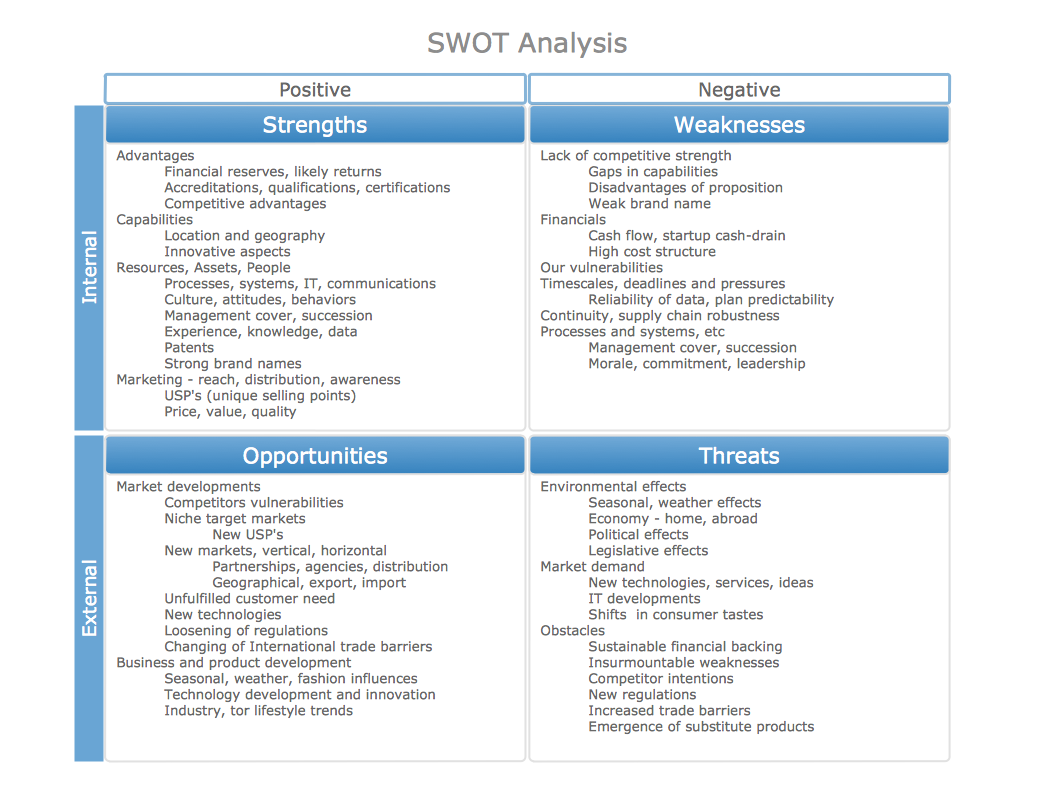
SWOT Matrix Educational
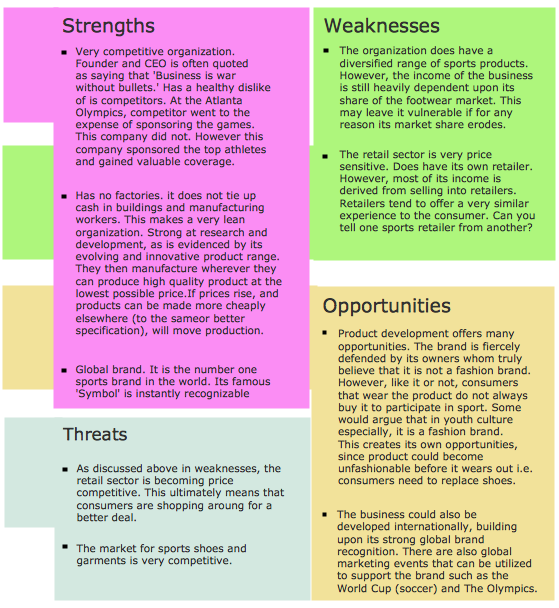
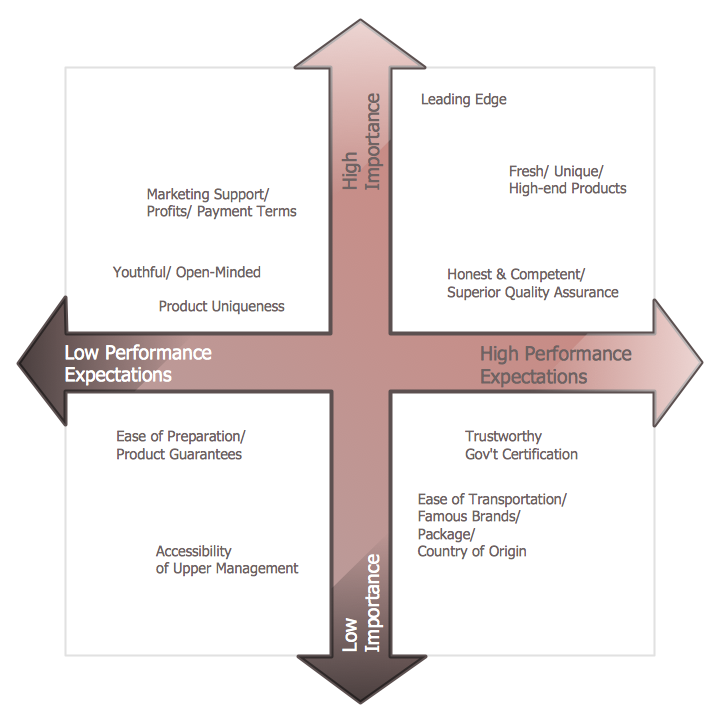
Ansoff product market positioning matrix template
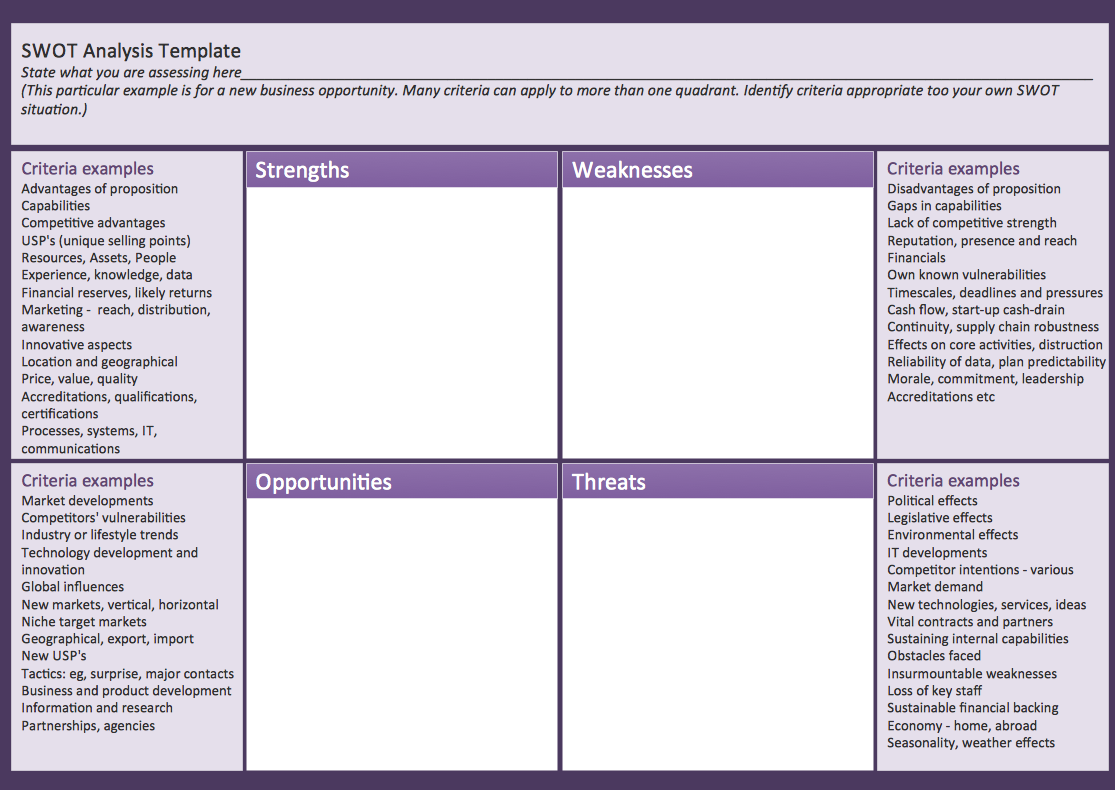
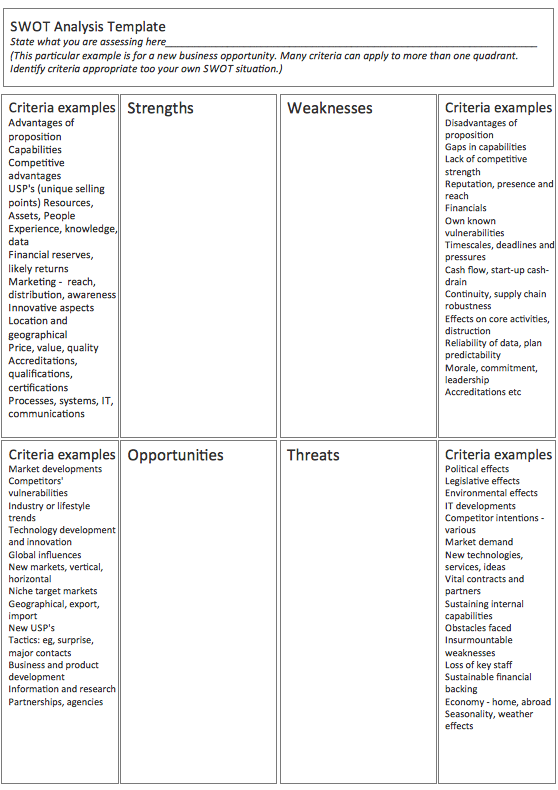
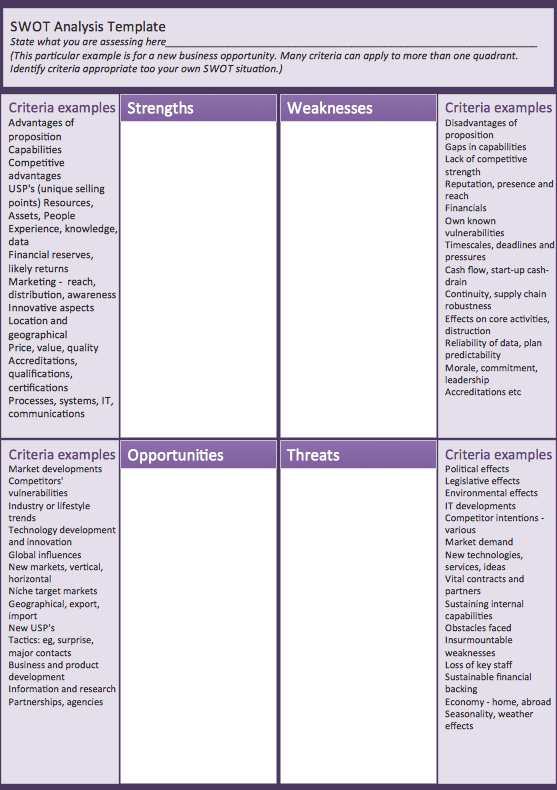
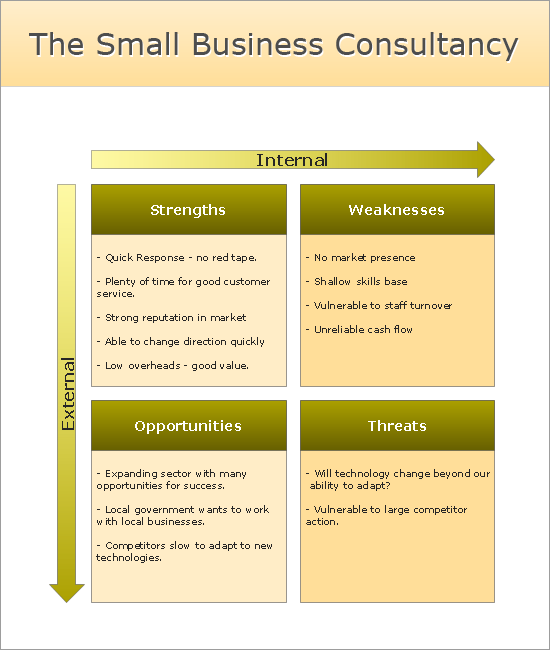
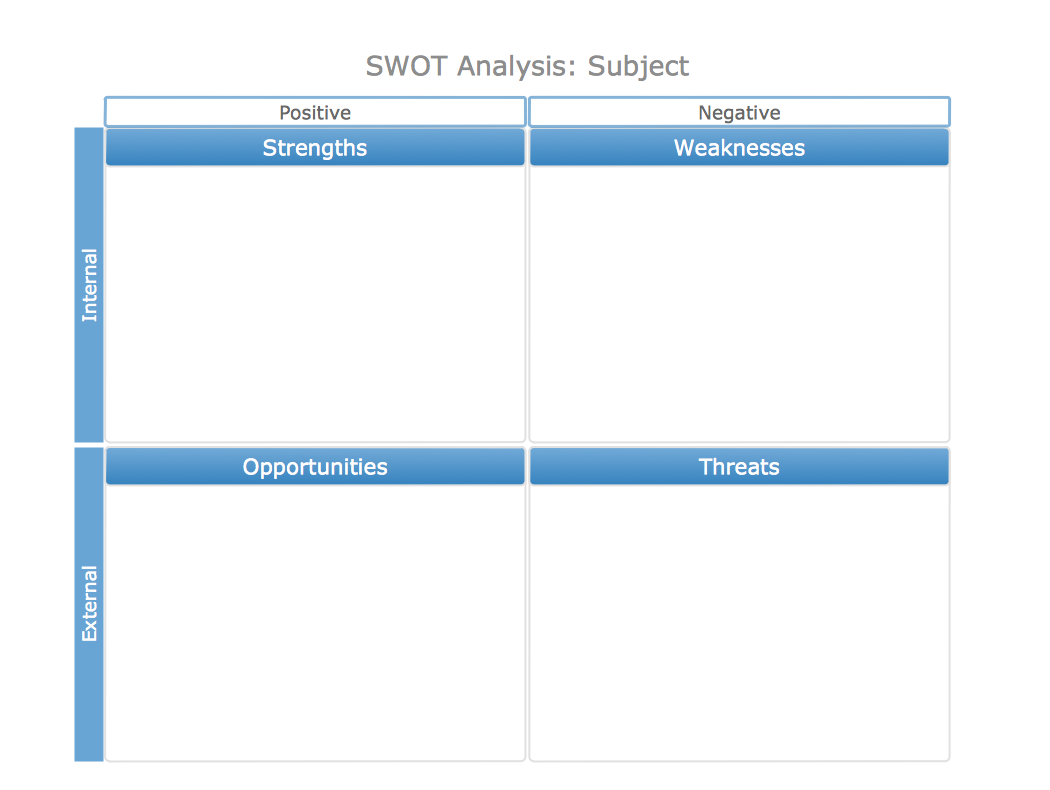
SWOT Analysis Matrix SWOT Analysis SWOT Analysis Government Contract Scale of SWOT Factor SWOT Analysis Matrix Template Horizontal SWOT Analysis Matrix Template SWOT Analysis Template The Small Business Consultancy

Free Download SWOT Software and View All Template

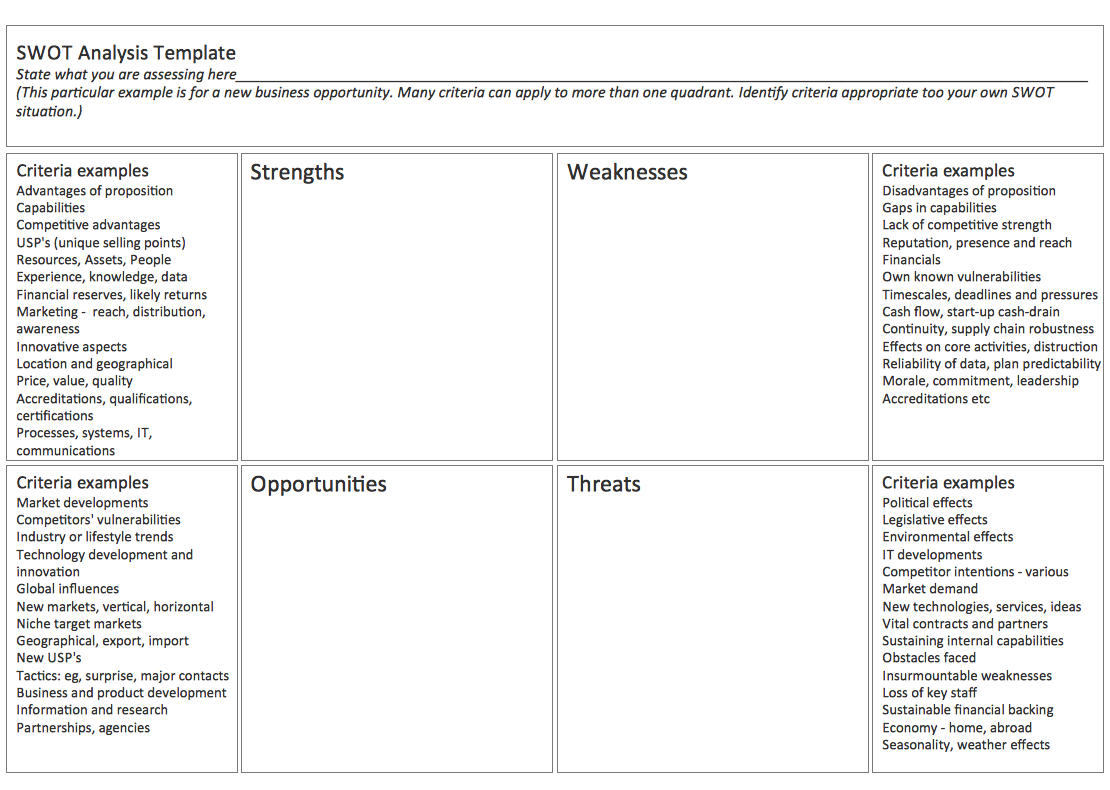
Solution SWOT and TOWS Matrix Diagrams contains mind map templates to be filled in, that help identify Strengths, Weaknesses, Opportunities, and Threats, as well as outputs to ConceptDraw DIAGRAM allow create SWOT Matrix in just one click for presenting analysis results.

SWOT analysis matrix diagram templates *

Example 2. SWOT Analysis Matrix Template


See also:


Marketing — Matrices
  • Marketing positioning matrix - Product positioning map
  • Product-market matrix - Ansoff matrix
  • BCG matrix - Boston growth-share matrix
  • Feature comparison chart - Digital scouting cameras
  • Marketing matrix diagram - Competitive strategies
  • Marketing matrix diagram - Porters value chain
Marketing — Mind Maps
  • Marketing mindmap - Marketing research project
  • Marketing mind map - Strategic accomplishment mapping
  • Twitter Compaign for New Software Product
  • Marketing mind map - Sales Call


TEN RELATED HOW TO's:
ConceptDraw DIAGRAM is a powerful diagramming and vector drawing software. Extended with Matrices Solution from the Marketing Area of ConceptDraw Solution Park it became the best software for quick and easy designing various types of Matrix Diagrams, including Positioning Map.Positioning Map *
Picture: Positioning Map
Related Solution:
Competitor analysis is a first and obligatory step in elaboration the proper corporate marketing strategy and creating sustainable competitive advantage. Use powerful opportunities of numerous solutions from ConceptDraw Solution Park for designing illustrative diagrams, charts, matrices which are necessary for effective competitor analysis.Competitor Analysis
Picture: Competitor Analysis
Related Solution:
Physical network represents the computer network topology that includes the computer devices, location and cable installation. Physical network includes the actual nodes, segments and hosts. This example was created in ConceptDraw DIAGRAM using the Computer and Networks Area of ConceptDraw Solution Park and shows the Physical star network.Physical network. <br>Computer and Network Examples *
Picture: Physical network. Computer and Network Examples
Related Solution:
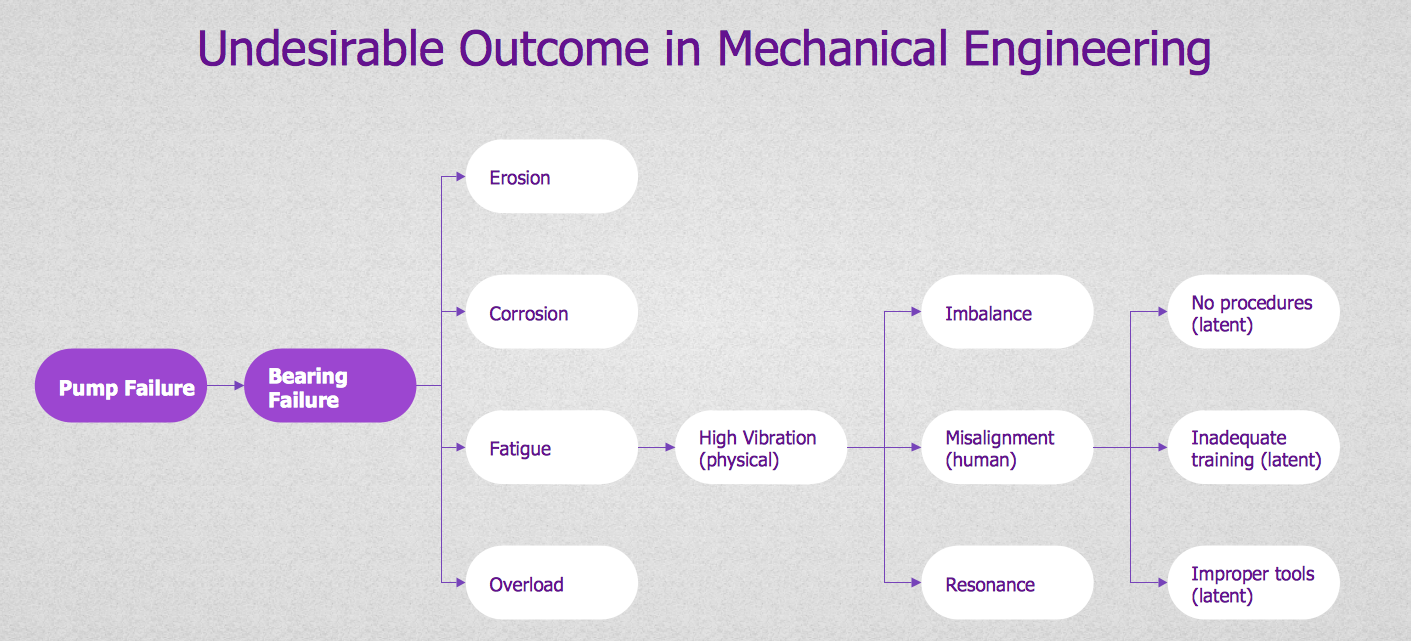
Decision Making - ConceptDraw OFFICE suite provides visual tools that are given support on the stage of the decision making. The Seven Management and Planning Tools is a set for such diagrams: Affinity Diagram, Relations Diagram, Prioritization Matrix, Root Cause Tree Diagram, Involvement Matrix, PERT Chart, Risk Diagram (PDPC).Decision Making *
Picture: Decision Making
If you have no time, you can create a SWOT diagram even on asphalt using a chalk. Although, in case you want a proper scheme, you should use a special software for creating SWOT analysis diagrams that would be comprehensible. SWOT analysis is useful not only for business purposes, but even for cities or for a particular person. The ConceptDraw SWOT and TOWS Matrix Diagrams solution is a tool for performing both SWOT and TOWS analysis. It provides templates of different sorts of Matrix Diagrams. Besides different embedded templates, the solution enabling create custom SWOT and TOWS matrices. Using the compatibility between the MINDMAP and DIAGRAM is the best way of making SWOT or TOWS diagrams quickly. The mind map templates help identify the core statements of SWOT and TOWS analysis: Strengths, Weaknesses, Opportunities, and Threats. The next step is matrix creation - both SWOT and TOWS analysis use the same basic steps and the only difference is the order in which these criteria are studied.Software for Creating SWOT Analysis Diagrams *
Picture: Software for Creating SWOT Analysis Diagrams
Related Solution:
Workflow Diagram - workflow process diagram is a visual representation of a organizational process flow. Often it used as the same visual notation as process flow diagram. Visualising business processes using workflow diagram (workflow process diagram) allows estimate business process efficiency, analyse and optimize the process itself. Workflow diagram helps get focusing on each step and relations between workflow steps. ConceptDraw DIAGRAM is software for making workflow diagram. It contains specific designed graphics to draw workflow diagrams effectively. This is workflow diagram maker which do your work process effective.Work Flow Process Chart *
Picture: Work Flow Process Chart
Related Solution:
Sometimes it’s quite useful to look on a problem from another view. To gain insight into an obstacle you should use SWOT analysis, and this will help you to see the whole situation. When composing a SWOT matrix, you divide your problem onto four elements - strengths, weaknesses, opportunities and threats and place them into matrix. This sample SWOT analysis matrix of the athletic shoes producing company was designed on the base of template provided by ConceptDraw SWOT and TOWS Matrix Diagrams solution. It delivers number of easy-to-use templates and samples of SWOT and TOWS matrices for ConceptDraw DIAGRAM. Applying one of these templates, enables to quickly find out Strengths, Weaknesses, Opportunities, and Threats. After creating a list managers can consider methods the business can use to amplify strengths and to decrease weaknesses; realize opportunities; and avoid threats.SWOT Analysis *
Picture: SWOT Analysis
Related Solution:
A lot of business process techniques are able to be applied in regular life. Although this tool is considered to be used for business purposes, you can make a SWOT template for yourself. In fact, any obstacle might become a subject for SWOT analysis. ConceptDraw solution for SWOT analysis solution provides a power visual maintenance of a SWOT analysis. It is a procedure of strategic planning made to discover the Strengths, Weaknesses, Opportunities, and Threats business meet. This mind map template for ConceptDraw MINDMAP isually maintains investigation of good and bad factors. For example, factors that provides an advantage over others are strength; factors that brings a disadvantage are factors of weakness. After the analysis is finished, transfer your data to create a SWOT matrix in ConceptDraw DIAGRAM.SWOT Template *
Picture: SWOT Template
SWOT analysis is an effective method of business planning, the question is how to do it. The most obvious way is to make a SWOT analysis in a Word document, which is not very convenient. Luckily, you can use software like ConceptDraw DIAGRAM that has features and templates made especially for SWOT analyzing. A SWOT Analysis is a manager's means of the strategic planning. It is used to define and classify considerable internal moments (strengths and weaknesses) and external forces (opportunities and threats) a business faces. You can use ConceptDraw MINDMAP to determine and organize factors utilized for SWOT analysis, and represent them in the SWOT matrix using ConceptDraw DIAGRAM. Using mind maps empowers you to explore and rank a lot of data engaged for SWOT analysis as well as recognize the relations between various pieces of information.How to Make SWOT Analysis in a Word Document *
Picture: How to Make SWOT Analysis in a Word Document
Related Solution:
The SWOT Analysis solution from the Management area of ConceptDraw Solution Park contains set of examples, templates and vector design elements of SWOT and TOWS matrices. It helps you to quickly draw SWOT and TOWS analysis matrix diagrams using the best SWOT matrix software ConceptDraw DIAGRAM.SWOT Matrix Software *
Picture: SWOT Matrix Software
Related Solution:
ConceptDraw
DIAGRAM 18