Made with
ConceptDraw
DIAGRAM 18

Visio Files and ConceptDraw

Knowing MS Visio as a great vector graphics and diagramming application, which is nowadays a part of the Microsoft Office family, you might still find ConceptDraw DIAGRAM a better tool for drawing your own great looking schemes, diagrams, flowcharts and charts, as well as map, as the last mentioned software is extended with so many solutions, full of stencil libraries with lots of different design elements and pre-made examples, which all can be used for making the professionally looking drawings within a short period of time (sometimes even a few minutes are enough to complete a simple chart or map, having the pre-made template as a draft).

MS Visio application was developed by the “Shapeware Corporation”, renamed in 1995 changing its name to “Visio Corporation”, being acquired by “Microsoft Corporation” in 2000. There were two editions of “Visio 2013” for Windows, one of which was “Standard” and another — “Professional”. Both of them share the same interface, but the difference is in that the last one has a few templates available, while ConceptDraw DIAGRAM provides lots and lots of examples and samples for its users to simplify their work with creating any needed drawings of any complexity.

After Visio 2013 was introduced, “Microsoft Corporation” changed the native file format used in earlier versions of Microsoft Visio, based on a new XML file structure that was highly compressed. The implementation of the mentioned file structure changes improved the customer experience and, as a result, it is now possible to use an alternative to MS Visio, having the files created in Visio to edit while working in ConceptDraw DIAGRAM software, as ConceptDraw DIAGRAM is a great and viable alternative for both individuals and organizations which are looking for a professional business solution.
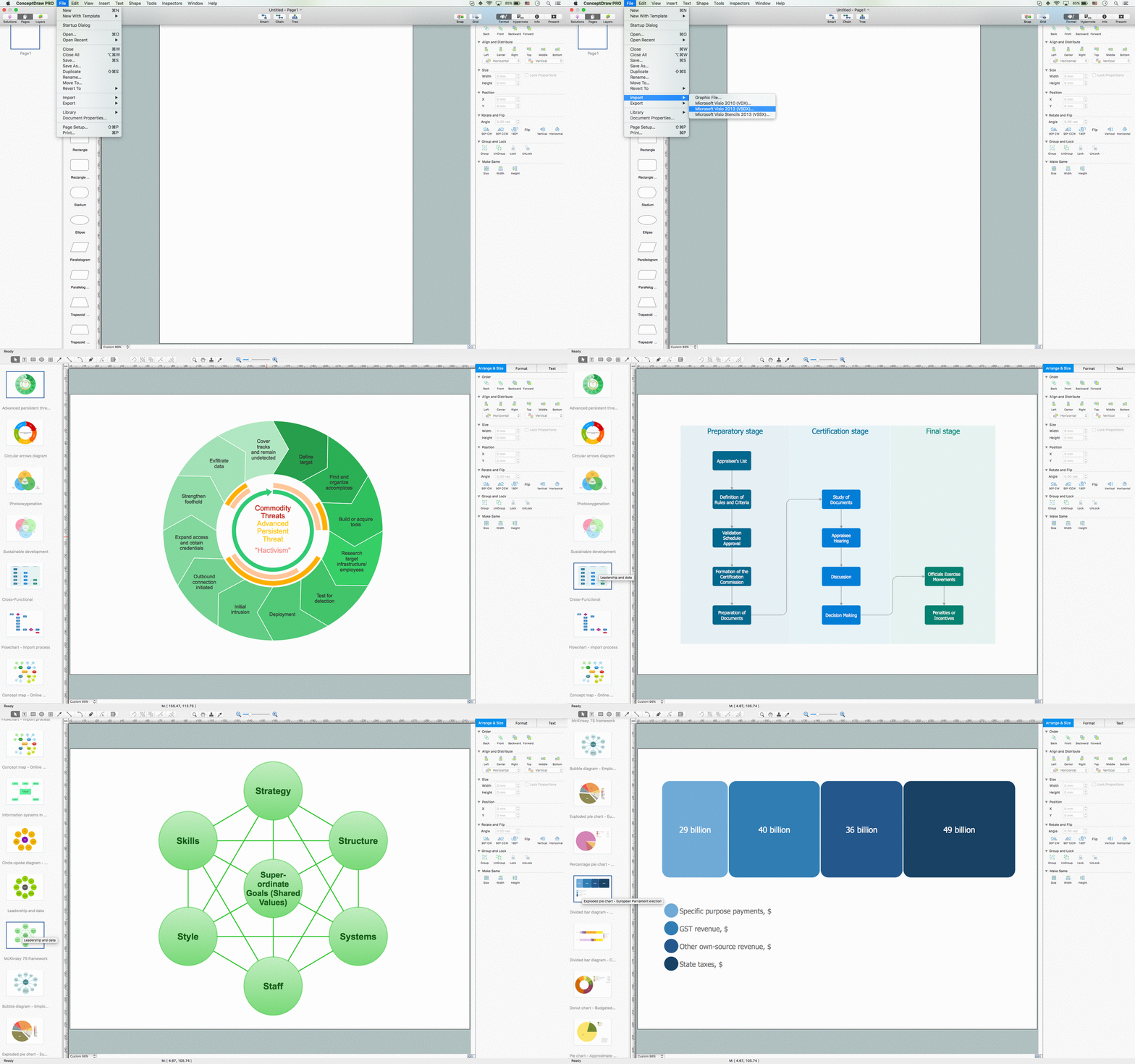

Visio Exchange

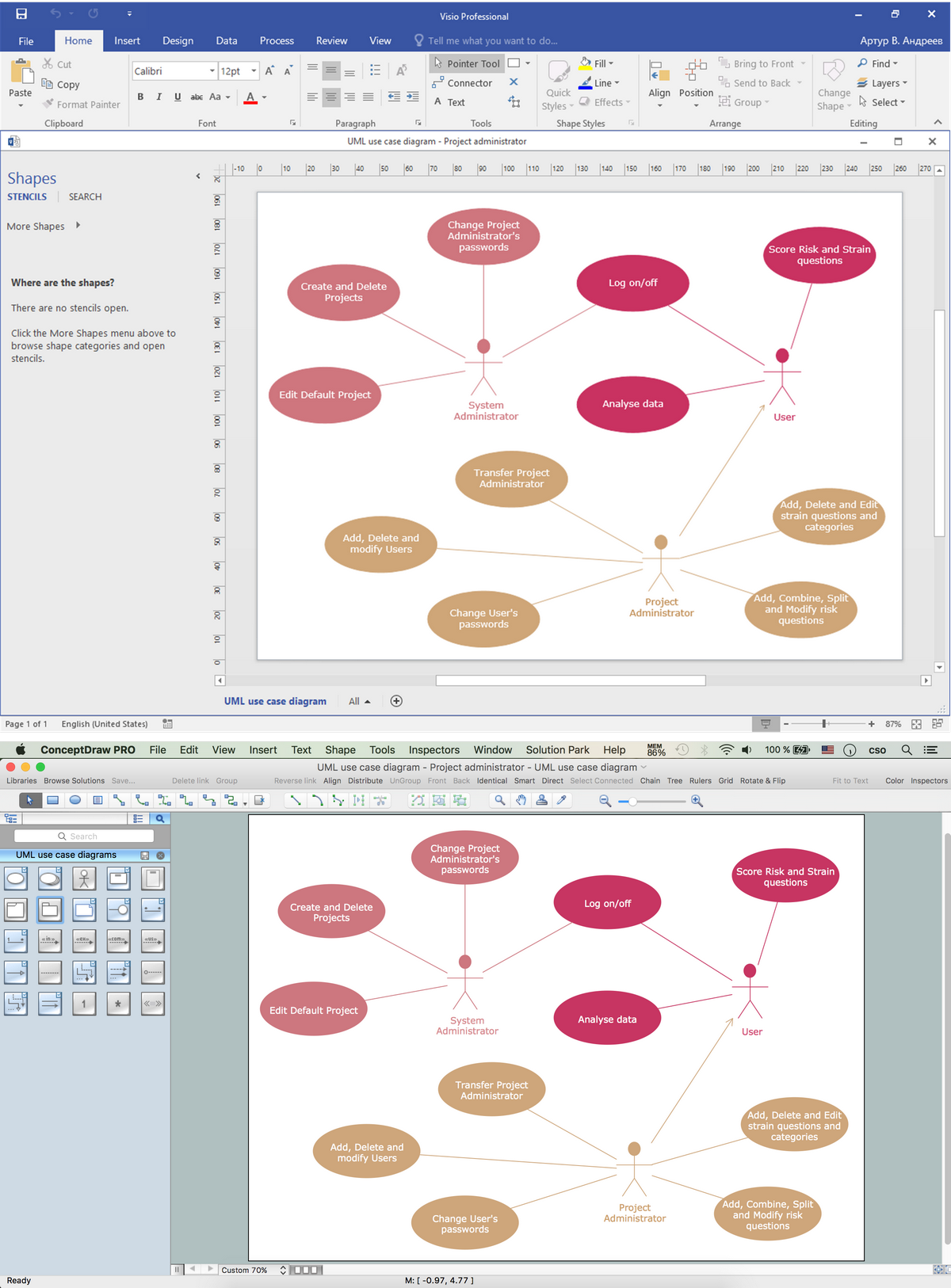
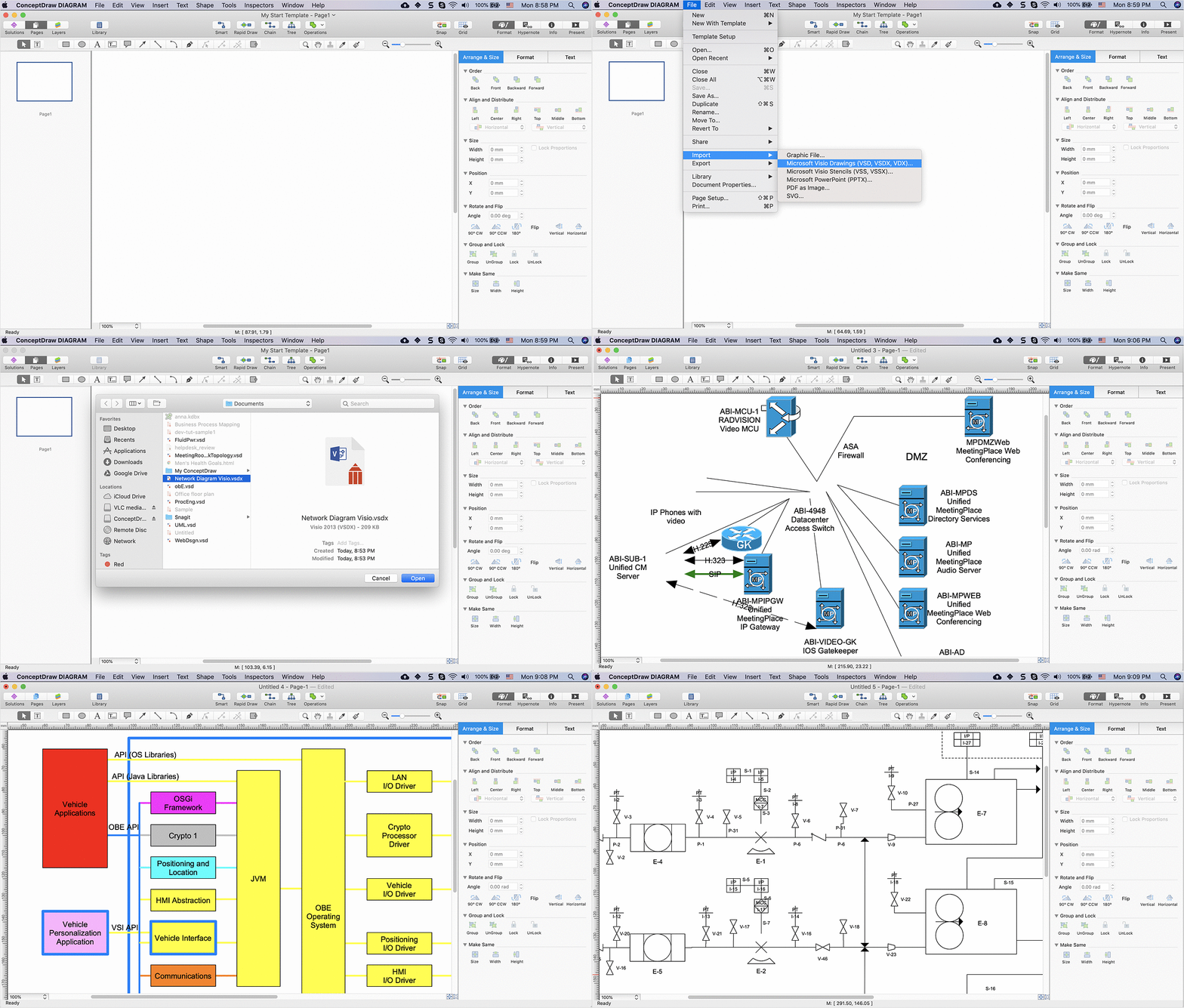
Pic 2. Import Visio File

ConceptDraw DIAGRAM can import and export any file created in MS Visio to work with it, in case it is a Visio VSDX file format. There are many more advantages of using ConceptDraw DIAGRAM diagramming software as it is simple in use, as well as economical application, which allows to save both time and money providing the existing, previously created templates, such as those mentioned in the solutions from ConceptDraw STORE application as well as from this site. To open any Visio file, such as “.vsdx”, in ConceptDraw, you can simply place the document in the better and more useful software — ConceptDraw DIAGRAM — to start editing it and so to finish with it within only a few hours or even minutes, depending on how familiar and good you are with ConceptDraw DIAGRAM

Opening Visio Files in ConceptDraw


The native file format for Visio files is .vsdx, which can be opened by ConceptDraw DIAGRAM When opening MS Visio .vsdx extension file with ConceptDraw DIAGRAM there you may notice some differences when viewing the file in MS Visio and ConceptDraw DIAGRAM

ConceptDraw DIAGRAM does not support footers and headers, so any footer and header information that was in the MS Visio file will not be displayed in ConceptDraw DIAGRAM The header and footer information is not lost; they are just not viewable or modifiable within ConceptDraw DIAGRAM

Some MS Visio fonts are not supported by ConceptDraw. If this is the case, then you may select from a list of available fonts supported by ConceptDraw DIAGRAM when prompted.

Importing and Exporting MS Visio and ConceptDraw DIAGRAM Files

  1. To Import MS Visio Files to ConceptDraw DIAGRAM

    1. From the ConceptDraw DIAGRAM File menu, select Import.
    2. Select MS Visio VSDX.
    3. From the Open window, select the desired MS Visio file to be imported. Click Ok.

  2. To Export ConceptDraw DIAGRAM files to MS Visio:


    1. From the File menu, select Export.
    2. Select MS Visio VSDX.
    3. From the Open window, select the desired location folder. Click Ok.

Visio Files and ConceptDraw *

Pic 2. Visio Exchange

Visio Exchange

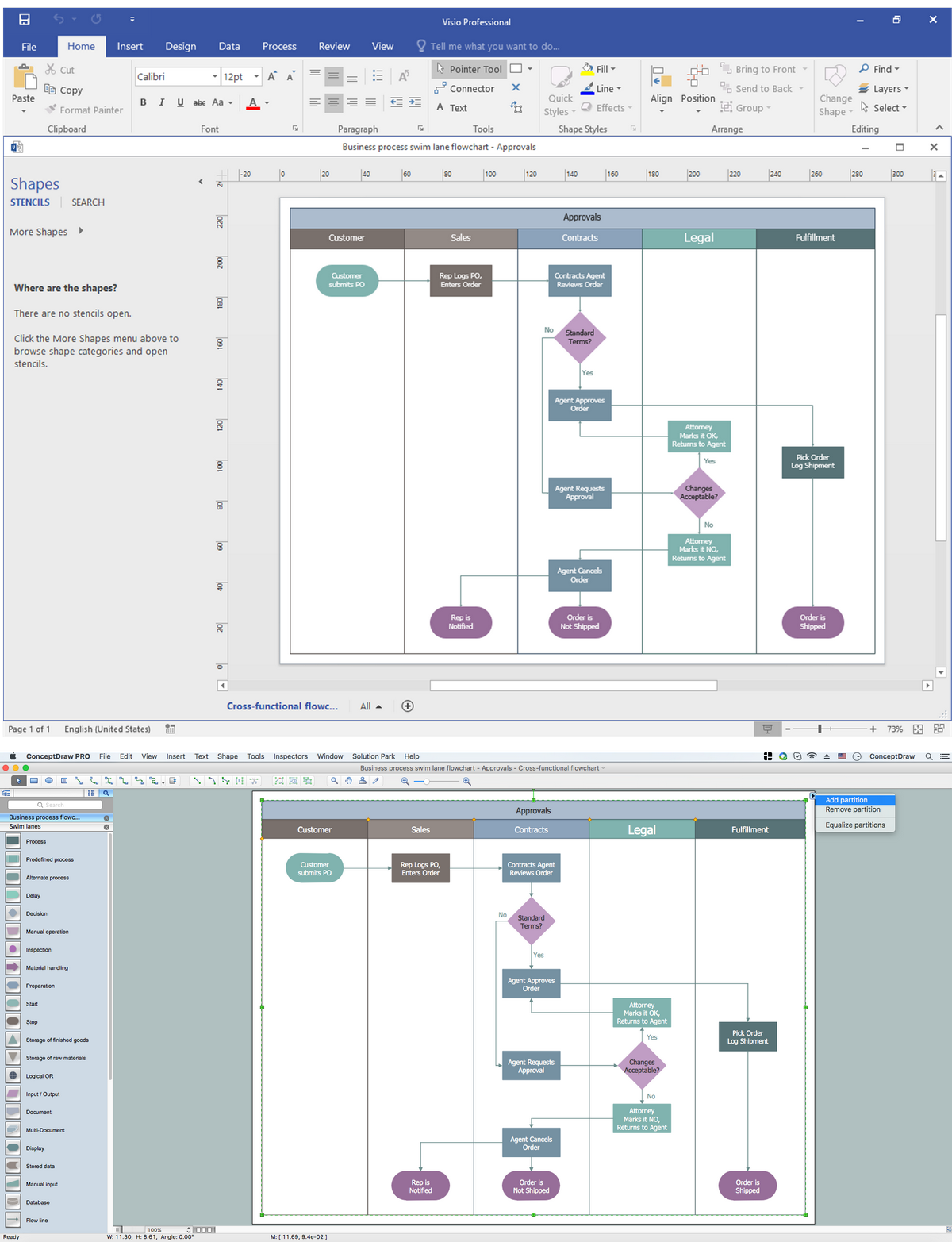
Pic 3. Business Process in Visio

This examples illustrates how MS Visio 2016 diagram (VSDX file format) has been converted into ConceptDraw DIAGRAM diagram.

All source documents are vector graphic documents. They are available for reviewing, modifying, or converting to a variety of formats (PDF file, MS PowerPoint, MS Visio, and many other graphic formats)


TEN RELATED HOW TO's:
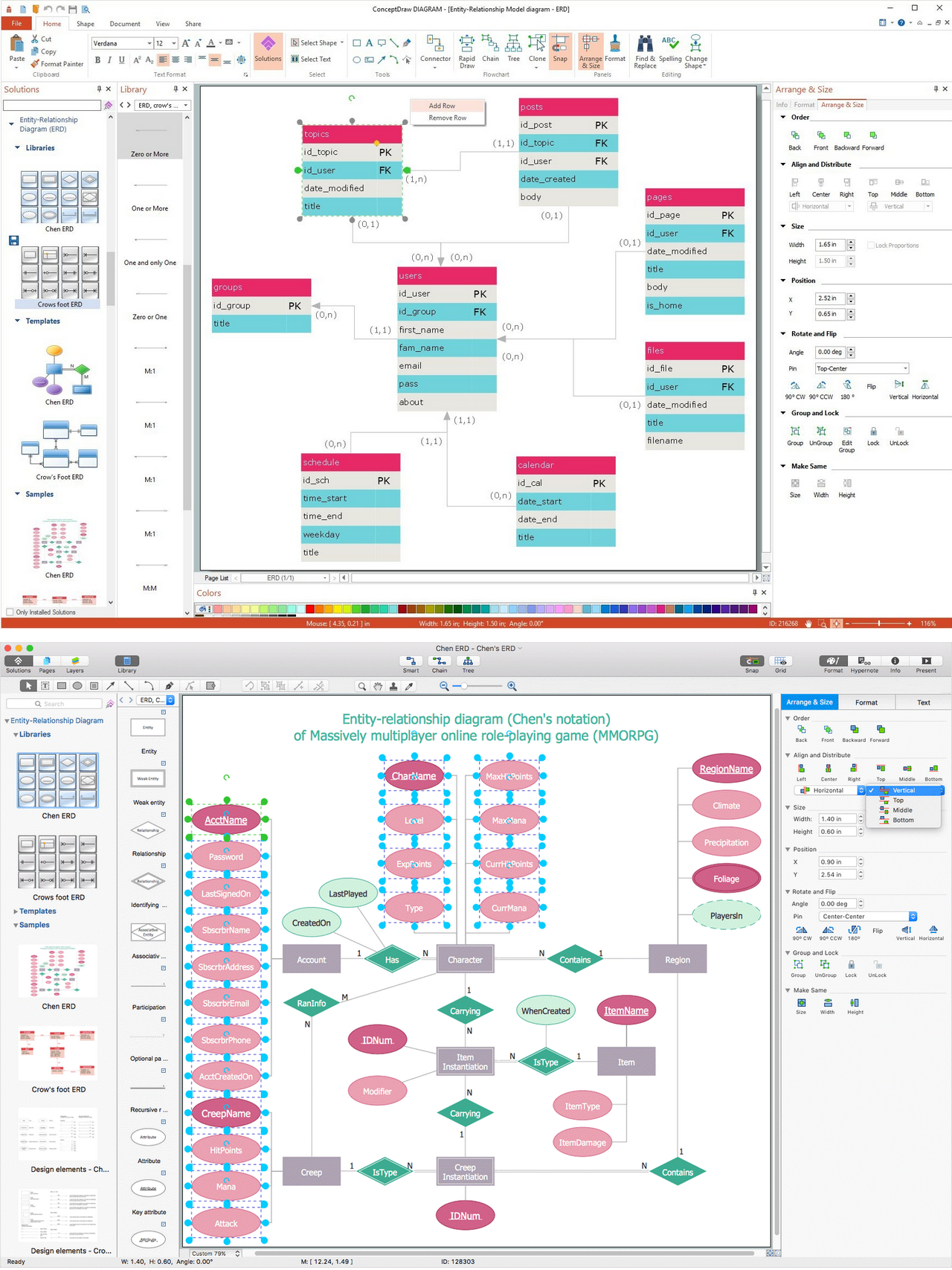
An abstract representation is usually the first thing you will need while developing a database. To understand the ways that databases are structured, you should look through entity-relationship diagram examples and see the notations features and attributes. With an entity-relationship model you can describe a database of any complexity. This Entity-relationship diagram is a tool for software developers. It enables every element of database to be managed, communicated and tested before release. This ERD was created using symbols advocated by Chen's notation. Because of a linguistic origin of the Chen’s notation, the boxes representing entities could be interpreted as nouns, and the relationships between them are in verb form, shown on a diagram as a diamond.Entity Relationship Diagram Examples
Picture: Entity Relationship Diagram Examples
Related Solution:
The ConceptDraw vector stencils library Cisco Products Additional contains equipment symbols for drawing the computer network diagrams.Cisco Products Additional. <br>Cisco icons, shapes, stencils and symbols *
Picture: Cisco Products Additional. Cisco icons, shapes, stencils and symbols
Related Solution:
Visio for Mac and Windows - ConceptDraw as an alternative to MS Visio. ConceptDraw DIAGRAM delivers full-functioned alternative to MS Visio. ConceptDraw DIAGRAM supports import of Visio files. ConceptDraw DIAGRAM supports flowcharting, swimlane, orgchart, project chart, mind map, decision tree, cause and effect, charts and graphs, and many other diagram types.Is ConceptDraw DIAGRAM an Alternative to Microsoft Visio? *
Picture: Is ConceptDraw DIAGRAM an Alternative to Microsoft Visio?
When we think about programming, we usually imagine sleepless nights spent on writing kilobytes of code. However, from another point of view, Software development with ConceptDraw DIAGRAM makes a programmer's life endlessly easier. This tool is unique to fulfill all your needs in short period of time. Over the recent years object-oriented methodology has become more and more widespread. Thanks to this methodology developers manage to deal with growing complexity of applications. More and more programs are written in such programming languages as C++, Java, Visual Basic and Object Pascal. However, the complexity of the designed systems imposes extended requirements as to design of graphic documentation. ConceptDraw possesses powerful tools for designing of technical documentation for object-oriented projects. The libraries included in the package allow to easily draw class hierarchies, object hierarchies and diagrams of data flows with the use of the most popular notations, including UML and Booch notations. And the library for projecting COM-interfaces will spare developers of ActiveX-servers a headache.Software development with ConceptDraw DIAGRAM  *
Picture: Software development with ConceptDraw DIAGRAM
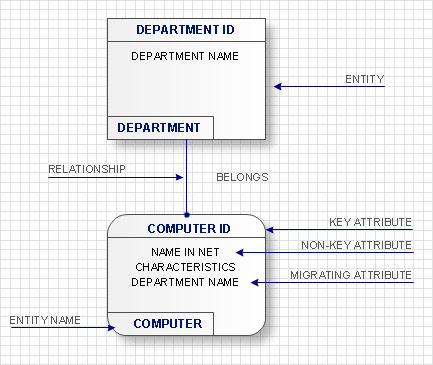
Use Case Diagrams technology. IDEF1x standard - for work with relational data bases. IDEF1x standard is meant for constructing of conceptual schemes which represent the structure of data in the context of the concerned system, for example, a commercial organization.IDEF1X Standard *
Picture: IDEF1X Standard
If you ever wanted to try any diagramming tools except of Visio, but were afraid to lose existing documents, there’s good news for you. One of the most striking features of ConceptDraw DIAGRAM is it’s perfect compatibility with MS Visio, which guarantees that you won’t depend on operating system anymore, because another ConceptDraw DIAGRAM feature is that it’s cross-platform tool. Don’t waste your time looking for other options, you’ve found the solution already! Business professionals often utilize the MS Visio as a common tool for making various issues on business visualization. MS Visio is a strong software with good capacity to maintain complex business solutions. But there is no MS Visio for Apple OS X. This is a large invocation, and one would be pleased to recognize that ConceptDraw DIAGRAM is the ideal alternative to MS Visio. Primarily, because this software works natively on both Windows and Apple OS X platforms. if you have migrated from Windows to Mac, or need to communicate in a cross-platform conditions, you’ll search for MS Visio replacer. ConceptDraw DIAGRAM is the exclusive professional business diagramming application that runs on both Windows and Apple OS X. The opportunity exchange files between PC and Mac, as well as between ConceptDraw DIAGRAM and Visio is the significant advantage that permits you to display and to collaborate business information in effortless and cost-effective way.ConceptDraw DIAGRAM Compatibility with MS Visio *
Picture: ConceptDraw DIAGRAM Compatibility with MS Visio
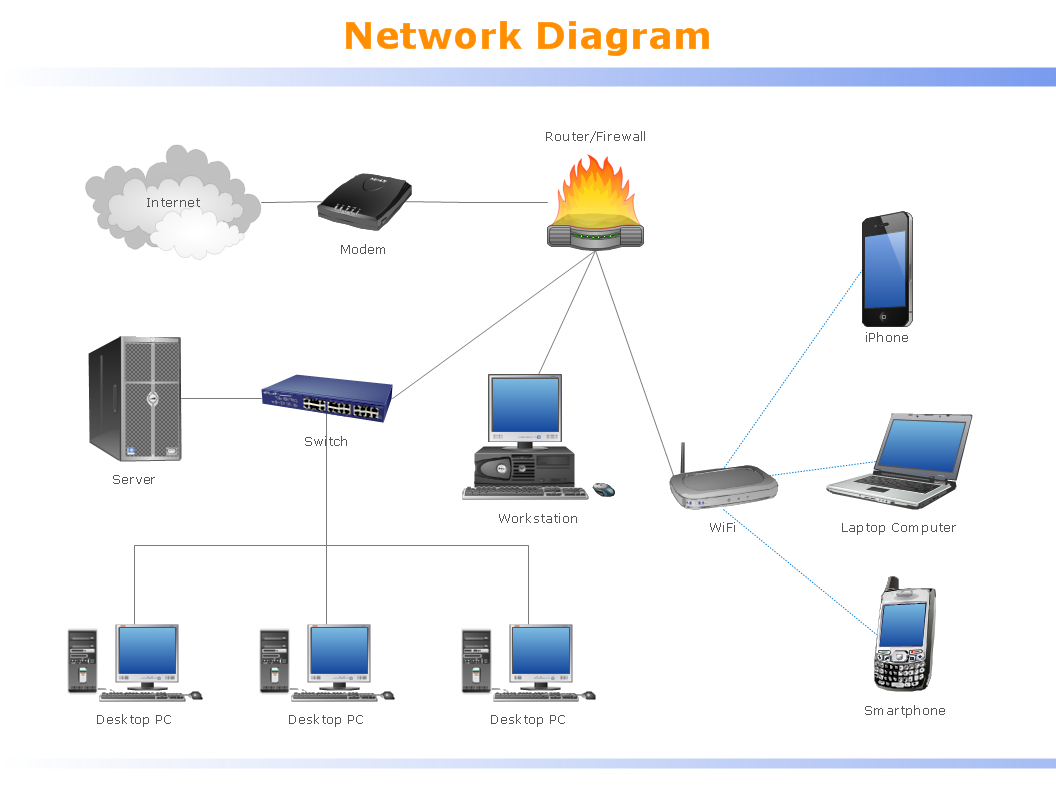
Computer networks nowadays are spread all across the world. The large number of parameters, such as geographic scale or communication protocols, can divide networks. One of the most common types of networks is called local area network (LAN). It convenient to represent network examples by means of diagrams. This local area network (LAN) diagram provides an easy way to see the way the devices in a local network are interacted. The diagram uses a library containing specific symbols to represent network equipment , media and the end-user devices such as computers (PC, mac, laptop) , network printer, hubs, server and finally a modem. There are two types of network topologies: physical and logical. The current diagram represents precisely a physical type of LAN topology because it refers to the physical layout of a local network equipment.Local area network (LAN) diagram
Picture:
What is a Local Area Network?
Examples of LAN Diagrams
Related Solution:
ConceptDraw DIAGRAM is a powerful intelligent vector graphics engine that can be used to create basic diagrams including flowcharts, charts, workflows, flowcharts, organizational charts, business diagram, learn business diagrams, flow diagrams.The Best Mac Software for Diagramming or Drawing
Picture: The Best Mac Software for Diagramming or Drawing
Related Solution:
Now it’s easy to share your visual documents with other people in a form most convenient for them. ConceptDraw DIAGRAM can save your drawings and diagrams in a number of highly useful formats, including graphic files. You can save your drawing as a.PNG,.JPG, or other graphic format file.Export from ConceptDraw DIAGRAM Document to a Graphic File *
Picture: Export from ConceptDraw DIAGRAM Document to a Graphic File
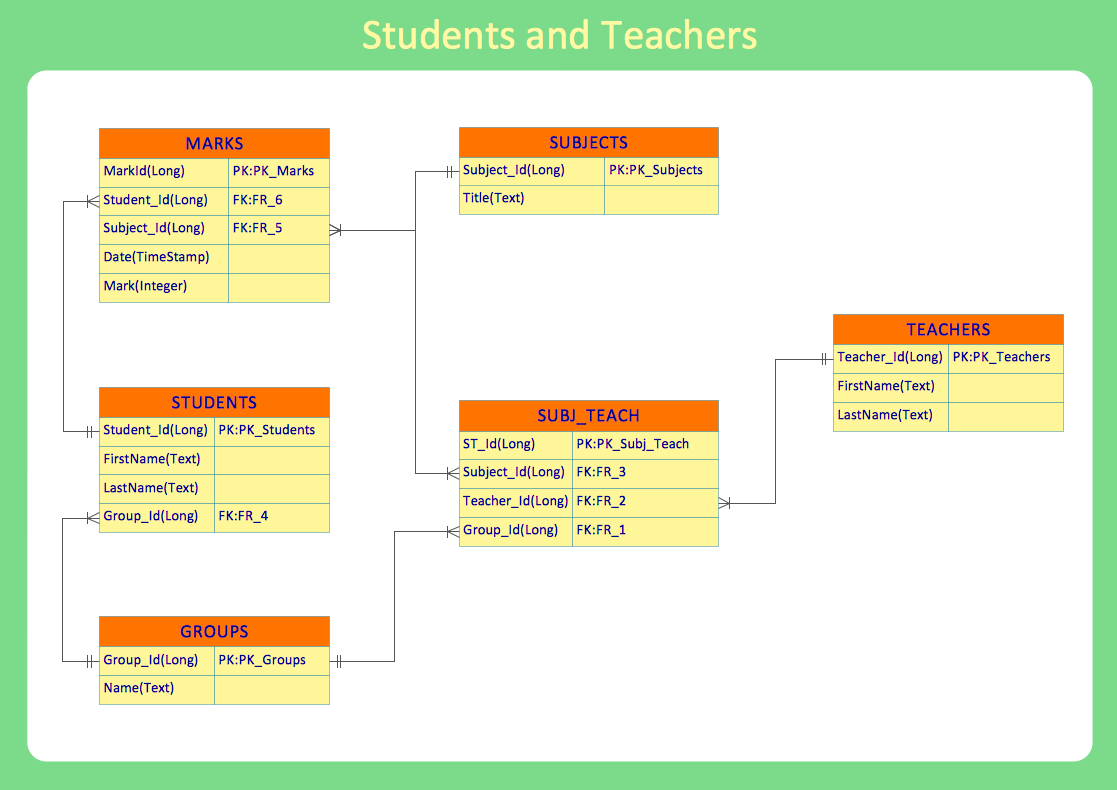
Data structure diagram (DSD) is intended for description of conceptual models of data (concepts and connections between them) in the graphic format for more obviousness. Data structure diagram includes entities description, connections between them and obligatory conditions and requirements which connect them. Create Data structure diagram with ConceptDraw DIAGRAM.Data structure diagram with ConceptDraw DIAGRAM
Picture: Data structure diagram with ConceptDraw DIAGRAM
ConceptDraw
DIAGRAM 18