Made with
ConceptDraw
DIAGRAM 18

Area Network.
Computer and Network Examples

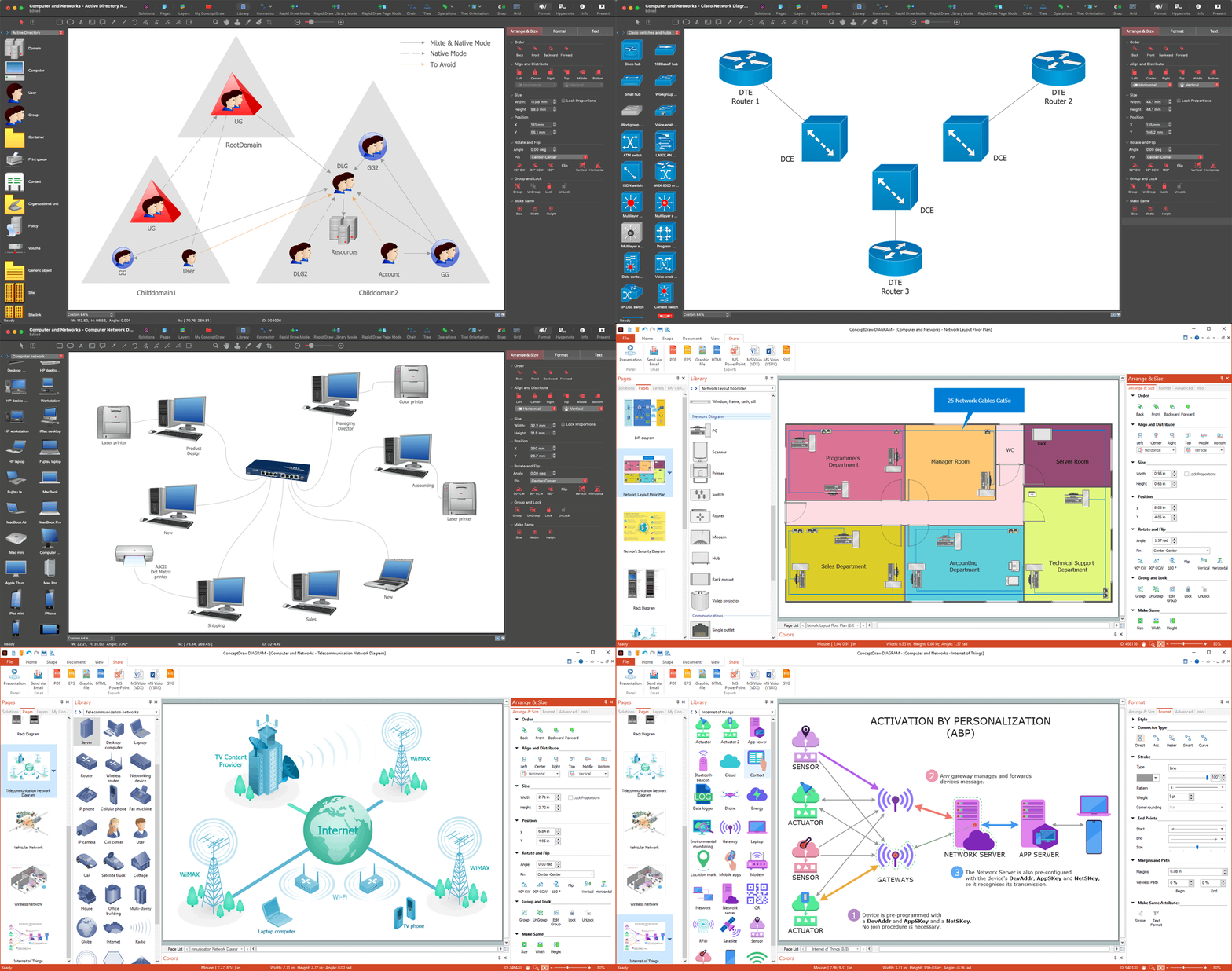
ConceptDraw DIAGRAM is a powerful diagramming and vector drawing software that provides the Computer and Networks Area for quick and easy drawing the computer network diagrams.

Computer and Networks Area contains several solutions that allows to create various types of diagrams: computer network architecture, topology, and design; logical, physical, cable networks; rack diagrams, Cisco networks, telecommunication network diagrams, wireless networks, etc.

Solutions of Computer and Networks Area provide the great number of professional looking examples that you can use for quick creating your own computer network diagrams. Simply choose the predesigned template or sample and customize it for your needs.
Area Network. Computer and Network Examples

Example 1. Computer and Network Examples

Use Solutions:

  1. Computer and Network Design
  2. WLAN Wireless Computer Networks
  3. Vehicular Networks
  4. Computer Network Architecture
  5. Topology and Design
  6. Logical, Physical, Cable Networks
  7. Cisco Network Topology
Area Network. Computer and Network Examples

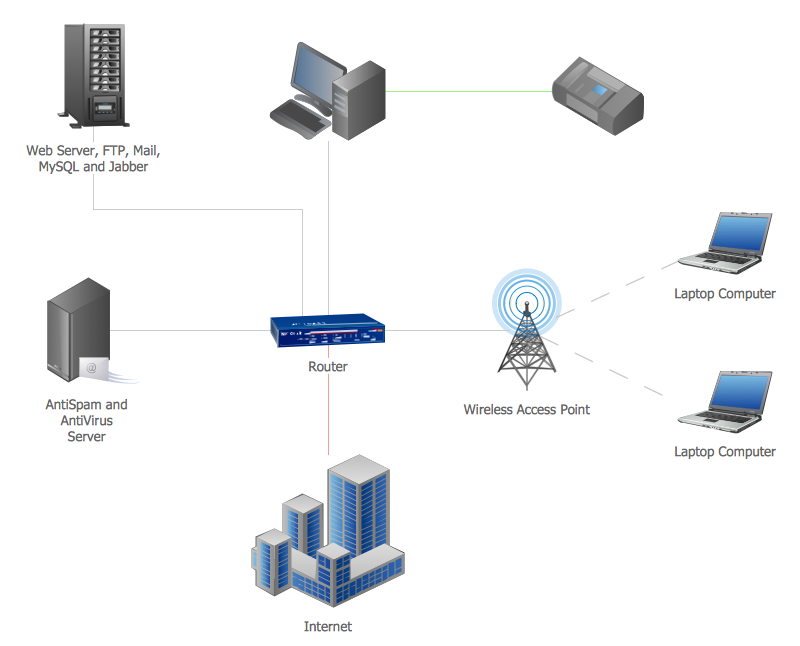
Example 2. Area Network

This example was created in ConceptDraw DIAGRAM using the Computer and Networks Area of ConceptDraw Solution Park and shows the devices connection to the Internet.

All charts and graphs designed with ConceptDraw DIAGRAM are vector graphic documents and are available for reviewing, modifying, and converting to a variety of formats (image, HTML, PDF file, MS PowerPoint Presentation, Adobe Flash or MS Visio).

See also Samples:


Reed More:

FOUR RELATED HOW TO's:
Wireless computer network diagrams help system administrators and network engineers to find out amount and type of equipment needed for each office LAN.Wireless Network LAN *
Picture: Wireless Network LAN
Related Solution:
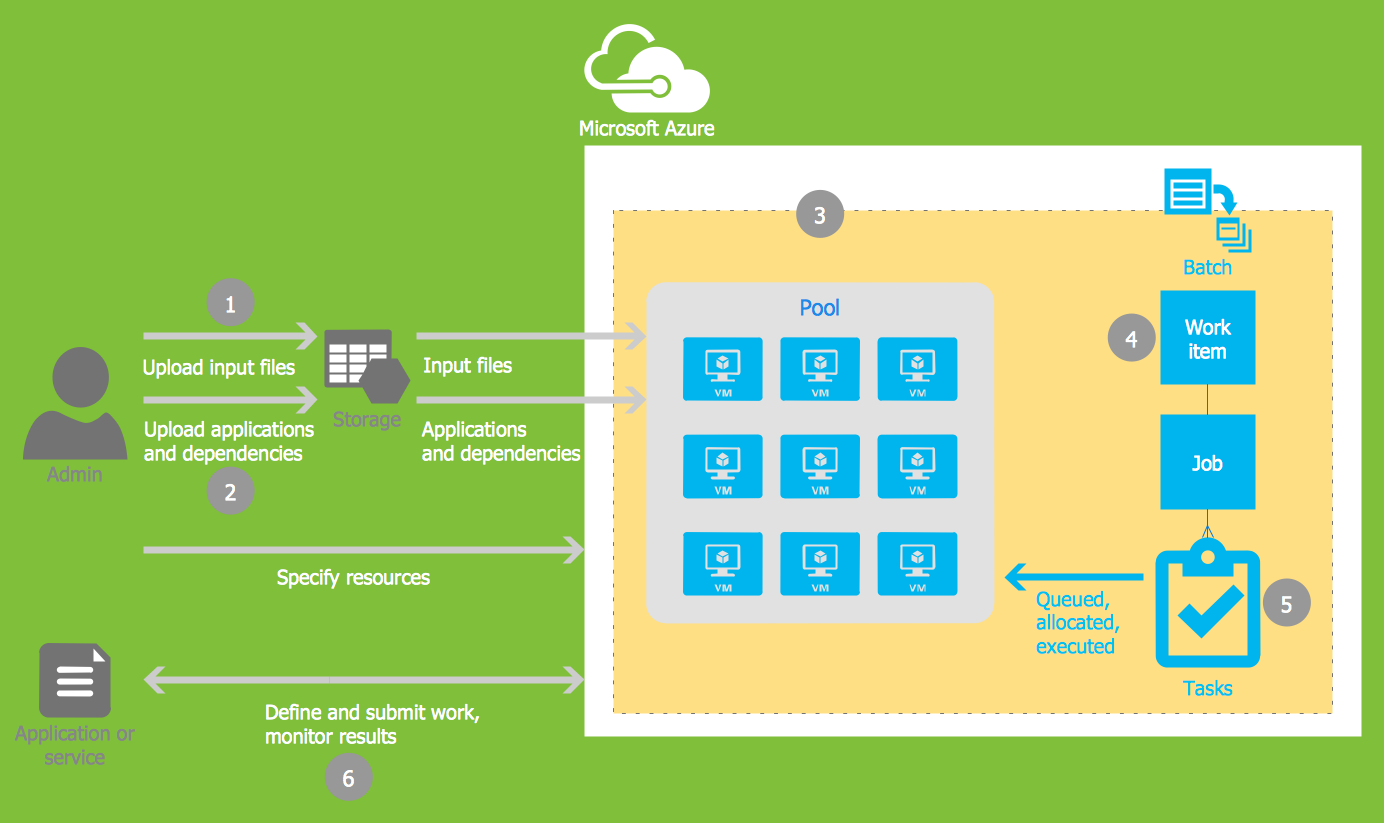
Microsoft Azure is widely used cloud platform which was created by Microsoft and now is managed by Microsoft datacenters in 19 regions of the world, and has a wide set of benefits and features. ConceptDraw DIAGRAM diagramming and vector drawing software extended with Azure Architecture Solution from the Computer and Networks area of ConceptDraw Solution Park is the best for designing various pictorial infographics, illustrations and materials showing the possibilities and work of Microsoft Azure Cloud System and Azure services.Microsoft Azure *
Picture: Microsoft Azure
Related Solution:
Interactive Voice Response (IVR) is a system of the prerecorded voice messages that allows a computer to interact with humans. IVR performs the function of the routing calls within a call center, using the information entered by the customer on the phone keypad in the touchtone mode. This example was created in ConceptDraw DIAGRAM using the Computer and Networks Area of ConceptDraw Solution Park and show the Interactive Voice Response (IVR) network.Interactive voice response (IVR) networks. <br>Computer and Network Examples *
Picture: Interactive voice response (IVR) networks. Computer and Network Examples
Related Solution:
Use it to make professional looking documents, presentations, and websites illustrated with color scalable vector clipart for geography, weather, and animals.Clipart School *
Picture: Clipart School Example
Related Solution:
ConceptDraw
DIAGRAM 18