Evacuation Floor Plan Example
The organization and clear understanding of the sequence of actions, and the availability of an Evacuation Plan are incredibly important in the case of an emergency. Strong, clear, and operative actions are required. Because a disorganized evacuation leads to mistakes and has sad consequences like injuries, damages, and even victims. An Evacuation Plan greatly helps in the organization of people evacuation from any building.
In the course of ensuring security, especially at large enterprises, an emergency communications system to alert of an emergency and evacuation needs to be installed. The alarms must be distinctive and recognizable by all employees. In this way, the employees' training and instruction need to be obligatorily conducted with a certain periodicity. After the alarm signal rang employees must follow the instructions in an Evacuation Plan.
As for the plan, ConceptDraw Diagram software allows you the best way to prepare for any emergency. It proposes professional tools for construction a detailed Evacuation Floor Plan, Emergency Exit Plan, or Rescue Plan. Being extended with Fire and Emergency Plans solution it includes a large collection of predesigned vector design objects on the emergency thematic. They are grouped into three libraries. The solution also contains a set of multifarious examples and samples.
Each Evacuation Floor Plan example included to the Fire and Emergency Plans solution is professional-looking. It successfully demonstrates the solution's capabilities and the professional results you can achieve using it in your work or private activity.
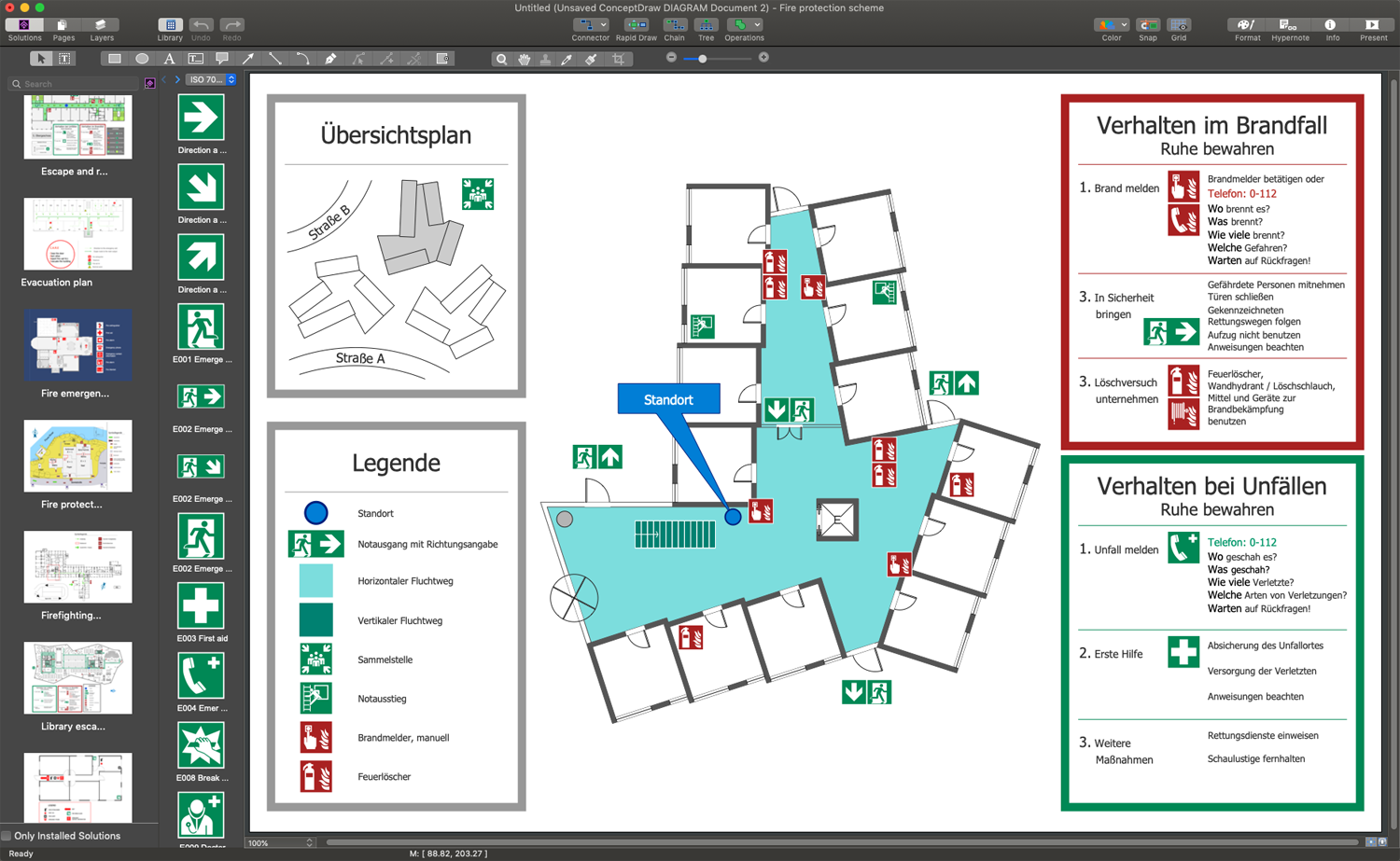
Example 1. Evacuation Floor Plan Example in ConceptDraw DIAGRAM
The Evacuation Floor Plan example you see on this page was created in ConceptDraw DIAGRAM software. The drawing tools and objects from the libraries of Fire and Emergency Plans solution and Floor Plans solution from the Building Plans area of ConceptDraw Solution Park were used. It shows the detailed internal building plan and its review on an open area, near surrounding buildings and roads. An experienced user spent 15 minutes creating it.
Use Fire and Emergency Plans solution for ConceptDraw DIAGRAM to make quickly, easily, and effectively your own Evacuation Floor Plans from the beginning to the end. The corresponding vector graphic document is available for reviewing, modifying, or converting to a variety of formats (PDF file, MS PowerPoint, MS Visio, and many graphic formats) from the ConceptDraw STORE. The Fire and Emergency Plans Solution is available for all ConceptDraw DIAGRAM users.