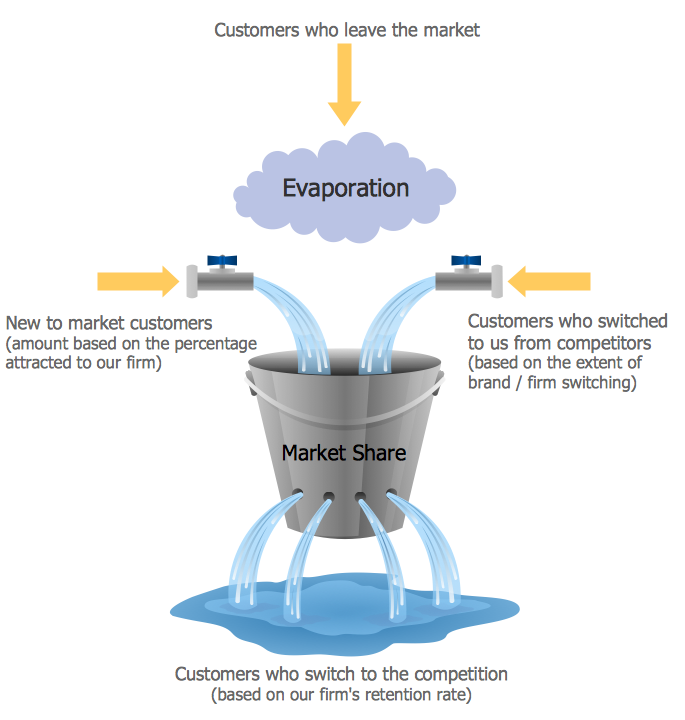
Example 1. Market Chart - Diagram Leaky Bucket
Marketing Diagrams Solution is ideal for drawing the Market Chart in minutes. You need to follow a few steps for this:
- create the new document,
- drag the required shapes from the Marketing Diagrams library included in Marketing Diagrams Solution and arrange them,
- type the text.
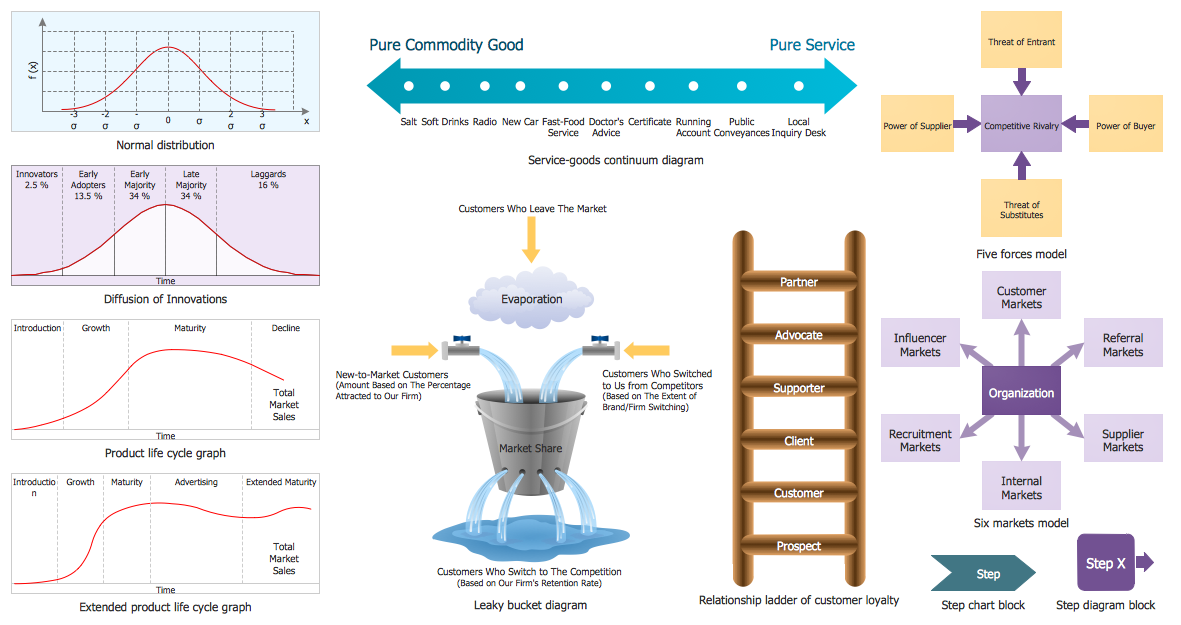
Example 2. Marketing Diagrams Library Design Elements
Marketing Diagrams library contains 11 ready-to-use vector objects. All they are vector objects, you can resize them without loss of quality, change their color to make your market chart more interesting, bright and attractive.
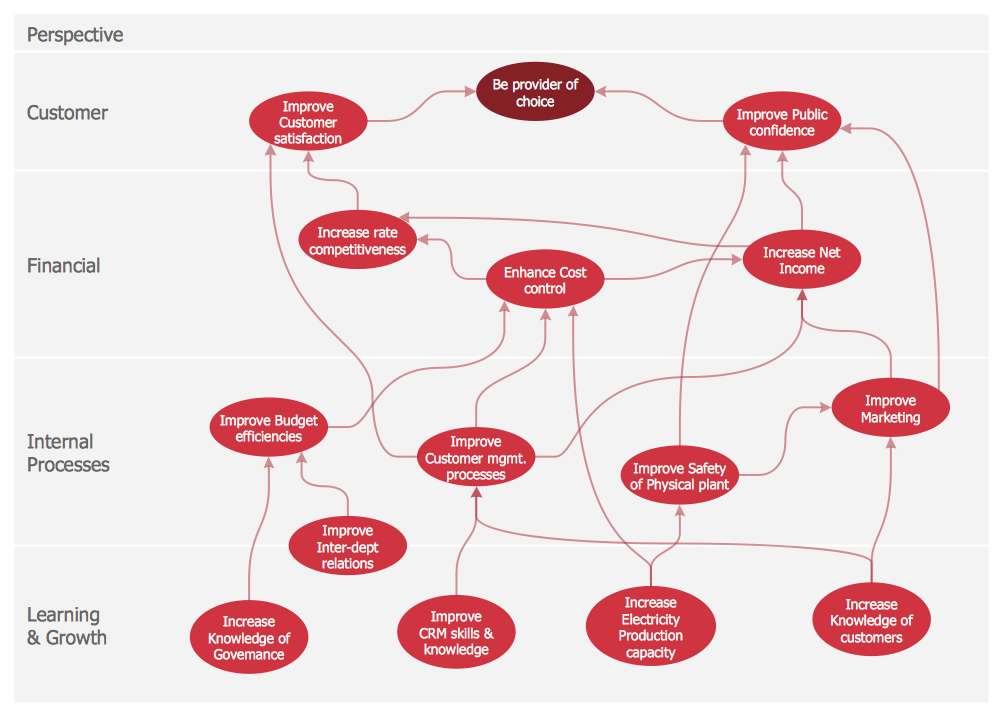
Example 3. Market Chart - Balanced Scorecard Strategy Map
The Market Chart samples you see on this page were created in ConceptDraw DIAGRAM using the tools of the Marketing Diagrams Solution for ConceptDraw DIAGRAM Solution Park. Each of these samples successfully demonstrates solution's capabilities and professional results you can achieve. An experienced user spent 5-10 minutes creating every of them.
Use the Marketing Diagrams Solution for ConceptDraw DIAGRAM software to create your own professionally designed marketing charts, marketing diagrams, market chart quick, easy and effective, and then successfully use them in work or education activity.
All source documents are vector graphic documents. They are available for reviewing, modifying, or converting to a variety of formats (PDF file, MS PowerPoint, MS Visio, and many other graphic formats) from the ConceptDraw STORE. The Marketing Diagrams Solution is available for all ConceptDraw DIAGRAM or later users.
NINE RELATED HOW TO's:
Stakeholder management is a critical component to the successful delivery of any project, programme or activity.
ConceptDraw DIAGRAM is a powerful diagramming and vector drawing software. Now, thanks to the Stakeholder Onion Diagrams Solution included to the Management Area of ConceptDraw Solution Park, ConceptDraw DIAGRAM became also unique stakeholder management system design software.
Picture: Stakeholder Management System using Onion Diagram
Related Solution:
The SWOT Analysis solution from the Management area of ConceptDraw Solution Park contains set of examples, templates and vector design elements of SWOT and TOWS matrices. It helps you to quickly draw SWOT and TOWS analysis matrix diagrams using the best SWOT matrix software ConceptDraw DIAGRAM.
Picture: SWOT Matrix Software
Related Solution:
An example of marketing analysis diagram, can be used to analyse product market and define marketing strategy.
This sample shows the Feature Comparison Chart of the digital scouting cameras. It can be useful for digital cameras production field, marketing, sales, etc.
Picture: Feature Comparison Chart Software
Related Solution:
These vector illustrations and cliparts are created for drawing the Project management Illustrations and contain plenty of project management design elements. The clipart library Project management includes 35 icons.
Picture: Project management - Design Elements
Related Solution:
Customer relationship management is an important component of sales success. Visualizing sales data you may put some KPI related to customers relationship management to your Sales dashboard and track this important aspect in real time.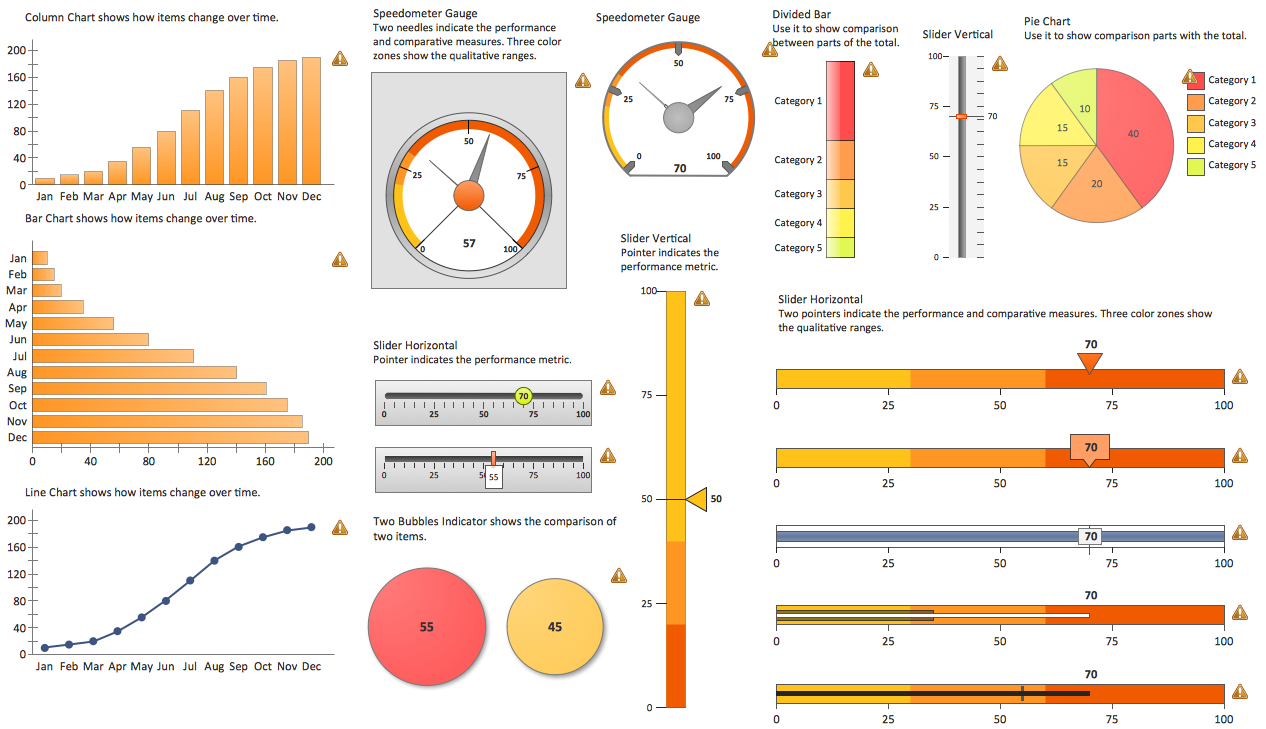
Picture: Customer Relationship Management
ConceptDraw DIAGRAM diagramming and vector drawing software offers the Marketing Diagrams Solution from the Marketing Area with extensive drawing tools, predesigned vector shapes, templates and samples for fast and easy drawing marketing charts and diagrams, marketing schemes and flow charts, various marketing illustrations, etc.
Picture: Marketing Charts
Related Solution:
ConceptDraw Pyramid Diagram software allows drawing column charts using predesigned objects or drawing tool.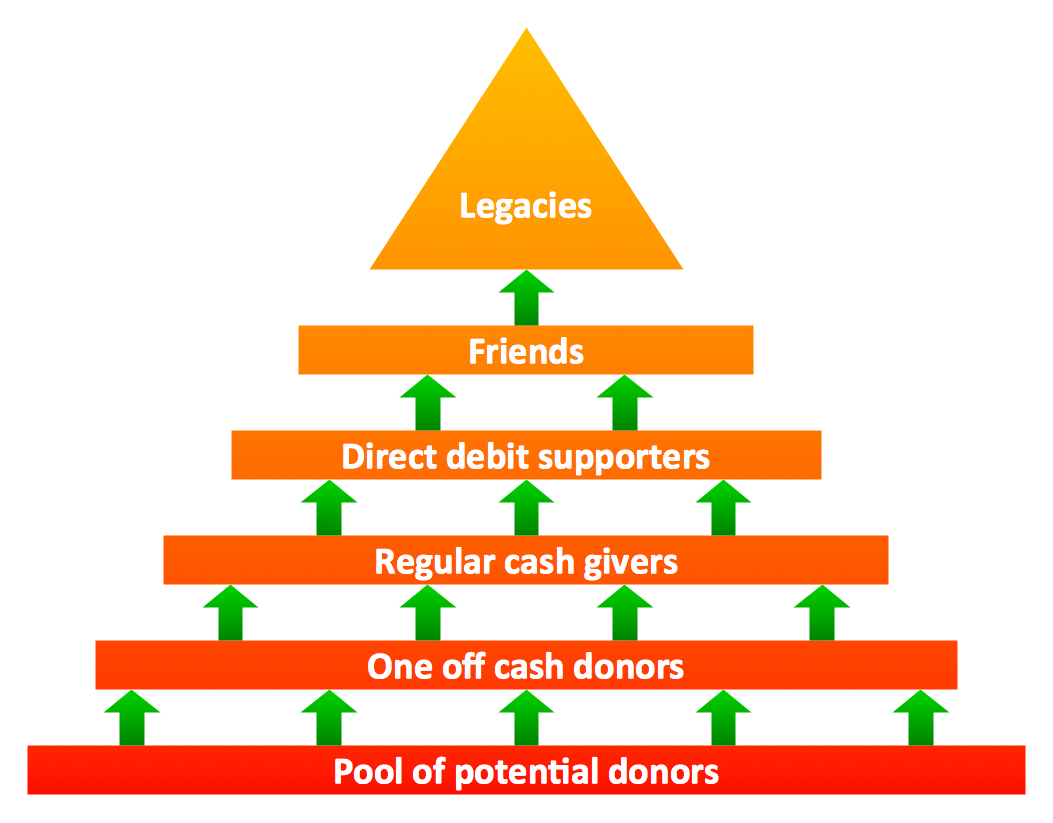
Picture: Fundraising Pyramid
Related Solutions:
ConceptDraw DIAGRAM extended with Sales Dashboard solution from the Marketing area of ConceptDraw Solution Park is a perfect software for creating the live dashboard for the business data and progress visualization.
Picture: Dashboard
Related Solution:
ConceptDraw DIAGRAM is a drawings software for creating Nature scenes. Nature solution from ConceptDraw Solution Park expands this software with a new library that contains 17 vector objects and samples illustration files.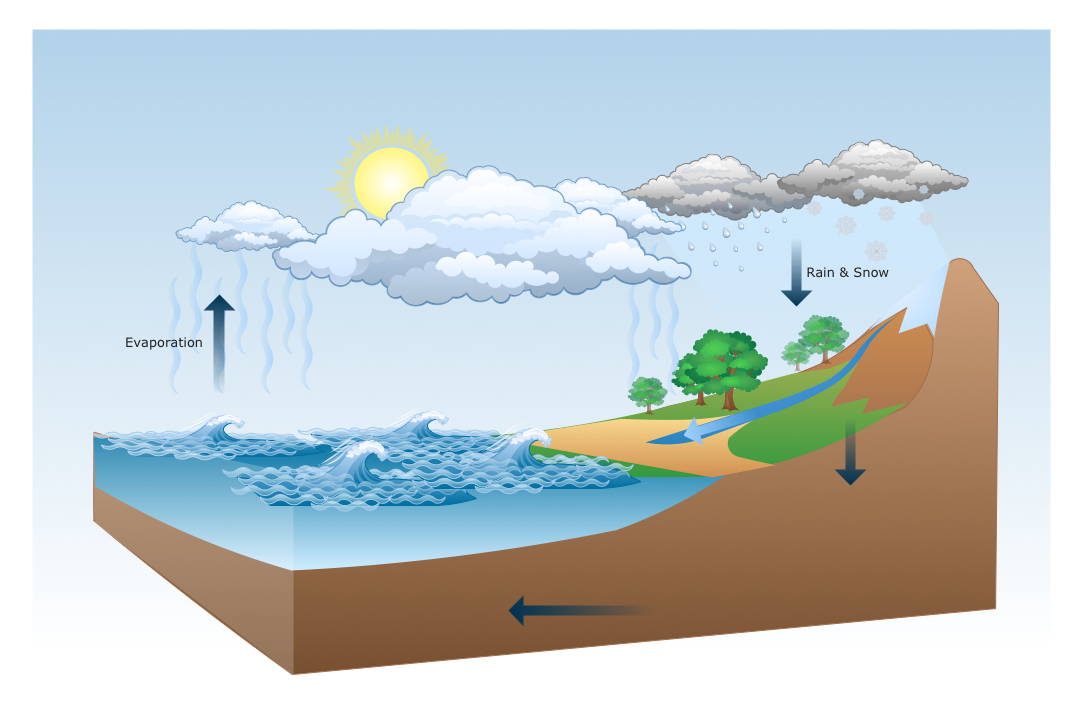
Picture: Drawing a Nature Scene
