Made with
ConceptDraw
MINDMAP 16

SWOT Analysis

ConceptDraw Office

ConceptDraw Office is an integrated set of visualization products and document exchange technologies. ConceptDraw OFFICE consists of a diagramming platform, a mind mapping, and a project management tool. These tools are essential to generate business diagrams, mind maps, project plans, dashboards, presentations, schematics, and any other business visualizations. These tools have access to an online service, ConceptDraw Solution Park that will deliver additional product extensions in the future. This is a time saving assistant for generating your business documents and presentations.

ConceptDraw Office consists of a diagramming platform, a mind mapping, and a project management tool. These tools are essential to generate business diagrams, mind maps, project plans, dashboards, presentations, schematics, and any other business visualizations.

ConceptDraw MINDMAP Templates

Predesigned templates covering a variety of themes that can help you get started faster when working on projects and can help to inspire ideas when suffering from Blank Page Syndrome.

Mind map template of a strategy map that can help you display a variety of performance measures that can have an impact on your organization.

SWOT Analysis *

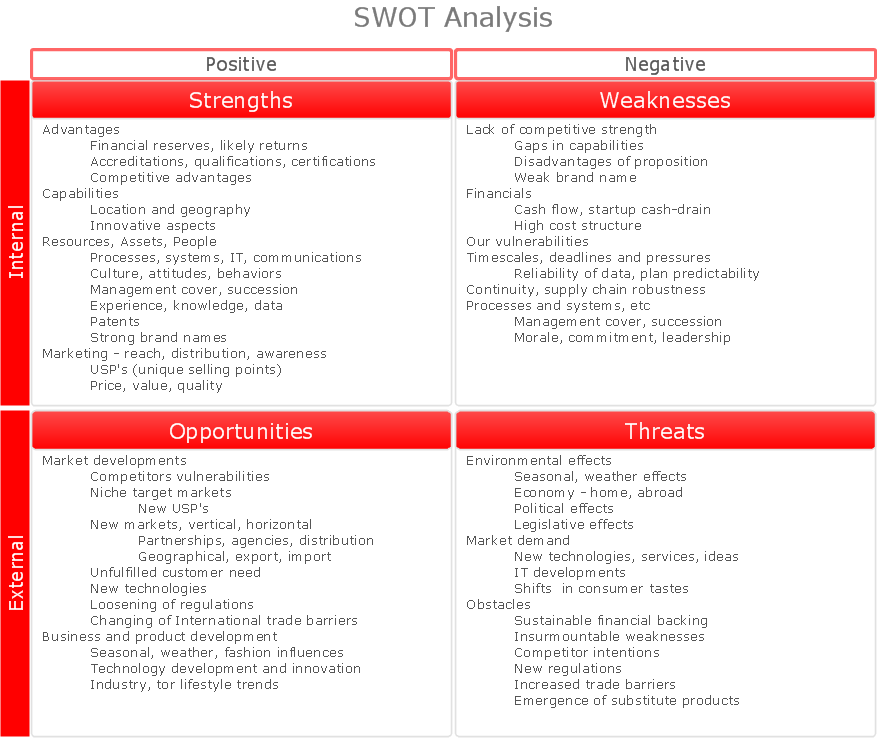
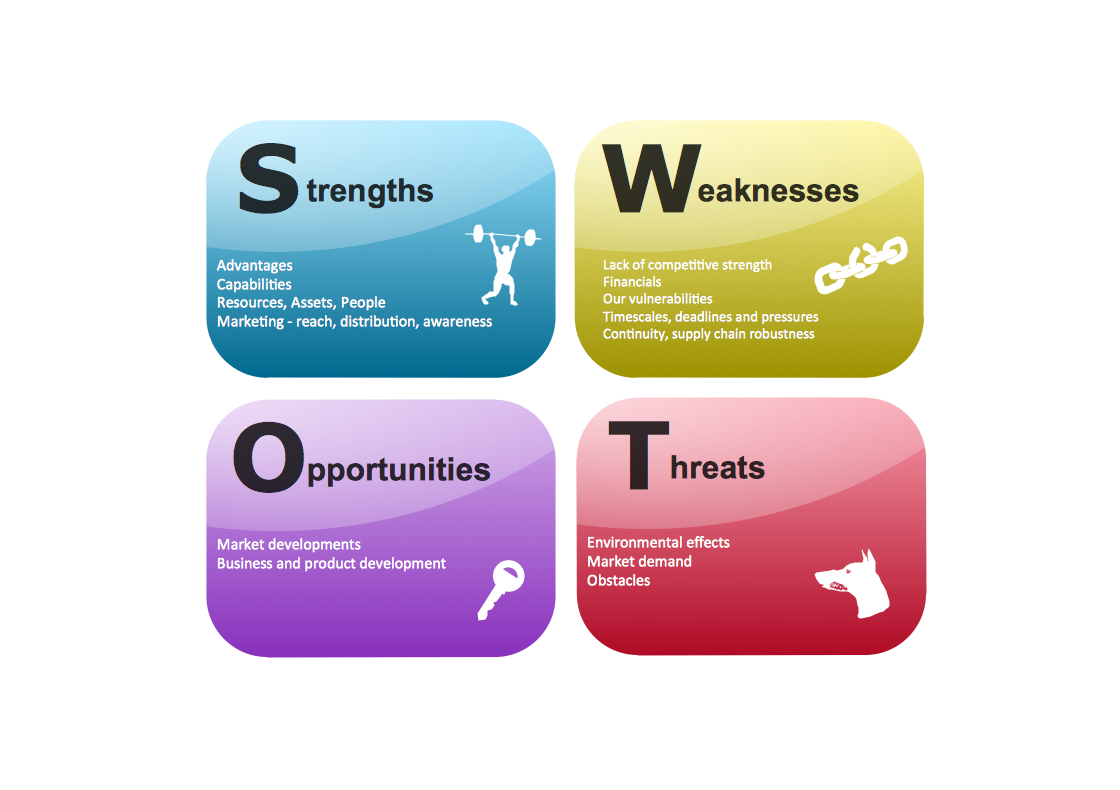
Example 1. SWOT Analysis


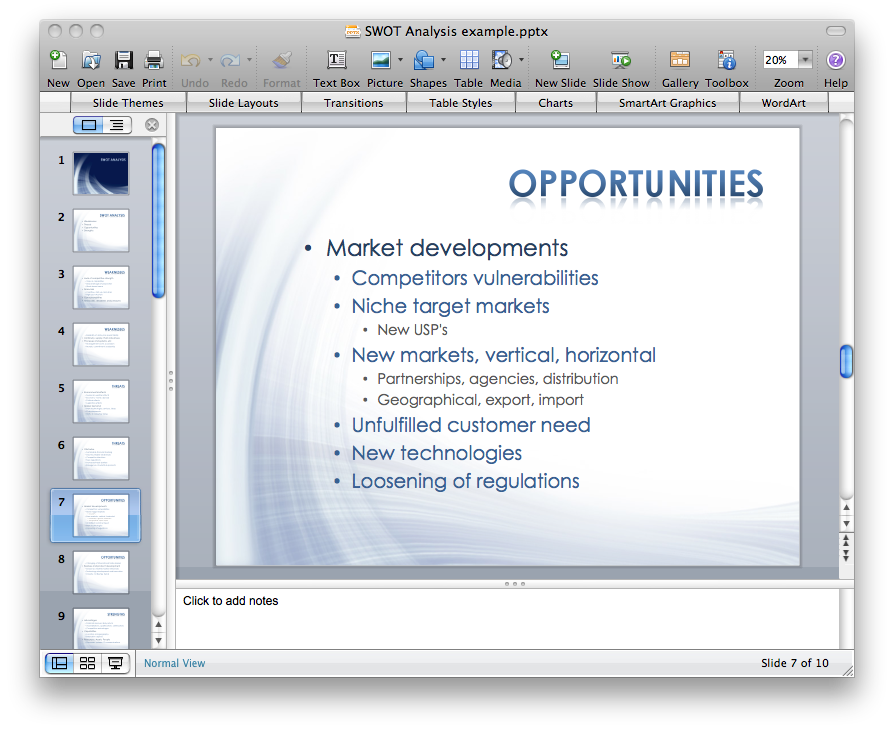
Export to Outline


SWOT Analysis
    • Opportunities
      • Market developments
        • Competitors vulnerabilities
        • Niche target markets
          • New USP's
        • New markets, vertical, horizontal
          • Partnerships, agencies, distribution
          • Geographical, export, import
        • Unfulfilled customer need
        • New technologies
        • Loosening of regulations
        • Changing of International trade barriers
      • Business and product development
        • Seasonal, weather, fashion influences
        • Technology development and innovation
        • Industry, tor lifestyle trends
    • Threats
      • Environmental effects
        • Seasonal, weather effects
        • Economy - home, abroad
        • Political effects
        • Legislative effects
      • Market demand
        • New technologies, services, ideas
        • IT developments
        • Shifts in consumer tastes
      • Obstacles
        • Sustainable financial backing
        • Insurmountable weaknesses
        • Competitor intentions
        • New regulations
        • Increased trade barriers
        • Emergence of substitute products
    • The SWOT Matrix
      • S-O strategies pursue opportunities that are a good fit for the company's strengths.
      • W-O strategies overcome weaknesses to pursue opportunities.
      • S-T strategies identify ways that the firm can use its strengths to reduce vulnerability to external threats.
      • W-T strategies establish a defensive plan to prevent a firm's weaknesses from making it susceptible to external threats.
    • Weaknesses
      • Lack of competitive strength
        • Gaps in capabilities
        • Disadvantages of proposition
        • Weak brand name
      • Financials
        • Cashflow, start-up cash-drain
        • High cost structure
      • Our vulnerabilities
      • Timescales, deadlines and pressures
        • Reliability of data, plan predictability
      • Continuity, supply chain robustness
      • Processes and systems, etc
        • Management cover, succession
        • Morale, commitment, leadership
    • Strengths
      • Advantages
        • Financial reserves, likely returns
        • Accreditations, qualifications, certifications
        • Competitive advantages
      • Capabilities
        • Location and geography
        • Innovative aspects
      • Resources, Assets, People
        • Processes, systems, IT, communications
        • Culture, attitudes, behaviors
        • Management cover, succession
        • Experience, knowledge, data
        • Patents
        • Strong brand names
      • Marketing - reach, distribution, awareness
        • USP's (unique selling points)
        • Price, value, quality

The Benefits for ConceptDraw MINDMAP Brainstorming Software

  • ConceptDraw MINDMAP is effective for brainstorming, designing mind maps, idea generating, creative and lateral thinking, creativity and problem solving.
  • ConceptDraw MINDMAP is ideal for team and personal work in Business, Marketing and Project Management.
  • The libraries with large quantity of vector objects help to illustrate your mind maps and to make them bright, visual and comprehensible.
  • Use of View Navigator tool lets create presentations from a mind map: you can simply select the map parts you want to present, sequence your slides, and preview the presentation.
  • ConceptDraw MINDMAP provides wide capabilities of importing and exporting in various formats: Microsoft PowerPoint, Microsoft Word, MS Excel, Mindjet MindManager, image, HTML, PDF file.

TEN RELATED HOW TO's:
Apply Electrical Engineering solution for ConceptDraw DIAGRAM and numerous electric circuit symbols to 🔸 develop and illustrate all types of electrical circuits as ✔️ electrical circuit diagrams, ✔️ electrical schematics, ✔️ electrical diagram drawingsElectrical Symbols — Electrical Circuits Library for ConceptDraw DIAGRAM
Picture: Electrical Circuits — Electrical Symbols
Related Solution:
Of course it is possible to keep network records in text documents, but it is very difficult to use them later. A more sound way to keep such documentation is to create a network diagram that might represent either logical network structure or physical. These diagrams are easy to understand and you will thank yourself later. There is a physical network diagram. It is a tool to represent, maintain and analysis of network equipment and interconnections. Network diagram depicts the actual network information in the attractive clear graphic form. One can learn here the LAN cable length, telecommunication type and carrying capacity. The diagram depicts servers, IP address and domain name as well. Also it shows location of hubs, switches, modems, routers, and other network equipment. The sets of special symbols and images delivered with ConceptDraw Network Diagrams solution are used to show network components. Symbols have a standard view. Therefore, various specialists can read the network diagram without any discrepancies.Network diagrams with ConceptDraw DIAGRAM  *
Picture: Network diagrams with ConceptDraw DIAGRAM
Related Solution:
In the case of origin of an emergency is very important to have a correct, clear and comprehensible action plan which will help you to react quicker and to make right decisions. ConceptDraw DIAGRAM software extended with Fire and Emergency Plans solution from the Building Plans Area of ConceptDraw Solution Park provides extensive drawing tools for quick and easy creating fire and emergency plans, and also a set of various templates and samples, among them the Emergency Action Plan Template.Emergency Action Plan Template *
Picture: Emergency Action Plan Template
Related Solution:
Sometimes, when it is difficult to create a functional space plan or to rearrange existing one, the art of interior design comes in. It doesn't matter, if you need a cozy bedroom or an office layout plan, you should use appropriate tools to make your design great. While making a floor plan of a new office it could be useful to apply some design elements such as furniture and office equipment. This diagram presents an office furniture objects that can be used for office interior design planning, or making office furniture and equipment layouts. This vector stencils library is supplied with ConceptDraw Office Layout Plans solution. It contains more then 30 vector objects of office interior for making office floor plans including an office space layout plans and furniture arrangement.Office Layout Plan Design Element
Picture: Interior Design. Office Layout Plan Design Element
Related Solution:
The use case diagram (behavior scenarios, precedents) is the initial conceptual representation of the system during its design and development. This diagram consists of actors, use cases and relationships between them. When constructing a diagram, common notation elements can also be used: notes and extension mechanisms. This sample was created in ConceptDraw DIAGRAM diagramming and vector drawing software using the UML Use Case Diagram library of the Rapid UML Solution from the Software Development area of ConceptDraw Solution Park. This sample shows the types of user’s interactions with the system and is used at the registration and working with the database system.UML Use Case Diagram
Picture: UML Use Case Diagram Example. Registration System
Related Solution:
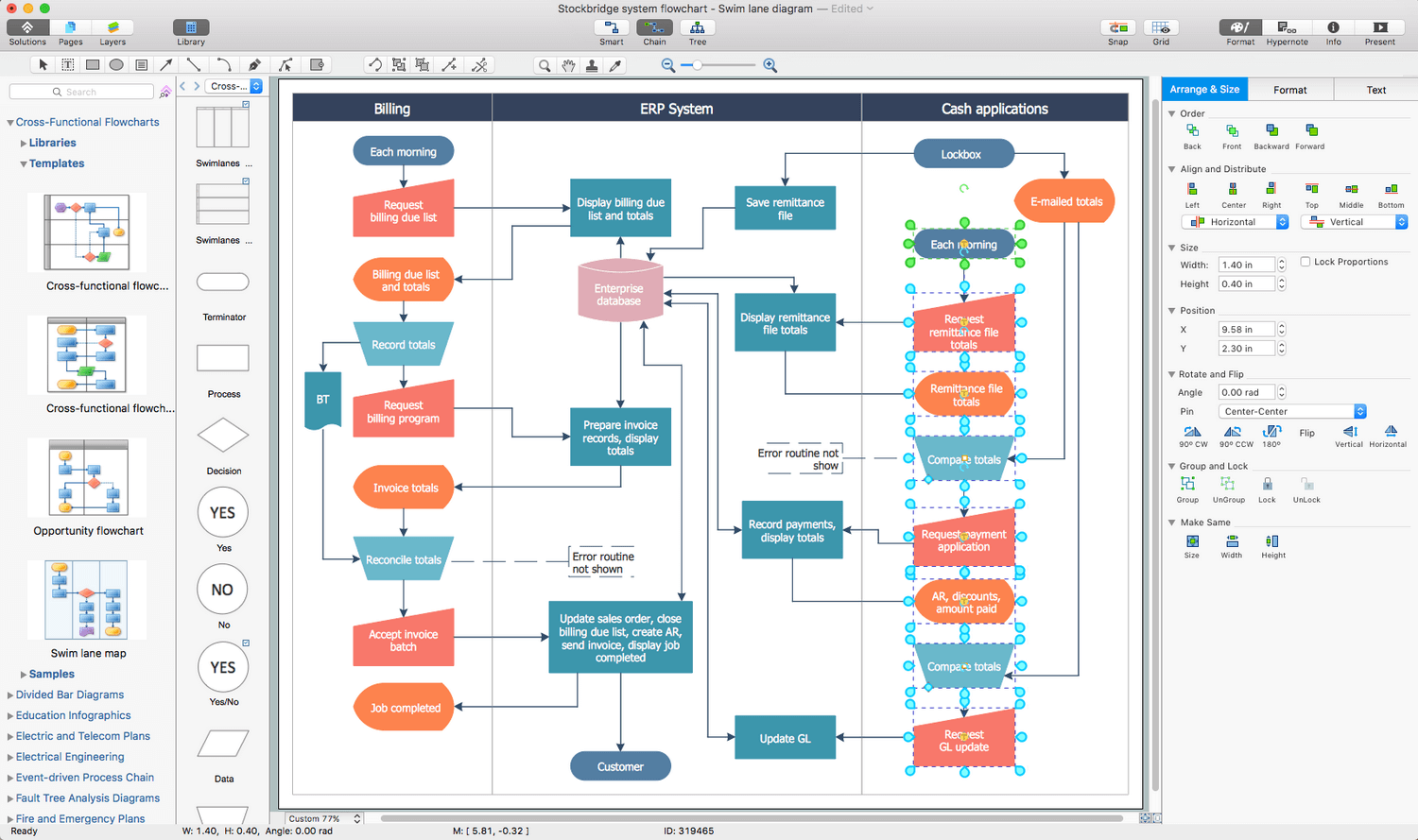
While creating flowcharts and process flow diagrams, you should use special objects to define different statements, so anyone aware of flowcharts can get your scheme right. There is a short and an extended list of basic flowchart symbols and their meaning. Basic flowchart symbols include terminator objects, rectangles for describing steps of a process, diamonds representing appearing conditions and questions and parallelograms to show incoming data. This diagram gives a general review of the standard symbols that are used when creating flowcharts and process flow diagrams. The practice of using a set of standard flowchart symbols was admitted in order to make flowcharts and other process flow diagrams created by any person properly understandable by other people. The flowchart symbols depict different kinds of actions and phases in a process. The sequence of the actions, and the relationships between them are shown by special lines and arrows. There are a large number of flowchart symbols. Which of them can be used in the particular diagram depends on its type. For instance, some symbols used in data flow diagrams usually are not used in the process flowcharts. Business process system use exactly these flowchart symbols.Flowchart example showing a customer request approval process with start, input output, process steps, decision branches, and end
Picture: Flowchart Symbols: Meaning and Examples
Related Solution:
Process Flow Charts are very popular and widely used in chemical and process engineering for representation a general flow of plant processes and equipment. If you need often draw them, the ConceptDraw DIAGRAM diagramming and vector drawing software extended with tools of Flowcharts Solution will be useful for you. The mostly used set of process flow chart symbols includes the following: Rectangle (box) process flow chart symbol, Rounded rectangle, Circle, Diamond.Process Flow Chart Symbol *
Picture: Process Flow Chart Symbol
Related Solution:
In almost every sphere of life and work the people time to time are faced with the fact that on their way there are certain obstacles and problems. But it is not always possible to identify the true cause of particular problem. To understand the basic causes of problems and eliminate them, it is convenient to use the chart of Kaoru Ishikawa - the technique specially designed for this. ConceptDraw DIAGRAM diagramming and vector drawing software extended with Fishbone Diagrams solution from the Management area can help you with construction the Fishbone Diagram also known as Ishikawa Diagram. Ishikawa Diagram shows factors of Equipment, Process, People, Materials, Environment and Management, all affecting the overall problem in one drawing for the further analysis. It is a well effective way to analyze the business problems you must identify and solve.Ishikawa Diagram *
Picture: Ishikawa Diagram
Related Solution:
There are three main types of organizational structures which can be adopted by organizations depending on their objectives: functional structure, divisional structure, matrix structure. ConceptDraw DIAGRAM diagramming and vector drawing software enhanced with 25 Typical Orgcharts solution from the Management area of ConceptDraw Solution Park is ideal for designing diagrams and charts of any organizational structure types.Organizational Structure Types *
Picture: Organizational Structure Types
Related Solution:
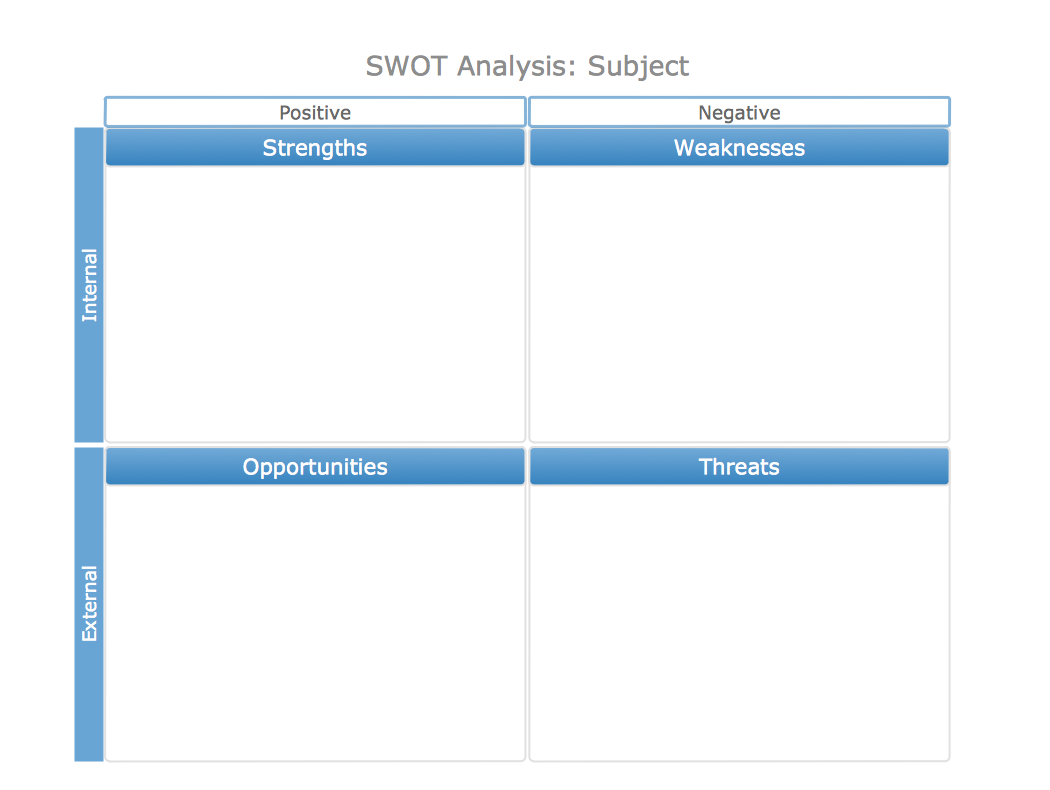
If you have no time, you can create a SWOT diagram even on asphalt using a chalk. Although, in case you want a proper scheme, you should use a special software for creating SWOT analysis diagrams that would be comprehensible. SWOT analysis is useful not only for business purposes, but even for cities or for a particular person. The ConceptDraw SWOT and TOWS Matrix Diagrams solution is a tool for performing both SWOT and TOWS analysis. It provides templates of different sorts of Matrix Diagrams. Besides different embedded templates, the solution enabling create custom SWOT and TOWS matrices. Using the compatibility between the MINDMAP and DIAGRAM is the best way of making SWOT or TOWS diagrams quickly. The mind map templates help identify the core statements of SWOT and TOWS analysis: Strengths, Weaknesses, Opportunities, and Threats. The next step is matrix creation - both SWOT and TOWS analysis use the same basic steps and the only difference is the order in which these criteria are studied.Software for Creating SWOT Analysis Diagrams *
Picture: Software for Creating SWOT Analysis Diagrams
Related Solution:
ConceptDraw
MINDMAP 16