Purchase Funnel Diagram
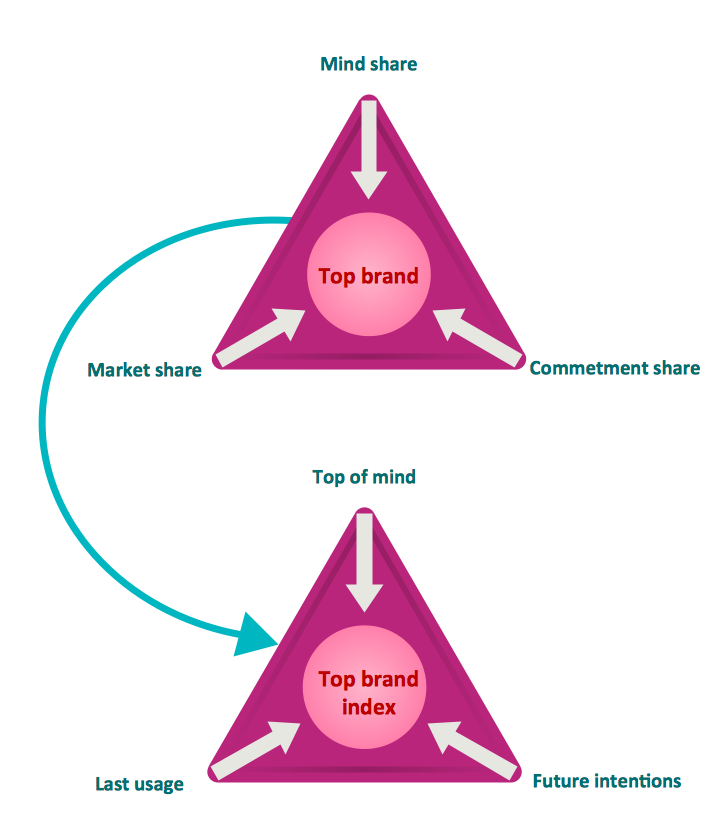
Top brand model pyramid diagram
Nowadays, it is also very popular to make the top brand model pyramid diagrams, which can be illustrated in order to show the brand’s special features. To be more clear, it is fair to mention what actually a brand is. Thus, a brand is a name, symbol, term, design or other feature, with the help of which it is easier to distinguish an organization or product from the competitors, so it is clear that some product or service can be offered by a particular company. Brands can be used in many different kinds of business activity, including advertising and marketing.
“Branding” itself is a set of both communication and marketing methods that help distinguish some product of a company or a company itself from its competitors. The key components, forming a brand's toolbox include a brand communication with the aid of trademarks and logos, brand awareness, brand’s identity, loyalty and many different branding strategies, which all belong to the classification of management known as “brand management”.
Brand awareness is also known as a “brand recognition” and it can be described as the initial phase of the brand awareness, validating whether or not a customer remembers being pre-exposed to the brand. When customers experience brand awareness, that means they are intrigued by the product and so they intend to recognise it among other brands. Apart from the brand awareness, there is another term, which is an important constituent in “brand management” - a “brand recall”. This “brand recall” is not triggered by a visual or verbal cue, but it requires that the consumers correctly retrieve the brand from memory. Those, who are in charge for the company’s marketing activity to be working for the company, are known to be the “brand managers”. These professional specialists often arrange the surveys, offering people to tell if they like their branding or not, paying money for answering the questions about whether the appearance of each product is good enough for them, getting the advice in this way to be able to improve the brand itself.
That is why every head of a company, who cares for their reputation as well as the company’s one, tends to invite the marketing specialists, who are in charge of making the product easily recognizable, applying many different tools for improving its branding. In order to conduct the so needed “marketing-mix modelling” to optimize the work of such marketers to find out the way they spend the allotted marketing budgets and so to maximize the impact on brand awareness or on sales, the responsible managers can create the needed charts and diagrams to make it simpler to illustrate the situation the company is in and so the place its brand takes on the market.
Thus, the top brand model pyramid diagrams can be designed using ConceptDraw DIAGRAM diagramming and vector drawing software, which can be downloaded from this site as well as the “Pyramid Diagrams solution” from “Marketing area” of “ConceptDraw Solution Park” on this site.

Example 1. Top brand model pyramid diagram
Dna model of seduction Triangular diagram
In colloquial language and fictional literature, seduction is the process of deliberately enticing a person, to lead astray, as from duty, rectitude, or the like; to corrupt, to persuade or induce to engage in sexual behaviour. [Seduction. Wikipedia]
This triangle diagram example is included in the Pyramid Diagrams solution from Marketing area of ConceptDraw Solution Park.
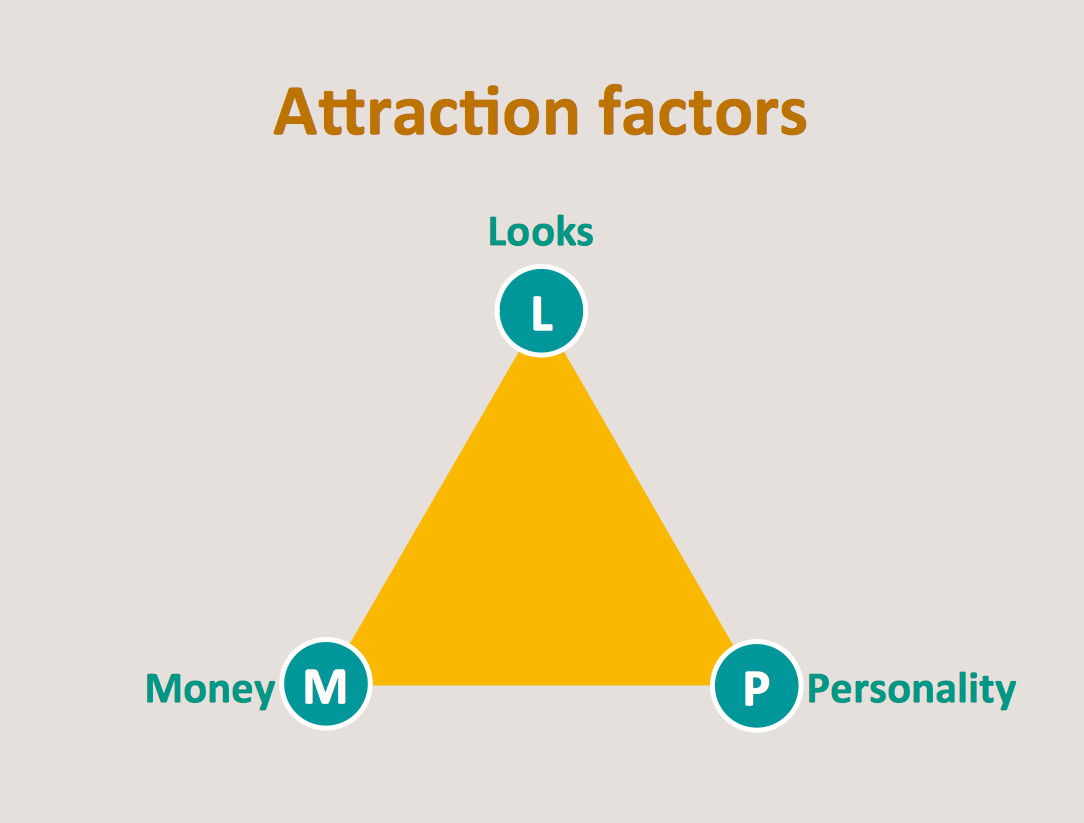
Example 2. Dna model of seduction Triangular diagram
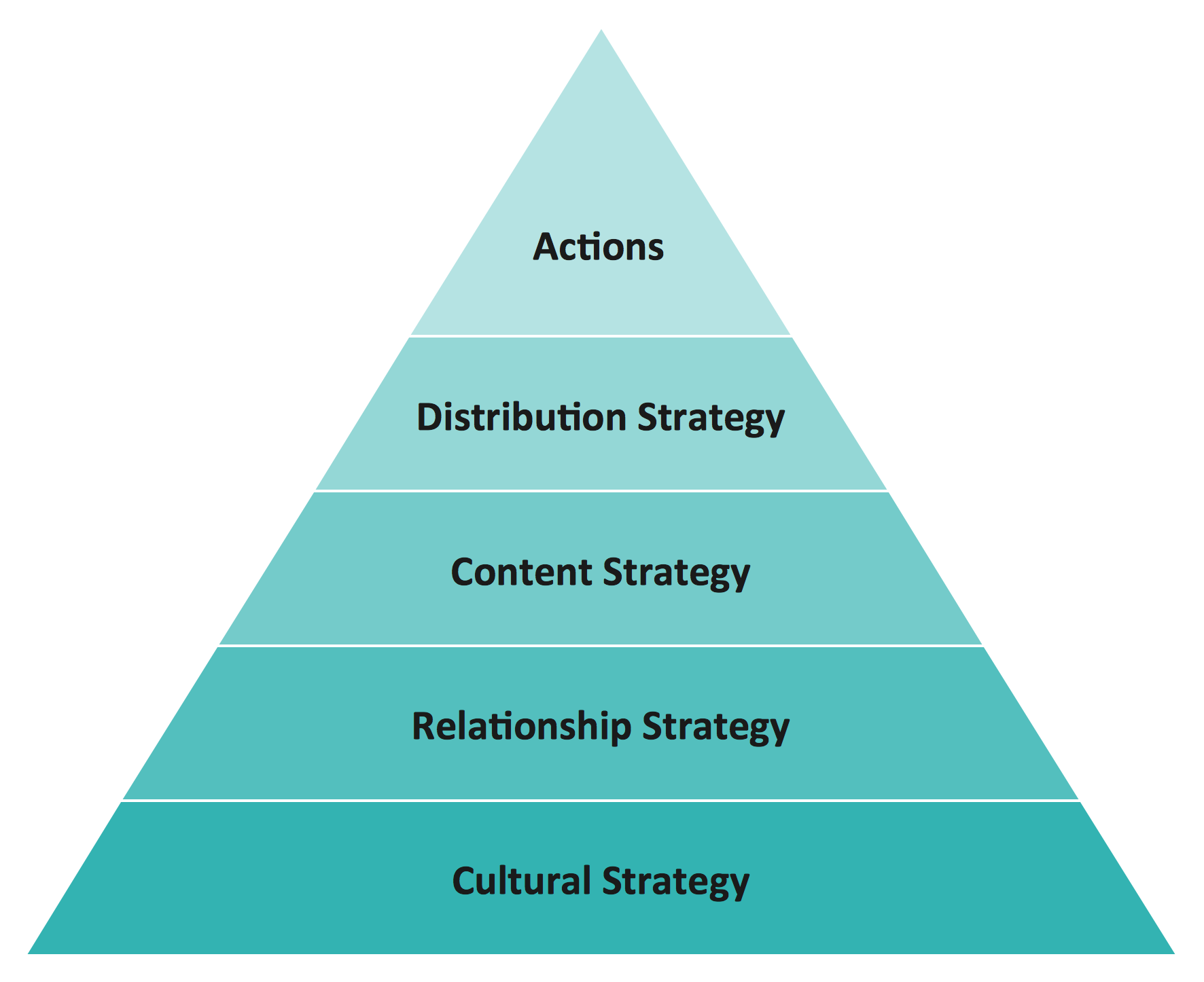
Diagram Social strategy pyramid
This social strategy pyramid diagram has 5 levels: Actions, Distribution strategy, Content strategy, Relashionship strategy, Cultural strategy.
This triangular scheme example was created using ConceptDraw DIAGRAM diagramming and vector drawing software extended with Pyramid Diagrams solution from Marketing area of ConceptDraw Solution Park.

Example 3. Diagram Social strategy pyramid
Value pyramid - Marketing diagram
This market value pyramid diagram has 5 levels:
- Essence (Who we are),
- Competitive positioning (Where we play),
- Customer benefits (Value proposition),
- Product / Service features (Value delivery),
- Internal capabilitiea (Value requirements).
Use this triangular scheme to develop your marketing strategy.
This triangle chart example was created using ConceptDraw DIAGRAM diagramming and vector drawing software extended with Pyramid Diagrams solution from Marketing area of ConceptDraw Solution Park.
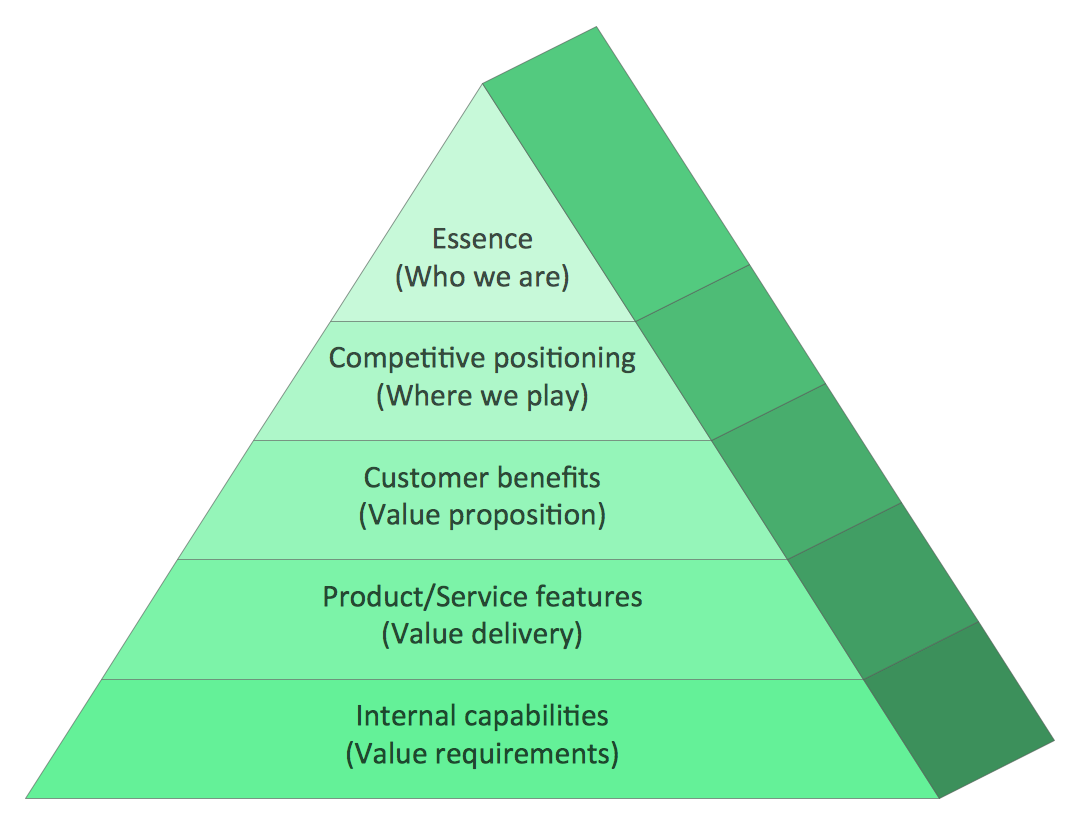
Example 4. Value pyramid - Marketing diagram
Cosystem goods and services
Ecosystems represent sources of natural capital and provide goods and services to society, also called ecosystem services. The Millennium Ecosystem Assessment identified over 24 ecosystem services that can be divided up into 4 general groups including:
- provisioning,
- supporting,
- regulating
- cultural.
[Wikipedia]
This example is included in the Pyramid Diagrams solution from Marketing area of ConceptDraw Solution Park.
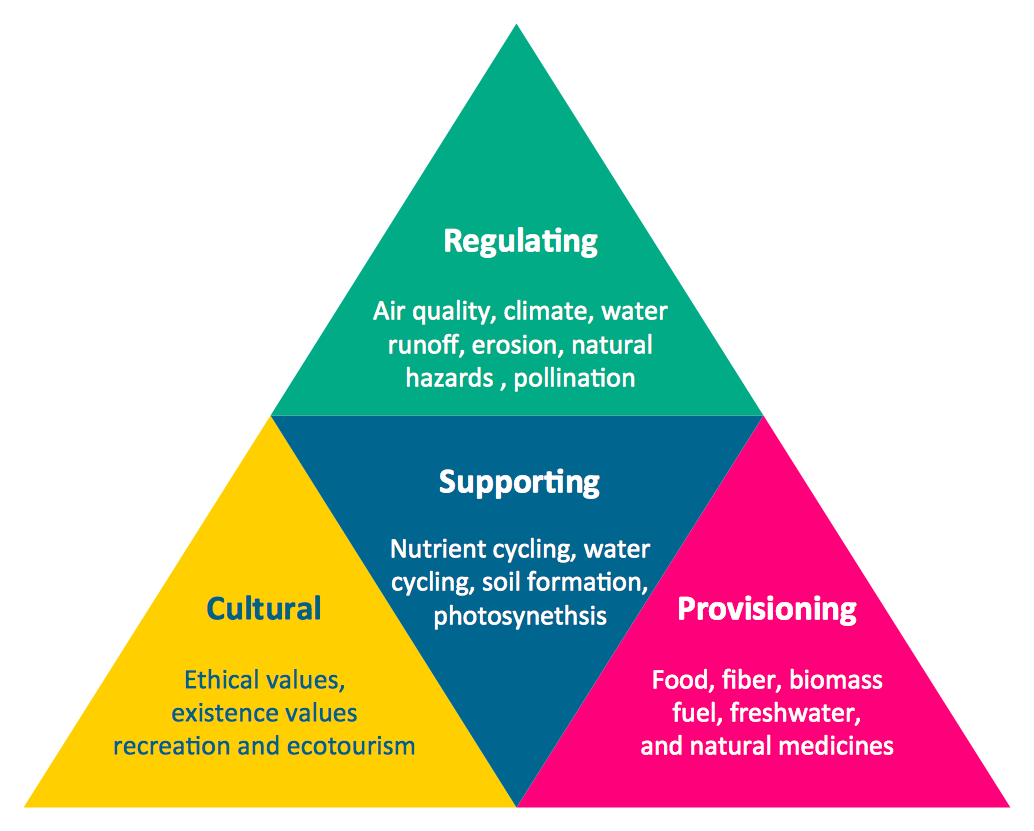
Example 5. Cosystem goods and services
See more Pyramid Diagram:
TEN RELATED HOW TO's:
Drawing defensive strategy diagrams using ConceptDraw DIAGRAM software extended with the Football solution saves your time, and adds more value to your work. You can easily convert vector drawing to a popular graphic format and then post it to your blog or site. There is no problem to add your logo or text copyright, or use some text comments to make your diagrams unique and recognizable.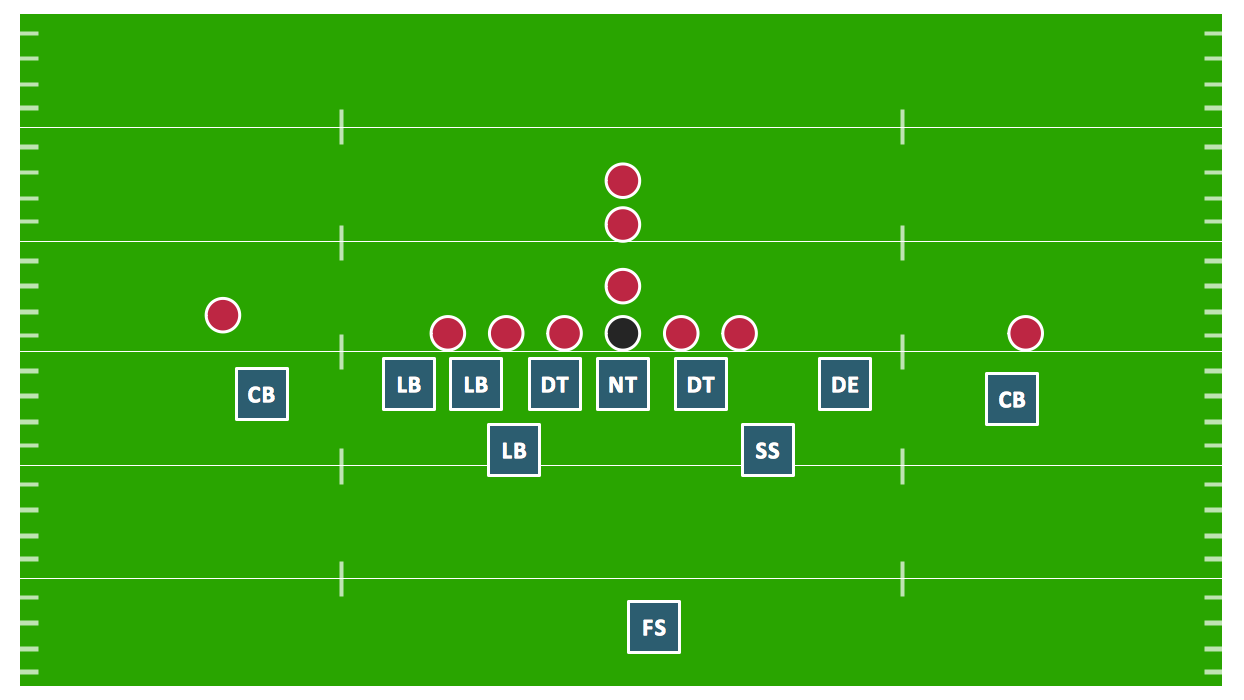
Picture: Defensive Strategy Diagram – 46 Defence
Related Solution:
The Venn diagram example below shows sustainable development at the confluence of three constituent parts.
Create your Venn diagrams for problem solving in environmental social science using the ConceptDraw DIAGRAM software.
Picture:
Venn Diagram Examples for Problem Solving
Environmental Social Science
Human Sustainability Confluence
Related Solution:
pyramida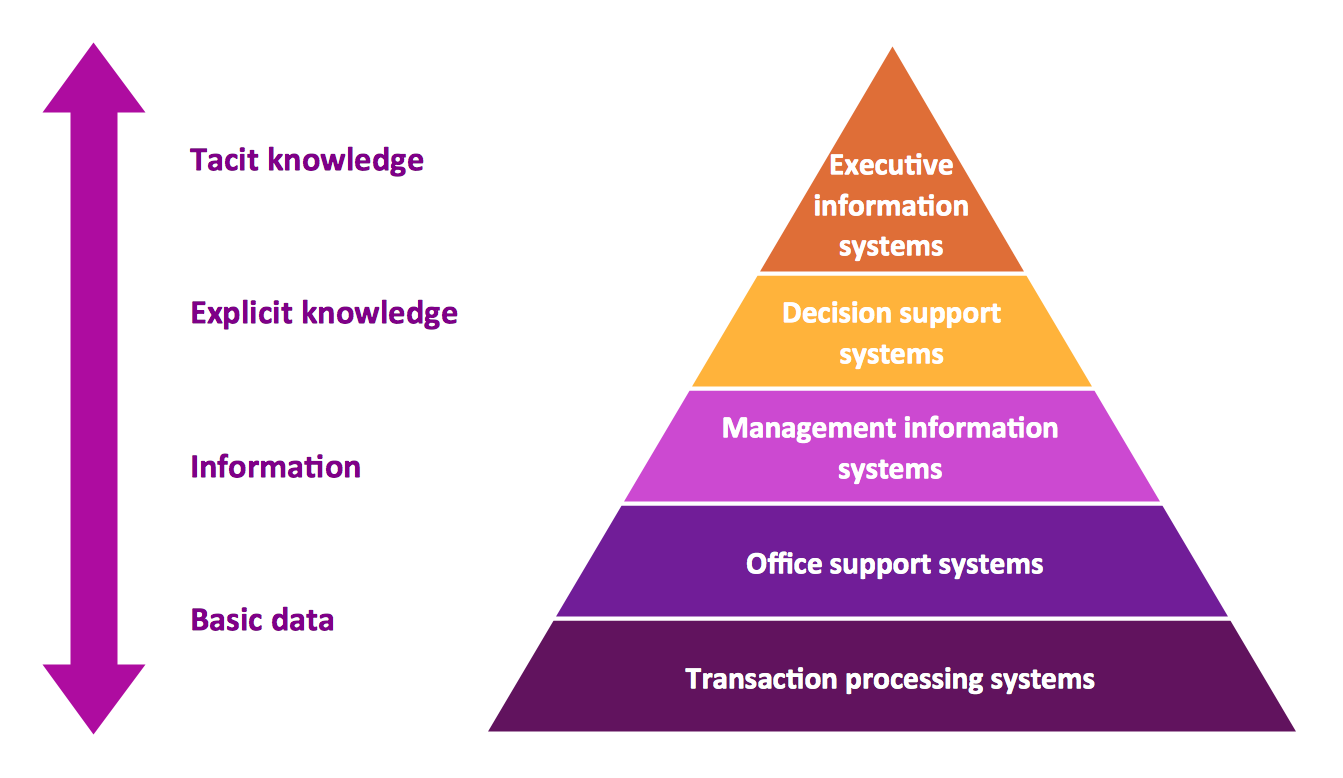
Picture: Pyramid Diagram
Related Solution:
How to design a Bubble Chart? It’s very easy! All that you need is a powerful software. Never before creation of a Bubble Chart wasn’t so easy as now with tools of Business Diagrams Solution from the Management Area for ConceptDraw Solution Park.
Picture: Bubble Chart
Related Solution:
The best bar chart software ever is ConceptDraw. ConceptDraw bar chart software provides an interactive bar charting tool and complete set of predesigned bar chart objects.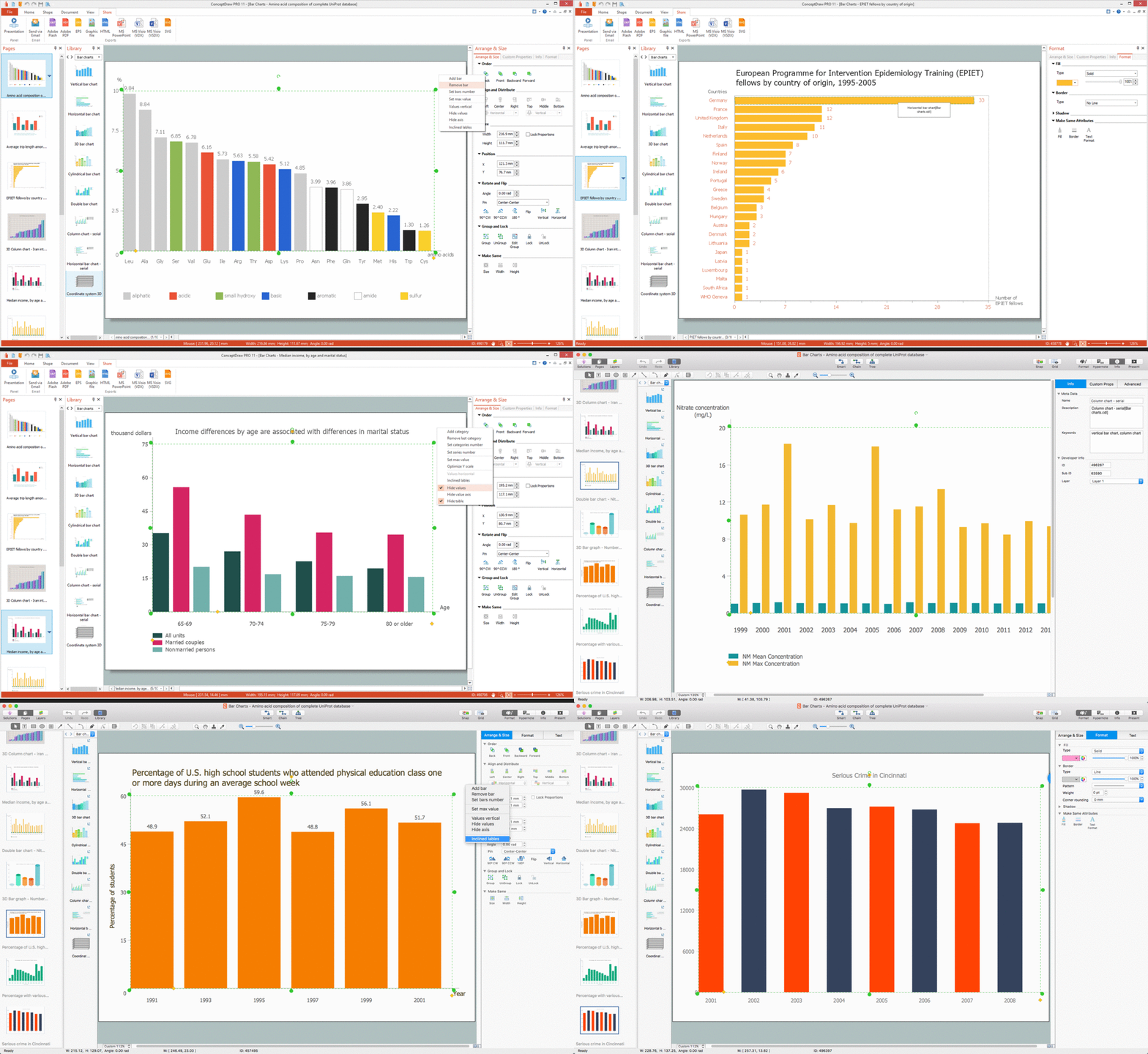
Picture: Bar Chart Software
Related Solution:
No one can imagine a geography class without such educational stuff as a geo map or a globe. As for one of the biggest countries in North America, the United States of America Map is present in every American school or college. It’s easier to remember all the states if you look on the map more often.
The following sample represents the map of USA. This precise map has names of all states of America. The different colors which are used to indicate each state add the visuality and brightness to the whole map. The ConceptDraw USA Maps solution - one of a family of ConceptDraw Maps solutions. Any country invokes a big piece of data: geographical, political, statistical, etc. A simple way of representing this data is to design maps that will show a certain item in relation to a particular area of Earth.
Picture: How to Draw the US Map? ConceptDraw Diagram Software for Easy USA Map Drawing
Related Solution:
When trying to figure out the nature of the problems occurring within a project, there are many ways to develop such understanding. One of the most common ways to document processes for further improvement is to draw a process flowchart, which depicts the activities of the process arranged in sequential order — this is business process management. ConceptDraw DIAGRAM is business process mapping software with impressive range of productivity features for business process management and classic project management. This business process management software is helpful for many purposes from different payment processes, or manufacturing processes to chemical processes. Business process mapping flowcharts helps clarify the actual workflow of different people engaged in the same process. This samples were made with ConceptDraw DIAGRAM — business process mapping software for flowcharting and used as classic visio alternative because its briefly named "visio for mac" and for windows, this sort of software named the business process management tools.
This flowchart diagram shows a process flow of project management. The diagram that is presented here depicts the project life cycle that is basic for the most of project management methods. Breaking a project into phases allows to track it in the proper manner. Through separation on phases, the total workflow of a project is divided into some foreseeable components, thus making it easier to follow the project status. A project life cycle commonly includes: initiation, definition, design, development and implementation phases. Distinguished method to show parallel and interdependent processes, as well as project life cycle relationships. A flowchart diagram is often used as visual guide to project. For instance, it used by marketing project management software for visualizing stages of marketing activities or as project management workflow tools. Created with ConceptDraw DIAGRAM — business process mapping software which is flowcharting visio alternative or shortly its visio for mac, this sort of software platform often named the business process management tools.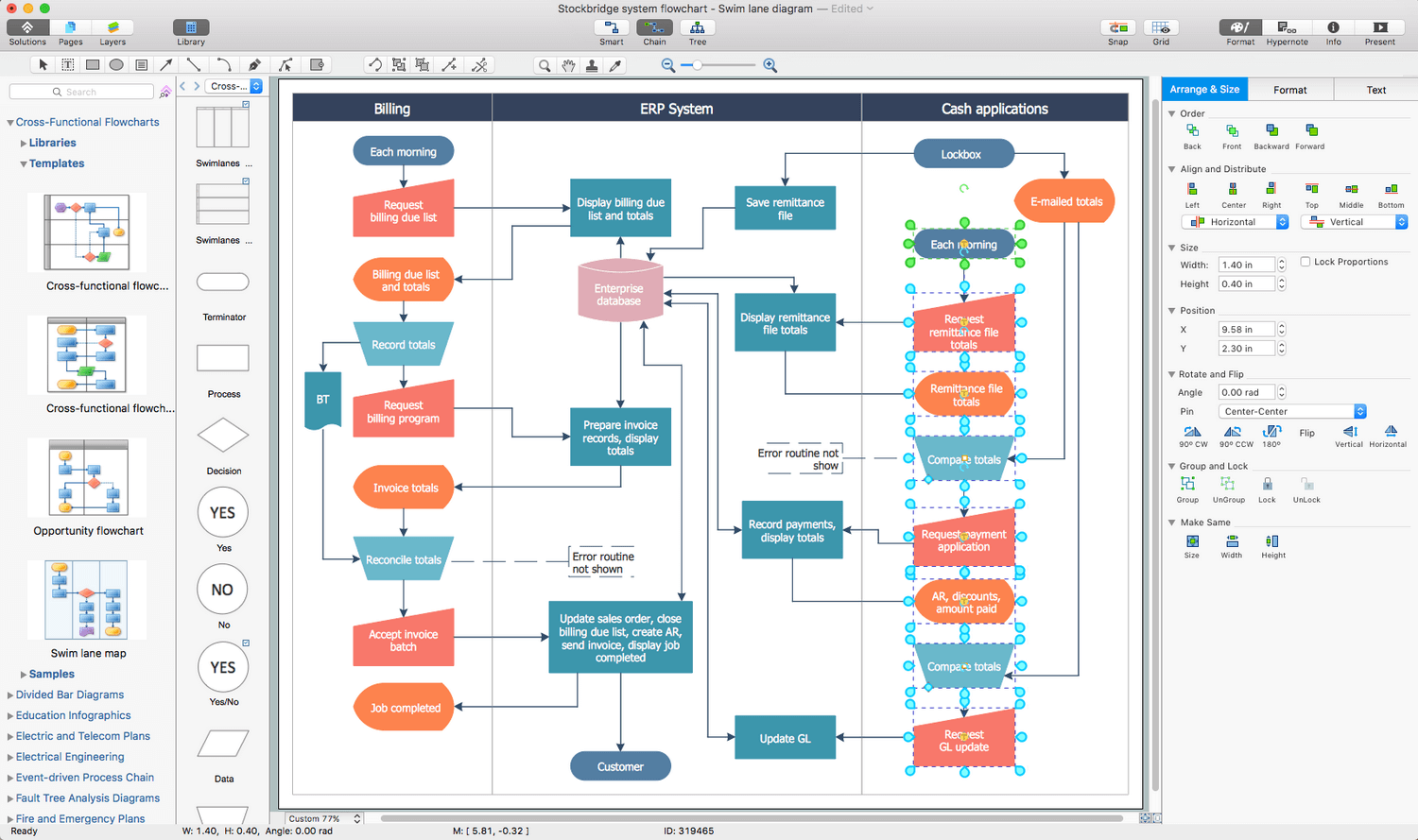
Picture: Process Flowchart: A Step-by-Step Comprehensive Guide
Related Solution:
The UML diagram is a powerful tool which lets visually represent all system's components, the interactions between them and relationships with external user interface.
The Rapid UML solution for ConceptDraw DIAGRAM software offers diversity of UML flowchart symbols for drawing all types of UML diagrams.
Picture: UML Flowchart Symbols
Related Solution:
While creating flowcharts and process flow diagrams, you should use special objects to define different statements, so anyone aware of flowcharts can get your scheme right. There is a short and an extended list of basic flowchart symbols and their meaning. Basic flowchart symbols include terminator objects, rectangles for describing steps of a process, diamonds representing appearing conditions and questions and parallelograms to show incoming data.
This diagram gives a general review of the standard symbols that are used when creating flowcharts and process flow diagrams. The practice of using a set of standard flowchart symbols was admitted in order to make flowcharts and other process flow diagrams created by any person properly understandable by other people. The flowchart symbols depict different kinds of actions and phases in a process. The sequence of the actions, and the relationships between them are shown by special lines and arrows. There are a large number of flowchart symbols. Which of them can be used in the particular diagram depends on its type. For instance, some symbols used in data flow diagrams usually are not used in the process flowcharts. Business process system use exactly these flowchart symbols.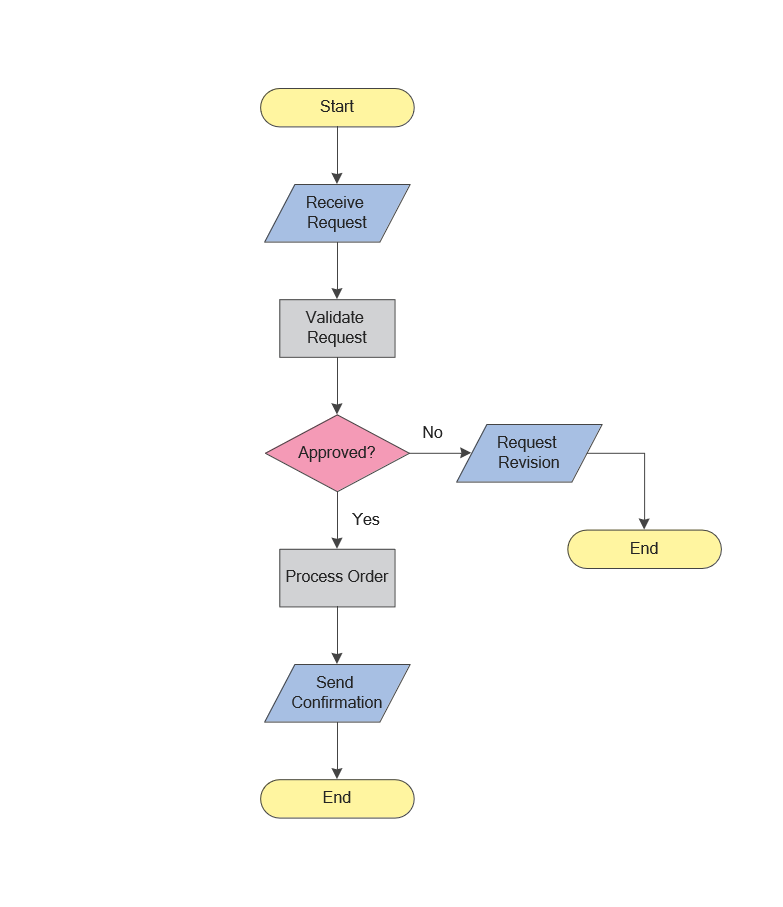
Picture: Flowchart Symbols: Meaning and Examples
Related Solution:
The Total Quality Management Diagram solution helps you and your organization visualize business and industrial processes. Create Total Quality Management diagrams for business process with ConceptDraw software.
Picture: Organizational Structure Total Quality Management
Related Solution:
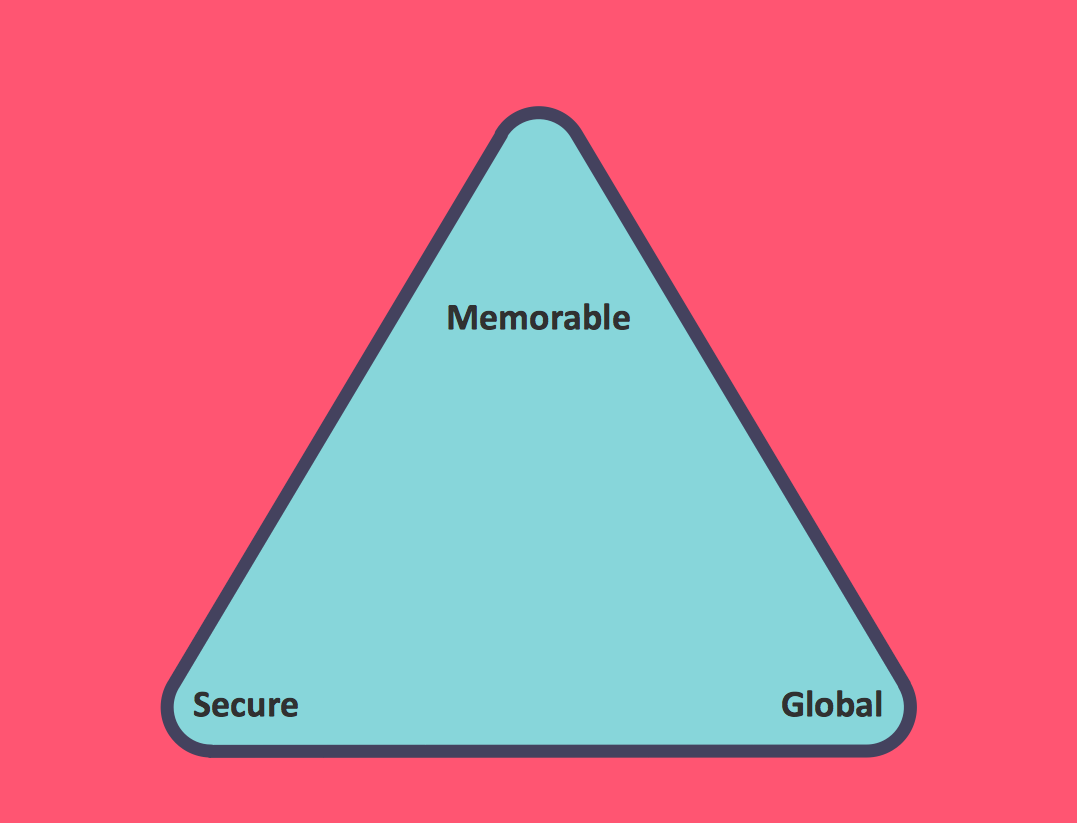 Zooko Triangle Diagram
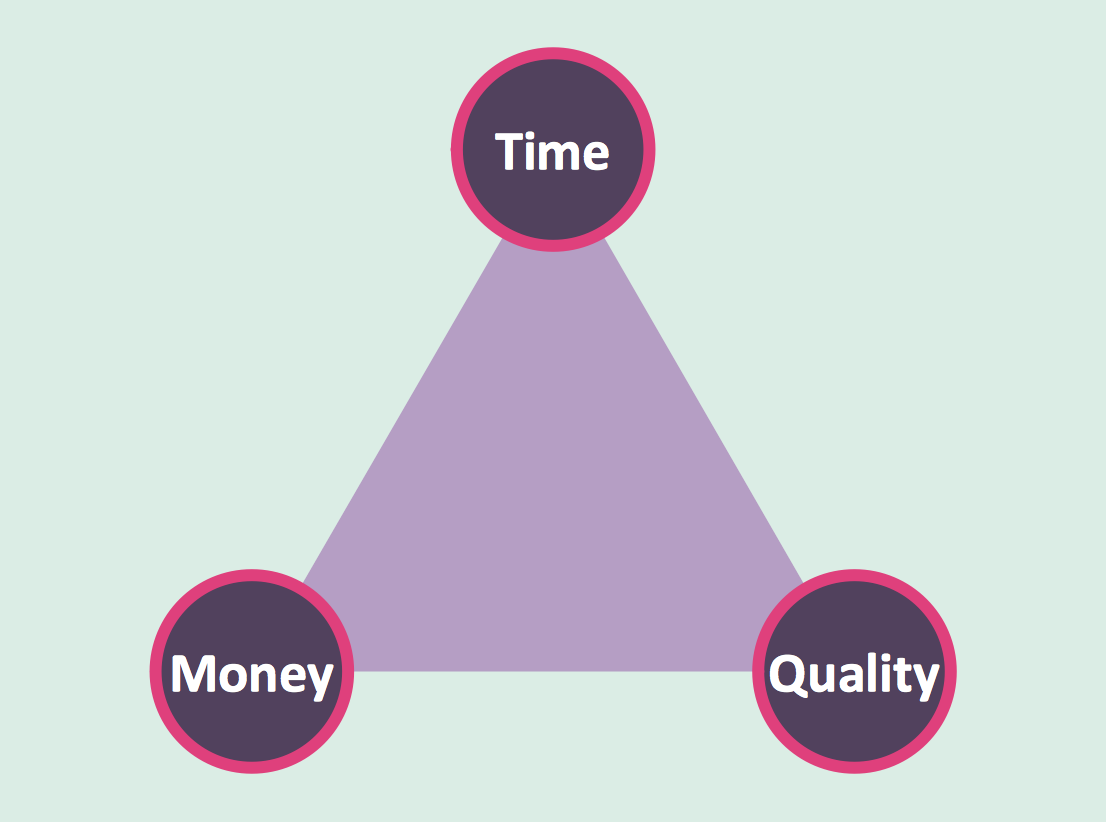 Time, Quality, Money Triangle Diagram