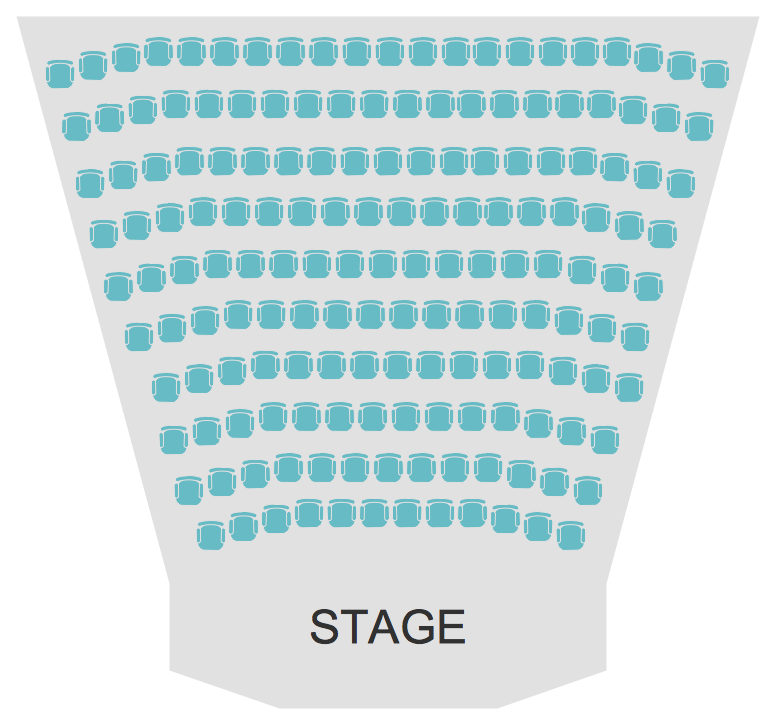
Example 1. Seating Arrangements - Theater Seating Plan
Seating Plans Solution offers the Seat Blocks library with 18 vector shapes of seatings and seating arrangements. These ready-to-use vector objects and predesigned samples from the Seating Plans Solution are the real help in self-dependent designing.
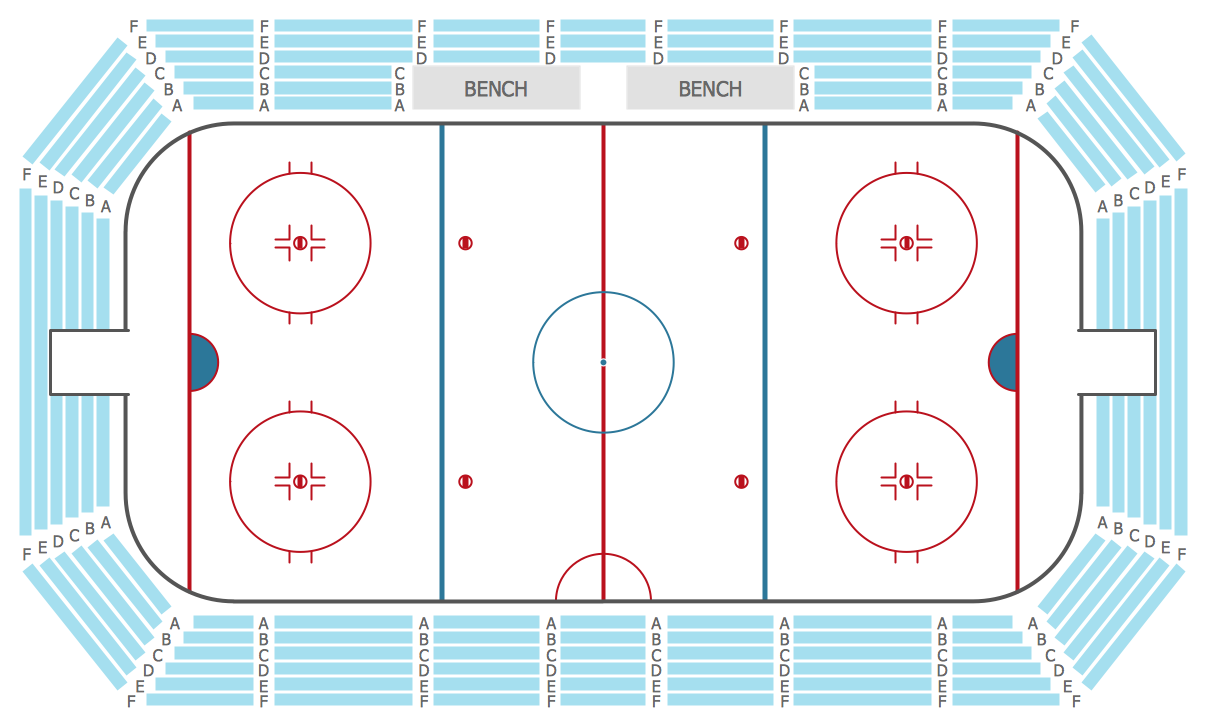
Example 2. Seating Arrangements - Stadium Seating Plan
Look also at the samples included in Seating Plans Solution and offered by ConceptDraw STORE. Some of them are presented on this page. How professional looking, bright and attractive they are.
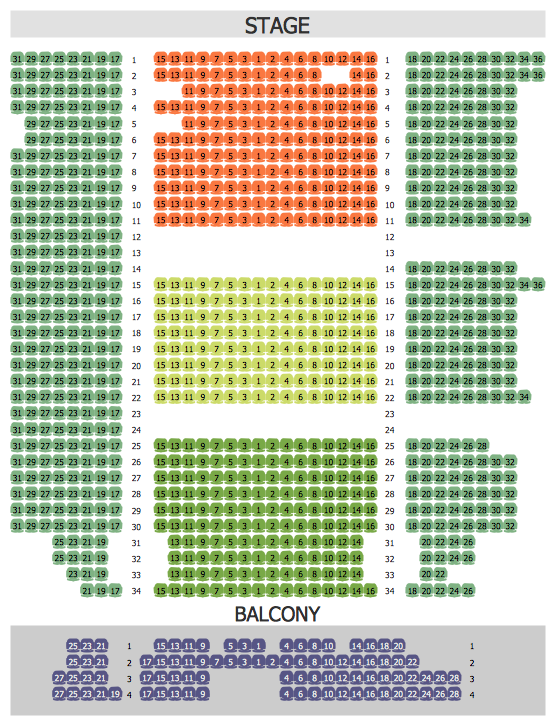
Example 3. Seating Arrangements - Philharmonic Hall Seating Plan
The seating arrangements you see on this page were created in ConceptDraw DIAGRAM using the Seating Plans Solution for ConceptDraw DIAGRAM These samples successfully demonstrate solution's capabilities and professional results you can achieve. An experienced user spent 5 minutes creating every of them.
All source documents are vector graphic documents. They are available for reviewing, modifying, or converting to a variety of formats (PDF file, MS PowerPoint, MS Visio, and many other graphic formats) from the ConceptDraw STORE. The Seating Plans Solution is available for all ConceptDraw DIAGRAM or later users.
EIGHT RELATED HOW TO's:
ConceptDraw DIAGRAM is a powerful diagramming and vector drawing software. Extended with School and Training Plans Solution from the Building Plans Area it became the best software for quick and easy designing various School Floor Plans.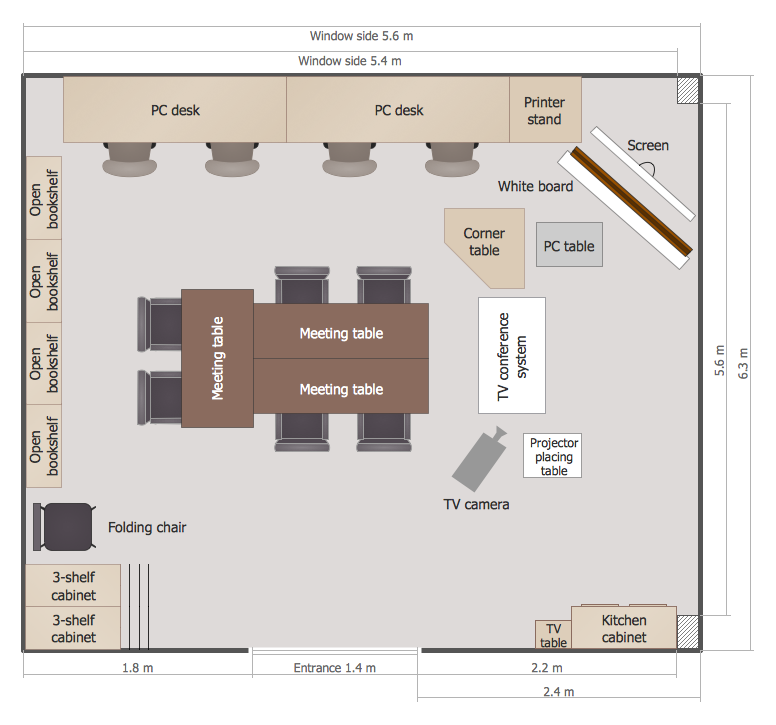
Picture: School Floor Plans
Related Solution:
Sometimes it’s quite useful to look on a problem from another view. To gain insight into an obstacle you should use SWOT analysis, and this will help you to see the whole situation. When composing a SWOT matrix, you divide your problem onto four elements - strengths, weaknesses, opportunities and threats and place them into matrix.
This sample SWOT analysis matrix of the athletic shoes producing company was designed on the base of template provided by ConceptDraw SWOT and TOWS Matrix Diagrams solution. It delivers number of easy-to-use templates and samples of SWOT and TOWS matrices for ConceptDraw DIAGRAM. Applying one of these templates, enables to quickly find out Strengths, Weaknesses, Opportunities, and Threats. After creating a list managers can consider methods the business can use to amplify strengths and to decrease weaknesses; realize opportunities; and avoid threats.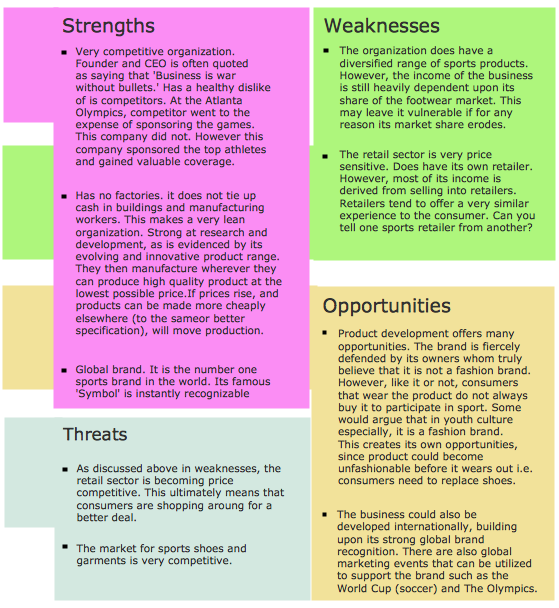
Picture: SWOT Analysis
Related Solution:
ConceptDraw DIAGRAM diagramming and vector drawing software provides the unique Flowcharts Solution from the Diagrams Area of ConceptDraw Solution Park with variety of vector objects libraries and collection of examples Flowchart. Each example flowchart included in Flowcharts solution is a real help in drawing process, it can be the good base or perfect source of inspiration.
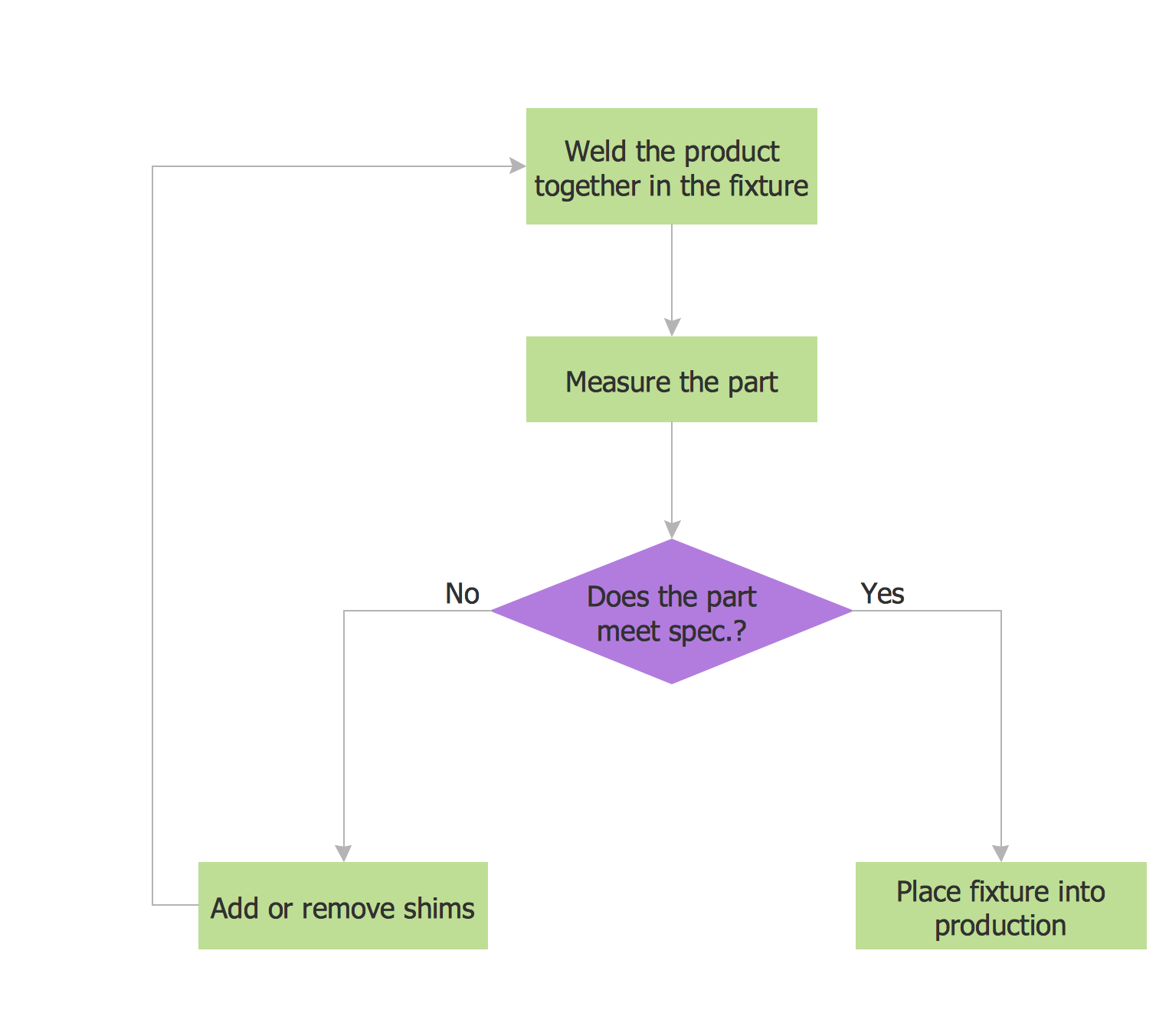
Picture: Examples Flowchart
Related Solution:
Cafe Decor is one of the most important components of cafe design. Just thanks to the cafe decor elements is created the unique warm atmosphere of the cafe which makes you come back there again and again. ConceptDraw DIAGRAM extended with Cafe and Restaurant Floor Plan solution can help you create Cafe Decor designs simply and fast.
Picture: Cafe Decor
Related Solution:
ConceptDraw DIAGRAM diagramming and vector drawing software extended with Seating Plans solution from the Building Plans area of ConceptDraw Solution Park is the best for quick and easy drawing the seating arrangement plans.
Picture: Seating Arrangement
Related Solution:
Large crowds need a lot of planning for; keep areas and events organized by creating a seating plan. Be the first to know when it is standing room only!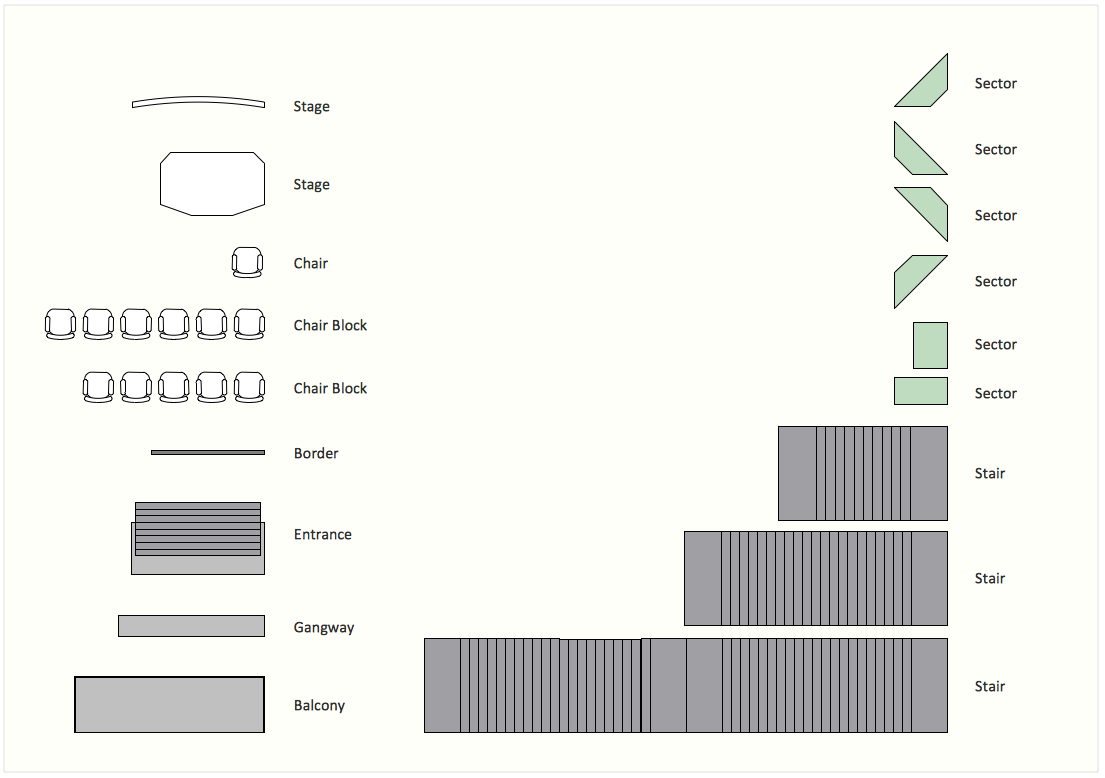
Picture: Interior Design. Seating Plan — Design Elements
Related Solution:
Seating chart developing is necessity for constructing and building the cinemas, theaters, banquet halls, auditoriums, and other premises for accommodation a large number of people. Seating chart template can help you design professional looking seating plan. ConceptDraw DIAGRAM diagramming and vector drawing software recommends you to use the Seating Plans solution from the Building Plans area for designing the seating charts.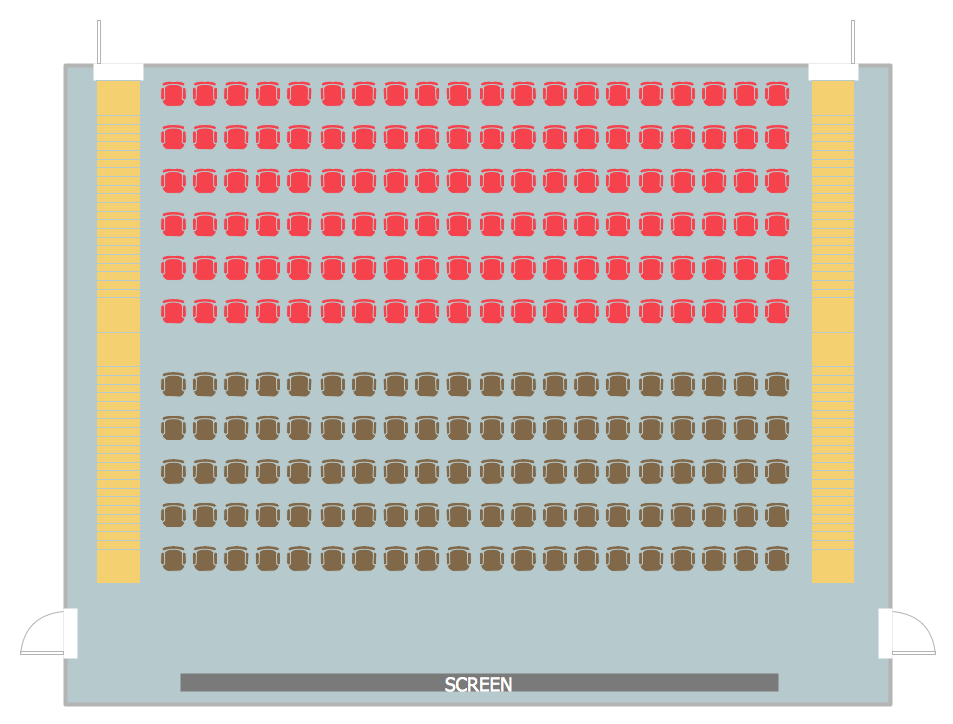
Picture: Seating Chart Template
Related Solution:
Food courts are one of the most rapidly developing areas of the restaurant business. ConceptDraw DIAGRAM diagramming and vector drawing software offers a Food Court solution from the Food and Beverage area with wide capabilities for planning, design, developing and advertising of a Food Court.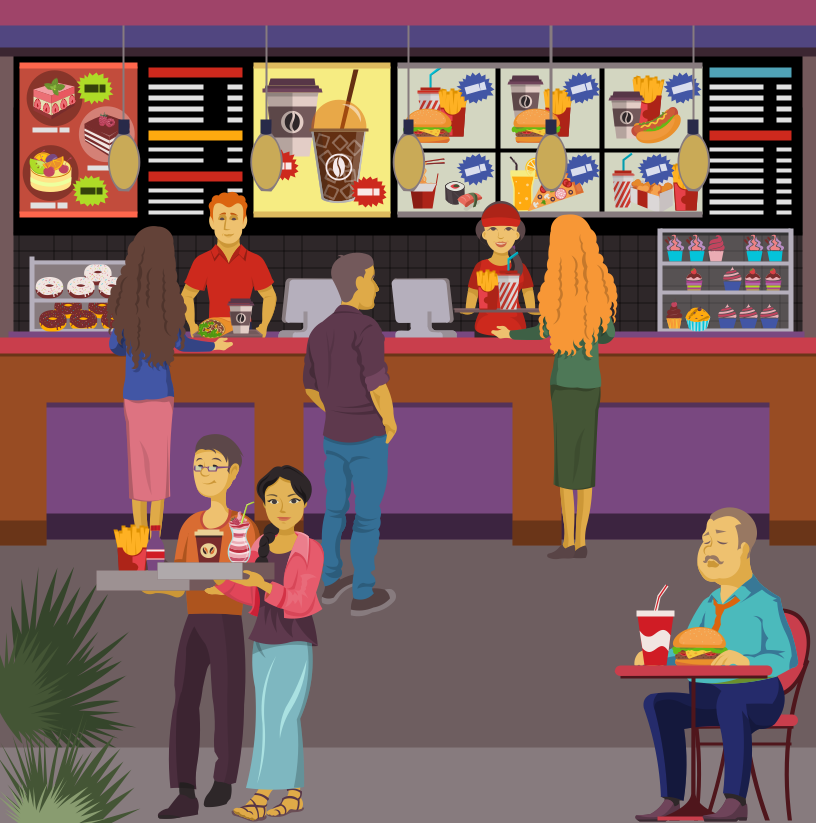
Picture: Food Court
Related Solution:
