Made with
ConceptDraw
DIAGRAM 18

UML Class Diagram. Design Elements

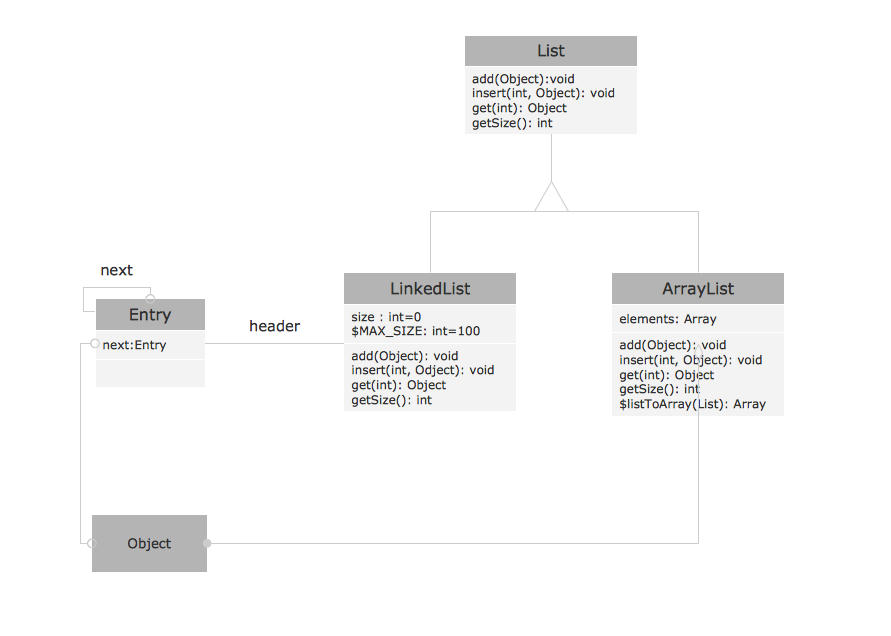
UML Class Diagram is a type of Structure Diagrams that shows the classes of a system, attributes, operations, and the relationships between them.

Class Diagram is one of important types of UML Diagrams. UML Class Diagrams are used for static modeling of the system, for data modeling, for conceptual modeling of the application, and for modeling of the system dictionary.

On the Class Diagram, Classes are represented as boxes that consist of three parts: name, attributes of the class, and operations or methods.

Use the following notations to set the visibility of a class member: Public (+), Private (-),
Protected (#), Derived (/), Static (_), Package (~). Notation must be placed before the name of class member.

There are a few types of associations between objects and classes on the Class Diagrams.

Bi-directional associations are represented by a line between two classes, it is default connection between classes.

Uni-directional associations are represented as the unbroken lines with an open arrowhead.

Aggregation is an association with the relation between the whole and its parts, and is represented as empty diamond on the Class Diagram.

Composition is a strong variant of aggregation, represents on as filled diamond.

Generalization or inheritance is when a child object or class assumes all properties of his parent object or class, is represented as empty triangle.

There are four notations: 0..1, 1, 0..*, 1..*, that indicate the multiplicity of associations.

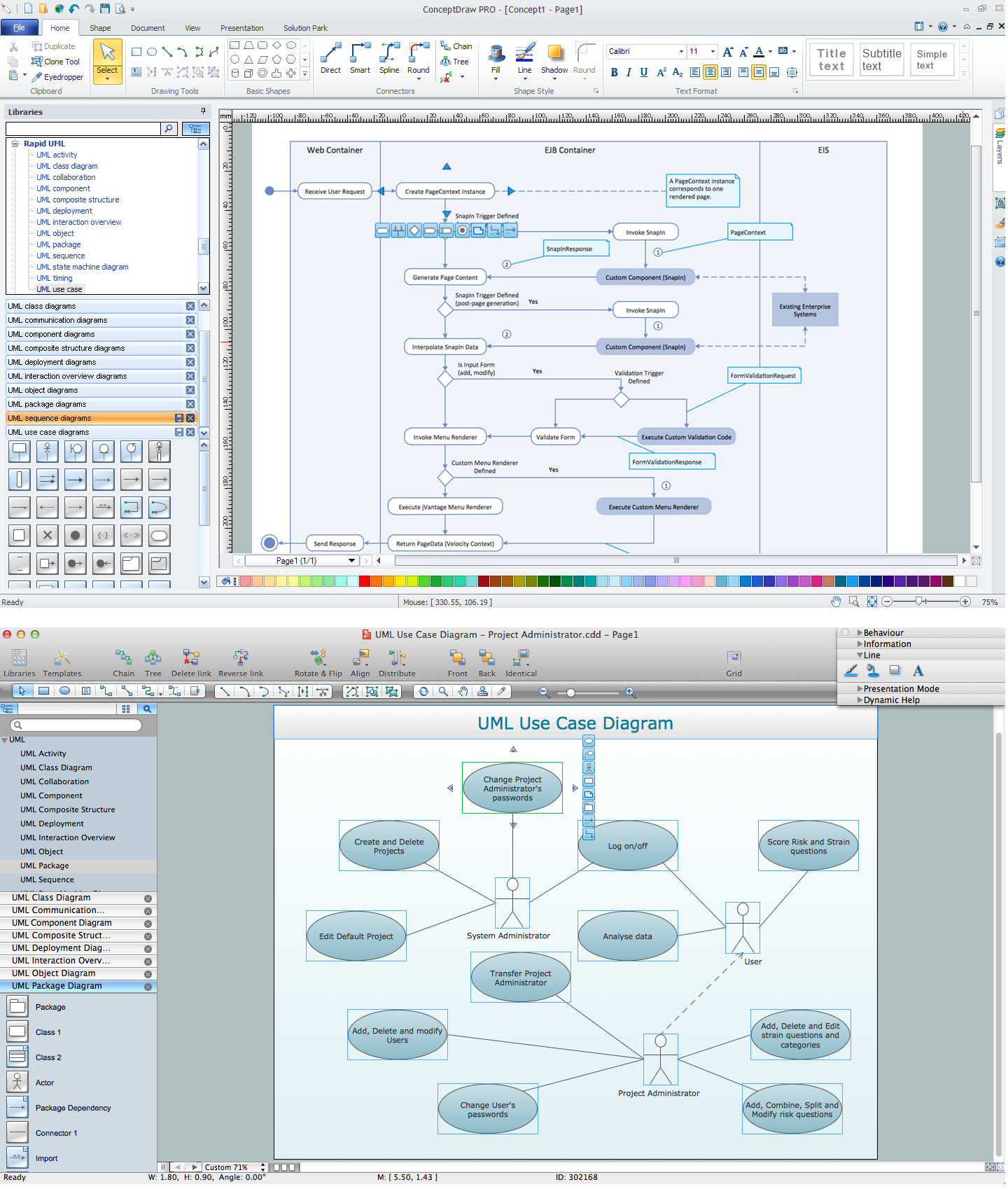
The Rapid UML Solution for ConceptDraw DIAGRAM contains 13 vector stencils libraries with 393 interactive shapes that you can use to design your UML diagrams.

To design your own Class Diagram use the UML Class Diagram library.

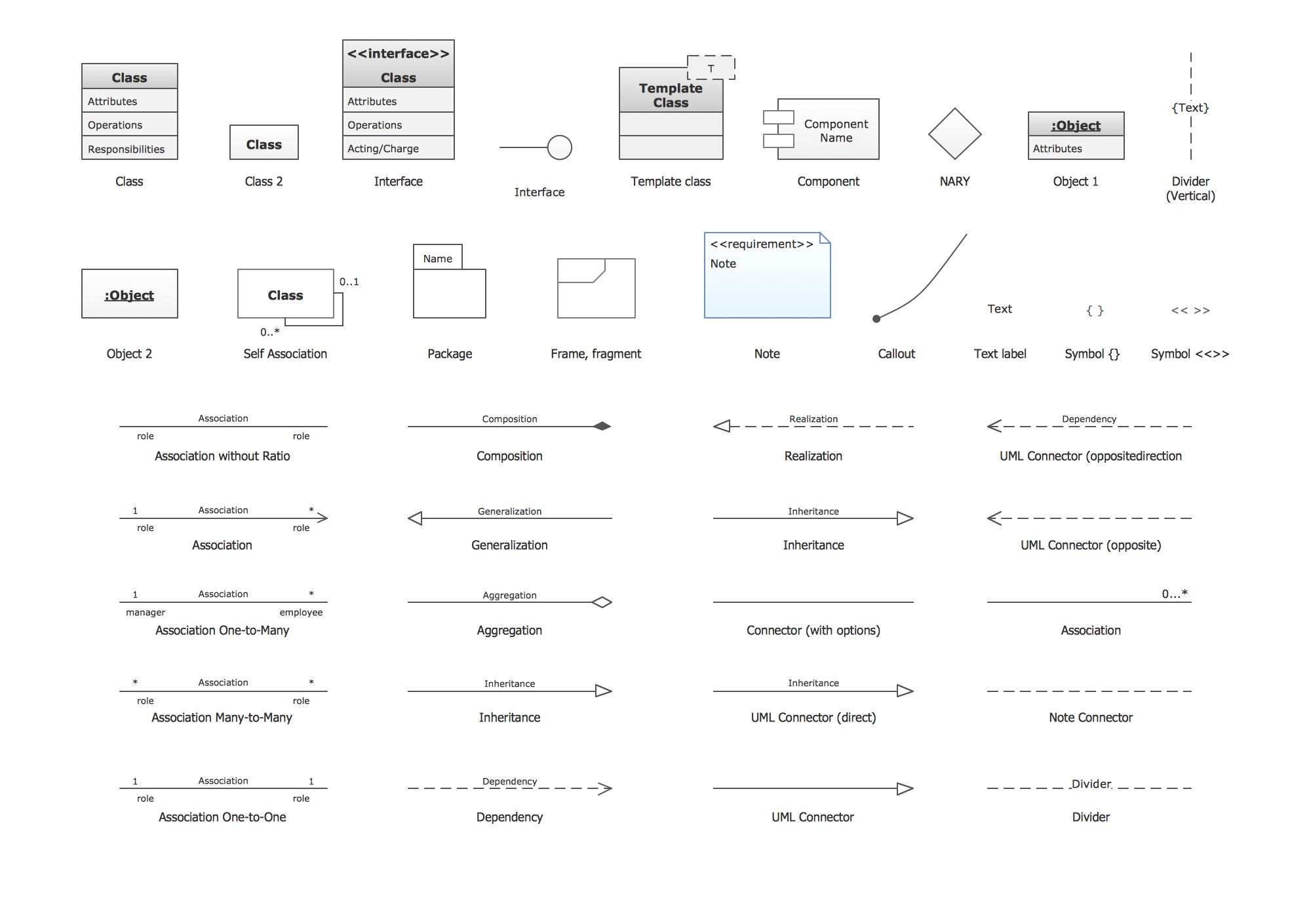
UML Class Diagram library contains 39 shapes:

  • Class
  • Class 2
  • Object 1
  • Object 2
  • Self association
  • Interface
  • Template class
  • NARY
  • Text Label
  • Symbol { }
  • Symbol << >>
  • Divider (Vertical)
  • Divider
  • Association without ratio
  • Association
  • Association One-to-Many
  • Association Many-to-Many
  • Association One-to-One
  • Inheritance
  • Composition
  • Aggregation
  • Inheritance
  • Dependency
  • Connector
  • Package
  • Frame, fragment
  • Note
  • Callout
  • Component
  • Interface 2
  • Realization
  • Generalization
  • UML Connector (Direct)
  • UML Connector
  • UML Connector (opposite)
  • UML Connector (opposite direction)
  • Association (without aggregation)
  • Note Connector

Pic.1. UML Class Diagram Library
UML Class Diagram. Design Elements *

Pic.2. UML Class Diagram Library Elements

ConceptDraw Rapid UML solution provides UML Class Diagram library of vector stencils for drawing the class diagrams using class blocks and assembly connectors.

All libraries for creating UML diagrams are available inside the ConceptDraw DIAGRAM Templates and samples are located in the Rapid UML section of ConceptDraw STORE.

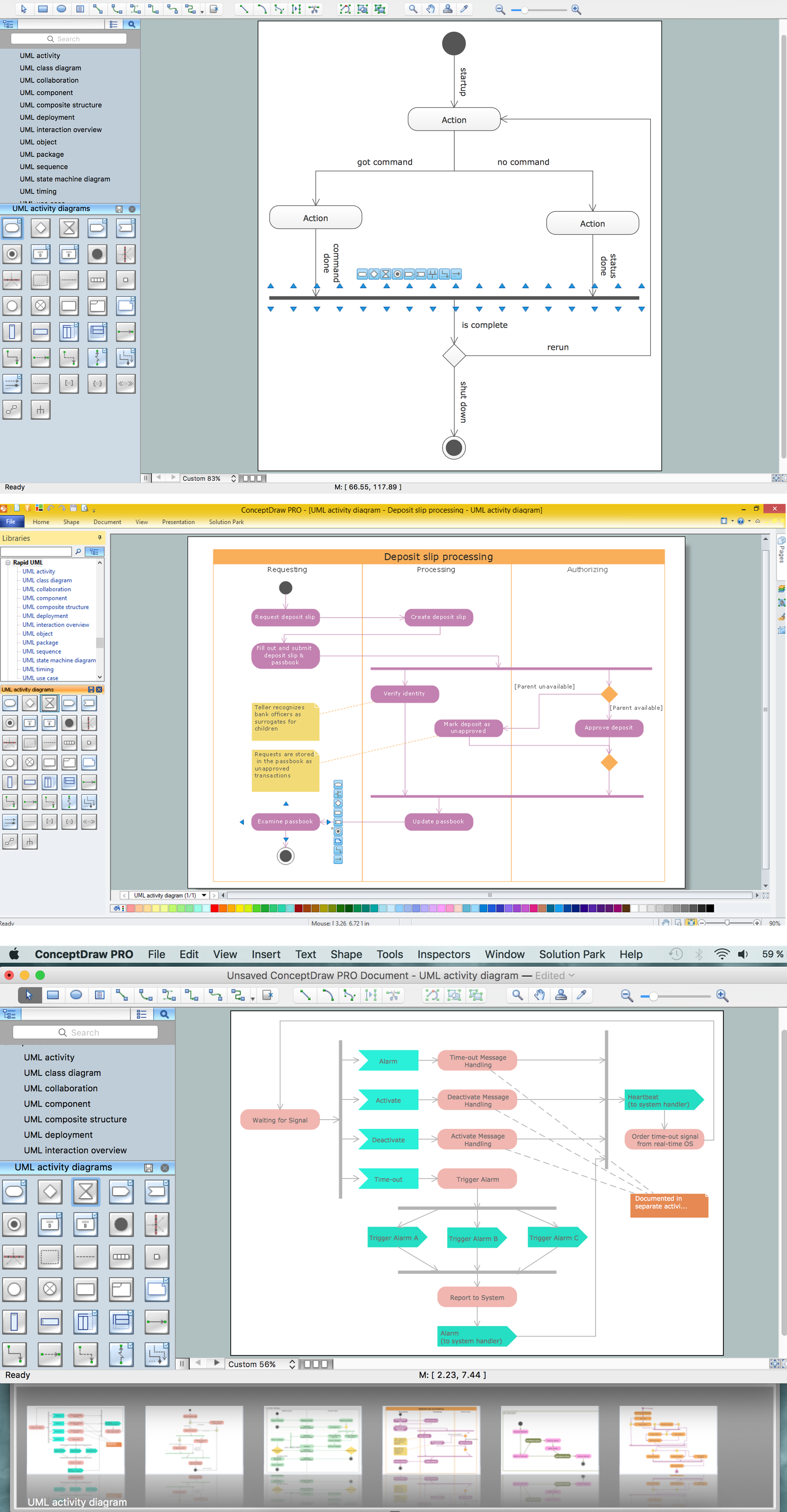
UML Diagram Solution

Pic.3. UML Diagrams solution

Use design element from the UML Class Diagram library to draw your own UML class diagrams of complex systems and software applications.

UML Class Diagram

UML Class Diagram


TEN RELATED HOW TO's:
The Venn diagram example below shows sustainable development at the confluence of three constituent parts. Create your Venn diagrams for problem solving in environmental social science using the ConceptDraw DIAGRAM software.Venn Diagram Examples for Problem Solving - Human Sustainability Confluence
Picture:
Venn Diagram Examples for Problem Solving
Environmental Social Science
Human Sustainability Confluence
Related Solution:
Garrett IA diagrams are used at development of Internet-resources, in particulars at projecting of interactions of web-resource elements. The diagram of information architecture of the web resource which is constructed correctly with necessary details presents to developers the resource in comprehensible and visual way.Garrett IA Diagrams with ConceptDraw DIAGRAM  *
Picture: Garrett IA Diagrams with ConceptDraw DIAGRAM
ConceptDraw DIAGRAM is perfect for software designers and software developers who need to draw Basic Network Diagrams.Design  Element: Basic Network<br>for Network Diagrams *
Picture: Design Element: Basic Networkfor Network Diagrams
You want design the map of Australia, maps of Australia states or surround islands, maps of Australia self governing mainland territories or extra external territories? Use the indispensable ConceptDraw DIAGRAM diagramming and vector drawing software extended with unique Australia Map Solution from the Maps Area of ConceptDraw Solution Park.Map of Australia *
Picture: Map of Australia
Related Solution:
When trying to figure out the nature of the problems occurring within a project, there are many ways to develop such understanding. One of the most common ways to document processes for further improvement is to draw a process flowchart, which depicts the activities of the process arranged in sequential order — this is business process management. ConceptDraw DIAGRAM is business process mapping software with impressive range of productivity features for business process management and classic project management. This business process management software is helpful for many purposes from different payment processes, or manufacturing processes to chemical processes. Business process mapping flowcharts helps clarify the actual workflow of different people engaged in the same process. This samples were made with ConceptDraw DIAGRAM — business process mapping software for flowcharting and used as classic visio alternative because its briefly named "visio for mac" and for windows, this sort of software named the business process management tools. This flowchart diagram shows a process flow of project management. The diagram that is presented here depicts the project life cycle that is basic for the most of project management methods. Breaking a project into phases allows to track it in the proper manner. Through separation on phases, the total workflow of a project is divided into some foreseeable components, thus making it easier to follow the project status. A project life cycle commonly includes: initiation, definition, design, development and implementation phases. Distinguished method to show parallel and interdependent processes, as well as project life cycle relationships. A flowchart diagram is often used as visual guide to project. For instance, it used by marketing project management software for visualizing stages of marketing activities or as project management workflow tools. Created with ConceptDraw DIAGRAM — business process mapping software which is flowcharting visio alternative or shortly its visio for mac, this sort of software platform often named the business process management tools.Process Flowchart
Picture: Process Flowchart: A Step-by-Step Comprehensive Guide
Related Solution:
When you need a drawing software to create a professional looking cross-functional charts, ConceptDraw with its Arrows10 Technology - is more than enough versatility to draw any type of diagram with any degree of complexity. Use templates with process maps, diagrams, charts to get the drawing in minutes.Cross-Functional Process Map Template *
Picture: Cross-Functional Process Map Template
You need design the Functional Block Diagram and dream to find the useful tools to draw it easier, quickly and effectively? ConceptDraw DIAGRAM offers the Block Diagrams Solution from the Diagrams Area which will help you!Functional Block Diagram *
Picture: Functional Block Diagram
Related Solution:
SIPOC is a tool that summarizes the inputs and outputs of one or more processes in table form. You need to draw professional looking SIPOC Diagram quick and easy? Pay please your attention on ConceptDraw DIAGRAM diagramming and vector drawing software. Extended with Business Process Mapping Solution from the Business Processes Area of ConceptDraw Solution Park, it suits ideal for this.SIPOC Diagram *
Picture: SIPOC Diagram
Related Solution:
Unified Modeling Language (UML) is a graphical modeling language for describing, visualizing, projecting and documenting of object oriented systems. UML digram is used for modeling of organizations and their business processes, for development the big projects, the complex software applications. Comprehensive UML diagram allows to create the set of interrelated documents that gives the complete visual representation of the modeling system.UML Sample Project *
Picture: UML Sample Project
Related Solution:
Working with disordered network data can be quite exhausting. Sometimes it's necessary to find a network diagramming software to design Cisco network diagrams that would be easy to use and would be able to export diagrams to various graphic formats. ConceptDraw DIAGRAM is a great diagramming tool that is able to perform all these tasks easily. This vector library represents a set of 26 objects depicting the manufacturer - standard equipment of Cisco switches and hubs. This is only a small part of the vector graphic objects of Cisco equipment that comprise the Cisco Network Diagrams solution. In full the ConceptDraw Cisco Network Diagrams solution has 15 libraries, containing more then 500 objects to create a Cisco network diagrams. They can be used by IT specialists and corporative IT divisions, system and network administrators to make the visual documentation of Cisco networks topology.Cisco Network Diagrams
Picture: Network Diagramming Software for Design. Cisco Network Diagrams
Related Solution:
ConceptDraw
DIAGRAM 18