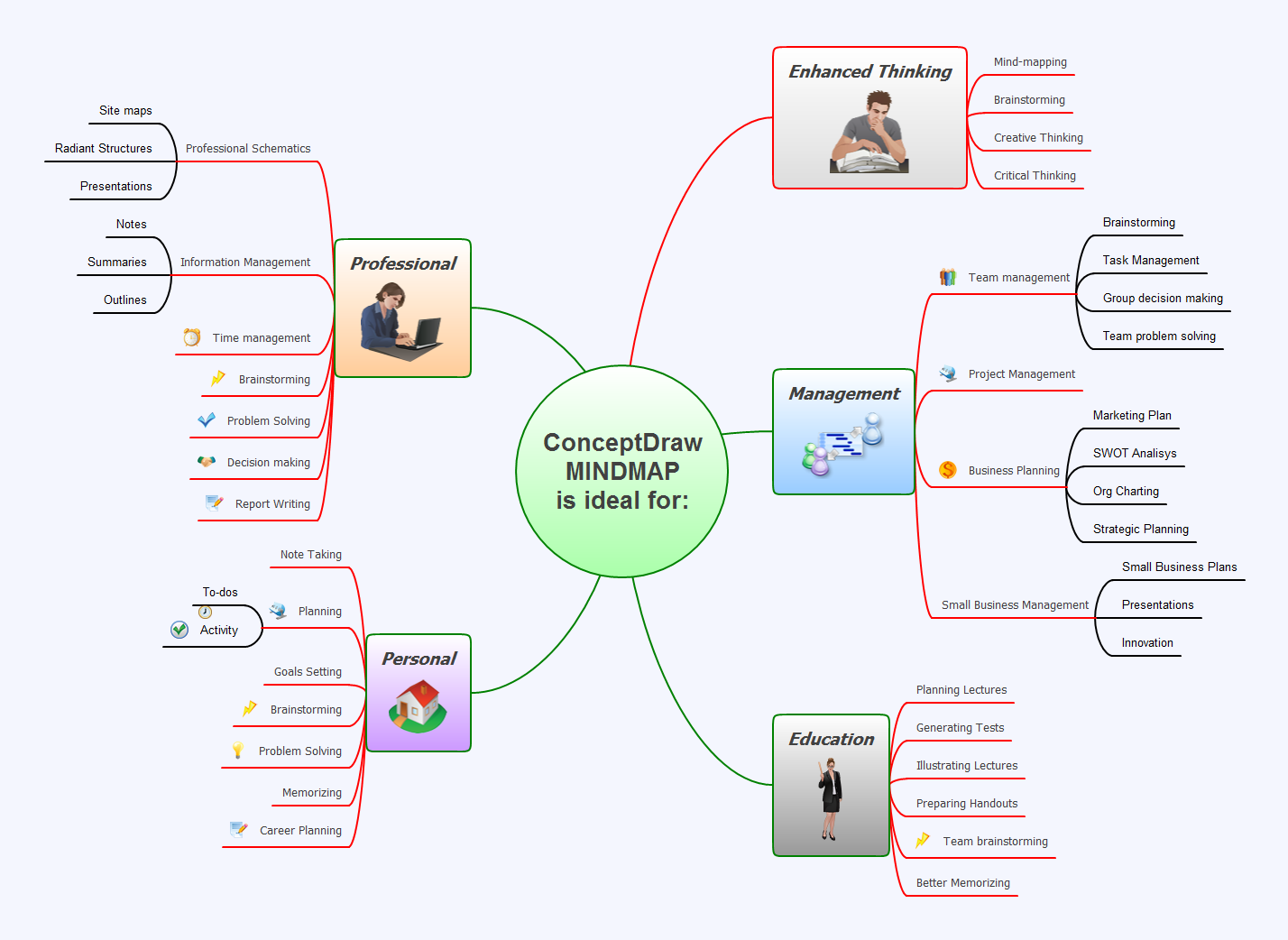
Now ConceptDraw MINDMAP users and FreeMind users can freely exchange their mind maps using the new Mind Map Exchange solution available in Solution Park. Watch this video for more detailed instructions on how to import mind maps from FreeMind into MINDMAP.
ConceptDraw MINDMAP is great for breaking through barriers in your workflow. Its intuitive thought organization abilities jumpstart stagnant processes and provide a platform for bursts of creativity that launch stalled projects to new heights. In the continued spirit of breaking down barriers, CS Odessa brings you Mind Map Exchange Phase.
ConceptDraw MINDMAP has impressive import and export capabilities includes following formats:
OPML
Mindjet™ MindManager™
Microsoft™ Office products:
PowerPoint™
Project™
Word™
FreeMind (import only)
XMind (import only)
Pic.1. Mind Map Exchange
If your mind mapping product is not listed, check and see what its import and export capabilities are. There is a good chance it shares a common format(s) with ConceptDraw MINDMAP Future phases of Mind Map Exchange will continue to expand ConceptDraw MINDMAP ’s capabilities. Let us know what your requirements are! Our customers’ feedback is vital to our success.
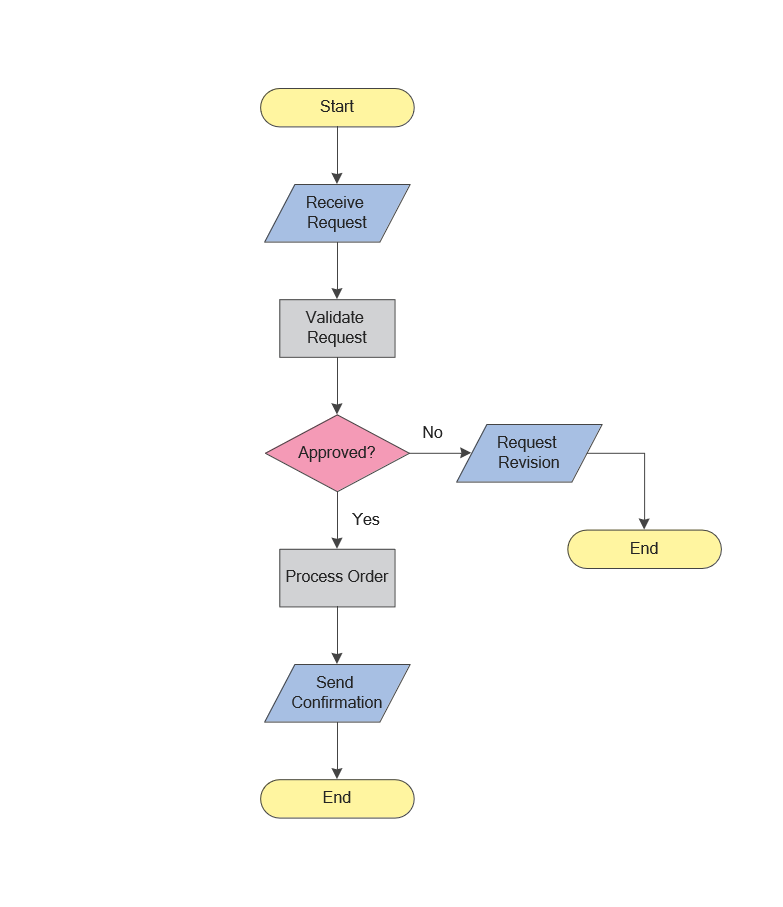
While creating flowcharts and process flow diagrams, you should use special objects to define different statements, so anyone aware of flowcharts can get your scheme right. There is a short and an extended list of basic flowchart symbols and their meaning. Basic flowchart symbols include terminator objects, rectangles for describing steps of a process, diamonds representing appearing conditions and questions and parallelograms to show incoming data.
This diagram gives a general review of the standard symbols that are used when creating flowcharts and process flow diagrams. The practice of using a set of standard flowchart symbols was admitted in order to make flowcharts and other process flow diagrams created by any person properly understandable by other people. The flowchart symbols depict different kinds of actions and phases in a process. The sequence of the actions, and the relationships between them are shown by special lines and arrows. There are a large number of flowchart symbols. Which of them can be used in the particular diagram depends on its type. For instance, some symbols used in data flow diagrams usually are not used in the process flowcharts. Business process system use exactly these flowchart symbols.
The power, economy, and versatility of ConceptDraw MINDMAP takes personnel and team productivity to another level. Discover today what this means to you.
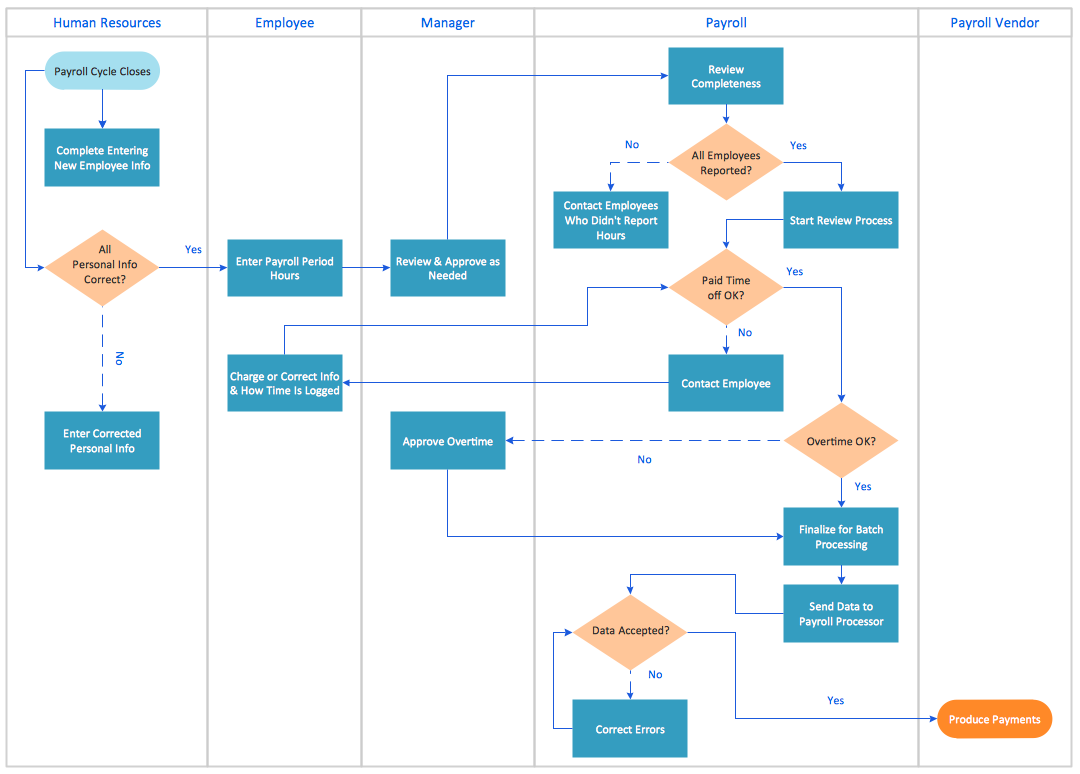
When you need a drawing software to create a professional looking cross-functional charts, ConceptDraw with its Arrows10 Technology - is more than enough versatility to draw any type of diagram with any degree of complexity.
Use templates with process maps, diagrams, charts to get the drawing in minutes.
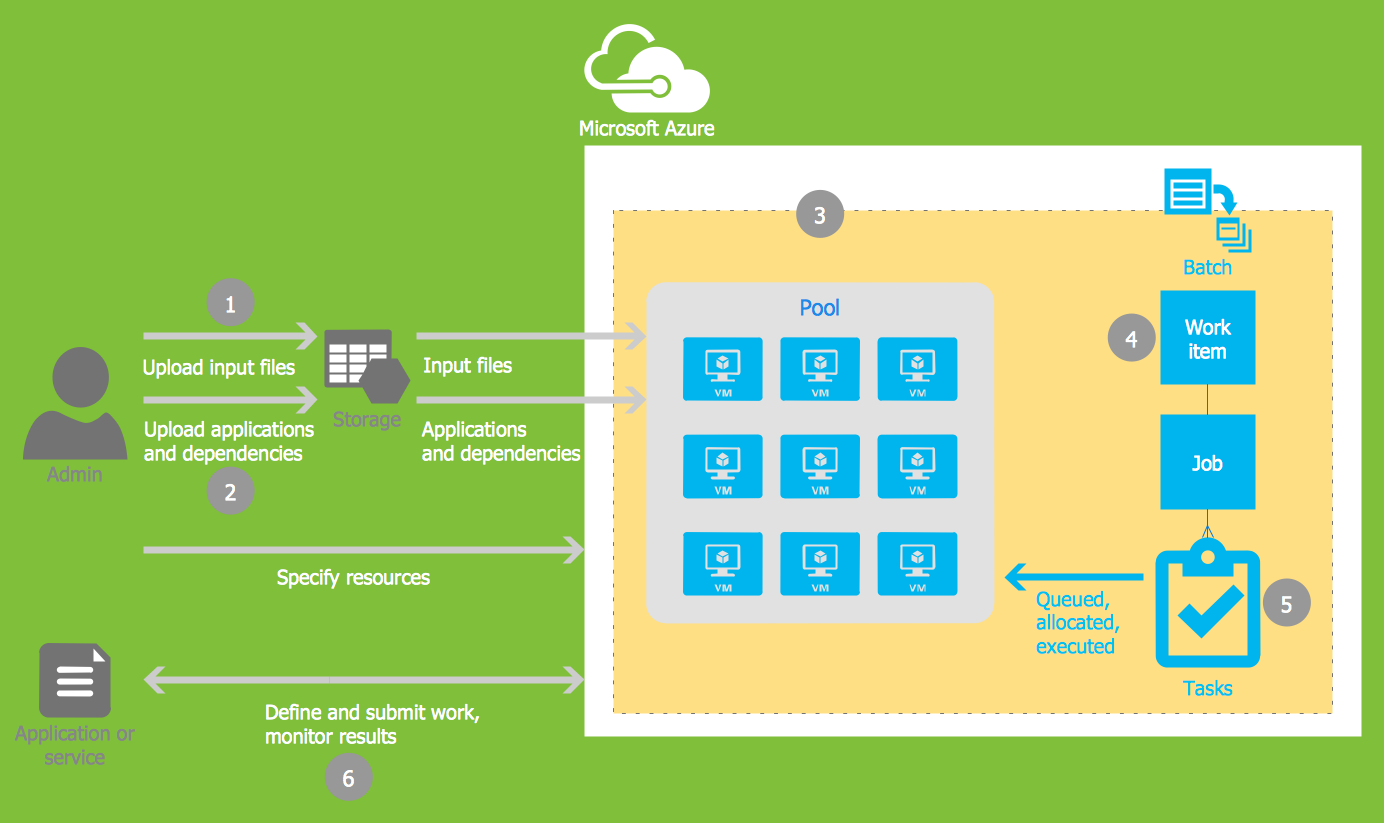
Microsoft Azure is widely used cloud platform which was created by Microsoft and now is managed by Microsoft datacenters in 19 regions of the world, and has a wide set of benefits and features.
ConceptDraw DIAGRAM diagramming and vector drawing software extended with Azure Architecture Solution from the Computer and Networks area of ConceptDraw Solution Park is the best for designing various pictorial infographics, illustrations and materials showing the possibilities and work of Microsoft Azure Cloud System and Azure services.
Taking notes is now very easy with Evernote Solution for MindMap. Add more value to your mind map using Evernote. That's a great tool for learning. Quick access to notes.
Picture: Take Notes Exchanging Mind Maps with Evernote