Example 1. Geospatial Data
Spatial Infographics Solution provides a set of different examples, templates and samples, and 9 libraries with incredibly large quantity of predesigned vector shapes which can be used for fast and easy presenting various spatial data and geospatial data:
- Africa Library
- Asia Library
- Australia Library
- Europe Library
- Latin America Library
- North America Library
- Landmarks LaLibrary
- Map Symbols Library
- Transport Map Library
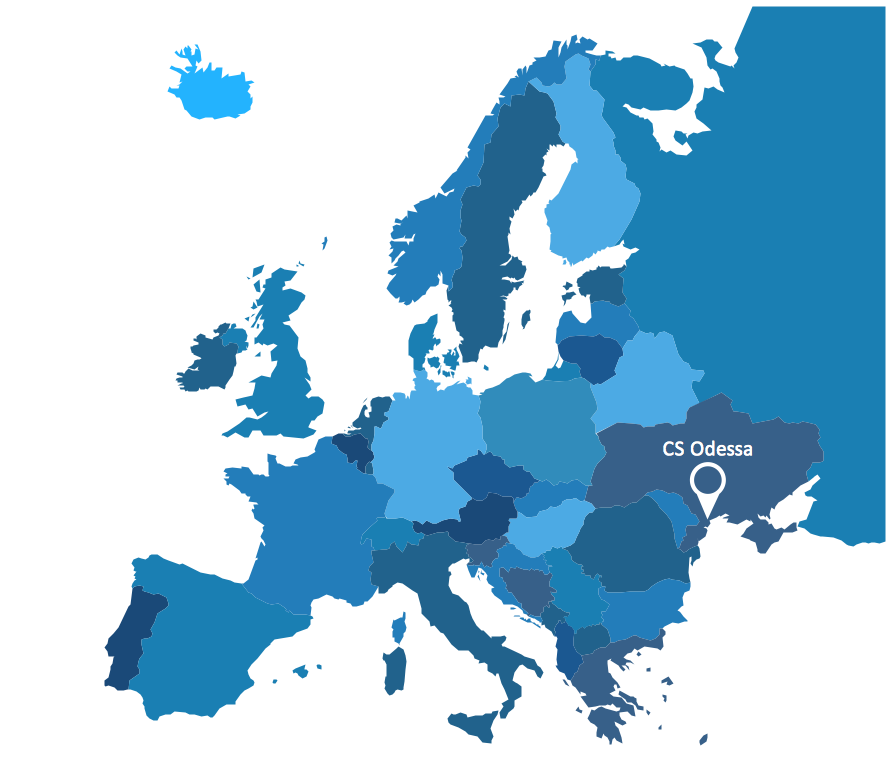
.png "Spatial Infographics Solution Design Elements - Continental Map")
Example 2. Spatial Infographics Solution Design Elements - Continental Map
Spatial Infographics solution offers also a huge collection of predesigned templates and samples. You can find them easily in ConceptDraw STORE.
All samples and templates are available for changing and further successful using. Use of ready sample or template as the base is the simplest way of drawing professional looking spatial infographics.
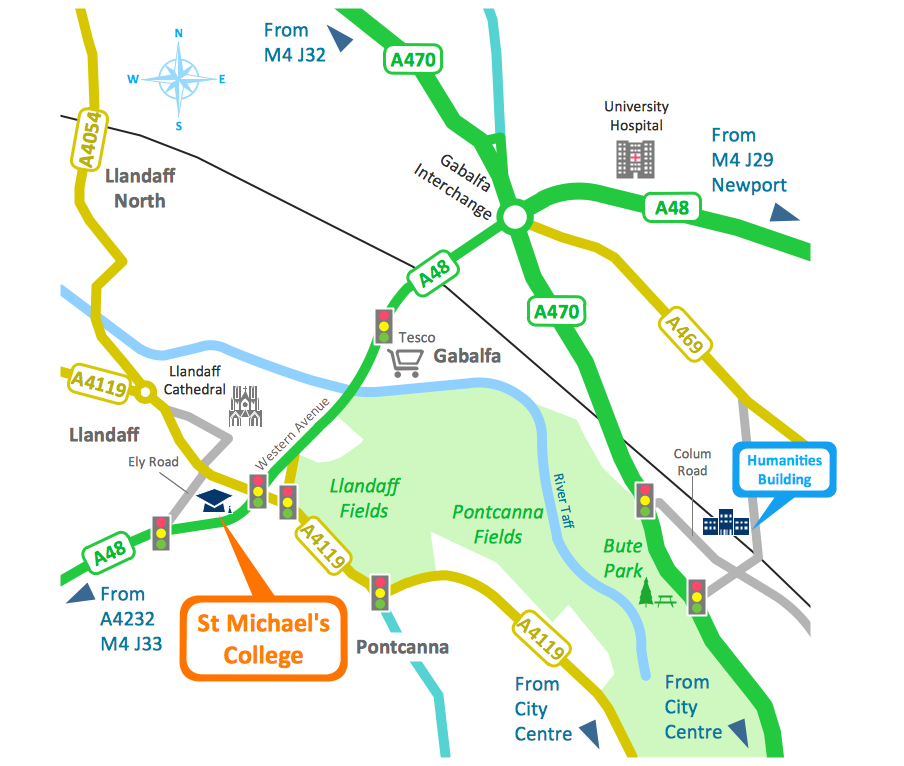
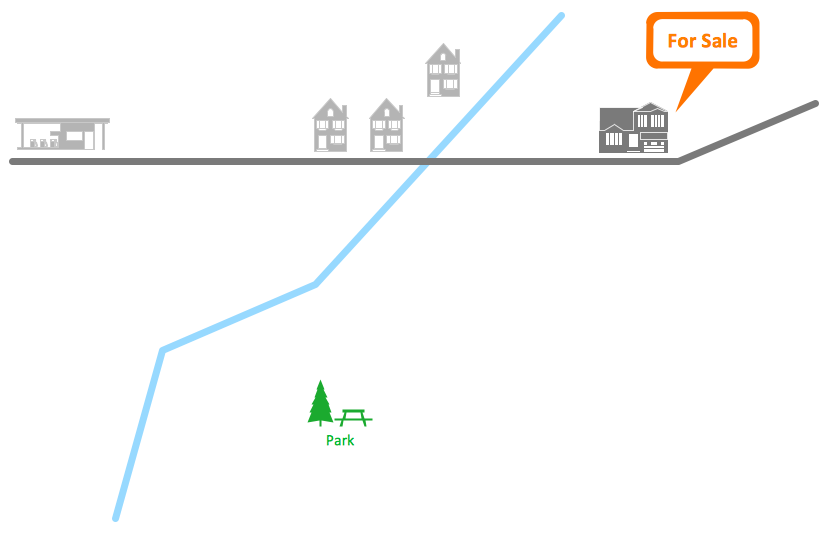
Example 3. Spatial Infographics - Conference Centre Location Map
This sample was created in ConceptDraw DIAGRAM software using the Spatial Infographics Solution and shows the detailed map of location of the Conference Centre. An experienced user spent 1 hour creating this sample.
Use the Spatial Infographics Solution for ConceptDraw DIAGRAM for quick, easy and effective representing various geospatial data.
All source documents are vector graphic documents. They are available for reviewing, modifying, or converting to a variety of formats (PDF file, MS PowerPoint, MS Visio, and many other graphic formats) from the ConceptDraw STORE. The Spatial Infographics Solution is available for all ConceptDraw DIAGRAM or later users.
FIVE RELATED HOW TO's:
SWOT analysis is an effective method of business planning, the question is how to do it. The most obvious way is to make a SWOT analysis in a Word document, which is not very convenient. Luckily, you can use software like ConceptDraw DIAGRAM that has features and templates made especially for SWOT analyzing.
A SWOT Analysis is a manager's means of the strategic planning. It is used to define and classify considerable internal moments (strengths and weaknesses) and external forces (opportunities and threats) a business faces. You can use ConceptDraw MINDMAP to determine and organize factors utilized for SWOT analysis, and represent them in the SWOT matrix using ConceptDraw DIAGRAM. Using mind maps empowers you to explore and rank a lot of data engaged for SWOT analysis as well as recognize the relations between various pieces of information.
Picture: How to Make SWOT Analysis in a Word Document
Related Solution:
How should diagramming software work? Is it possible to develop a diagram as quickly as the ideas come to you? The innovative ConceptDraw Smart Connectors Technology - This is more than enough versatility to draw any type of diagram with any degree of complexity.
Connection points are necessary for diagramming network, flowchart and organizational charts. In ConceptDraw you connect shapes by attaching, or snapping and gluing, connectors to shape connection points.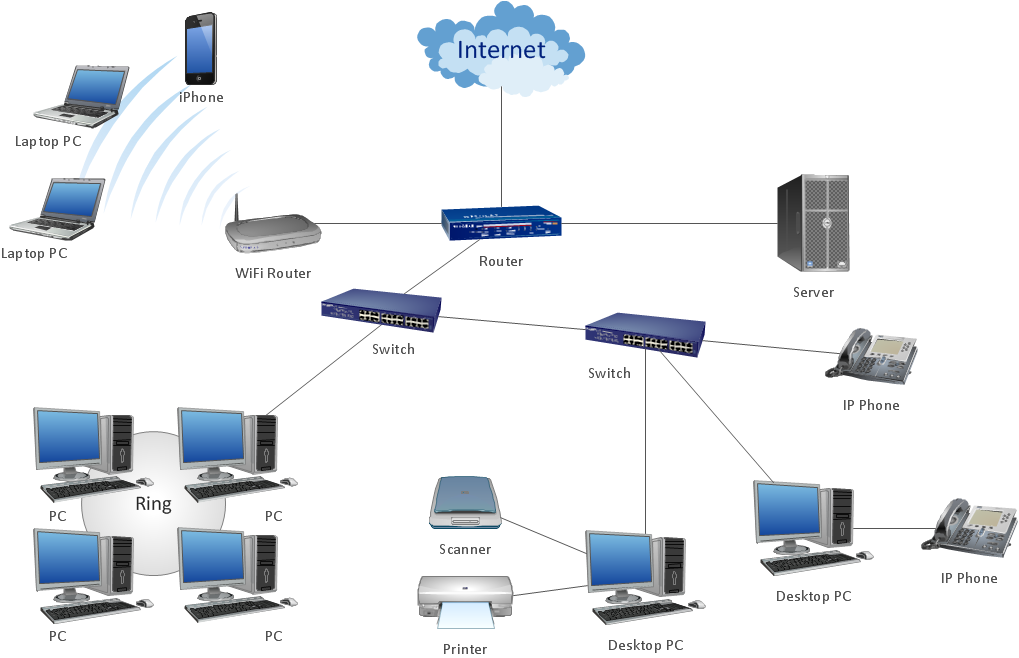
Picture: ConceptDraw Arrows10 Technology
ConceptDraw DIAGRAM diagramming and vector drawing software extended with Flowcharts Solution from the 'Diagrams' area of ConceptDraw Solution Park is a powerful tool for drawing Flow Charts of any complexity you need. Irrespective of whether you want to draw a Simple Flow Chart or large complex Flow Diagram, you estimate to do it without efforts thanks to the extensive drawing tools of Flowcharts solution, there are professional flowchart symbols and basic flowchart symbols. This sample shows the Gravitational Search Algorithm (GSA) that is the optimization algorithm.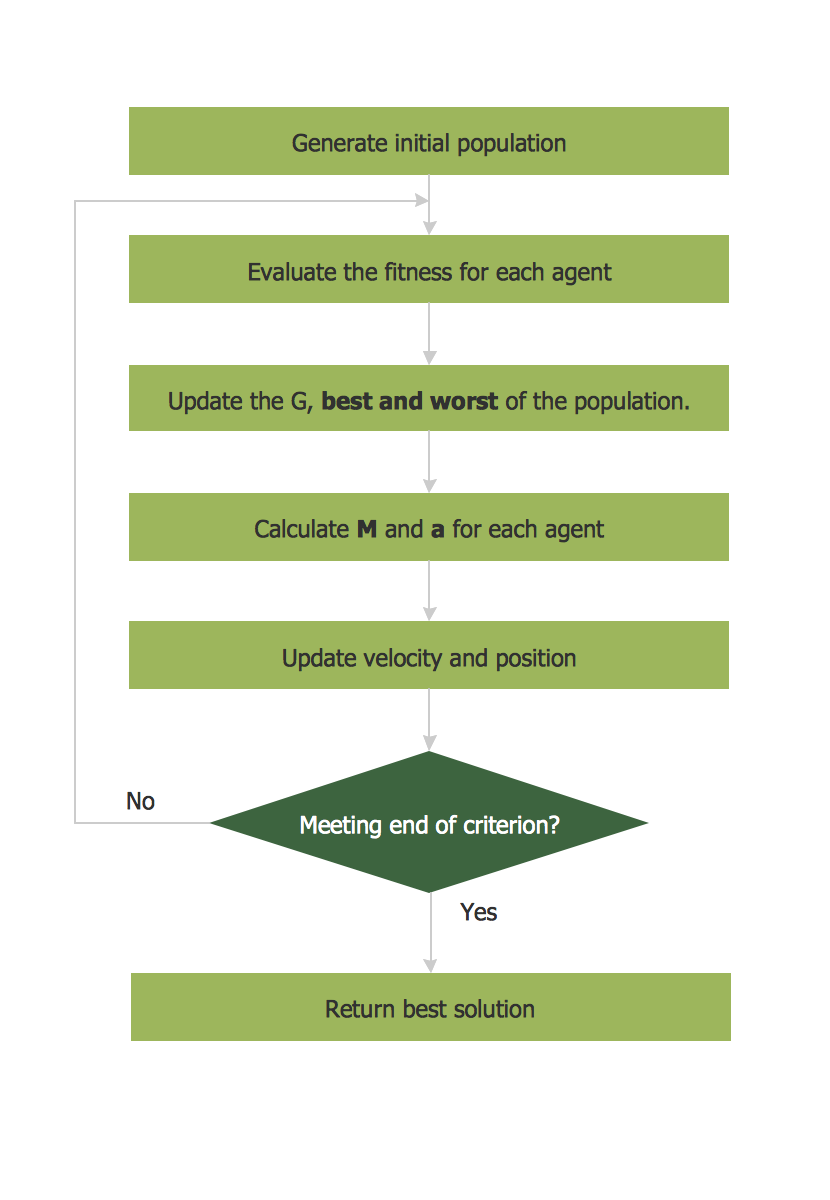
Picture: Simple Flow Chart
Related Solution:
ConceptDraw DIAGRAM extended with Fire and Emergency Plans solution from the Building Plans area of ConceptDraw Solution Park lets you make a Fire Exit Plan of any complexity in minutes.
Picture: Fire Exit Plan
Related Solution:
ConceptDraw DIAGRAM is a powerful sign making software thanks to the vector stencils library Recreation signs. This library is included in the Directional Maps solution from the Maps area of ConceptDraw Solution Park.
Sign making software is very useful tool for professional sign-making business. Use ConceptDraw DIAGRAM and make sure that now sign making is easier and timesaving than ever!
Picture: Sign Making Software
Related Solution:
.png "Spatial Infographics Solution Design Elements - Continental Map")